

De beste Webflow-alternativene gir deg fleksible designmuligheter, intuitiv redigering, kraftige integrasjoner og pålitelig drift du kan stole på for nettstedet ditt. Hvis du leter etter Webflow-alternativer, ser du sannsynligvis etter en brukervennlig nettstedbygger med større designfrihet, bedre tilpasningsmuligheter og brukervennlighet som lar deg lage alt fra et enkelt nettsted til en kompleks tilstedeværelse på nettet. Enten du trenger avanserte netthandelsfunksjoner, bedre muligheter for å bygge nettsteder, forbedret kundestøtte eller skalerbarhet for å utvikle virksomheten din, hjelper denne listen deg med å sammenligne de beste alternativene og velge plattformen som passer best til målene dine.
Hva er Webflow?
Webflow er en nettstedbygger uten kode som kombinerer et visuelt designgrensesnitt med robuste CMS- og driftsfunksjoner. Den lar deg utforme, bygge og lansere tilpassede nettsteder uten å skrive kode – noe som gjør den populær blant designere, markedsførere og bedrifter. Du kan lage responsive oppsett, administrere innhold og implementere animasjoner eller interaksjoner. Webflow passer for team som ønsker kreativ kontroll uten å være avhengige av utviklere for hver oppdatering.
Hvorfor du kan stole på våre programvareanbefalinger
6,700+
Reviews
20
Industry experts
16+
Evaluation factors
14
Years
Teamet vårt har testet og anmeldt programvare siden 2012. Vi er selv produktledere, så vi vet hvor vanskelig og hvor viktig det er å velge riktig programvare.
I denne guiden har vi vurdert verktøyene gjennom praktisk testing og uavhengig research og gitt dem poeng ut fra våre utvelgelseskriterier.
Anmeldelsene våre bygger på vår egen redaksjonelle vurdering. De er ikke et salgsargument.
Ekspertanmeldere:
- Andrew LumbySenior TPM
- Cristiano ValimSenior UI/UX Lead


Sammenligningstabell for Webflow-alternativer
Denne sammenligningstabellen fremhever prisdetaljer for mine beste Webflow-alternativer.
| Tool | Best For | Trial Info | Price | ||
|---|---|---|---|---|---|
| 1 | Best for multi-client site management | 14-day free trial | From $25/month | Website | |
| 2 | Best for launching an ecommerce store site | 3-day free trial | From $29/month (billed annually) | Website | |
| 3 | Best for agency client handover workflows | Free plan available | From $17/month (billed annually) | Website | |
| 4 | Best for WordPress site building without code | Free plan available | From $5/month (billed annually) | Website | |
| 5 | Best for exporting clean code from visual builds | Free plan available | Pricing upon request | Website | |
| 6 | Best for open-source, no-lock-in site ownership | Free plan + 14-day free trial available | From $15/month (billed annually) | Website | |
| 7 | Best for CRM-tied website and campaign analytics | 14-day free trial | From $20/month | Website | |
| 8 | Best for launching blogs with built-in newsletters | Free plan available | From $4/month (billed annually) | Website | |
| 9 | Best for MIT-licensed, self-hosted site ownership | Not available | Pricing upon request | Website | |
| 10 | Best for exporting Tailwind CSS site code | Free plan available | From $9/month | Website |


Anmeldelser av de beste Webflow-alternativene
Nedenfor finner du mine detaljerte sammendrag av de beste Webflow-alternativene som kom med på kortlisten min. Anmeldelsene mine gir et detaljert innblikk i funksjonene, de beste bruksområdene og prisene for hver plattform, slik at du kan finne den som passer best for deg.
 1Best for multi-client site management
Duda
- 14-day free trial
- From $25/month
Visit WebsiteCustomer Rating:4.6/5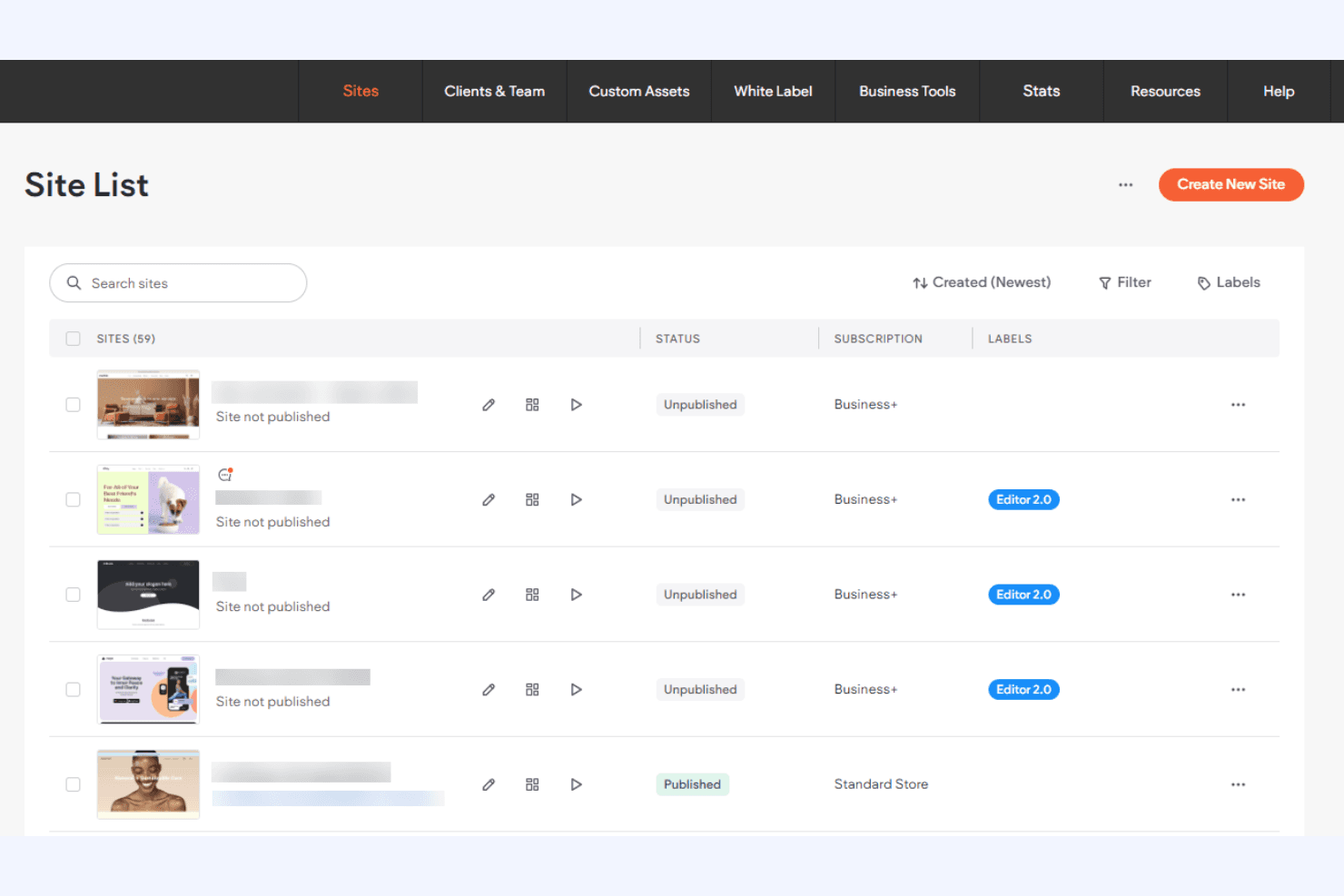
Duda helps agencies build, manage, and hand off client websites at scale. Duda is a no-code website builder for agencies and freelancers that need to create responsive client sites, simplify editing, and manage branded web experiences without Webflow’s development overhead.
Who Is Duda Best For?
Duda suits agencies and freelance web professionals who build and manage multiple client websites.
Why Duda Is a Good Best webflow Alternatives
I picked Duda because its multi-client site management tools fit agency workflows better than Webflow. I use reusable widgets, site duplication, and global sections to build consistent websites across client accounts. Role-based permissions also let clients edit approved content without changing layouts or brand settings.
Duda Key Features
- Responsive editor: Edit layouts for desktop, tablet, and mobile views.
- SEO tools: Manage page titles, meta descriptions, URLs, and redirects.
- Custom forms: Create contact, signup, and lead-generation forms.
- Ecommerce tools: Add products, manage orders, and configure payment options.
Duda Integrations
Duda lists integrations with Google Analytics, Google Calendar, Google Sheets, Airtable, PayPal, Mailchimp, Constant Contact, Mapbox, and HubSpot, with additional marketplace apps available through the Duda App Store. It also connects with Zapier and provides an API for custom integrations.
Pros and Cons
Pros:
- Role permissions protect approved client layouts
- Site duplication speeds up repeat builds
- Reusable widgets support consistent client sites
Cons:
- Platform migration can complicate site transfers
- Advanced interactions trail Webflow’s design control
Learn more about Duda: Best for launching an ecommerce store site
- 3-day free trial
- From $29/month (billed annually)
Visit WebsiteCustomer Rating:4.5/5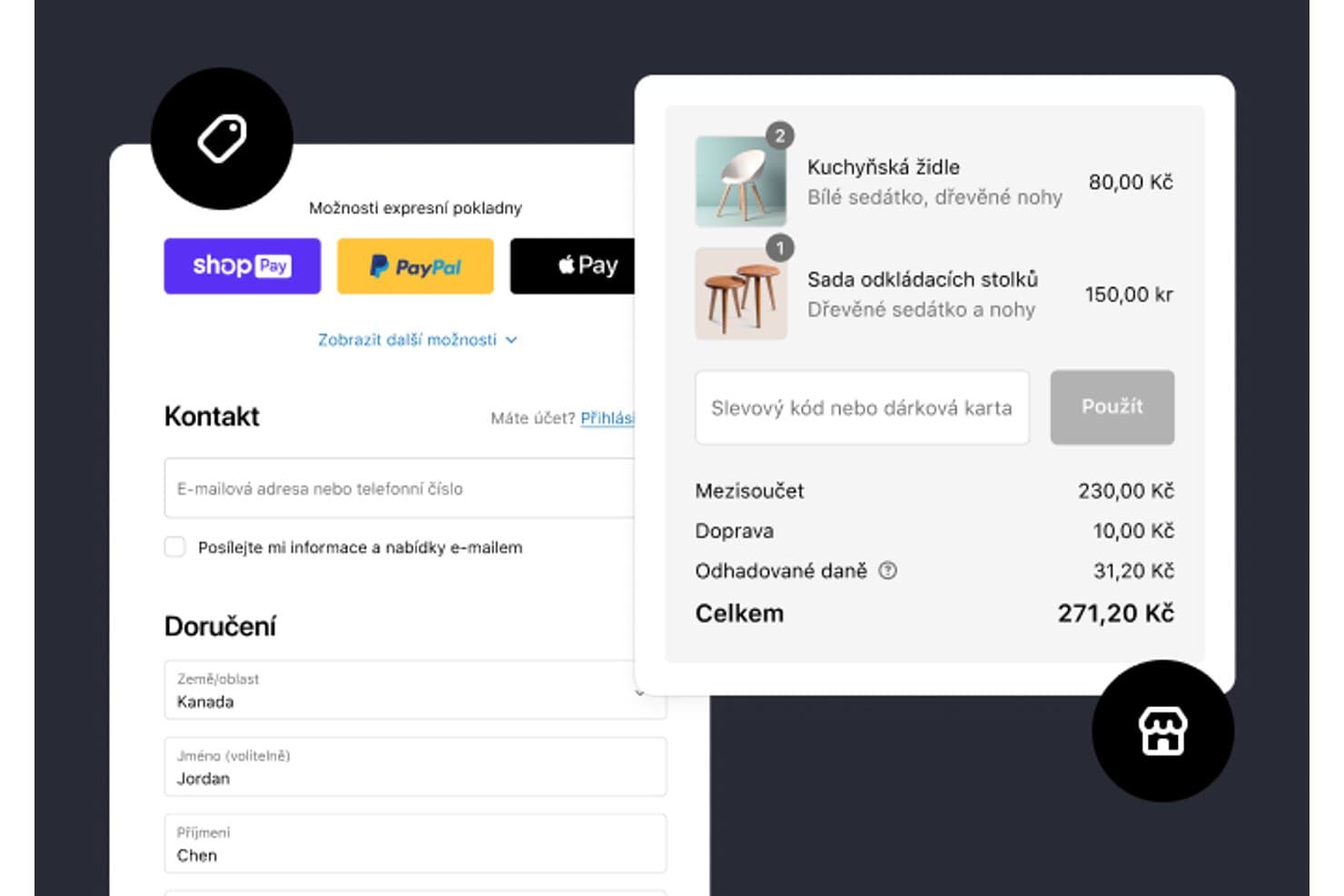
Shopify's checkout supports express payment and order summaries. Shopify is an ecommerce website builder for entrepreneurs and growing businesses that need to launch, manage, and scale online stores without stitching together separate tools.
Who Is Shopify Best For?
Shopify suits founders, small businesses, and growing retail teams that need to launch and manage an online store without building ecommerce infrastructure from scratch.
Why Shopify Is a Good Best webflow Alternatives
I picked Shopify because it’s built for launching an ecommerce store site, rather than adapting a general website builder. I use its product catalog, checkout, and inventory tools to turn a storefront into a working sales channel. Shopify also supports product selling across online and social channels from one admin.
Shopify Key Features
- Theme library: Choose from customizable storefront templates.
- Visual editor: Adjust page sections without coding.
- Custom domains: Connect a branded domain to your store.
- SEO controls: Edit titles, descriptions, URLs, and redirects.
Shopify Integrations
Shopify offers marketplace integrations through the Shopify App Store, including Klaviyo, Mailchimp, Google & YouTube, Facebook & Instagram, and Zapier. Shopify also provides Admin APIs for custom integrations.
Pros and Cons
Pros:
- Social selling extends storefront reach
- Inventory tools support growing retail operations
- Ecommerce-native checkout and product management
Cons:
- Advanced layouts often require theme editing
- Visual design control trails Webflow
Learn more about Shopify: Best for agency client handover workflows
- Free plan available
- From $17/month (billed annually)
Visit WebsiteCustomer Rating:4.2/5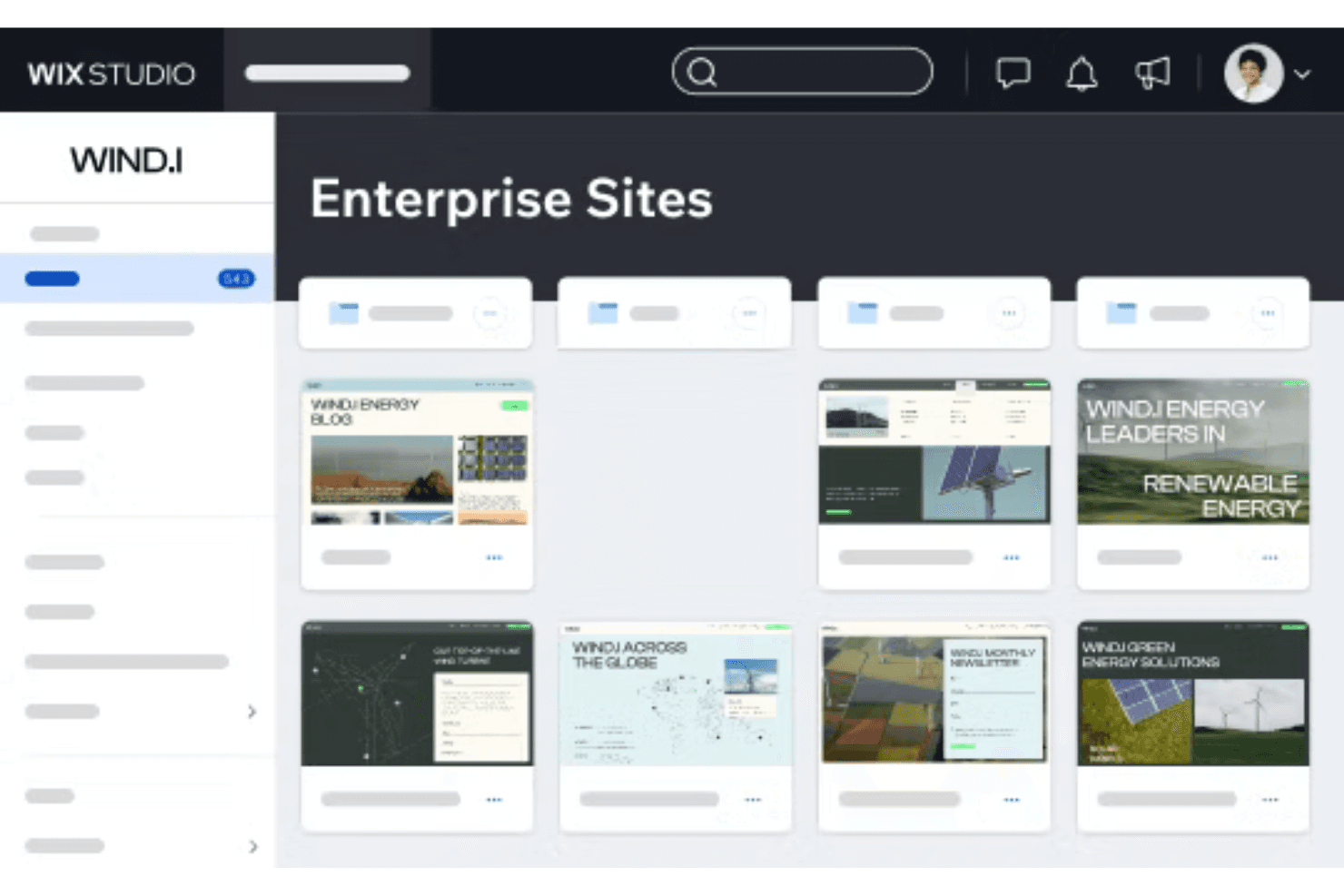
Wix Studio helps agencies design and manage multiple client websites. Wix Studio is a visual website builder for agencies, freelancers, and growing businesses that need responsive, custom sites, reusable design systems, and client-friendly editing without managing a complex development stack.
Who Is Wix Studio Best For?
Agencies and freelancers that build custom websites, then hand them over to clients for ongoing updates.
Why Wix Studio Is a Good Best webflow Alternatives
I picked Wix Studio because it’s Best for agency client handover workflows. I use responsive grids, custom breakpoints, and reusable design assets to build tailored client sites. Roles and permissions then let my team control access while clients make approved content updates after launch.
Wix Studio Key Features
- Drag-and-drop editor: Build pages visually without writing code.
- Content management system: Create and manage structured site content.
- SEO settings: Edit page titles, descriptions, and URL slugs.
- App Market: Add third-party apps for forms, bookings, and marketing.
Wix Studio Integrations
Wix Studio offers native integrations with Google Analytics, TikTok Pixel, Meta Pixel & CAPI, Google Tag Manager, Google Ads, Amazon, Instagram, Bing, and Google Business Profile, plus Zapier. It also supports more than 500 marketplace apps and Wix APIs for custom integrations.
Pros and Cons
Pros:
- Reusable assets support consistent multi-page systems
- Client roles limit accidental design changes
- Responsive breakpoint controls suit custom agency builds
Cons:
- Breakpoint changes can require repeated adjustments
- Sites cannot export cleanly to other hosts
Learn more about Wix Studio: Best for WordPress site building without code
- Free plan available
- From $5/month (billed annually)
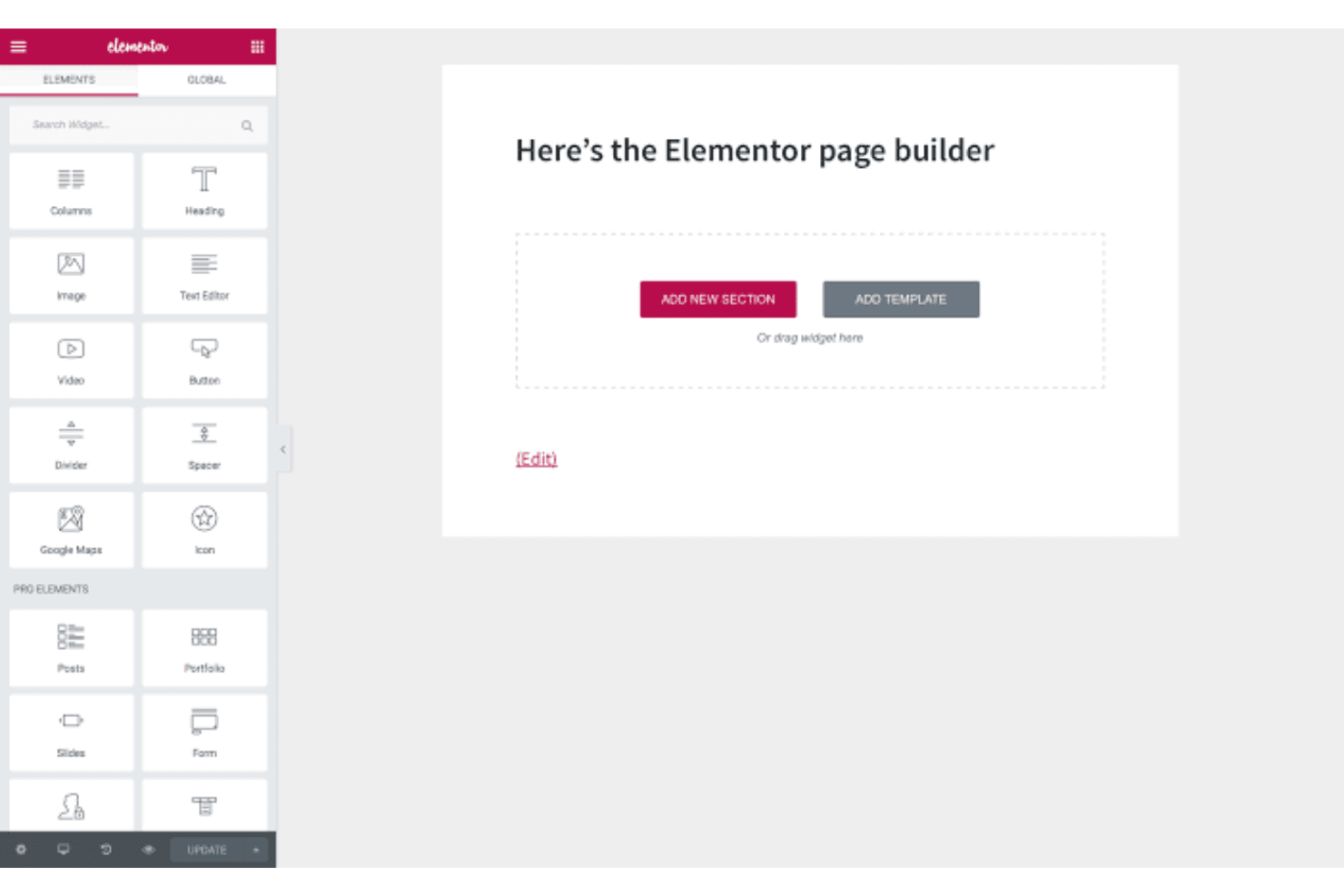
Elementor lets teams build custom WordPress sites with drag-and-drop tools. Elementor is a visual WordPress website builder for businesses, marketers, and creators who need to design responsive pages without coding or relying on developers for every update.
Who Is Elementor Best For?
Small marketing teams that need to create and update WordPress landing pages without relying on developers.
Why Elementor Is a Good Best webflow Alternatives
I picked Elementor because it supports WordPress site building without code through a visual editor and reusable page templates. I use its responsive controls to adjust landing page layouts across desktop, tablet, and mobile views. Its Theme Builder also lets my team manage headers, footers, and dynamic content from one WordPress workspace.
Elementor Key Features
- Form widget: Add customizable contact and lead-capture forms to pages.
- Popup builder: Create popups for promotions, announcements, and subscriptions.
- Motion effects: Configure scrolling effects, entrance animations, and sticky elements.
- Custom CSS: Apply custom CSS rules to individual elements or pages.
Elementor Integrations
Elementor offers native form integrations with ActiveCampaign, AWeber, ConvertKit, HubSpot, Mailchimp, and MailerLite, and connects with Zapier.
Pros and Cons
Pros:
- Reusable templates speed landing-page production
- Theme Builder controls global site regions
- WordPress-native visual editing without code
Cons:
- Updates sometimes introduce compatibility issues
- Heavy layouts can hurt page speed
Learn more about Elementor: Best for exporting clean code from visual builds
- Free plan available
- Pricing upon request
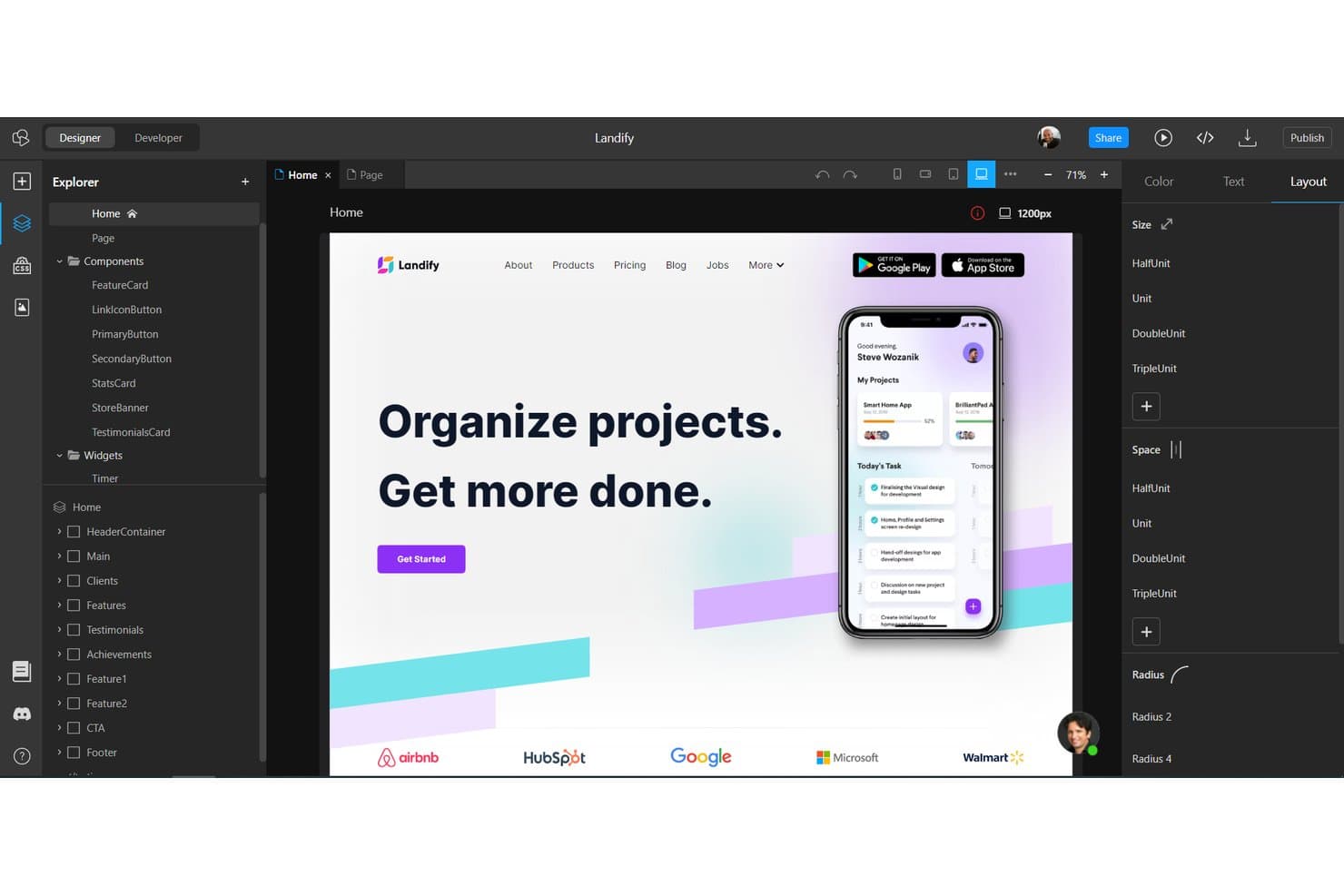
TeleportHQ lets users build and preview landing pages visually. TeleportHQ is a visual website builder for designers, marketers, and developers who need to create responsive websites without wrestling with complex development workflows.
Who Is TeleportHQ Best For?
TeleportHQ suits web designers and front-end teams that want to turn visual website builds into exportable code.
Why TeleportHQ Is a Good Best Webflow Alternatives
I picked TeleportHQ because its visual editor turns page layouts into exportable code. I use its HTML and CSS export when a project needs developer handoff without rebuilding the design manually. Its responsive visual builder also helps my team prepare pages for different screen sizes before export.
TeleportHQ Key Features
- AI website generation: Creates website layouts from text prompts.
- Template library: Starts projects with prebuilt website designs.
- Headless content modeling: Defines structured content for website pages.
- Forms management: Collects and manages website form submissions.
TeleportHQ Integrations
TeleportHQ supports integrations with GitHub, Vercel, and Figma, plus data connections to REST APIs, Supabase, PostgreSQL, MySQL, MariaDB, Amazon Redshift, MongoDB, Firestore, Airtable, and Google Sheets. It also supports CSV data sources for building dynamic websites.
Pros and Cons
Pros:
- Visual responsive controls reduce manual implementation work
- Converts Figma designs into editable website projects
- Exports HTML and CSS for developer handoff
Cons:
- CMS workflows lack Webflow’s publishing depth
- Exported code often needs developer cleanup
Learn more about TeleportHQ: Best for open-source, no-lock-in site ownership
- Free plan + 14-day free trial available
- From $15/month (billed annually)
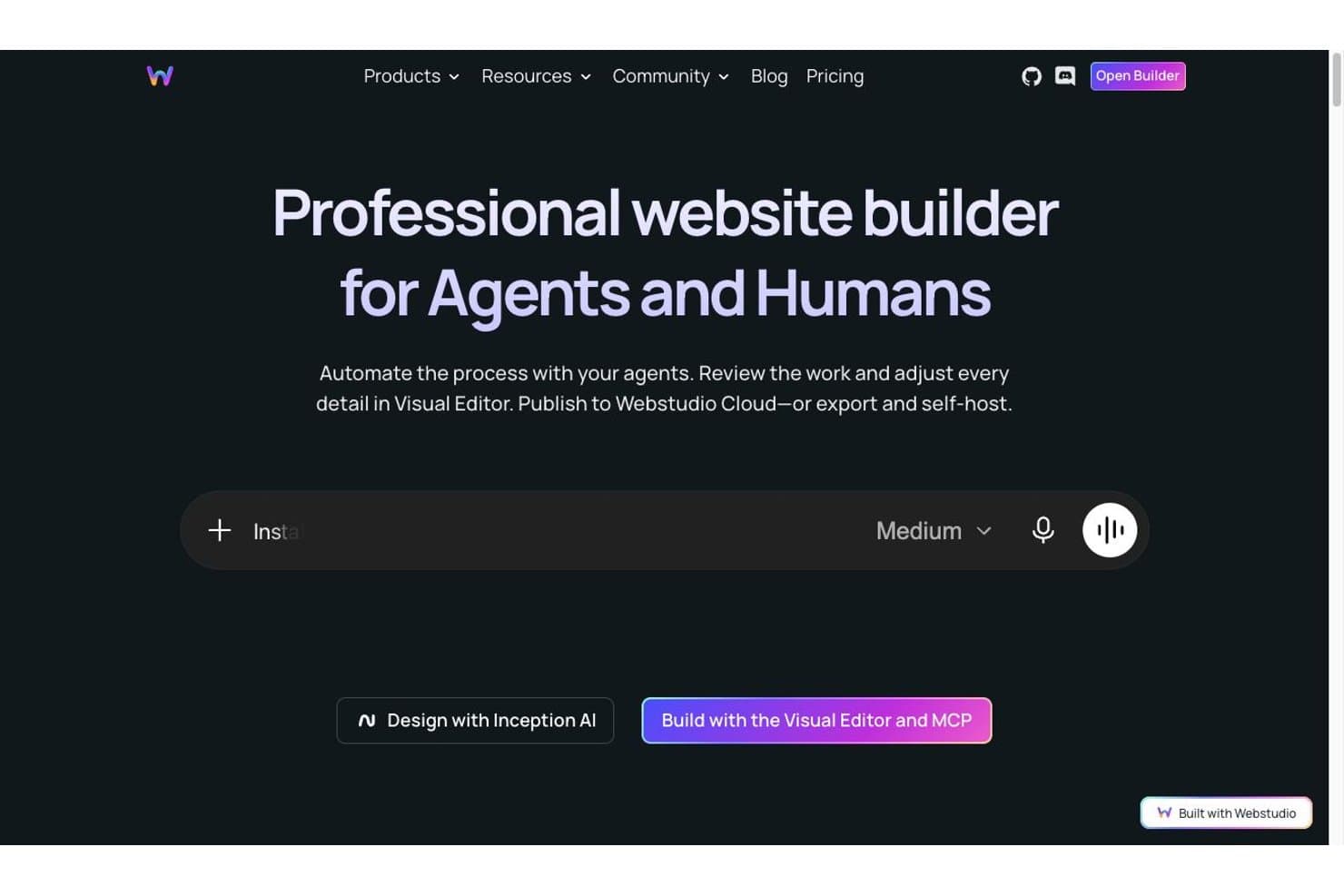
Webstudio lets users build websites with AI agents or a visual editor. For teams seeking a flexible Webflow alternative, Webstudio is a visual website builder for agencies, freelancers, and growing businesses that need responsive sites, custom layouts, and simpler content updates without heavy coding.
Who Is Webstudio Best For?
Webstudio suits agencies and freelance web creators who want visual control, responsive layouts, and site ownership without vendor lock-in.
Why Webstudio Is a Good Best Webflow Alternatives
I picked Webstudio because its open-source foundation supports no-lock-in site ownership. I use its visual builder, responsive layout controls, and self-hosting options to create custom marketing sites without tying the project to one vendor. That gives my team more control over hosting, code, and long-term maintenance.
Webstudio Key Features
- Data bindings: Connect dynamic content from external data sources.
- CSS grid and flexbox: Build layouts with native CSS controls.
- SEO settings: Edit titles, descriptions, canonical URLs, and social metadata.
- Custom code: Add CSS, JavaScript, and third-party scripts to pages.
Webstudio Integrations
Webstudio documents integrations with Hygraph, WordPress, Flotiq, Notion, Supabase, Pabbly, n8n, Airtable, and Zapier. It also supports fetching data from any HTTP API for custom connections.
Pros and Cons
Pros:
- Fast page delivery supports better performance
- Native CSS controls support precise layouts
- Open-source export reduces vendor lock-in
Cons:
- Collaboration features remain limited
- Headless CMS setup adds implementation work
Learn more about Webstudio: Best for CRM-tied website and campaign analytics
- 14-day free trial
- From $20/month
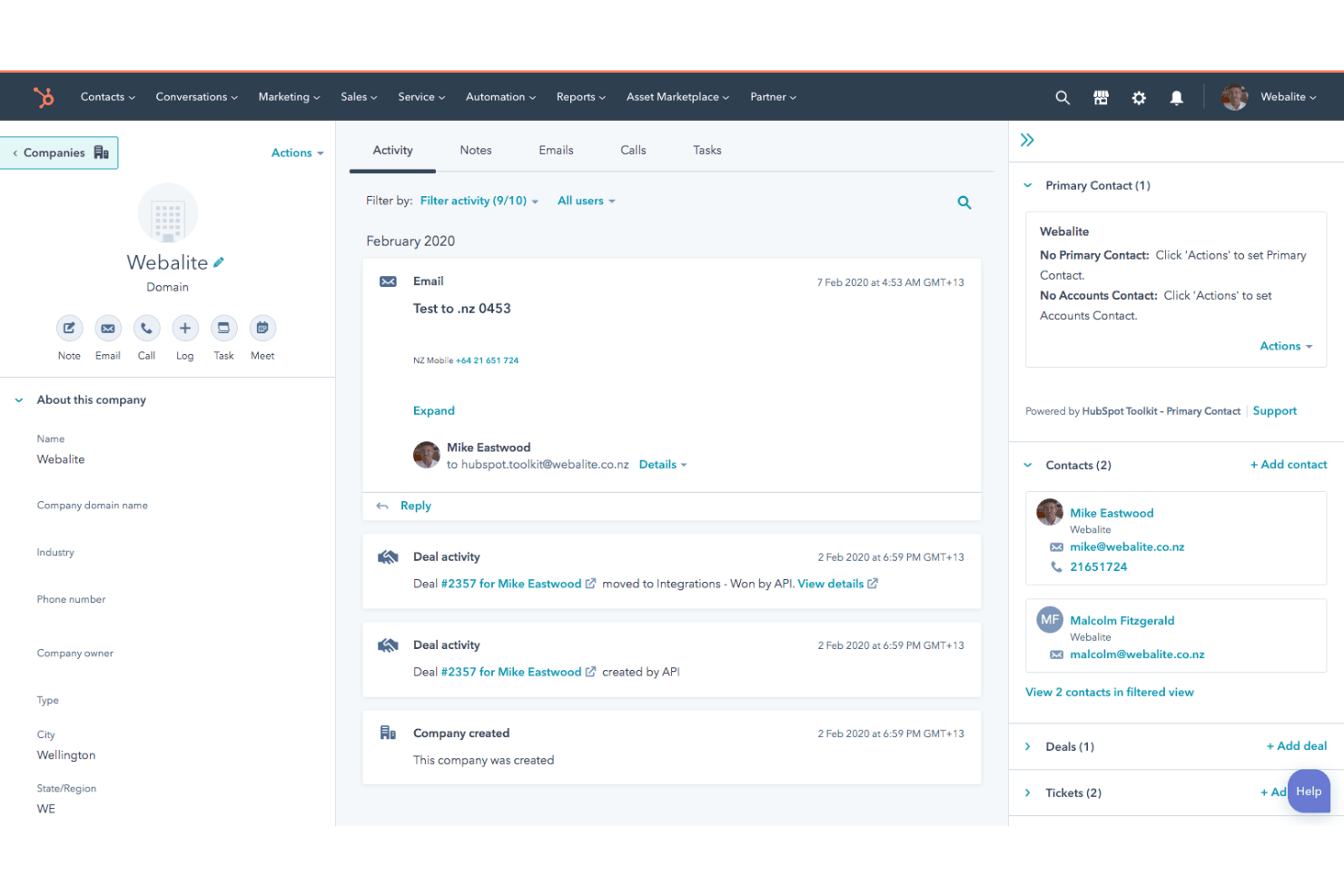
HubSpot Content Hub connects website content, blogs, landing pages, and CRM. HubSpot Content Hub is a CMS for marketing teams that connects website creation, content management, personalization, and customer data in one platform.
Who Is HubSpot Content Hub Best For?
HubSpot Content Hub suits marketing teams that need to manage website content and connect campaign performance to CRM data.
Why HubSpot Content Hub Is a Good Best webflow Alternatives
I picked HubSpot Content Hub because it’s best for CRM-tied website and campaign analytics. I use smart content rules to personalize pages from CRM properties, then connect page views and conversions to campaign reporting. That lets my team compare content paths, such as a product page visit followed by a demo request, against pipeline outcomes.
HubSpot Content Hub Key Features
- Drag-and-drop editor: Build webpages and landing pages without code.
- Website themes: Apply consistent layouts, styles, and reusable components.
- SEO recommendations: Review on-page optimization suggestions while editing content.
- Content library: Store and organize files, documents, and downloadable assets.
HubSpot Content Hub Integrations
HubSpot Content Hub supports marketplace integrations including WordPress, Canva, and Shopify, connects with Zapier, and provides APIs for custom integrations.
Pros and Cons
Pros:
- Drag-and-drop pages support rapid launches
- Campaign reporting connects content to pipeline
- CRM data informs content personalization
Cons:
- Visual control trails Webflow’s design depth
- Advanced designs often require developer support
Learn more about HubSpot Content Hub: Best for launching blogs with built-in newsletters
- Free plan available
- From $4/month (billed annually)
WordPress.com helps users build content-driven sites without hosting setup. WordPress.com is a website builder for bloggers, creators, and small businesses that need an accessible way to publish content, establish an online presence, and manage a site without extensive technical skills.
Who Is WordPress.com Best For?
It suits bloggers, newsletter writers, and small teams that want to publish regularly without managing hosting or complex site infrastructure.
Why WordPress.com Is a Good Best webflow Alternatives
I picked WordPress.com because I can publish blog posts and send them directly to subscribers through built-in newsletters. I use its subscriber tools to grow an audience from the same site, while scheduled posts support consistent editorial campaigns. This makes it a practical alternative when content distribution matters as much as page design.
WordPress.com Key Features
- Block editor: Build pages with modular content blocks.
- Themes: Choose from pre-designed layouts for different site types.
- Custom domains: Connect a domain name to your website.
- Managed hosting: WordPress.com handles hosting, updates, and site security.
WordPress.com Integrations
WordPress.com’s native integrations are not clearly documented. It provides a REST API for custom integrations and supports connections through plugins.
Pros and Cons
Pros:
- Managed hosting removes server maintenance
- Block editor supports rapid editorial updates
- Newsletter publishing reaches subscribers directly
Cons:
- Plugin-dependent features can add maintenance
- Visual design control trails Webflow
Learn more about WordPress.com: Best for MIT-licensed, self-hosted site ownership
- Not available
- Pricing upon request
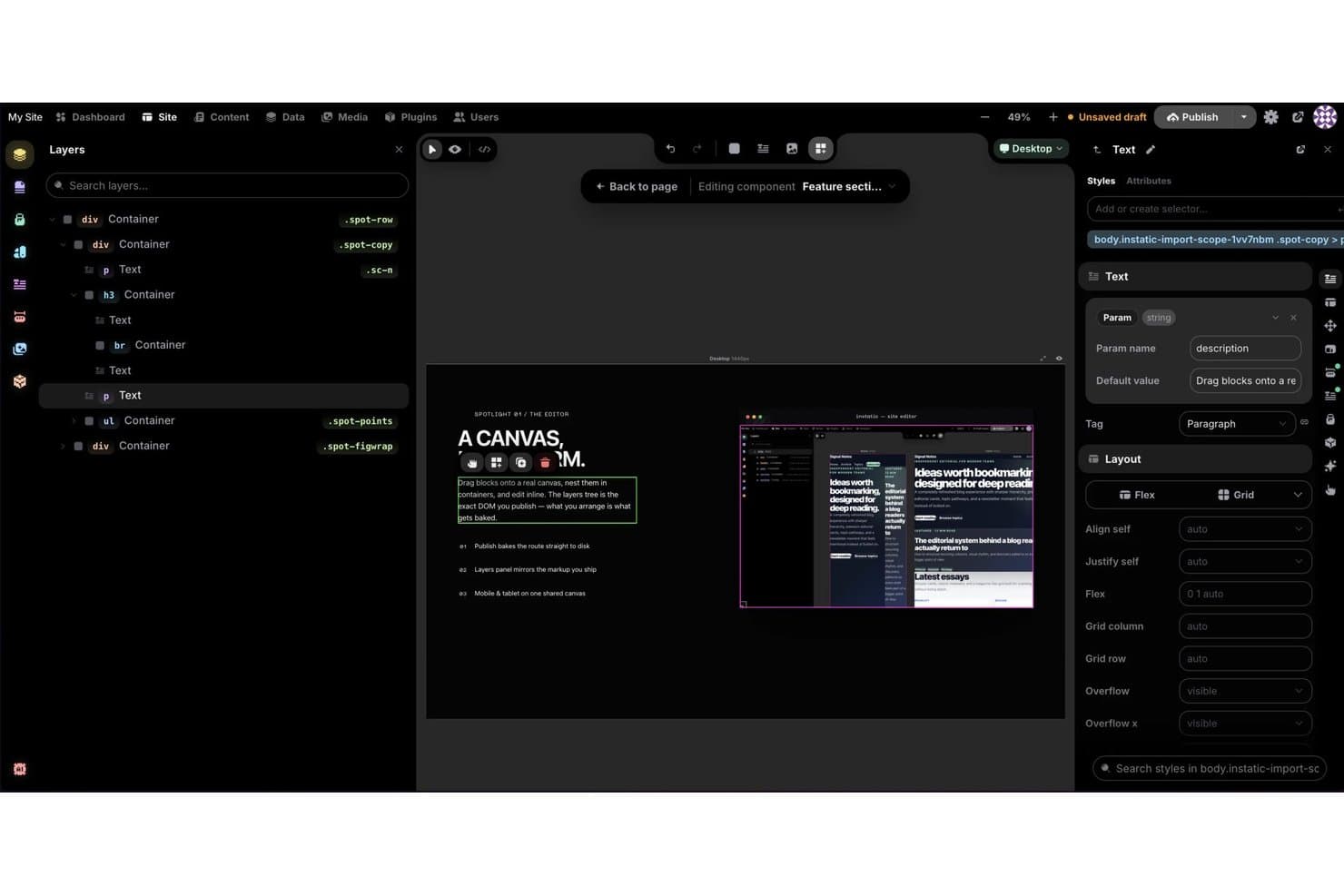
Instatic lets users build reusable components with editable text params. Instatic is a self-hosted website builder and CMS for agencies, developers, and businesses that need visual design tools, structured content management, and fast static-site publishing without vendor lock-in.
Who Is Instatic Best For?
Instatic suits agencies and developers who want to manage client websites with self-hosted infrastructure and full control over deployment.
Why Instatic Is a Good Best webflow Alternatives
I picked Instatic because it gives me MIT-licensed, self-hosted site ownership instead of vendor-controlled hosting. I use its visual design tools and structured content management to build client sites, then publish fast static pages through infrastructure I control. That setup suits agencies managing multiple websites and custom deployment workflows.
Instatic Key Features
- Responsive image processing: Generates WebP variants and BlurHash placeholders automatically.
- Built-in forms: Creates fields, stores submissions, and manages data within the CMS.
- Template system: Applies layouts to site pages, post types, and 404 pages.
- Plugin sandbox: Runs extensions in isolated QuickJS WebAssembly environments.
Instatic Integrations
Native integrations are not clearly documented. Instatic provides a content API and MCP server for Claude Code, Cursor, and Codex, and supports AI connections with Claude, OpenAI, OpenRouter, and Ollama.
Pros and Cons
Pros:
- Isolated plugins reduce extension risk
- Static publishing supports fast page delivery
- MIT license preserves full ownership
Cons:
- Smaller ecosystem means fewer ready-made resources
- Self-hosting requires deployment expertise
Learn more about Instatic:
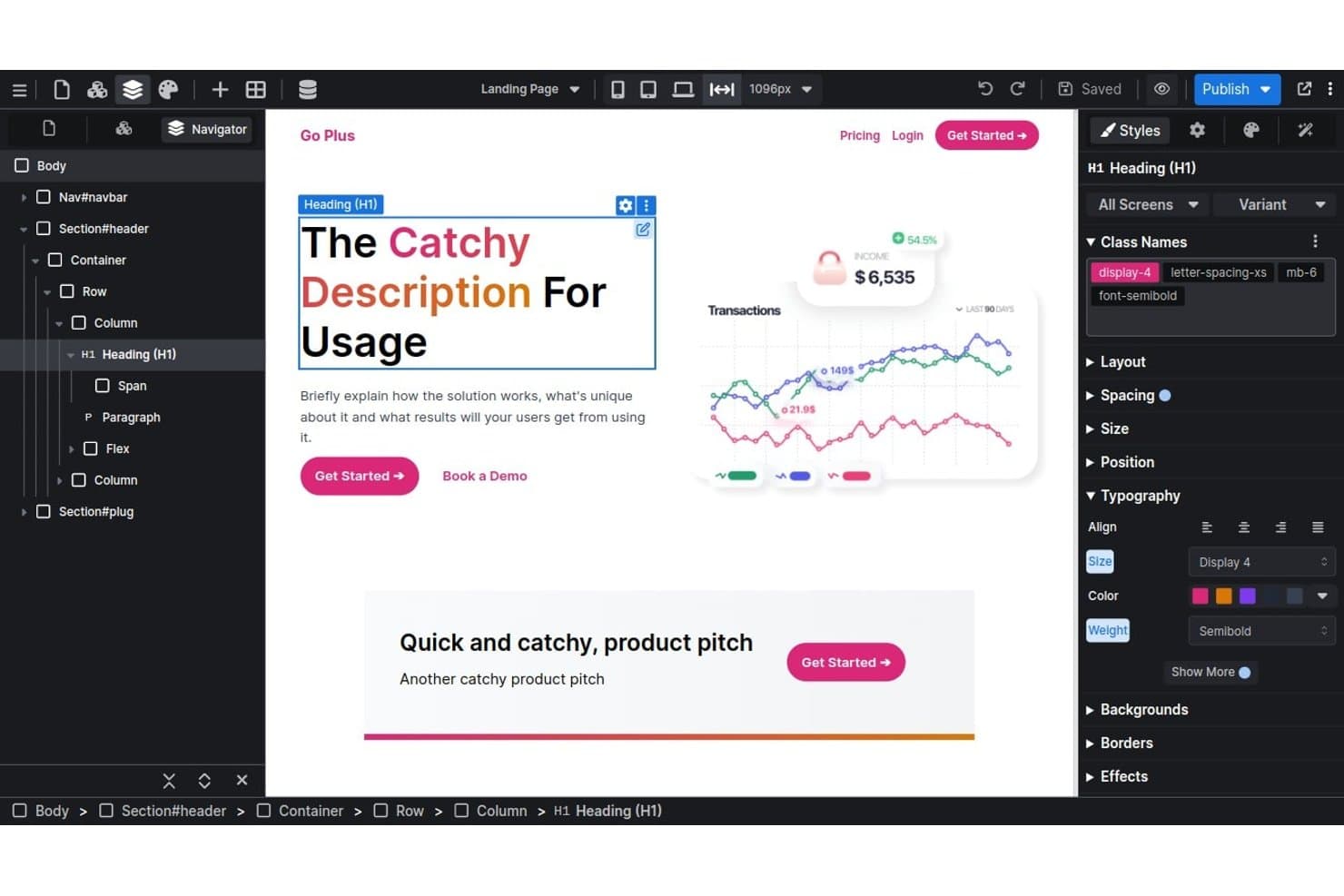
Versoly's visual editor lets users style headings with typography controls. Versoly is a website builder for startups, agencies, and product teams that need to create responsive marketing sites without Webflow’s platform constraints or a lengthy development handoff.
Who Is Versoly Best For?
Versoly suits startups, agencies, and product teams that need responsive marketing sites with exportable Tailwind CSS code.
Why Versoly Is a Good Best webflow Alternatives
I picked Versoly as a strong Webflow alternative because it is best for exporting Tailwind CSS site code. I use its visual builder to create responsive marketing pages, then hand the generated Tailwind code to developers for product-site refinement. That workflow keeps design exploration separate from the final engineering handoff.
Versoly Key Features
- Blogging CMS: Create and manage dynamic blog content with a rich text editor.
- SEO tools: Configure canonical URLs, metadata, and structured content settings.
- Email forms: Add newsletter signup forms and calls to action to pages.
- Analytics integrations: Connect website analytics and marketing tools to track performance.
Versoly Integrations
Native integrations are not clearly documented. Versoly supports form connections through external APIs, plus a public API, webhooks, JavaScript client, and Zapier.
Pros and Cons
Pros:
- Includes blogging CMS and SEO controls
- Builds responsive pages through visual editing
- Exports clean Tailwind CSS code
Cons:
- Smaller template ecosystem than Webflow’s ecosystem
- Exported code requires ongoing developer maintenance
Learn more about Versoly:
Andre Webflow-alternativer
Her er noen flere Webflow-alternativer som ikke kom med på kortlisten min, men som likevel er verdt å undersøke:
- 11NordcraftBest for open-source visual site ownership
- 12FramerBest for Figma-like design with built-in A/B testing
- 13SquarespaceBest for template-driven creative portfolios
- 14InstapageBest for ad-to-page conversion testing
- 15YcodeBest for open-source, self-hosted site ownership
- 16DorikBest for AI-generated one-page sites
- 17BubbleBest for building no-code apps beyond static sites
- 18Builder.ioBest for A/B testing on existing codebases
How I Evaluate Webflow Alternatives
I split my evaluation into three parts, starting with core functionality—specifically whether a tool can deliver a visual design canvas and a built-in CMS, since those carry the most weight. Then I look at standout features like native ecommerce support or code export options. Finally, I consider pricing structure and onboarding resources.
Core Functionality (Table Stakes For This List)
When I'm selecting tools for my list, I score each one on a scale from 0 (does not offer the functionality) to 5 (excels in this area) for each core functionality listed below. I then convert the total into a percentage to help assess each tool's overall fit, with extra weight on any functionalities I’ve deemed essential.
- Visual Design Canvas (Essential): I look for precise visual control over page layouts, spacing, and styling, including custom designs beyond preset sections.
- Content Management (Essential): I assess whether teams can define content types and fields, then publish updates like blog posts or landing pages across templates.
- Responsive Layout: I check whether teams can adjust layouts at desktop, tablet, and mobile breakpoints rather than relying on automatic reflow.
- Hosting & Publishing: I look for included hosting and straightforward publishing, plus staging or rollback options for teams iterating on live sites.
- Custom Code: I consider where teams can add HTML, CSS, or JavaScript to support functionality beyond the visual editor.
- Team Collaboration: I evaluate user roles and permissions, and whether designers, developers, and content editors can work on the same site.
Once I have a list of tools that meet the criteria, I consider what sets each platform apart.
Differentiating Factors (What Sets Vendors Apart)
Here's how I compare and contrast different vendors:
Standout Features
I look for native ecommerce support—built-in product catalogs, cart, and checkout—so teams can validate pricing and purchase flows without bolting on a third-party store. Code export matters just as much: if you can eject clean HTML/CSS, you keep full ownership and avoid lock-in when product needs shift. I also evaluate how each tool handles CMS-driven interactions, like binding animations or filters directly to dynamic content, which cuts dependency on custom scripting for personalized landing pages.
Beyond Features
I evaluate how each platform's pricing model scales—per-site billing adds up fast for agencies juggling multiple client projects, while workspace-based plans can be more predictable. Ecosystem depth matters too: I check for native CRM, analytics, and A/B testing connections so teams aren't stitching together workarounds. Finally, I consider migration risk, especially whether a platform preserves URL structures and supports redirects, since a botched switch can tank organic traffic overnight.
Hvorfor se etter et Webflow-alternativ?
Selv om Webflow er et godt valg av nettstedbygger, finnes det flere grunner til at enkelte brukere ser etter alternative løsninger. Det kan hende du ser etter et Webflow-alternativ fordi …
- Du ønsker raskere opplæring for teammedlemmer uten teknisk bakgrunn
- Du trenger en tydeligere og mer forutsigbar prismodell
- Du trenger mer avansert støtte for netthandel fra første dag
- Du trenger innebygde markedsføringsintegrasjoner eller integrerte CRM-funksjoner
- Du foretrekker en plattform med åpen kildekode og større fleksibilitet og kontroll
- Du betjener flere markeder og ønsker mer omfattende lokaliseringskontroller
Hvis noe av dette høres kjent ut, har du kommet til rett sted. Listen min inneholder flere nettstedbyggere som passer bedre for team som møter disse utfordringene med Webflow og ser etter alternative løsninger.
Webflows viktigste funksjoner
Her er noen av Webflows viktigste funksjoner, slik at du kan sammenligne hva alternative løsninger tilbyr:
- Visuell designer: Lar deg bygge fullt responsive nettsteder ved hjelp av en fleksibel dra-og-slipp-editor, slik at markedsførere og designere får detaljert kontroll over oppsett og stil.
- CMS-samlinger: Lar deg opprette, administrere og publisere dynamisk innhold (som blogger, kundehistorier eller produktsider) uten å skrive kode, noe som gjør oppdateringer raske og tilgjengelige for ikke-tekniske brukere.
- Interaksjonsbygger: Tilbyr et visuelt verktøy for å bygge avanserte interaksjoner og animasjoner – som triggerbaserte overganger, rulleeffekter og mikrointeraksjoner – uten egendefinert JavaScript.
- Eksport av ren kode: Gir deg muligheten til å eksportere produksjonsklar HTML, CSS og JavaScript, slik at utviklingsteamet kan fortsette arbeidet utenfor Webflow-plattformen.
- Integrert hosting: Inkluderer innebygd sikker hosting med et SSL-sertifikat, globalt innholdsleveringsnettverk, automatiske sikkerhetskopier og publisering med ett klikk, slik at du kan føle deg trygg og lansere nettsteder raskt.
- SEO-verktøy: Tilbyr SEO-kontroller på siden med tilpassbare metatitler og -beskrivelser, innstillinger for Open Graph, automatisk genererte nettstedskart og semantisk oppmerking for å støtte bedre rangering i søk.
- Lokalisering: Støtter innebygd flerspråklig innhold, lokaliserte nettadresser og SEO-funksjoner som hjelper deg med å tilby og optimalisere nettsteder for flere markeder.
- Netthandel: Gjør det mulig å opprette og administrere en nettbutikk med tilpassbare produktsider, handlekurver, utsjekkingsprosesser og enkel ordrebehandling for voksende produktbedrifter.
- Brukerroller og tillatelser: Lar deg administrere ulike nivåer av redigerings- og publiseringstilgang, slik at team kan samarbeide trygt uten risiko for utilsiktede endringer.
- Innebygde skjemaer: Leveres med innebygde skjemablokker for innsamling av potensielle kunder og kontaktforespørsler, noe som gjør det enkelt å samle inn informasjon og komme i kontakt med potensielle eller eksisterende kunder direkte fra nettstedet ditt.