

Hvis du leter etter et alternativ til ActivTrak, er du ikke alene. Kanskje du ser etter et verktøy som passer bedre til teamets spesifikke behov, eller du ønsker deg funksjoner ActivTrak ikke tilbyr. Plattformer for arbeidsstyrkeanalyse kan bidra til å håndtere utfordringer som produktivitetssporing og personvern, og hjelpe virksomheter med å administrere ansatte på kontoret, i hybride arbeidsmiljøer og på hjemmekontor.
Etter min erfaring kan det å finne det rette verktøyet være en prosess med prøving og feiling. Jeg har vurdert flere alternativer for å hjelpe deg med å spare tid og krefter, med mål om å finne løsninger som faktisk løser utfordringene dine.
I denne artikkelen finner du de beste alternativene med unike fordeler. Enten du er ute etter avanserte funksjoner, bedre priser eller mer skreddersydde løsninger, finnes det en løsning for deg. La oss finne det som passer best for teamet ditt.
Hva er ActivTrak?
ActivTrak er en plattform for arbeidsstyrkeanalyse og arbeidsstyrkeinnsikt som er utviklet for å hjelpe virksomheter med å forstå og forbedre teamets produktivitet. Den brukes ofte av ledere, HR-medarbeidere og IT-spesialister som trenger innsikt i de ansattes prestasjoner og atferd. Funksjoner som automatisert tidsregistrering, atferdsanalyse og overvåking i sanntid gjør det enklere å identifisere ineffektivitet og forbedre arbeidsflyter. Alt i alt tilbyr ActivTrak verdifulle data som hjelper deg med å ta velinformerte beslutninger om effektiv ledelse av teamet ditt.
Sammenligningstabell for ActivTrak-alternativer
Denne sammenligningstabellen oppsummerer prisopplysningene for mine beste utvalgte ActivTrak-alternativer.
| Tool | Best For | Trial Info | Price | ||
|---|---|---|---|---|---|
| 1 | Best for cybersecurity features | Free demo available | Pricing upon request | Website | |
| 2 | Best for all-in-one time tracking and workforce ops | 14-day free trial | From $5/user/month | Website | |
| 3 | Best for time tracking with scheduling visibility | Free plan + 7-day free trial available | From $4.99/user/month | Website | |
| 4 | Best for time tracking with project billing | 14-day free trial + free plan + free demo available | From $3.99/user/month (billed annually) | Website | |
| 5 | Best for on-premise visual monitoring with DLP | Free demo + 14-day free trial available | From $7/user/month (billed annually) | Website | |
| 6 | Best for remote team productivity benchmarking | 14-day free trial | Pricing upon request | Website | |
| 7 | Best for distributed team tracking | 15-day free trial | From $9/user/month (billed annually) | Website | |
| 8 | Best for AI-driven workforce capacity planning | Free trial available | From $10/user/month | Website | |
| 9 | Best for monitoring with built-in payroll automation | 14-day free trial + free demo available | From $3.99/user/month (billed annually) | Website | |
| 10 | Best for GPS tracking for distributed teams | 14-day free trial | From $10/user/month (billed annually) | Website |


Hvorfor du kan stole på våre programvareanbefalinger
6,700+
Reviews
20
Industry experts
16+
Evaluation factors
14
Years
Teamet vårt har testet og anmeldt programvare siden 2012. Vi er selv produktledere, så vi vet hvor vanskelig og hvor viktig det er å velge riktig programvare.
I denne guiden har vi vurdert verktøyene gjennom praktisk testing og uavhengig research og gitt dem poeng ut fra våre utvelgelseskriterier.
Anmeldelsene våre bygger på vår egen redaksjonelle vurdering. De er ikke et salgsargument.
Ekspertanmeldere:
- Andrew LumbySenior TPM
- Cristiano ValimSenior UI/UX Lead


Anmeldelser av de beste ActivTrak-alternativene
Nedenfor finner du mine detaljerte sammendrag av de beste ActivTrak-alternativene som kom med på kortlisten min. Anmeldelsene mine gir en grundig gjennomgang av de viktigste funksjonene, fordelene og ulempene, integrasjonene og ideelle bruksområdene for hvert verktøy, slik at du kan finne det beste alternativet for deg.
 Best for cybersecurity features
- Free demo available
- Pricing upon request
Visit WebsiteCustomer Rating:4.5/5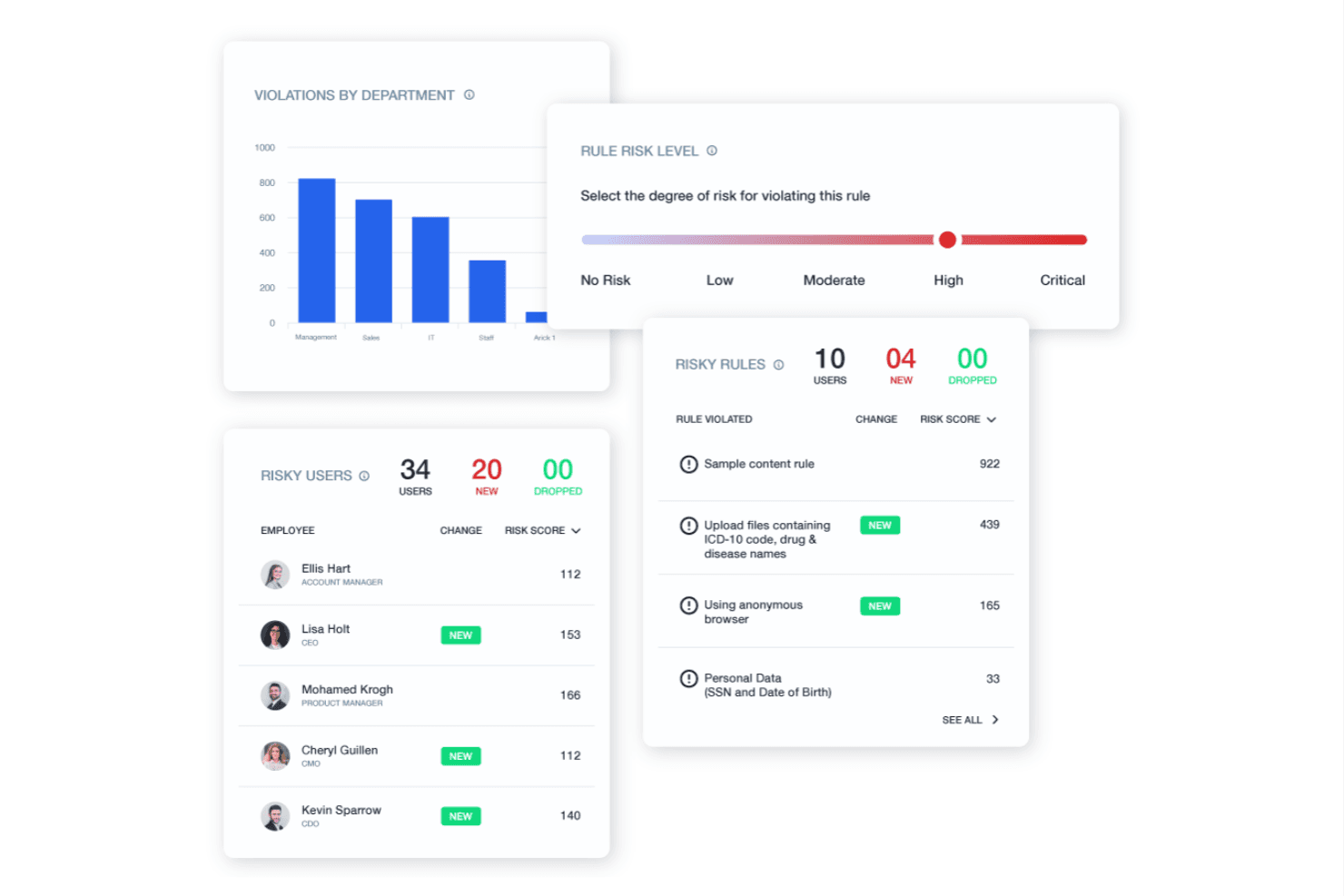
Teramind monitors user activity to protect data and enforce compliance. Teramind is employee monitoring software that helps IT and operations teams track workforce activity, understand work patterns, and investigate potential policy violations across company devices.
Who Is Teramind Best For?
Teramind suits IT and security teams that need to monitor endpoint activity, investigate insider risks, and support internal security reviews.
Why I Picked Teramind
I picked Teramind as an ActivTrak alternative because its cybersecurity features help teams trace endpoint activity and investigate policy violations. I like that teams can review recorded user sessions and set alerts for risky behavior, giving security staff evidence when they investigate unusual access or suspected data misuse.
Teramind Key Features
- Application and website tracking: Logs apps used and sites visited during work.
- Active and idle time: Separates active computer use from idle periods.
- Schedule adherence: Tracks whether employees follow assigned work schedules.
- Privacy controls: Lets admins mask sensitive data and exclude non-business domains.
Teramind Integrations
Teramind documents integrations with Splunk, ArcSight, IBM QRadar, Exabeam, OpenText, McAfee, ServiceNow, Jira, Zendesk, and Redmine. Its API supports custom integrations, which can help connect employee activity data with security and project workflows.
Pros and Cons
Pros:
- Granular rules target sensitive activity
- Recorded sessions support incident investigations
- Real-time alerts flag insider-risk behavior
Cons:
- Policy setup and reporting take work
- Intensive monitoring can feel intrusive
Learn more about Teramind: Best for all-in-one time tracking and workforce ops
- 14-day free trial
- From $5/user/month
Visit WebsiteCustomer Rating:5/5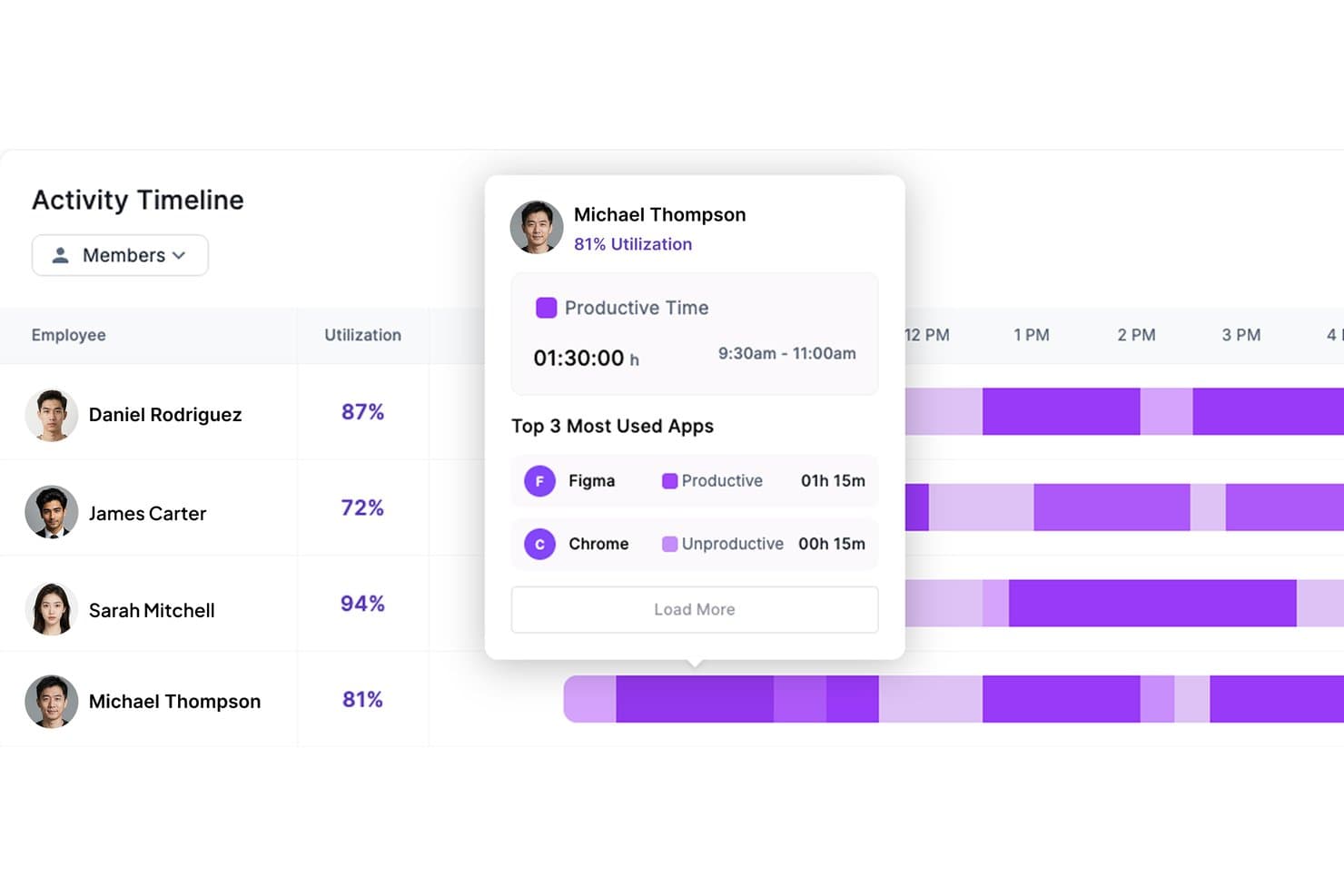
Modge tracks employee app usage and productivity time on a timeline. Modge is a workforce management platform for businesses that need visibility into employee work patterns and a clearer way to manage time, attendance, and daily operations.
Who Is Modge Best For?
Modge is a fit for operations managers overseeing shift-based or mobile teams who need to coordinate day-to-day workforce activity.
Why I Picked Modge
I picked Modge as an ActivTrak alternative for all-in-one time tracking and workforce ops. It classifies app and website activity as productive, neutral, or unproductive, while automatic session tracking feeds timesheets managers can approve. For shift-based teams, schedules and shift-adherence scores connect activity visibility with attendance and coverage.
Modge Key Features
- Optional screenshots: Configure capture intervals and blur settings by team or person.
- Productivity dashboard: Review productivity scores, active and idle time, attendance, and recent activity.
- Leave management: Set leave policies and track manager approvals, balances, and utilization.
- Profitability reports: Compare margins by project, client, and person using bill and pay rates.
Modge Integrations
Modge doesn’t list native integrations. It offers payroll-ready CSV exports in generic, Wise, and PayPal formats.
Pros and Cons
Pros:
- Reviewers praise real-time visibility and interface
- Shift adherence connects attendance with activity
- Automatic sessions feed approval-ready timesheets
Cons:
- Activity monitoring may feel intrusive to employees
- Desktop tracking supports only Windows and macOS
Learn more about Modge: Best for time tracking with scheduling visibility
- Free plan + 7-day free trial available
- From $4.99/user/month
Visit WebsiteCustomer Rating:4.8/5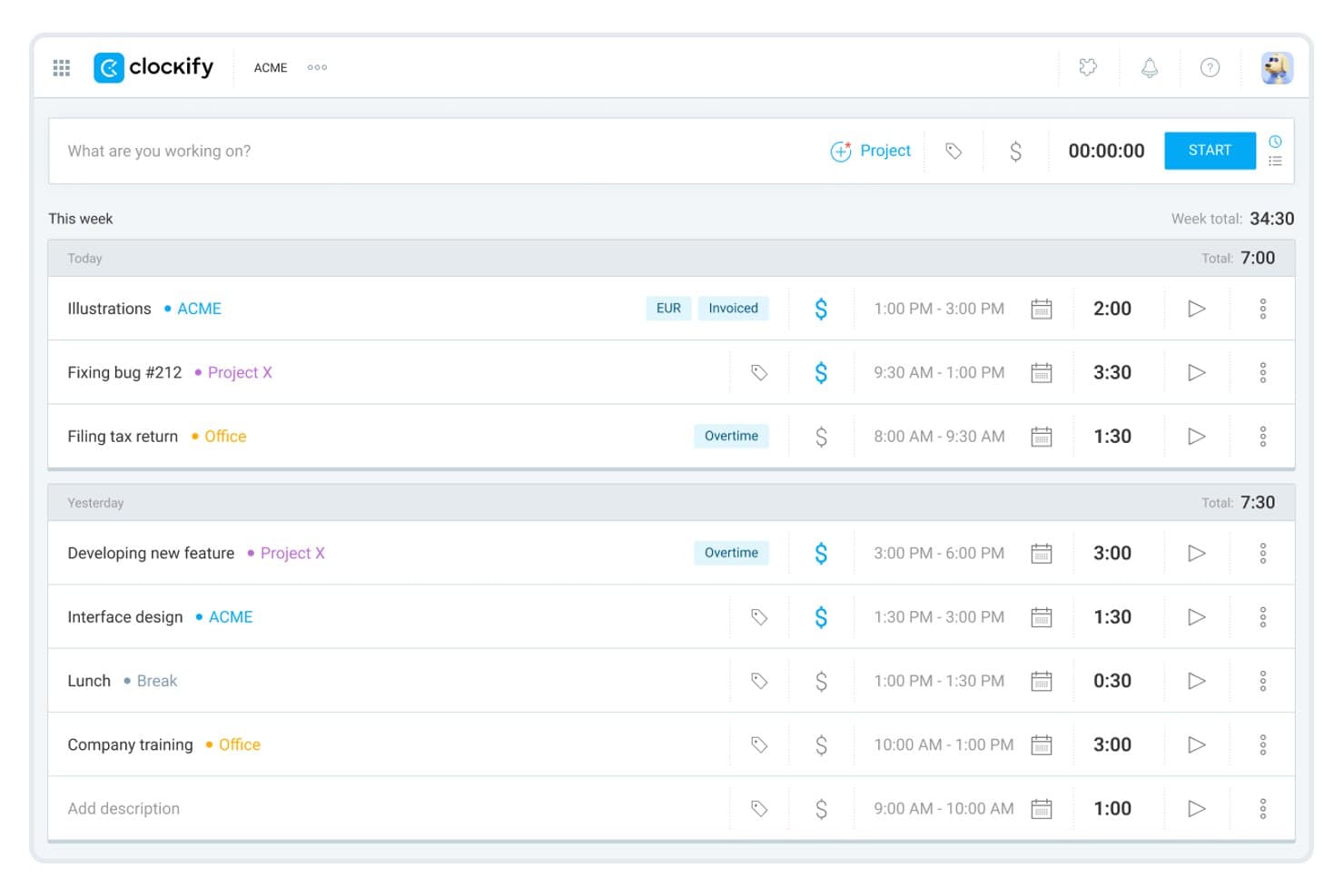
Clockify lets users log and review daily time entries by project. Clockify is time-tracking software for product and project teams that need work-hour records and project reports to understand where effort goes without relying on activity surveillance.
Who Is Clockify Best For?
Clockify suits product operations and project leads who need to compare team schedules with tracked hours across projects.
Why I Picked Clockify
I picked Clockify for time tracking with scheduling visibility as an alternative to activity monitoring. Its team schedule lets me compare planned work with tracked hours, while project reports show where time went across initiatives. I use those records to spot capacity gaps before a product milestone slips.
Clockify Key Features
- Kiosk: Let team members clock in and out from a shared device.
- Time off: Record and manage team members’ leave requests.
- Expense tracking: Log project-related expenses alongside work records.
- Timesheet approval: Review and approve submitted timesheets.
Clockify Integrations
Clockify lists native integrations with Pumble, Plaky, QuickBooks, Xero, Jira, Google Calendar, and Outlook; its browser extension adds timer buttons in 90+ web apps, including Asana, Trello, GitHub, and Azure DevOps. It also supports Zapier and offers a REST API for custom integrations.
Pros and Cons
Pros:
- Manual time logs avoid screen surveillance
- Project reports show where team hours go
- Planned schedules compare against tracked hours
Cons:
- No automatic activity monitoring
- Scheduling tools remain basic
Learn more about Clockify: Best for time tracking with project billing
- 14-day free trial + free plan + free demo available
- From $3.99/user/month (billed annually)
Visit WebsiteCustomer Rating:4.7/5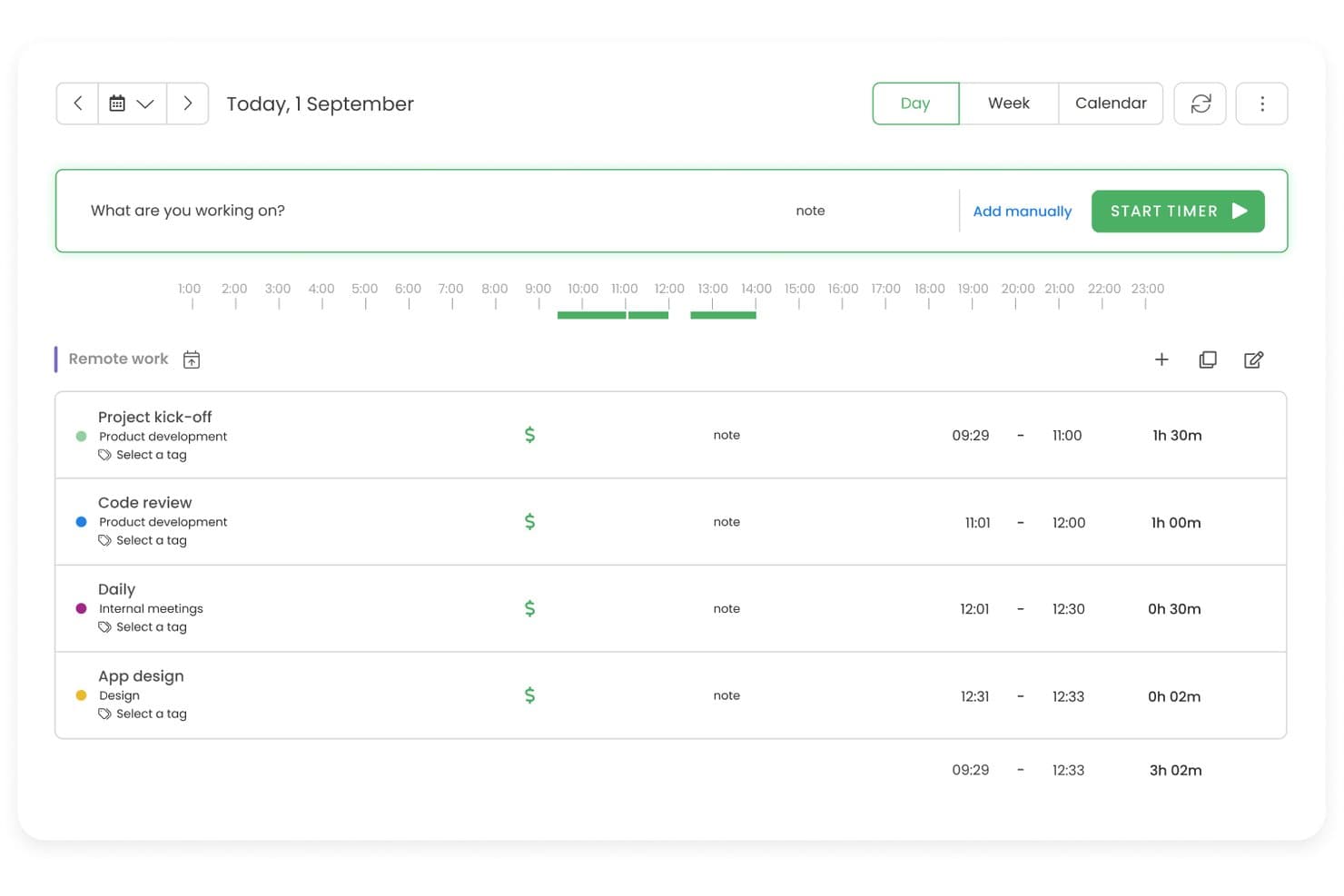
TimeCamp tracks daily work sessions with timers and task labels. TimeCamp is a time-tracking platform for product and project teams that need clearer visibility into how employees allocate work hours across initiatives.
Who Is TimeCamp Best For?
TimeCamp suits agencies, consultancies, and client-service teams that need to track billable hours and connect time records to project costs.
Why I Picked TimeCamp
I picked TimeCamp as a Best ActivTrak alternative when the priority is Best for time tracking with project billing. I can track billable hours against project budgets, set custom rates, and review costs and revenue as work happens. That gives me a view of how recorded work hours map to client projects, rather than focusing on screen surveillance.
TimeCamp Key Features
- Apps and website tracking: TimeCamp records app and website activity during tracked work.
- Optional screenshots: Admins can enable screenshots to review activity snapshots.
- Attendance tracking: Record work hours, overtime, absences, and time off.
- Timesheet approvals: Managers can review, approve, reject, or reopen submitted timesheets.
TimeCamp Integrations
TimeCamp’s integration catalog includes Asana, Azure DevOps, ClickUp, Jira, GitHub, GitLab, Slack, Google Calendar, QuickBooks Online, Xero, and Zapier. It also offers a REST API for custom integrations.
Pros and Cons
Pros:
- Optional screenshots add reviewable activity context
- Automatic activity capture helps recover unlogged work
- Project budgets connect hours to client profitability
Cons:
- Desktop and mobile sync can lag
- Reporting filters limit project-to-invoice comparisons
Learn more about TimeCamp: Best for on-premise visual monitoring with DLP
- Free demo + 14-day free trial available
- From $7/user/month (billed annually)
Visit WebsiteCustomer Rating:4.8/5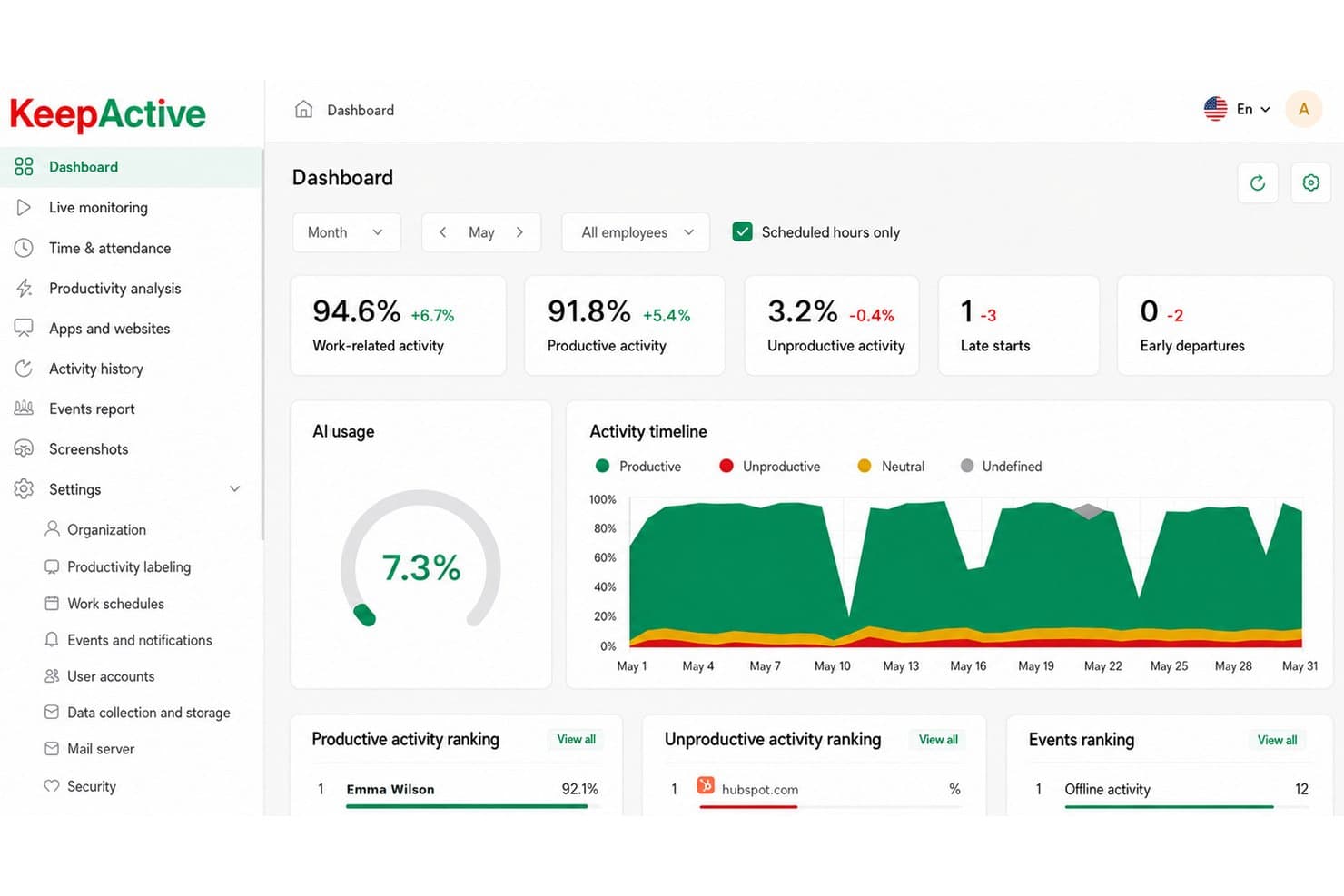
KeepActive tracks productivity, late starts, and AI usage in one dashboard. Keepactive is an employee monitoring platform that helps businesses review work activity, track attendance, and identify productivity or workflow issues across their teams.
Who Is Keepactive Best For?
Keepactive suits IT and security teams that need on-premise employee activity monitoring, visual oversight, and data loss prevention controls.
Why I Picked Keepactive
I picked Keepactive as an ActivTrak alternative because it combines on-premise deployment with visual employee monitoring and DLP controls. I can review screen activity and investigate potential mishandling of sensitive data while keeping monitoring infrastructure in-house.
Keepactive Key Features
- Time tracking: Review timesheets and compare employees’ active time with their recorded work time.
- Productivity analysis: Report on productive, unproductive, neutral, and idle time across selected periods.
- App and website reports: Review usage by application, website, and category.
- Project and task tracking: Create projects, epics, and tasks, then assign team members and managers.
Keepactive Integrations
Keepactive supports Active Directory synchronization for user accounts, company structure, and monitoring settings. It also provides an API for custom integrations; specific native integrations with third-party business applications aren’t clearly documented.
Pros and Cons
Pros:
- DLP helps detect risky data handling
- Live screen playback supports incident reviews
- On-premise deployment keeps monitoring in-house
Cons:
- Management console lacks administrative depth
- Server setup can require hands-on configuration
Learn more about Keepactive: Best for remote team productivity benchmarking
- 14-day free trial
- Pricing upon request
Visit WebsiteCustomer Rating:4.5/5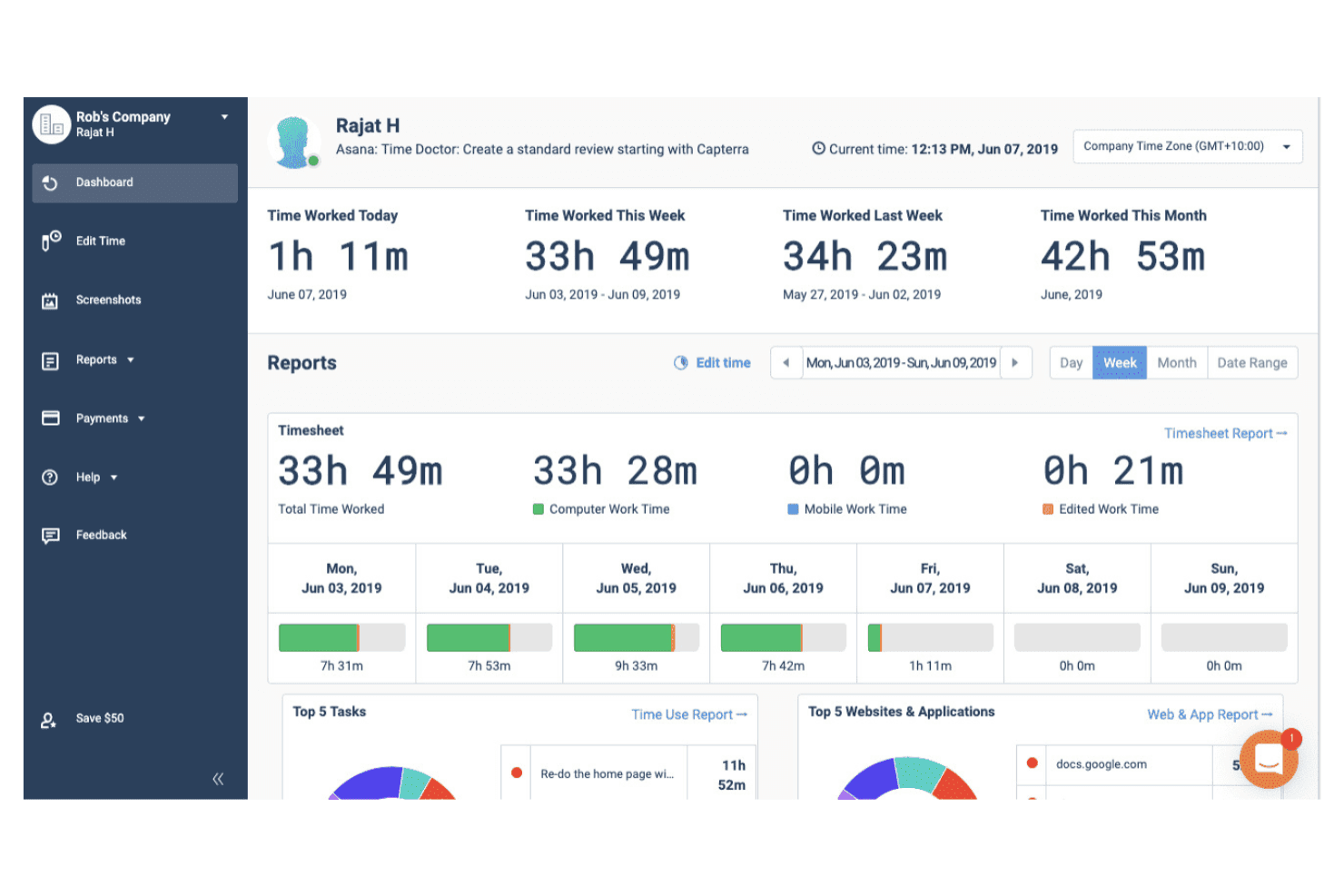
Time Doctor monitors remote team productivity and tracks work hours. Time Doctor combines employee monitoring and time tracking for distributed teams, helping managers review attendance, work patterns, and potential workflow issues.
Who Is Time Doctor Best For?
Time Doctor suits operations leads and managers at remote-first companies who need time-use data to compare workload patterns across teams.
Why I Picked Time Doctor
I picked Time Doctor, Best for remote team productivity benchmarking, because its time-use data helps me compare workload patterns across distributed teams. I also review attendance and work patterns to spot potential workflow issues and understand where teams’ time goes.
Time Doctor Key Features
- Optional screenshots: Capture screenshots at configurable intervals for review.
- App and website tracking: Record which applications and websites employees use.
- Idle alerts: Notify employees or managers when inactivity is detected.
- Payroll integrations: Send approved timesheet data to supported payroll platforms.
Time Doctor Integrations
Time Doctor offers 60+ integrations, including Asana, ClickUp, Jira, Trello, GitHub, GitLab, Salesforce, HubSpot, ADP, and Gusto, and connects with Zapier. It also provides a developer API for custom integrations.
Pros and Cons
Pros:
- Attendance reports reveal team work patterns
- Configurable screenshots help verify logged work
- Timesheets tie hours to tasks and projects
Cons:
- Screenshot tracking can feel intrusive
- Team-level capacity insights trail ActivTrak’s
Learn more about Time Doctor: Best for distributed team tracking
- 15-day free trial
- From $9/user/month (billed annually)
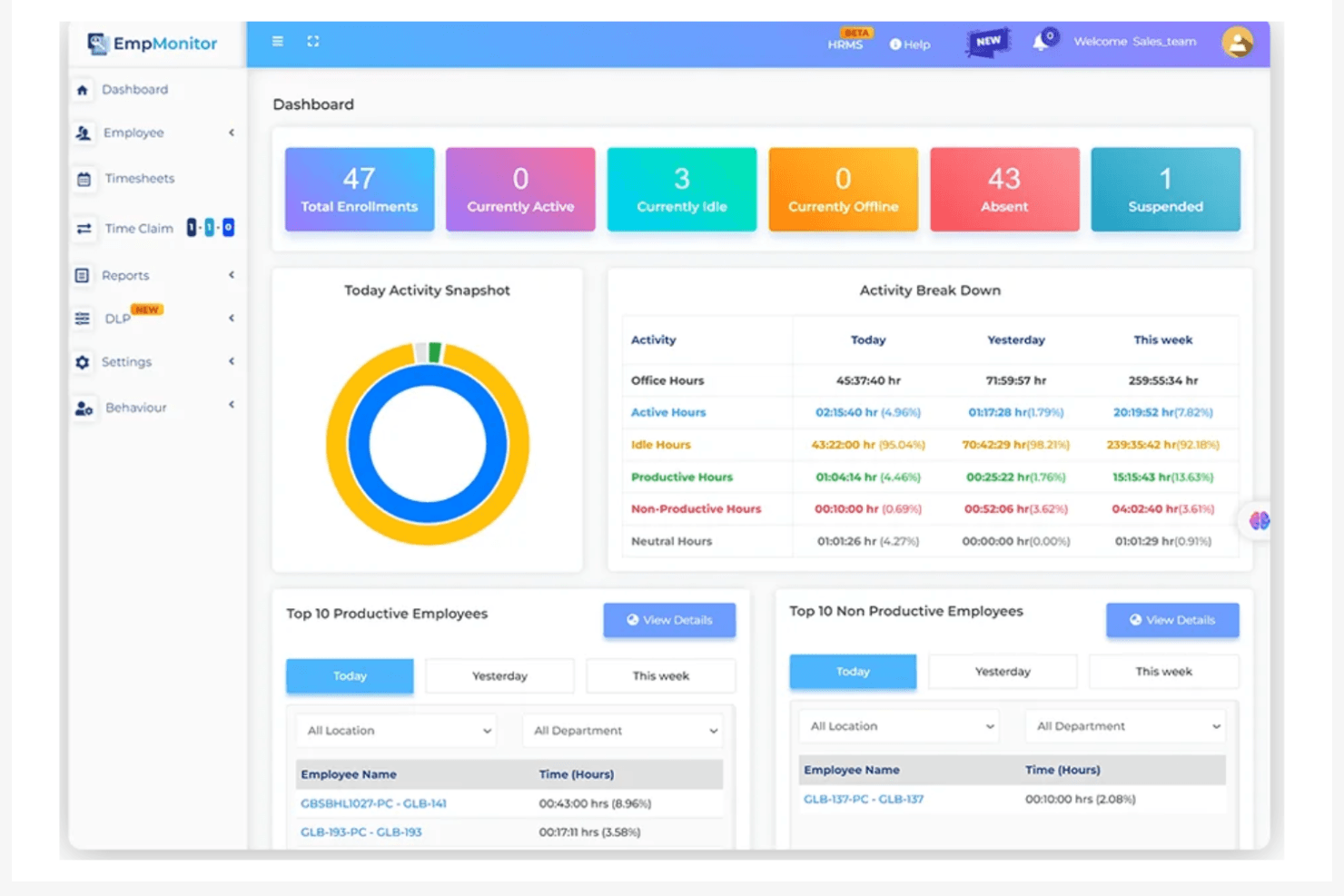
EmpMonitor analyzes employee activity and productivity performance. EmpMonitor combines employee monitoring and workforce-management tools, helping organizations track app and web activity, attendance, and productivity in one platform.
Who Is EmpMonitor Best For?
EmpMonitor suits operations and HR teams managing remote or hybrid workforces across multiple locations.
Why I Picked EmpMonitor
I picked EmpMonitor for distributed team tracking because it brings employee monitoring and workforce management together. I use its app and web activity tracking alongside attendance records to review work patterns across remote and hybrid teams in multiple locations. Its productivity tracking adds another view of how work time is spent.
EmpMonitor Key Features
- Live screencasting: View employee screens in real time from the web dashboard.
- Screen recordings: Review time-stamped video segments by employee and date.
- Screenshots: Capture employee screen images during work sessions.
- Task and project tracking: Create tasks and projects, assign them, and track progress.
EmpMonitor Integrations
EmpMonitor supports connections to Google Drive, Dropbox, Amazon S3, and Microsoft OneDrive for data storage, and lists Active Directory integration. It also offers REST-based APIs for custom integrations and Syslog exports.
Pros and Cons
Pros:
- Workload comparisons help guide task assignments
- Automated attendance and idle-time tracking
- Remote work hours and app activity visibility
Cons:
- Mobile app can lag between sections
- Reports offer limited customization
Learn more about EmpMonitor: Best for AI-driven workforce capacity planning
- Free trial available
- From $10/user/month
Visit WebsiteCustomer Rating:4.8/5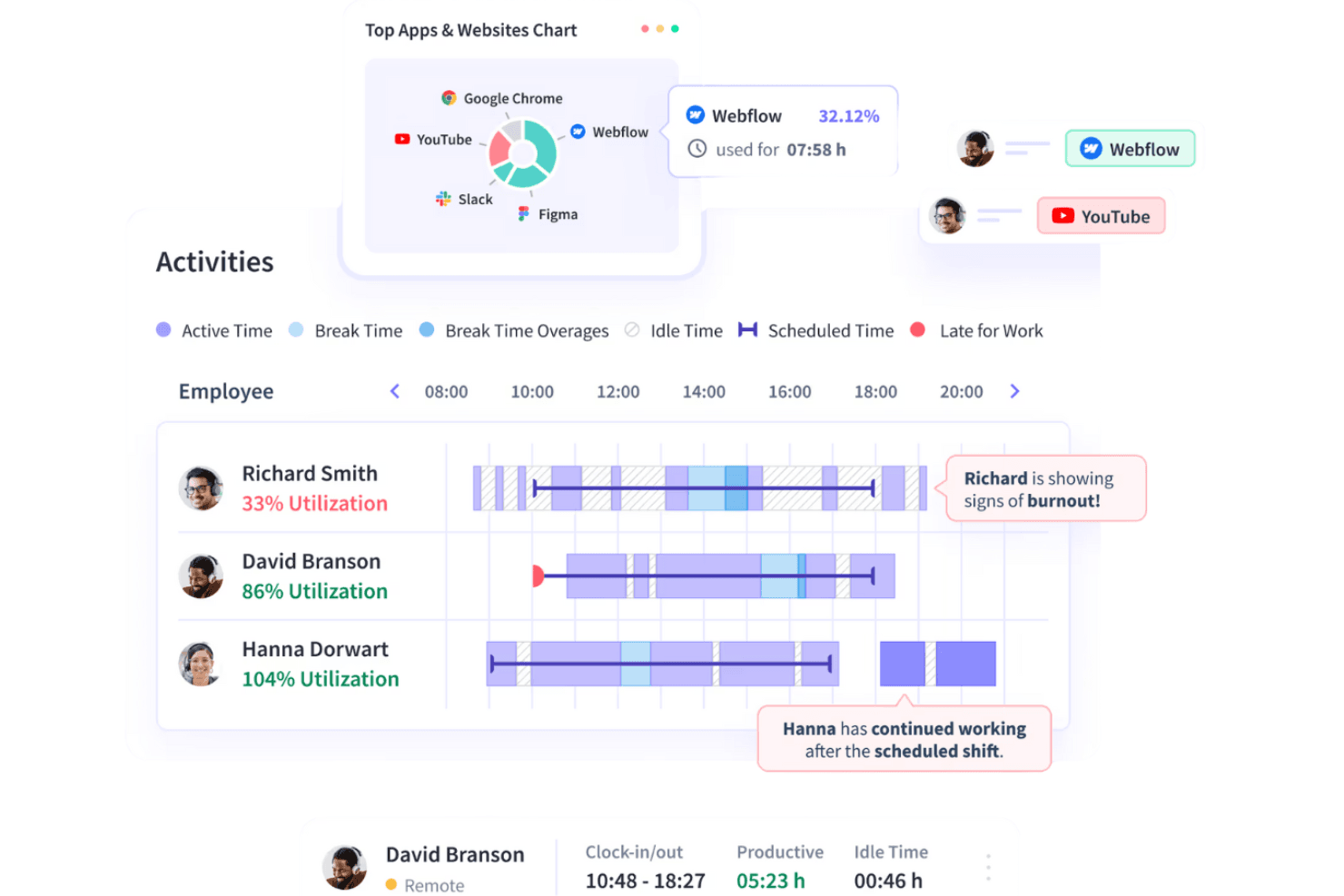
Insightful reviews employee behavior and delivers productivity analytics. Insightful combines employee monitoring and workforce analytics to help distributed teams understand work patterns, identify capacity gaps, and make informed staffing decisions.
Who Is Insightful Best For?
Insightful suits workforce planning and operations leaders at distributed organizations who need AI-assisted insight into team capacity and staffing needs.
Why I Picked Insightful
I picked Insightful as a good Best ActivTrak Alternatives Reviewed option because it pairs employee monitoring with AI-driven workforce capacity planning. I like that its workforce analytics help teams identify capacity gaps and use work-pattern insights to inform staffing decisions.
Insightful Key Features
- App and website tracking: Records which applications and websites employees use.
- Screenshots: Captures random, manual, or activity-triggered screenshots with configurable blur options.
- Time and attendance tracking: Records working hours and attendance automatically.
- Project and task time tracking: Logs time spent on projects and tasks.
Insightful Integrations
Insightful offers 50+ integrations, including Jira, Asana, Azure DevOps, Workday, ADP Workforce Now, BambooHR, Okta, and BigQuery. It also provides a Public API for custom integrations.
Pros and Cons
Pros:
- Employee dashboards pair with manager analytics
- Automatic tracking reduces manual timesheet work
- Surfaces utilization and overload trends for planning
Cons:
- Dashboard and report customization remains limited
- Screen-based activity scores can misread offline work
Learn more about Insightful: Best for monitoring with built-in payroll automation
- 14-day free trial + free demo available
- From $3.99/user/month (billed annually)
Visit WebsiteCustomer Rating:4.6/5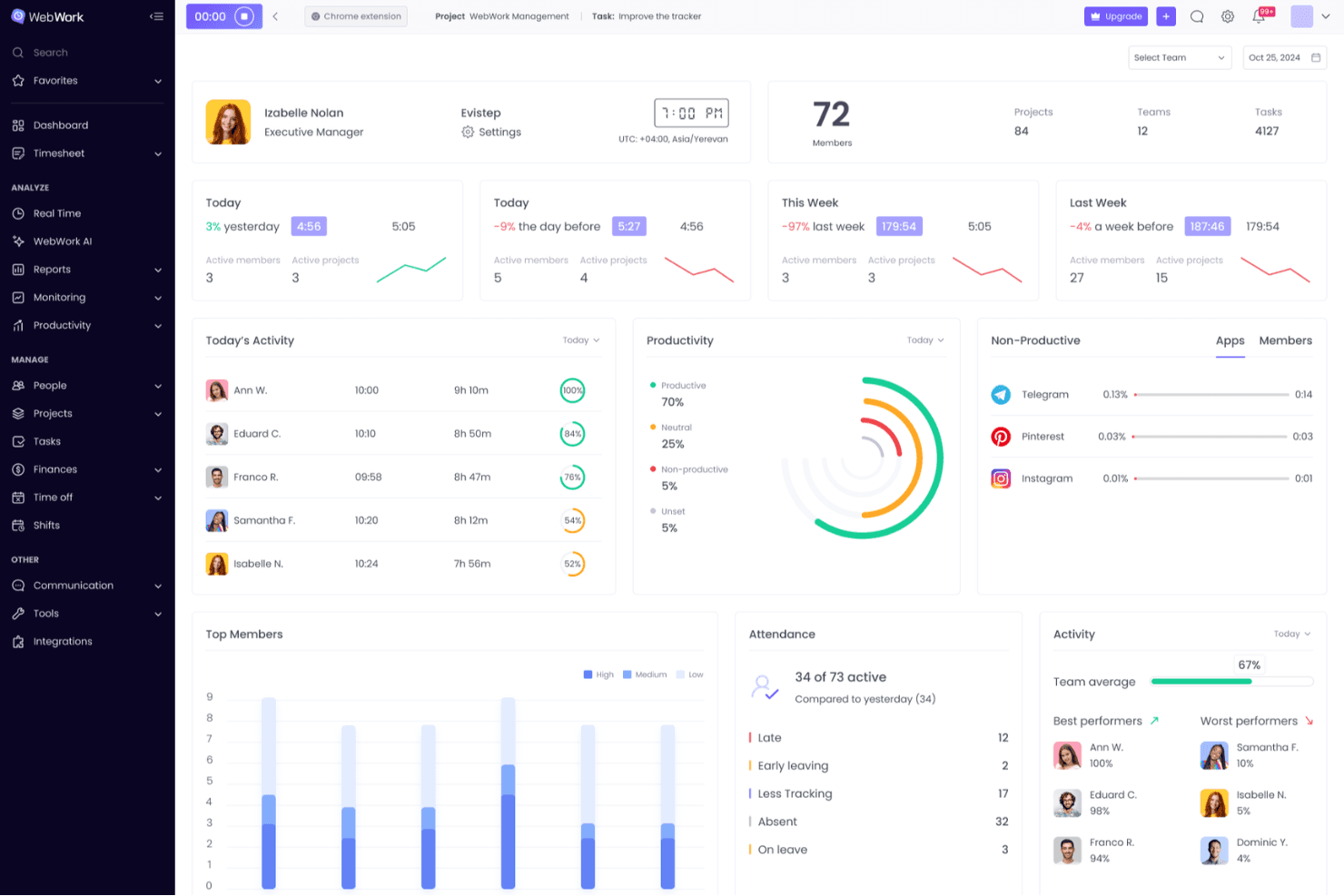
WebWork Time Tracker displays team productivity, attendance, and activity in one dashboard. WebWork Time Tracker combines time tracking and employee monitoring for distributed product teams that need better visibility into work hours, activity, and team workloads.
Who Is WebWork Time Tracker Best For?
WebWork Time Tracker suits operations and HR teams that oversee remote employees and need activity monitoring alongside payroll automation.
Why I Picked WebWork Time Tracker
I picked WebWork Time Tracker because it’s Best for monitoring with built-in payroll automation. I like that it combines activity monitoring with time tracking, so operations teams can review remote employees’ activity and recorded hours while managing payroll.
WebWork Time Tracker Key Features
- Screenshots: Capture periodic or blurred screenshots of employees’ work.
- App and website usage: View which apps and websites employees access.
- GPS tracking: Record employee locations through GPS tracking and geofencing.
- Task tracking: Assign tasks with due dates, subtasks, and status updates.
WebWork Time Tracker Integrations
WebWork offers 25+ native integrations, including Jira, Notion, ClickUp, Deel, QuickBooks, Slack, GitHub, Google Workspace, and Salesforce. It also connects with Make and Zapier and provides a public API for custom integrations.
Pros and Cons
Pros:
- Configurable screenshots support remote oversight
- Task-linked time clarifies project workloads
- Payroll-ready reports reduce manual reconciliation
Cons:
- Sync delays can distort recorded hours
- Frequent screenshots can feel intrusive
Learn more about WebWork Time Tracker : 10Best for GPS tracking for distributed teams
Hubstaff
- 14-day free trial
- From $10/user/month (billed annually)
Visit WebsiteCustomer Rating:4.5/5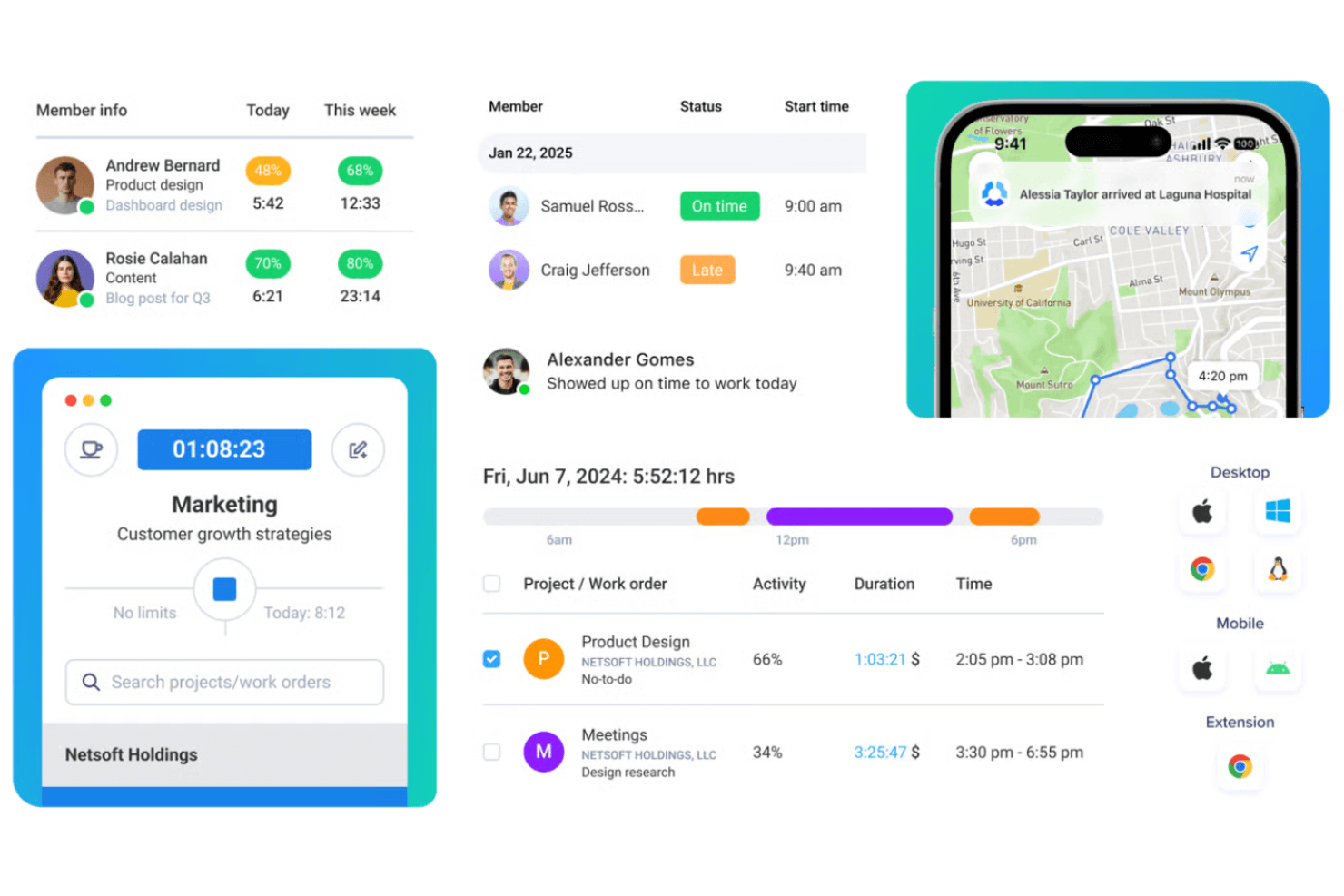
Hubstaff logs work hours and monitors productivity for remote teams. Hubstaff combines employee monitoring, time tracking, and workforce management for distributed businesses that need visibility into work hours, project costs, and remote team activity.
Who Is Hubstaff Best For?
Hubstaff fits businesses with mobile field teams that need location-aware time tracking across job sites and client visits.
Why I Picked Hubstaff
I picked Hubstaff as my “Best for GPS tracking for distributed teams” option because it ties field hours to job-site locations. GPS location records and live map views help managers check where work is happening, while geofences can automate clock-ins and clock-outs at assigned sites. That gives me location context alongside time records when reviewing field activity.
Hubstaff Key Features
- Screenshots: Capture periodic screenshots during tracked work time.
- App and URL tracking: Record which apps and websites team members use while tracking time.
- Activity levels: Measure keyboard and mouse activity during tracked time.
- Work reports: Review tracked time, activity, and app and website usage in reports.
Hubstaff Integrations
Hubstaff lists 30+ integrations, including Asana, ClickUp, Jira, GitHub, Slack, QuickBooks, Salesforce, and BambooHR, which Hubstaff identifies as a native integration. Hubstaff also connects with Zapier and offers an API for custom integrations.
Pros and Cons
Pros:
- Accurate timers support project and client billing
- Screenshots and app tracking document work activity
- GPS and geofences verify field-team locations
Cons:
- Idle detection can interrupt reading-time tracking
- Frequent screenshots can feel intrusive
Learn more about Hubstaff:
Andre ActivTrak-alternativer
Her er noen flere ActivTrak-alternativer som ikke kom med på kortlisten min, men som likevel er verdt å undersøke:
- 11DeskTimeBest for transparent, privacy-first time tracking
- 12VeriatoBest for insider threat risk scoring
- 13ControlioBest for workload and burnout visibility
- 14ApployeBest for tracking time with attendance and leave
- 15MonitaskBest for proof-of-work screenshots
- 16WorkTimeBest for ethical, noninvasive monitoring
- 17IntelogosBest for AI-driven productivity scoring
- 18ProdoscoreBest for AI-driven retention risk signals
- 19InterGuardBest for off-network DLP and endpoint lockdown
- 20StaffCounterBest for self-hosted monitoring on any OS
- 21CurrentWareBest for bundled web filtering and USB control
How I Evaluate ActivTrak Alternatives
I split my evaluation into three parts. Core functionality comes first—I check if a tool tracks app and website activity and converts that into productivity reports, since these criteria carry the most weight. Then I look for workload visibility or self-service dashboards, and finally I weigh deployment flexibility and vendor rollout support.
Core Functionality (Table Stakes For This List)
When I'm selecting tools for my list, I score each one on a scale from 0 (does not offer the functionality) to 5 (excels in this area) for each core functionality listed below. I then convert the total into a percentage to help assess each tool's overall fit, with extra weight on any functionalities I’ve deemed essential.
- Activity & Time Tracking (Essential): I look for app, website, and task detail with useful categorization, such as distinguishing focused research from idle time.
- Productivity Analytics (Essential): I assess whether reports show individual and team trends over time, and whether managers can tailor views to workload questions.
- Behavior Monitoring: I check for patterns across people and teams that can surface changes in work habits without losing relevant context.
- Alerts & Risk Detection: I look for configurable alerts that flag policy concerns or unusual activity, with enough context to help managers assess them.
- Activity Visibility: I evaluate the available evidence, such as screenshots or activity logs, and check for controls over capture frequency and privacy.
- Export & Integrations: I check whether teams can export activity data or connect it to systems used for reporting, workforce planning, or payroll.
Once I have a list of tools that meet the criteria, I consider what sets each platform apart.
Differentiating Factors (What Sets Vendors Apart)
Here's how I compare and contrast different vendors:
Standout Features
I look for self-service employee dashboards that let people see their own activity data. When a team member can review their own focus time without a manager pulling a report, trust goes up and adoption friction drops. I also evaluate workload and capacity planning views, checking whether a tool visualizes task distribution well enough to help me rebalance work across a sprint. AI-powered insights matter too—I check if the platform flags burnout risk or shifting work patterns before they surface in a retrospective.
Beyond Features
I check whether a vendor offers consent workflows or visible tracking indicators, since teams that can see when monitoring is active are far more likely to trust the data. Deployment flexibility matters too—I evaluate OS coverage and agent footprint, especially for hybrid setups where people switch between corporate laptops and virtual desktops. I also look at how much change management support a vendor provides, like rollout communication templates or admin training, because a miscommunicated launch can undo months of planning.
Hvorfor se etter et ActivTrak-alternativ?
Selv om ActivTrak er et godt valg for en plattform for arbeidsstyrkeanalyse og arbeidsstyrkeinnsikt, finnes det flere grunner til at noen brukere ser etter alternative løsninger. Du kan være på utkikk etter et ActivTrak-alternativ fordi …
- Du trenger flere tilpasningsmuligheter
- Teamet ditt trenger sporing uten nett
- Du ønsker bedre funksjoner for personvern
- Virksomheten din trenger global kundestøtte
- Du ser etter avansert AI-innsikt
- Du trenger et enklere brukergrensesnitt
Hvis noe av dette høres kjent ut, har du kommet til rett sted. Listen min inneholder flere alternativer til plattformer for arbeidsstyrkeanalyse og arbeidsstyrkeinnsikt som passer bedre for team som møter disse utfordringene med ActivTrak og ser etter alternative løsninger.
Viktige funksjoner i ActivTrak
Her er noen av de viktigste funksjonene i ActivTrak, slik at du kan sammenligne hva alternative løsninger tilbyr:
- Arbeidsstyring: Gir sanntidsinnsikt i teamaktiviteter og daglige arbeidsmålinger, slik at du kan følge med på produktivitetstrender og overholdelse av tidsplaner.
- Produktivitetsoptimalisering: Analyserer tiden som brukes på oppgaver, for å identifisere balanse i arbeidsmengden og gir muligheter for veiledning basert på innsikten.
- Teknologibruk og etterlevelse: Sporer bruk av applikasjoner og nettsteder for å oppdage tidstyveri og gir varsler om brudd på retningslinjer.
- Innsikt for ledelsen: Gir datadrevne anbefalinger for informerte beslutninger om økonomiske konsekvenser og planlegging av arbeidsstyrken.
- Tilpassbare dashbord: Lar deg tilpasse dashbordene etter spesifikke behov og måleparametere for bedre datavisualisering.
- Personvern og datasikkerhet: Legger vekt på sterke tiltak for å beskytte brukerdata og sikre etterlevelse og personvern.
- Integrasjonsmuligheter: Lar deg kombinere ulike applikasjoner for detaljert innsikt og rask integrering av arbeidsflyter.