

Et godt alternativ til Adobe Firefly gir teamet ditt fleksibel KI-bildegenerering, intuitive funksjoner for grafisk design og samarbeidsverktøy som passer inn i virkelige kreative arbeidsflyter. Hvis du ser etter alternativer til Adobe Firefly, trenger du sannsynligvis løsninger som støtter alt fra raske visuelle redigeringer til avansert grafikk som er klar for merkevarebruk – uten å ofre brukervennlighet eller kreativ kontroll. Denne listen hjelper deg med å sammenligne de beste alternativene til Adobe Firefly for 2026, slik at du kan finne løsningen som passer best for designbehovene, teamstrukturen og prosjektmålene dine.
Hva er Adobe Firefly?
Adobe Firefly er et KI-drevet verktøy for grafisk design som genererer bilder, teksteffekter og kreative ressurser basert på enkle instruksjoner. Det er utviklet for designere og kreative team som ønsker å effektivisere produksjonen av visuelt innhold, samtidig som de beholder kontrollen over stil og merkevare. Firefly integreres med Adobe Creative Cloud, noe som gjør det enkelt å bruke KI-genererte ressurser i kjente designarbeidsflyter.
Sammenligningstabell for alternativer til Adobe Firefly
Denne sammenligningstabellen oppsummerer prisdetaljene for mine beste utvalgte alternativer til Adobe Firefly:
| Tool | Best For | Trial Info | Price | ||
|---|---|---|---|---|---|
| 1 | Best for on-brand visuals across large teams | Free trial + free plan available | From $144/user/year (billed annually) | Website | |
| 2 | Best for chat-driven image iteration | Free plan available | From $8/month | Website | |
| 3 | Best for multi-model image generation in one plan | Free plan available | From $5.75/month (billed annually) | Website | |
| 4 | Best for multi-model image generation in one place | Not available | From $15/month | Website | |
| 5 | Best for multi-model image and video pipelines | Free plan available | From $15/month | Website | |
| 6 | Best for native vector and SVG generation | Free plan available | From $10/month (billed annually) | Website | |
| 7 | Best for brand-consistent character generation at scale | Not available | Pricing upon request | Website | |
| 8 | Best for e-commerce product image scaling | Free plan available | From $12.99/month | Website | |
| 9 | Best for training on your own brand style | Free plan available | From $12/month | Website | |
| 10 | Best for browsing and remixing community creations | Free plan available | From $9/month (billed annually) | Website |



Why Trust Our Software Recommendations
6,700+
Reviews
20
Industry experts
16+
Evaluation factors
14
Years
Our team has been testing and reviewing software since 2012. As product managers ourselves, we know how difficult—and important—it is to choose the right software.
For this guide, we evaluated tools using hands-on testing and independent research, scoring tools using our selection criteria.
Our reviews reflect our human editorial judgment, not a sales pitch.
Expert reviewers:
- Andrew LumbySenior TPM
- Cristiano ValimSenior UI/UX Lead


Anmeldelser av alternativer til Adobe Firefly
Nedenfor finner du mine detaljerte sammendrag av alternativene til Adobe Firefly som kom med på kortlisten min. Anmeldelsene mine gir en grundig gjennomgang av funksjonene, de beste bruksområdene og mulighetene til hver plattform, slik at du kan finne den som passer best for deg.
 Best for on-brand visuals across large teams
- Free trial + free plan available
- From $144/user/year (billed annually)
Visit WebsiteCustomer Rating:4.7/5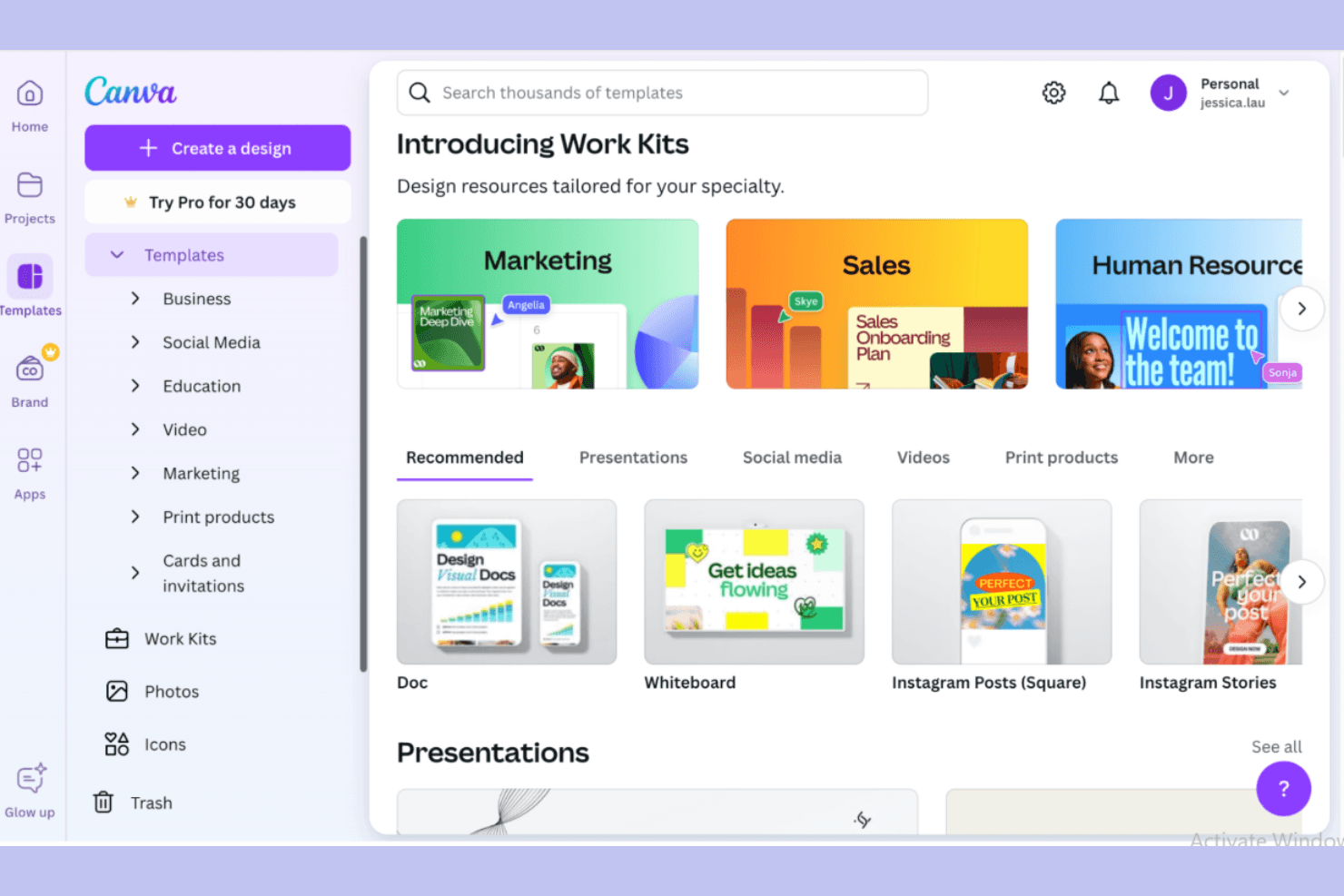
Canva enables fast graphic creation using templates and real-time collaboration. For product and marketing teams, Canva pairs AI image generation with design and editing tools, making it easier to create and adapt campaign visuals without switching between apps.
Who Is Canva Best For?
Canva suits larger organizations that need distributed teams to create visuals while keeping designs aligned with brand guidelines.
Why Canva Is a Good Adobe Firefly Alternatives
I pick Canva as an Adobe Firefly alternative for on-brand visuals across large teams. Its AI image generation works alongside Brand Kit and shared templates, so my team can create campaign art and adapt it to approved colors, fonts, and layouts. I use that setup to keep regional campaign variations aligned.
Canva Key Features
- Text-to-image generation: Create images from written prompts with Magic Media.
- Magic Edit: Select an area and replace or add elements with a prompt.
- Magic Expand: Extend an image beyond its original edges.
- Magic Grab: Select and reposition a subject within an image.
Canva Integrations
Canva documents integrations with Microsoft 365, Google Workspace, Slack, Google Analytics, Salesforce, HubSpot, Mailchimp, and Google Drive, with additional apps available through its marketplace. Canva offers Connect APIs for custom integrations and connects with Zapier.
Pros and Cons
Pros:
- Apply Brand Kit templates across teams
- Choose styles and aspect ratios
- Generate images directly inside designs
Cons:
- Image resolution can vary between generations
- Less precise control over generated details
Learn more about Canva: Best for chat-driven image iteration
- Free plan available
- From $8/month
Visit WebsiteCustomer Rating:4.4/5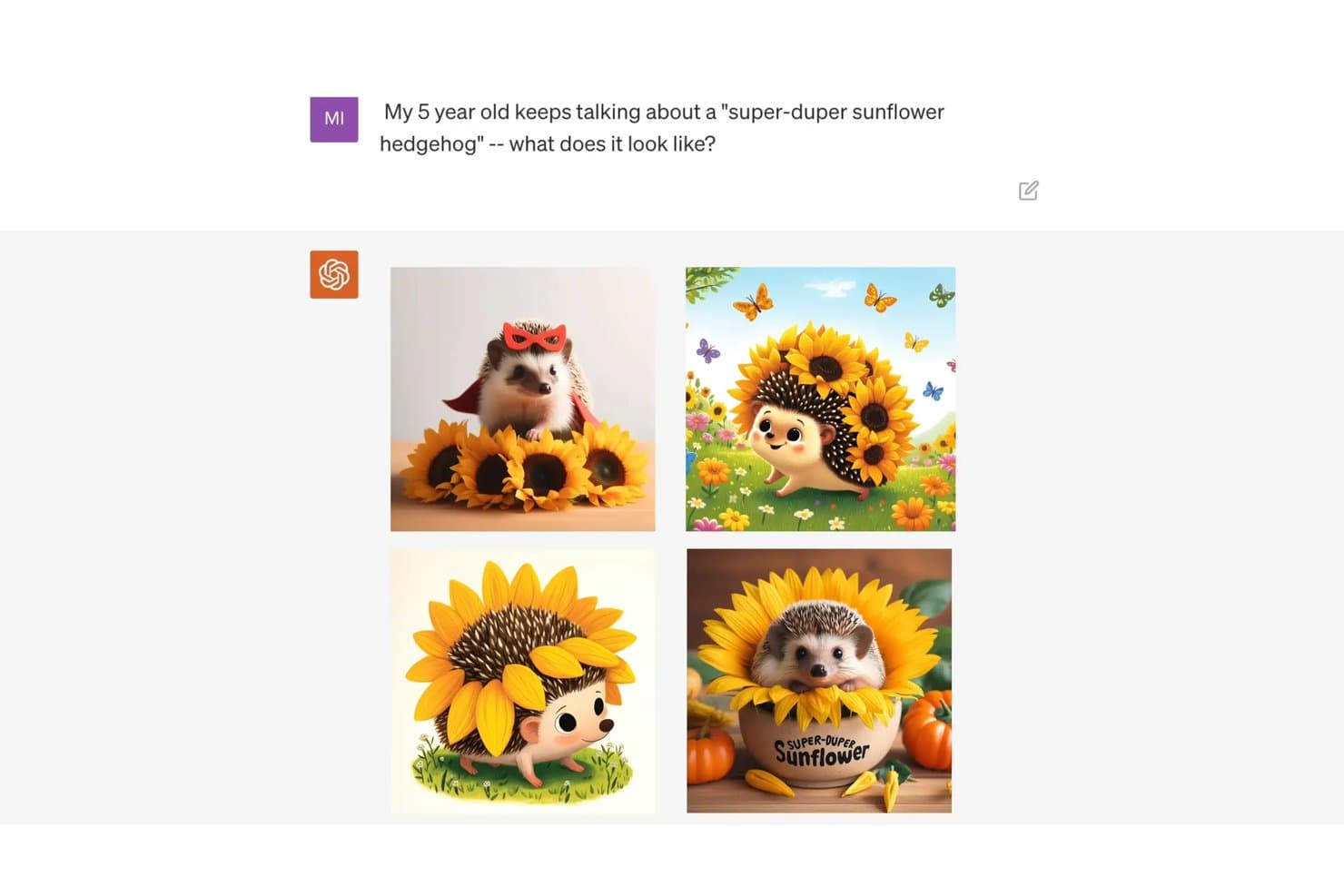
ChatGPT generates creative hedgehog-sunflower images from a simple prompt. ChatGPT is an AI assistant with image-generation and editing tools that help product and marketing teams turn rough concepts into visual assets, explore alternatives, and make targeted revisions without starting over.
Who Is ChatGPT Best For?
ChatGPT is a good fit for product managers who want to explore visual concepts and refine image assets through conversational feedback.
Why ChatGPT Is a Good Adobe Firefly Alternatives
I picked ChatGPT as an Adobe Firefly alternative for its USP, “Best for chat-driven image iteration.” I can generate a visual concept, then refine its composition, colors, or details with follow-up prompts, such as adjusting a product-launch image to reflect stakeholder feedback.
ChatGPT Key Features
- Image uploads: Add reference photos or existing images as inputs for image creation.
- Aspect ratio picker: Choose an image’s aspect ratio from the editor.
- Transparent backgrounds: Request images with transparent backgrounds.
- Text in images: Ask ChatGPT to add text within generated images.
ChatGPT Integrations
ChatGPT supports connected apps such as Google Drive and Slack, with Gmail and GitHub available for certain event-triggered tasks; availability varies by plan and workspace. Business, Enterprise, and Edu workspaces can also use custom MCP apps.
Pros and Cons
Pros:
- Render readable text in image concepts
- Edit uploaded references with conversational instructions
- Refine generated images through follow-up prompts
Cons:
- Text-heavy requests can hit content restrictions
- Generation can be slow for complex images
Learn more about ChatGPT: Best for multi-model image generation in one plan
- Free plan available
- From $5.75/month (billed annually)
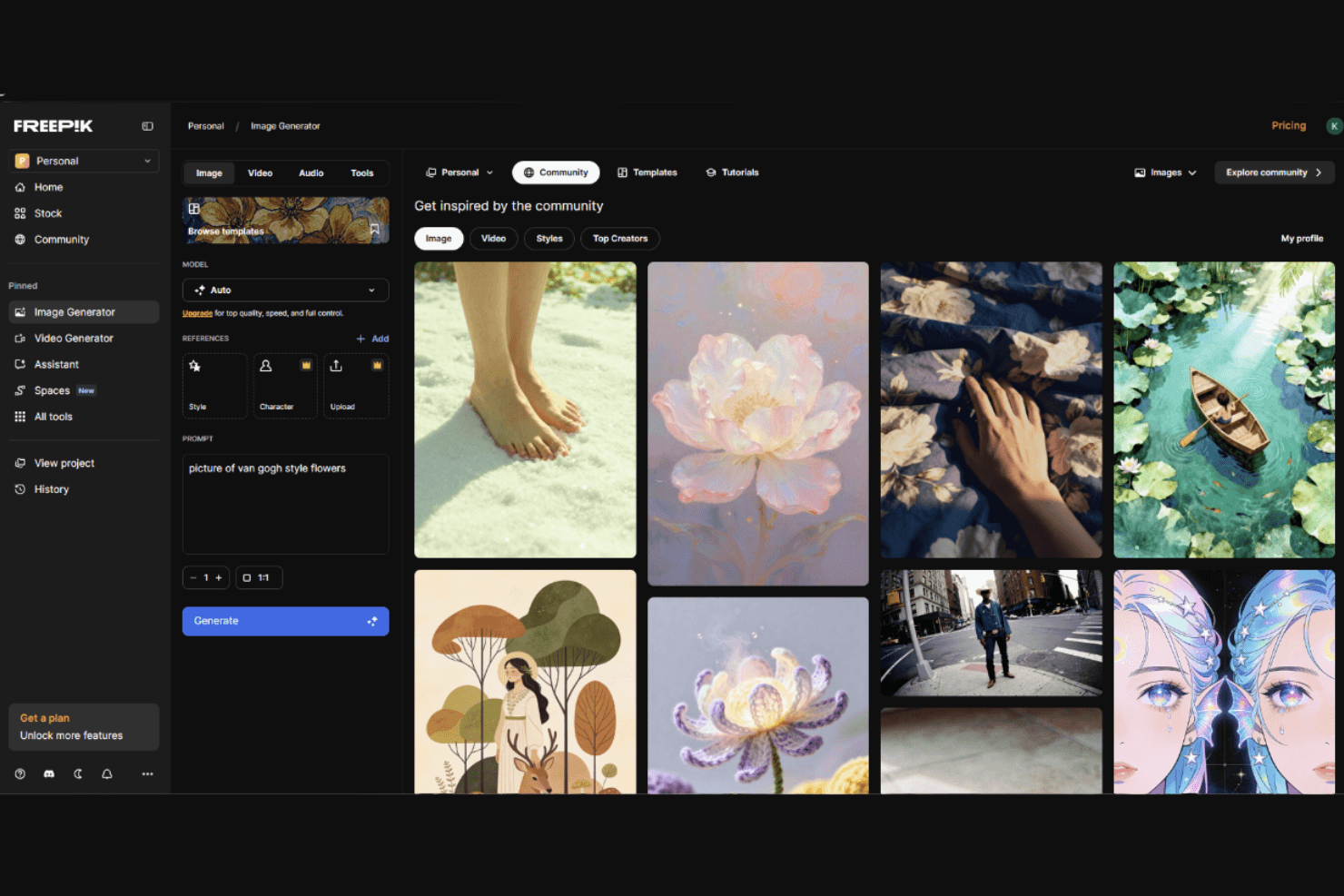
Freepik provides stock assets and AI image generation in one platform. Freepik is an AI-powered creative platform for product teams and marketers seeking an Adobe Firefly alternative to create and refine campaign, product, and concept visuals.
Who Is Freepik Best For?
Freepik suits design and product teams exploring visual directions for prototypes, launches, and internal presentations.
Why Freepik Is a Good Adobe Firefly Alternatives
I pick Freepik when I want to compare image models without switching tools. Its generator offers 30+ models, including Imagen 4 and Flux.2, so I can test different treatments for a product campaign. I can also add image references to guide consistent product details across variations.
Freepik Key Features
- AI image extender: Expand images to new aspect ratios with generated content.
- Image upscaler: Increase image resolution and sharpen details.
- Retouch tool: Erase, replace, or add objects and details.
- Background remover: Remove an image’s background while preserving the subject.
Freepik Integrations
Freepik offers an official Magnific plugin for Adobe Photoshop and an API for custom integrations. Its MCP server connects with AI assistants such as Claude, ChatGPT, and Cursor.
Pros and Cons
Pros:
- Stock assets and AI editing share workflows
- Prompt adherence produces strong compositions
- Compare leading image models without switching tools
Cons:
- Credit costs vary and appear after generation
- Complex prompts yield inconsistent results
Learn more about Freepik:
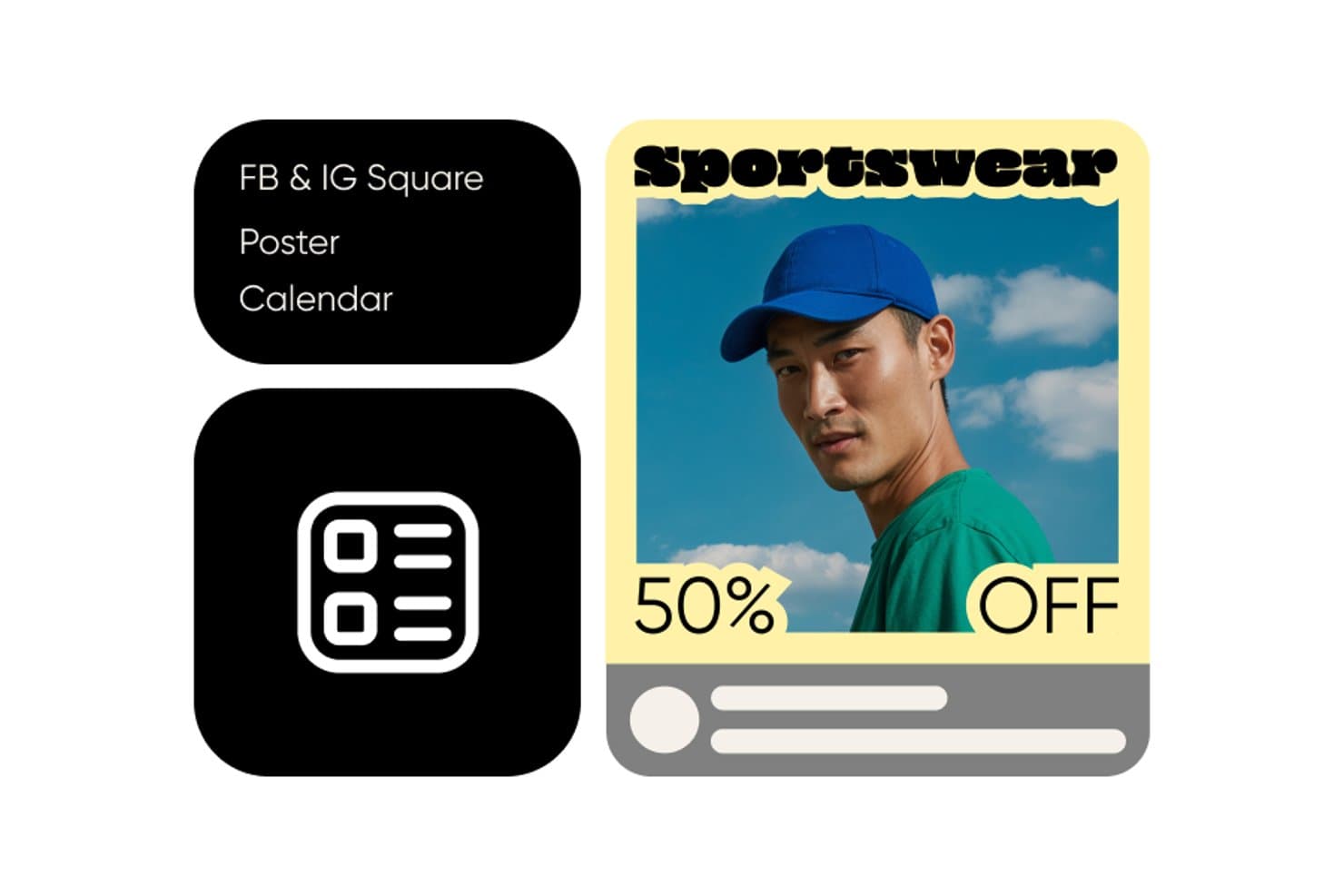
Picsart lets users create sportswear ad templates with discount text. Picsart is a creative platform for marketers and product teams seeking an Adobe Firefly alternative to generate and edit campaign visuals in one workspace, from early concepts to polished assets.
Who Is Picsart Best For?
Picsart suits in-house creative teams that want to explore multiple AI image-generation models without switching between separate tools.
Why I Picked Picsart
I picked Picsart as an Adobe Firefly alternative because its AI Playground brings multi-model image generation in one place. I can compare GPT Image, Flux, and Ideogram outputs for the same campaign brief, then refine a product-shot concept with background replacement or inpainting.
Picsart Key Features
- AI image enhancer: Automatically corrects blur, noise, lighting, and color.
- Image upscaler: Enlarges images 2× or 4×, with custom output resolution.
- Background remover: Separates the subject from its background.
- Batch editor: Applies edits to multiple images in one workflow.
Picsart Integrations
Picsart offers integrations with Figma, Sketch, Miro, GIMP, and Google Drive, plus workflow connections through Make, Zapier, n8n, IFTTT, and Pabbly Connect. It also provides APIs and SDKs for custom integrations.
Pros and Cons
Pros:
- Batch-edit campaign visuals after generation
- Refine images with background and object edits
- Compare outputs from multiple image models
Cons:
- Advanced AI tools sit behind subscription gates
- Typography and layout controls trail Adobe tools
Learn more about Picsart:
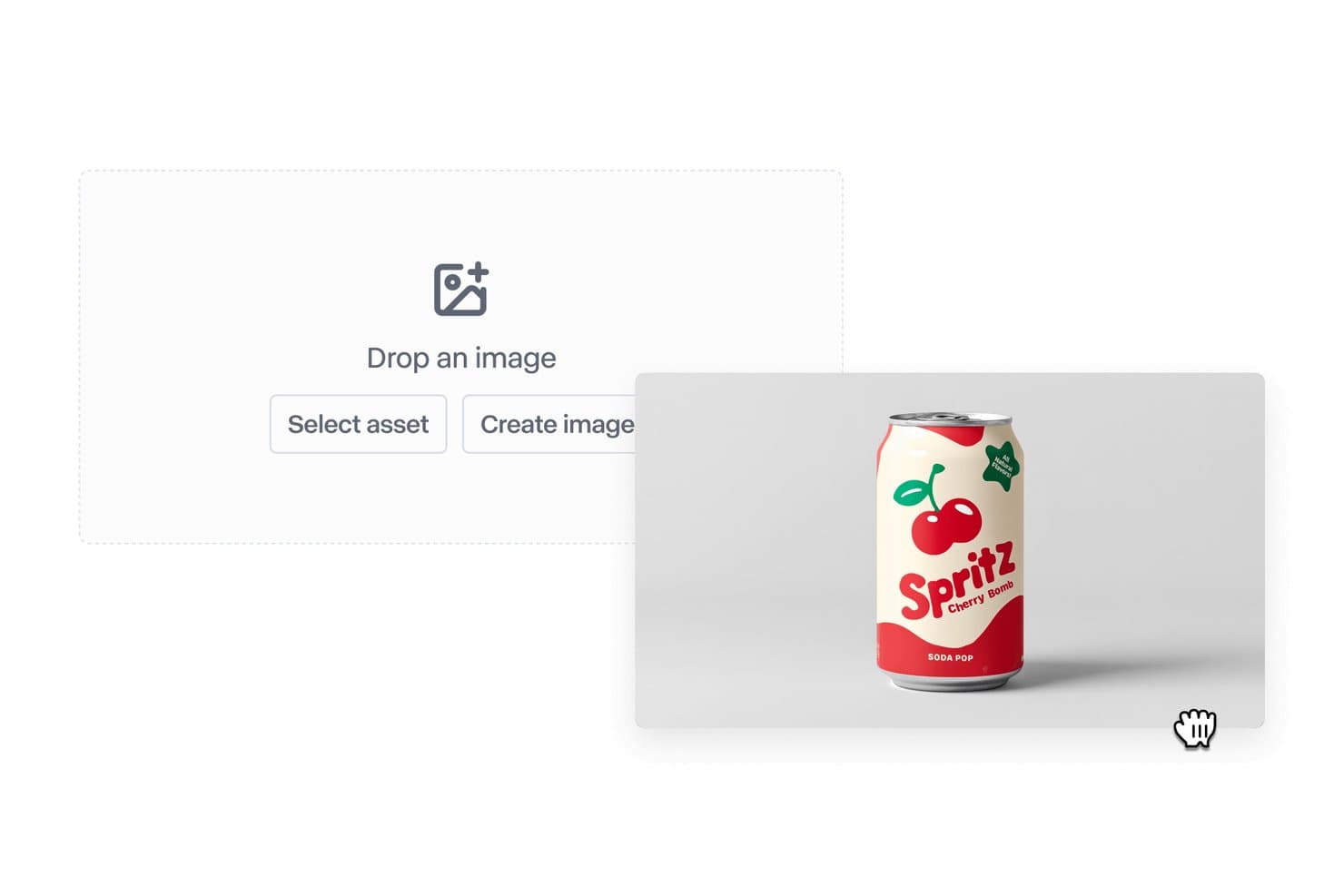
Runway lets users place product images into AI-generated scenes. Runway is an AI image and video creation platform for product and marketing teams that need to explore concepts, generate visual assets, and edit clips in one creative workspace.
Who Is Runway Best For?
Runway suits product marketing and creative teams that need to explore concepts and create image and video assets with multiple AI models.
Why Runway Is a Good Adobe Firefly Alternatives
I like Runway as an Adobe Firefly alternative because its custom node-based workflows chain image and video models with intermediate steps. Gen-4 uses visual references to keep subjects and styles consistent across campaign assets, while Aleph lets me add elements or change environments in existing footage.
Runway Key Features
- Text-to-video generation: Create video clips from written prompts.
- Image-to-video generation: Animate still images into video clips.
- Video upscaling: Increase video resolution with a one-click tool.
- Add dialogue: Write character lines and generate speech with automatic lip sync.
Runway Integrations
Runway connects with Zapier, and Runway Dev offers an API for custom integrations with its image, video, and audio models.
Pros and Cons
Pros:
- Edit existing footage with environment changes
- Keep subjects consistent with visual references
- Chain image and video models in workflows
Cons:
- Complex motion and fine details often falter
- Unpredictable generations can waste credits
Learn more about Runway: Best for native vector and SVG generation
- Free plan available
- From $10/month (billed annually)
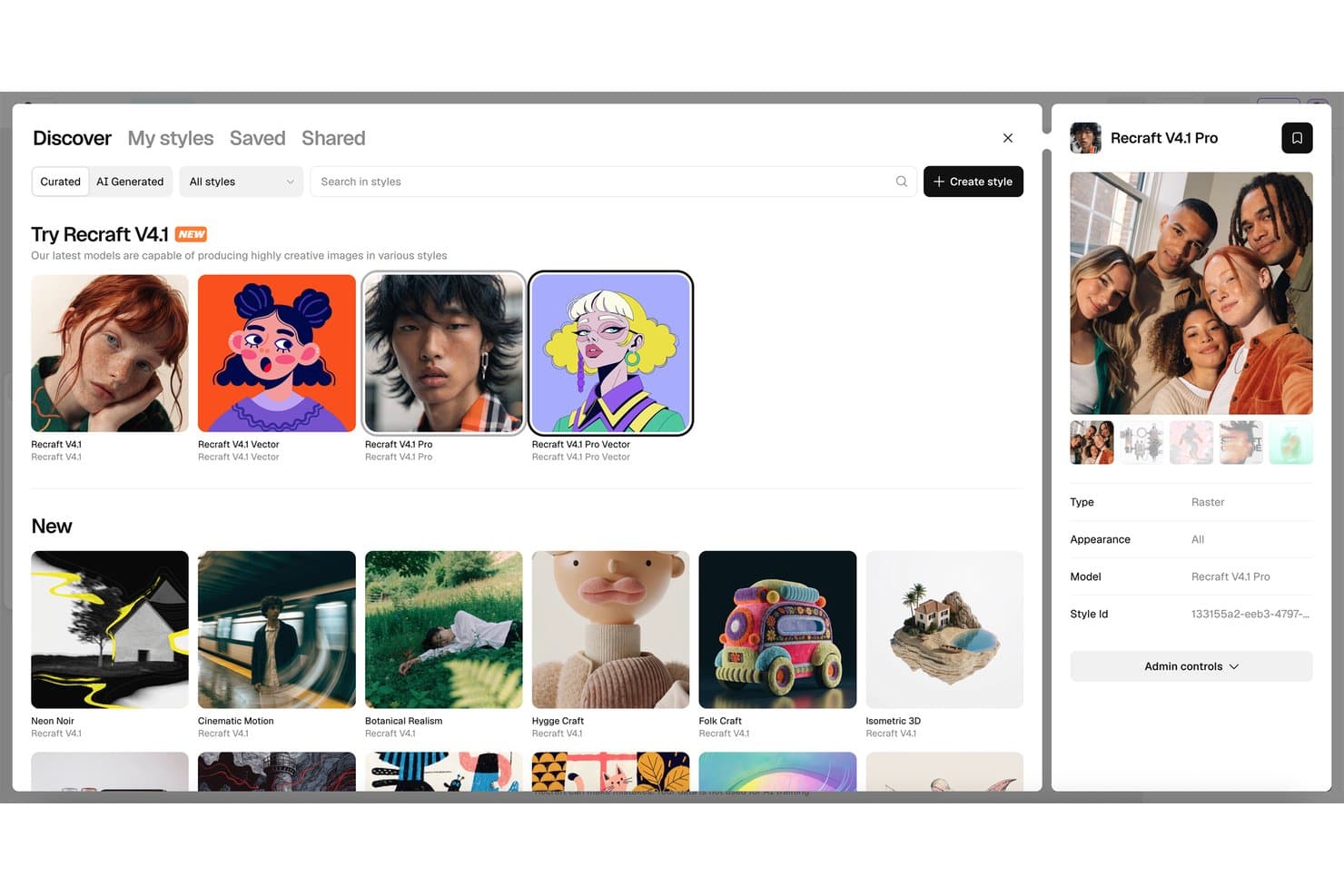
Recraft offers a wide library of styles for creative image generation. Recraft is an AI image-generation and design platform that helps creative and product teams create and refine branded visuals for campaigns, product concepts, and other design work.
Who Is Recraft Best For?
Recraft suits graphic designers and illustrators who need editable vector artwork for icons, product interfaces, and marketing assets.
Why I Picked Recraft
I pick Recraft when an Adobe Firefly alternative needs native vector and SVG generation. I use its vector outputs for interface icons and campaign illustrations, then edit the SVG artwork to adjust shapes or colors without rebuilding it from a raster image.
Recraft Key Features
- Custom styles: Turn reference images into reusable styles for new generations.
- Background removal: Remove an image’s background to create a clean cutout.
- Inpainting and outpainting: Edit selected image areas or extend the canvas.
- Mockup generation: Place designs into product and scene mockups.
Recraft Integrations
Recraft offers six official integrations for Figma, Framer, Google Docs, Google Slides, Chrome, and OpenClaw, plus an API for custom integrations.
Pros and Cons
Pros:
- Strong text rendering supports branded graphic layouts
- Reusable styles keep campaign assets visually consistent
- Generates editable SVGs without raster tracing
Cons:
- Edited-file exports can fail intermittently
- Prompt results sometimes miss requested details
Learn more about Recraft: Best for brand-consistent character generation at scale
- Not available
- Pricing upon request
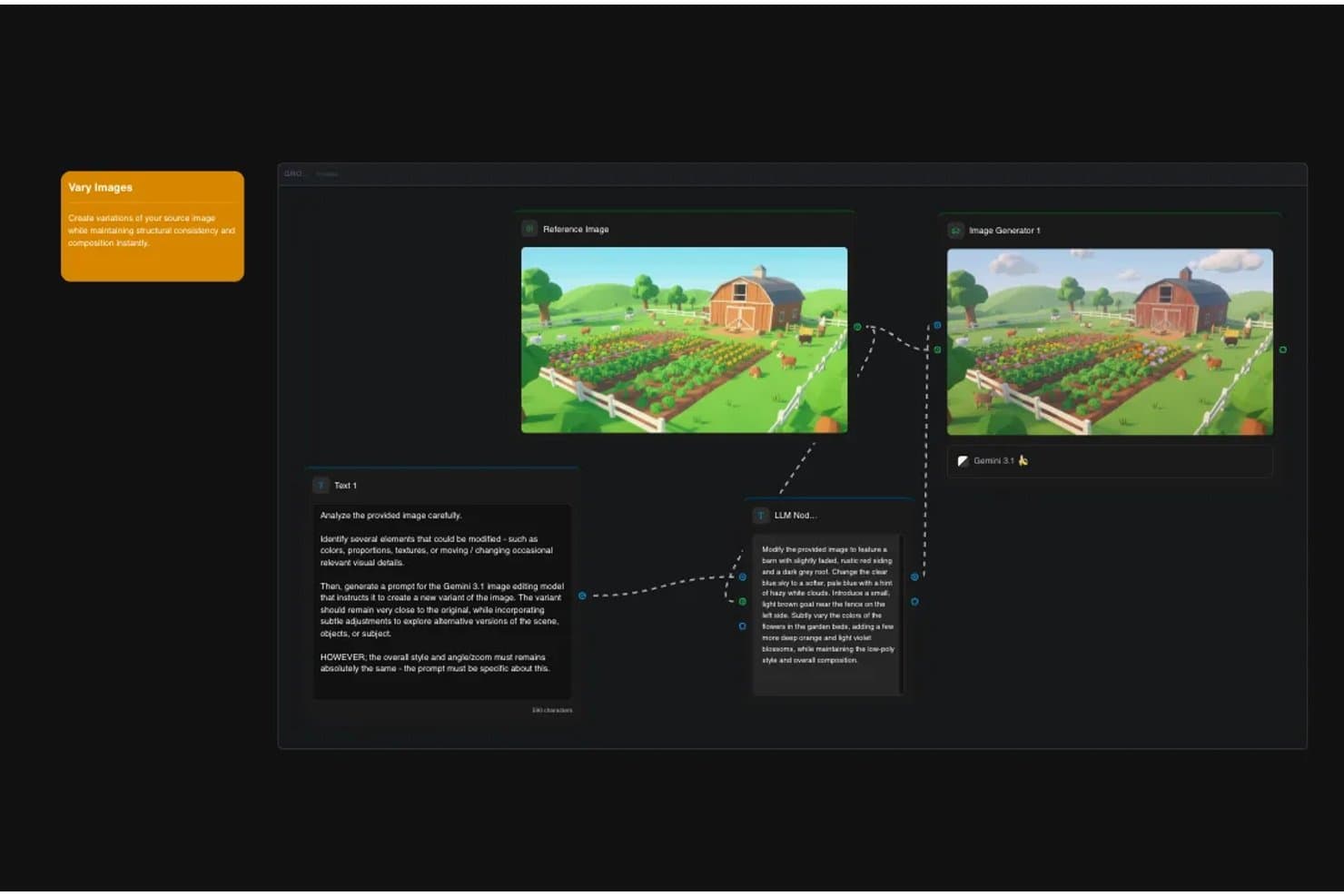
Scenario lets users create image variations using an AI-powered node workflow. Scenario is an AI image-generation platform for game studios and creative teams that need to create visual assets aligned with a project’s art direction without slowing production.
Who Is Scenario Best For?
Scenario suits game art directors and character artists who need consistent character variations across high-volume asset pipelines.
Why I Picked Scenario
I picked Scenario as an Adobe Firefly alternative for brand-consistent character generation at scale. Its custom character models train on reference images and preserve traits like hair and eye color across poses and expressions. I like how that supports coherent character asset sets without redrawing every variation.
Scenario Key Features
- Image editing: Make targeted changes to generated images.
- Image upscaling: Increase image resolution within the platform.
- Layer splitting: Separate images into editable layers.
- Node workflows: Connect tools on a canvas and save reusable workflows.
Scenario Integrations
Scenario offers a REST API for custom integrations and an MCP server that connects with Claude Desktop, Claude Code, Cursor, VS Code, Windsurf, Zed, and Warp.
Pros and Cons
Pros:
- Custom models keep character traits consistent
- Sprite-sheet workflows reduce repetitive asset work
- Coherent outputs across sprite directions
Cons:
- Export options could be broader
- Animation frame-timing controls need refinement
Learn more about Scenario :- Best for e-commerce product image scaling
- Free plan available
- From $12.99/month
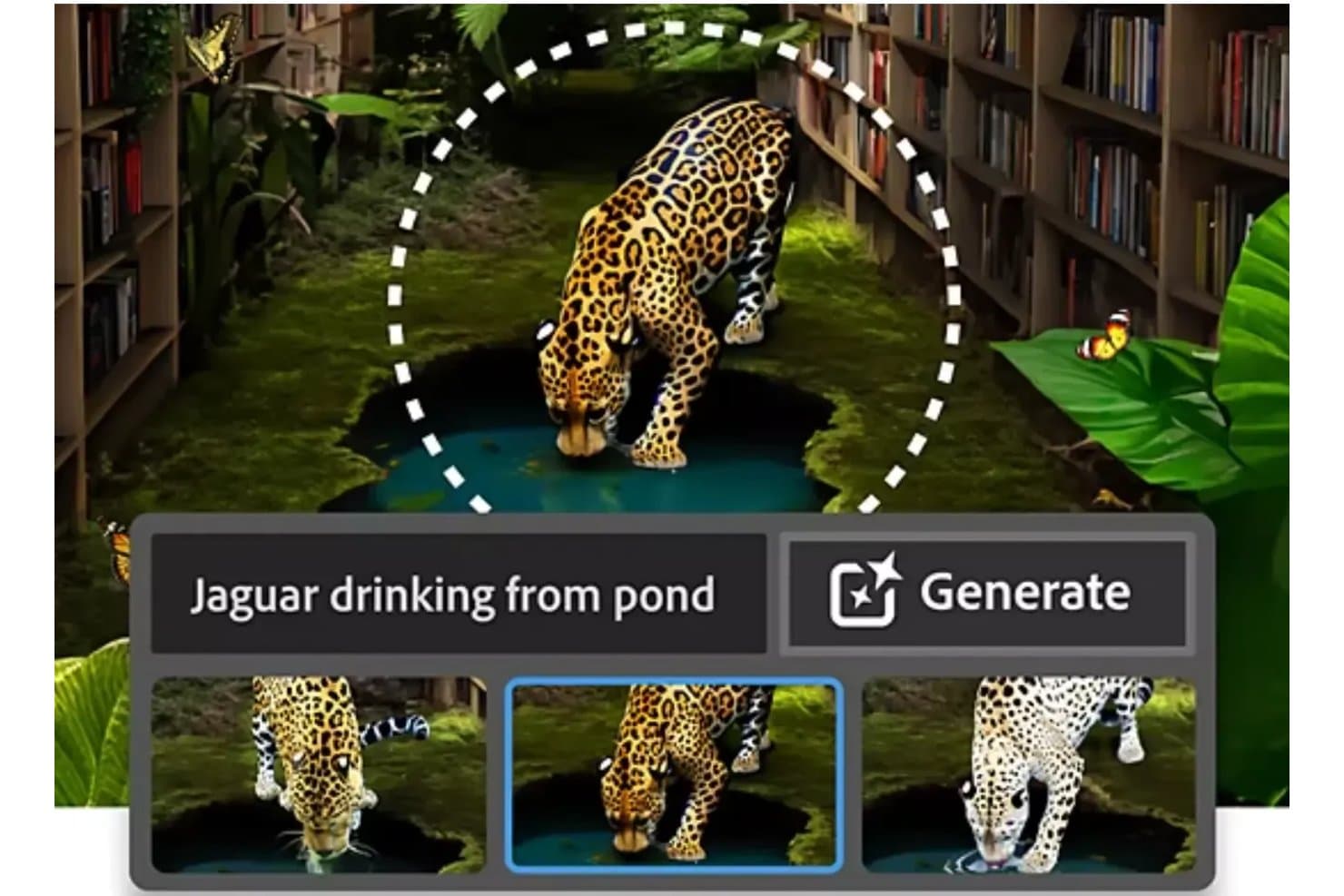
Photoroom lets users generate objects via text prompts with multiple AI variations. Photoroom is an AI image editing and generation tool for ecommerce sellers and creative teams, helping turn product photos into polished marketing visuals with background removal, AI-generated scenes, and editing tools.
Who Is Photoroom Best For?
Photoroom suits ecommerce teams and independent sellers who need to resize product photos for storefronts, marketplaces, and marketing campaigns.
Why I Picked Photoroom
I picked Photoroom as an Adobe Firefly alternative because it’s Best for e-commerce product image scaling. Its background remover isolates products, while AI-generated scenes place them in campaign-ready settings. I like that I can then resize the images for different storefront and marketplace formats.
Photoroom Key Features
- Batch editing: Apply consistent edits to multiple product photos at once.
- AI shadows: Add natural-looking shadows to product images.
- Recolor: Change product colors while preserving image details.
- Ghost mannequin: Create apparel images with an invisible mannequin effect.
Photoroom Integrations
Photoroom lists preconfigured integrations with Shopify, Google Drive, Figma, Capture One, Pixelz, Image Relay, Airtable, WordPress, and Make, plus Zapier. It also offers an API for custom integrations.
Pros and Cons
Pros:
- Resize and staging support storefront variants
- Batch edits maintain consistent catalog imagery
- Fast background removal for product photos
Cons:
- Less suited to open-ended creative generation
- Complex edges can leave imperfect cutouts
Learn more about Photoroom: 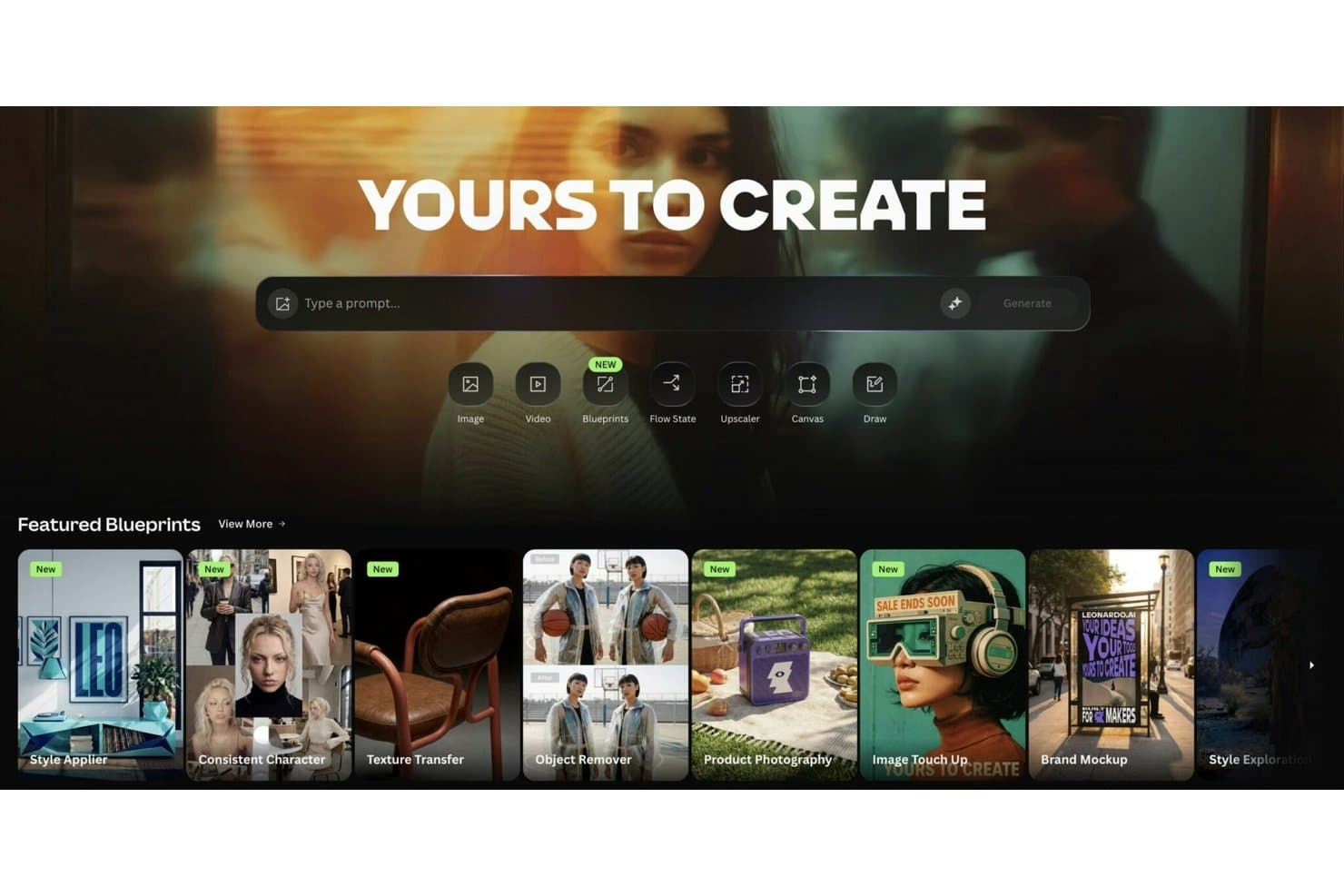
Leonardo offers blueprints and tools like image, video, and canvas creation. Leonardo is an AI image generation platform for designers, game studios, and marketing teams that need to create, edit, and iterate on visual assets.
Who Is Leonardo Best For?
Leonardo suits in-house creative and marketing teams that want to train image models on brand references and create visuals consistent with their established style.
Why Leonardo Is a Good Adobe Firefly Alternatives
I picked Leonardo as an Adobe Firefly alternative because it’s Best for training on your own brand style. I like that you can train custom models on reference images, then generate campaign visuals that keep a product’s look consistent across new scenes.
Leonardo Key Features
- Text-to-image generation: Create images from written prompts.
- Image-to-image generation: Upload an image to guide a new visual.
- AI Canvas: Edit and refine images within Leonardo.
- Image upscaling: Increase an image’s resolution before downloading.
Leonardo Integrations
Leonardo doesn’t have any clearly documented native integrations. It offers an API for custom integrations.
Pros and Cons
Pros:
- Generate polished images quickly across styles
- Fine-tune visuals through AI Canvas editing
- Train custom models on brand reference images
Cons:
- Canvas inpainting feels unintuitive for precise edits
- Prompt tweaks often needed for accurate outputs
Learn more about Leonardo:- Best for browsing and remixing community creations
- Free plan available
- From $9/month (billed annually)
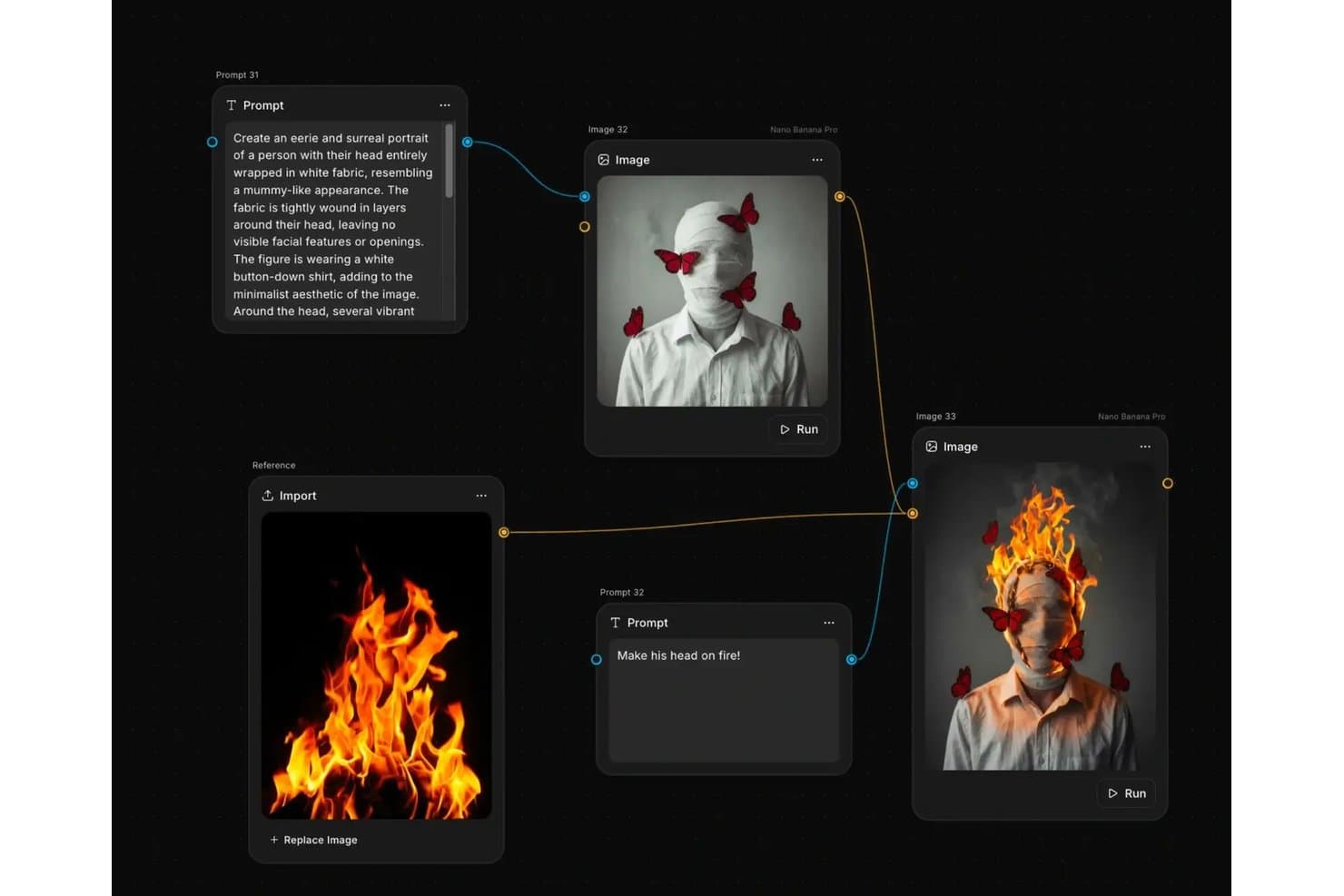
ImagineArt lets users chain prompts and images in a visual workflow editor. ImagineArt is an AI image-generation platform for creative and product teams that want to turn visual ideas into concepts and explore an alternative to Adobe Firefly.
Who Is ImagineArt Best For?
ImagineArt suits visual designers and creative teams who want to explore community-made images and remix ideas into new visual concepts.
Why ImagineArt Is a Good Adobe Firefly Alternatives
I picked ImagineArt as an Adobe Firefly alternative because it’s best for browsing and remixing community creations. I can use community-made images as starting points, then remix them into visual concepts for a product launch or campaign instead of building every direction from a blank prompt.
ImagineArt Key Features
- Text-to-image generation: Create images from prompts or uploaded reference images.
- Model and style selection: Choose an AI model, artistic style, aspect ratio, and quality settings.
- Image editing: Modify selected regions, vary images, or remove backgrounds.
- Image upscaling: Increase image resolution up to 4K and export transparent PNGs.
ImagineArt Integrations
ImagineArt offers plugins for Premiere Pro, Figma, and Photoshop, and lists Slack and Notion integrations for enterprise customers. It also supports MCP connections with Claude, Cursor, ChatGPT, and other MCP clients, plus an API for custom integrations.
Pros and Cons
Pros:
- Refine images with inpainting and upscaling
- Switch among models and visual styles
- Remix community images into fresh campaign concepts
Cons:
- Repeated generations can consume credits quickly
- Specific prompt details can render inconsistently
Learn more about ImagineArt:
Andre alternativer til Adobe Firefly
Her er noen flere alternativer til Adobe Firefly som ikke kom med på kortlisten min, men som likevel er verdt å sjekke ut:
How I Evaluate Adobe Firefly Alternatives
I split my evaluation into three parts. First, core functionality: the tool must generate images from text prompts and support generative editing—these carry the most weight. Second, I look for standout features like multi-model access or consistent character generation. Third, I consider IP clarity and pricing scalability across teams.
Core Functionality (Table Stakes For This List)
When I'm selecting tools for my list, I score each one on a scale from 0 (does not offer the functionality) to 5 (excels in this area) for each core functionality listed below. I then convert the total into a percentage to help assess each tool's overall fit, with extra weight on any functionalities I’ve deemed essential.
- Text-to-Image Generation (Essential): I assess prompt accuracy, image quality, and range across product concepts, campaign visuals, social assets, and editorial illustrations.
- Generative Editing (Essential): I look for reliable inpainting, background replacement, object removal, and generative expansion of existing images.
- Style & Output Control: I evaluate reference images, style presets, aspect ratios, and controls for producing repeatable, on-brand visuals.
- Commercial Usage Rights: Clear licensing terms and commercial-use permissions matter when teams publish generated assets in products or campaigns.
- Workflow Integration: I check exports, plugins, APIs, and connections that move generated assets into design, marketing, or product workflows.
- Asset Management: I look for searchable histories, folders, tagging, and sharing that help teams retrieve and reuse generated assets.
Once I have a list of tools that meet the criteria, I consider what sets each platform apart.
Differentiating Factors (What Sets Vendors Apart)
Here's how I compare and contrast different vendors:
Standout Features
I look for multi-model access because comparing outputs from different AI engines in one interface saves real time during product discovery sprints. Consistent character generation also matters—when you're building a series of launch assets, repeatable subject rendering keeps your visuals on-brand without manual rework. I evaluate whether a tool offers a real-time collaborative canvas, since product teams often ideate with stakeholders live and need to iterate on prompts together rather than passing files back and forth.
Beyond Features
I evaluate how well a tool fits inside an existing design system—if it supports brand kits or style-locking, teams spend less time correcting off-brand outputs before shipping visuals into a product UI. IP and legal risk tolerance also weighs heavily; I check whether a platform documents training-data provenance, since investor-facing or publicly distributed assets need defensible licensing. Finally, cross-functional adoption matters: when PMs, designers, and marketers share one workspace with minimal onboarding friction, asset handoffs stay fast and consistent across launch cycles.
Hvorfor se etter et alternativ til Adobe Firefly?
Selv om Adobe Firefly er et godt valg av verktøy for grafisk design, finnes det flere grunner til at noen brukere ser etter alternative løsninger. Det kan hende du ser etter et alternativ til Adobe Firefly fordi …
- Du trenger mer avanserte kontroller for generativ KI
- Teamet ditt trenger funksjoner for samarbeid i sanntid
- Du ønsker støtte for utdata med høyere oppløsning
- Du trenger et verktøy som er tilgjengelig utenfor Adobes økosystem
- Du ser etter mer fleksible prisalternativer
Hvis noe av dette høres kjent ut, har du kommet til rett sted. Listen min inneholder flere alternativer for grafisk design som egner seg bedre for team som møter disse utfordringene med Adobe Firefly og ser etter alternative løsninger.
Viktige funksjoner i Adobe Firefly
Her er noen av de viktigste funksjonene i Adobe Firefly, slik at du kan sammenligne hva alternative løsninger tilbyr:
- Tekst-til-bilde-generering: Bruker avansert kunstig intelligens til å gjøre tekstbeskrivelser om til detaljerte bilder for kreative formål og markedsføringsformål
- Generative utfyllingsverktøy: Rediger og utvid bilder ved å legge til eller fjerne elementer med AI-drevne forslag
- AI-bildeeffekter: Bruk stiliserte redigeringer og forbedringer på bilder for ulike kreative retninger
- Automatisering av AI-plattformen: Bidrar til å fremskynde repetitive designoppgaver ved å generere flere varianter fra én enkelt ledetekst
- Eksportalternativer i flere formater: Støtter ulike filtyper og oppløsninger for digital publisering og trykk
- Kompatibilitet med Creative Cloud: Fungerer med Adobe Express og andre Adobe-verktøy for utvidede designarbeidsflyter