

Trovare gli strumenti giusti può sembrare complicato quando si lavora con un budget limitato. Hai comunque bisogno di un modo per creare mockup dall'aspetto gradevole e condividere le idee, ma pagare un software premium non è sempre possibile. I generatori gratuiti di mockup possono colmare questa lacuna, offrendo opzioni pratiche senza aggiungere costi.
In base alla mia esperienza, questi strumenti ti aiutano a visualizzare rapidamente le idee, consentendo di ricevere feedback e apportare modifiche più velocemente. Ho esaminato e testato autonomamente diversi generatori di mockup per offrirti un elenco imparziale delle migliori opzioni gratuite disponibili.
In questo articolo troverai recensioni dettagliate delle migliori opzioni, ciascuna con caratteristiche uniche per soddisfare le esigenze del tuo team. Che tu stia lavorando sulle interfacce di un'app o su materiali di marketing, qui troverai uno strumento che ti aiuterà ad avere successo.
Perché fidarsi dei nostri consigli sui software
6,700+
Reviews
20
Industry experts
16+
Evaluation factors
14
Years
Il nostro team testa e recensisce software dal 2012. In quanto product manager noi stessi, sappiamo quanto sia difficile — e importante — scegliere il software giusto.
Per questa guida, abbiamo valutato gli strumenti attraverso test pratici e ricerche indipendenti, assegnando un punteggio agli strumenti in base ai nostri criteri di selezione.
Le nostre recensioni riflettono il nostro giudizio editoriale umano, non un discorso di vendita.
Revisori esperti:
- Andrew LumbySenior TPM
- Cristiano ValimSenior UI/UX Lead


Tabella comparativa dei generatori gratuiti di mockup
Questa tabella comparativa mostra i prezzi di partenza di ciascun generatore gratuito di mockup presente nel mio elenco, comprese le opzioni di upgrade a pagamento.
| Tool | Best For | Trial Info | Price | ||
|---|---|---|---|---|---|
| 1 | Il migliore per mockup rapidi basati sull'intelligenza artificiale in diversi formati | Prova gratuita + piano gratuito disponibili | A partire da $144/user/year (fatturato annualmente) | Website | |
| 2 | Ideale per anteprime di prodotti personalizzati con oltre 1000 modelli | Piano gratuito disponibile | A partire da $39/mese | Website | |
| 3 | Ideale per la varietà di modelli dimostrativi 3D per confezioni e dispositivi | Piano gratuito disponibile; prova gratuita di 7 giorni | A partire da $17/utente/mese (con fatturazione annuale) | Website | |
| 4 | Ideale per personalizzare facilmente i modelli dimostrativi online | Piano gratuito disponibile | A partire da €3.75/mese (con fatturazione annuale) | Website | |
| 5 | Ideale per mockup di prodotti generati con IA senza filigrana | Piano gratuito disponibile | A partire da $5.7/mese (con fatturazione annuale) | Website | |
| 6 | Ideale per creare mockup tramite trascinamento in oltre 5.300 scene | Piano gratuito disponibile | A partire da $15/mese | Website | |
| 7 | Ideale per immagini di mockup di dispositivi 3D e animati | Piano gratuito disponibile | A partire da $228/anno (con fatturazione annuale) | Website | |
| 8 | Ideale per mockup 3D di dispositivi con integrazione con Figma | Piano gratuito disponibile | Da $15/mese | Website | |
| 9 | Ideale per gli elementi grafici degli screenshot dell'App Store, gratuito per sempre | Piano gratuito disponibile | A partire da $19/mese | Website | |
| 10 | Ideale per modelli di dispositivi con la privacy come priorità e senza accesso | Piano gratuito disponibile | Prezzo su richiesta | Website |


Recensioni dei migliori generatori gratuiti di mockup
Sebbene tutti i generatori di mockup presenti nel mio elenco offrano piani gratuiti, dispongono anche di piani a pagamento nel caso in cui desiderassi effettuare l’upgrade. Ecco i costi di base di ciascuno degli strumenti inclusi nel mio elenco:
 Il migliore per mockup rapidi basati sull'intelligenza artificiale in diversi formati
- Prova gratuita + piano gratuito disponibili
- A partire da $144/user/year (fatturato annualmente)
Visit WebsiteCustomer Rating:4.7/5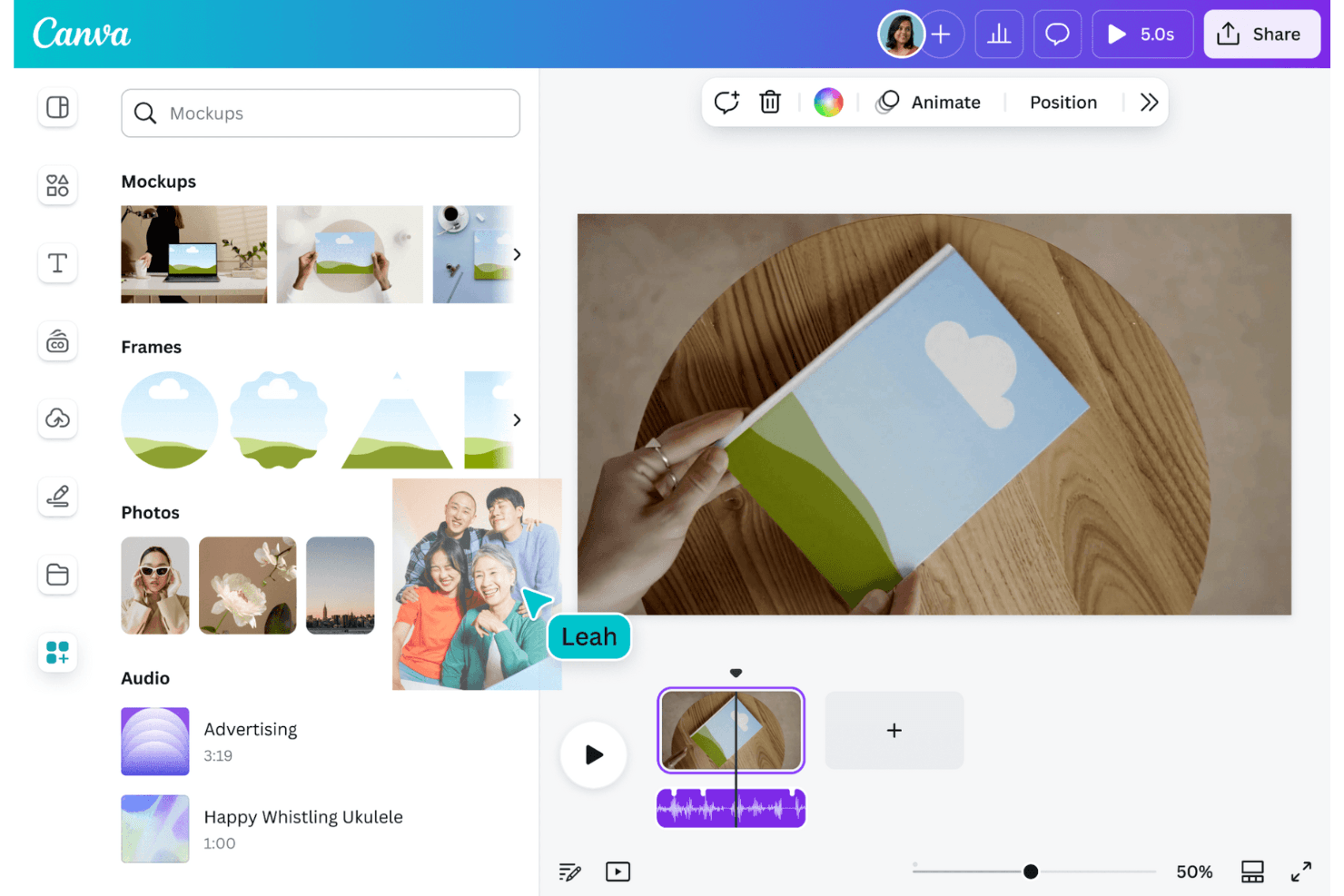
Canva consente agli utenti di creare grafiche e mockup con facilità. Canva è un generatore gratuito di mockup e un editor di design basato sul browser, con modelli per dispositivi, abbigliamento, imballaggi e stampa, controlli per il posizionamento delle immagini, creazione di mockup basata sull'intelligenza artificiale, strumenti di personalizzazione e opzioni di esportazione.
Per chi è più adatto Canva?
Responsabili di prodotto, progettisti UX e team di marketing che hanno bisogno rapidamente di mockup pronti per le presentazioni per dispositivi, abbigliamento, imballaggi e stampa.
Perché ho scelto Canva
Ho scelto Canva perché merita l'etichetta “Il migliore per mockup rapidi basati sull'intelligenza artificiale in diversi formati”. Utilizzo Smart Crop e la regolazione dell'angolazione per gli schermi di telefoni, computer portatili e tablet, quindi inserisco questi mockup nelle presentazioni commerciali o nei contenuti per i social media. La sua libreria comprende anche scene di abbigliamento, imballaggi, stampa e stile di vita.
Caratteristiche principali di Canva
- Disponibilità di mockup gratuiti: Crea fino a 2.500 mockup gratuiti senza filigrane.
- Caricamenti JPG e PNG: Aggiungi file di progetto esistenti tramite il pannello Caricamenti.
- Controlli Riempi e Adatta: Scegli come i progetti caricati devono riempire ogni cornice del mockup.
- Modifica collaborativa: Condividi i progetti, aggiungi commenti, assegna attività e modifica insieme agli altri.
Integrazioni di Canva
Canva supporta le integrazioni del Marketplace tramite il suo Marketplace delle app, tra cui Mockup, Studio mockup e Generatore di screenshot per app. Creazione in blocco si connette a Fogli Canva, CSV, Excel, app per dati di Google, HubSpot e Salesforce.
Cosa è incluso gratuitamente?
Canva offre un piano gratuito per sempre con fino a 2.500 mockup senza filigrane. I modelli, gli elementi e alcune funzionalità di intelligenza artificiale premium richiedono un piano a pagamento.
Pros and Cons
Pros:
- 2.500 mockup senza filigrane supportano i progetti ricorrenti
- Smart Crop gestisce gli schermi dei dispositivi inclinati
- La libreria di scene comprende dispositivi, abbigliamento e imballaggi
Cons:
- È necessario un account prima di esportare i mockup
- Gli elementi premium possono aggiungere filigrane ai progetti
Learn more about Canva: Ideale per anteprime di prodotti personalizzati con oltre 1000 modelli
- Piano gratuito disponibile
- A partire da $39/mese
Visit WebsiteCustomer Rating:4.6/5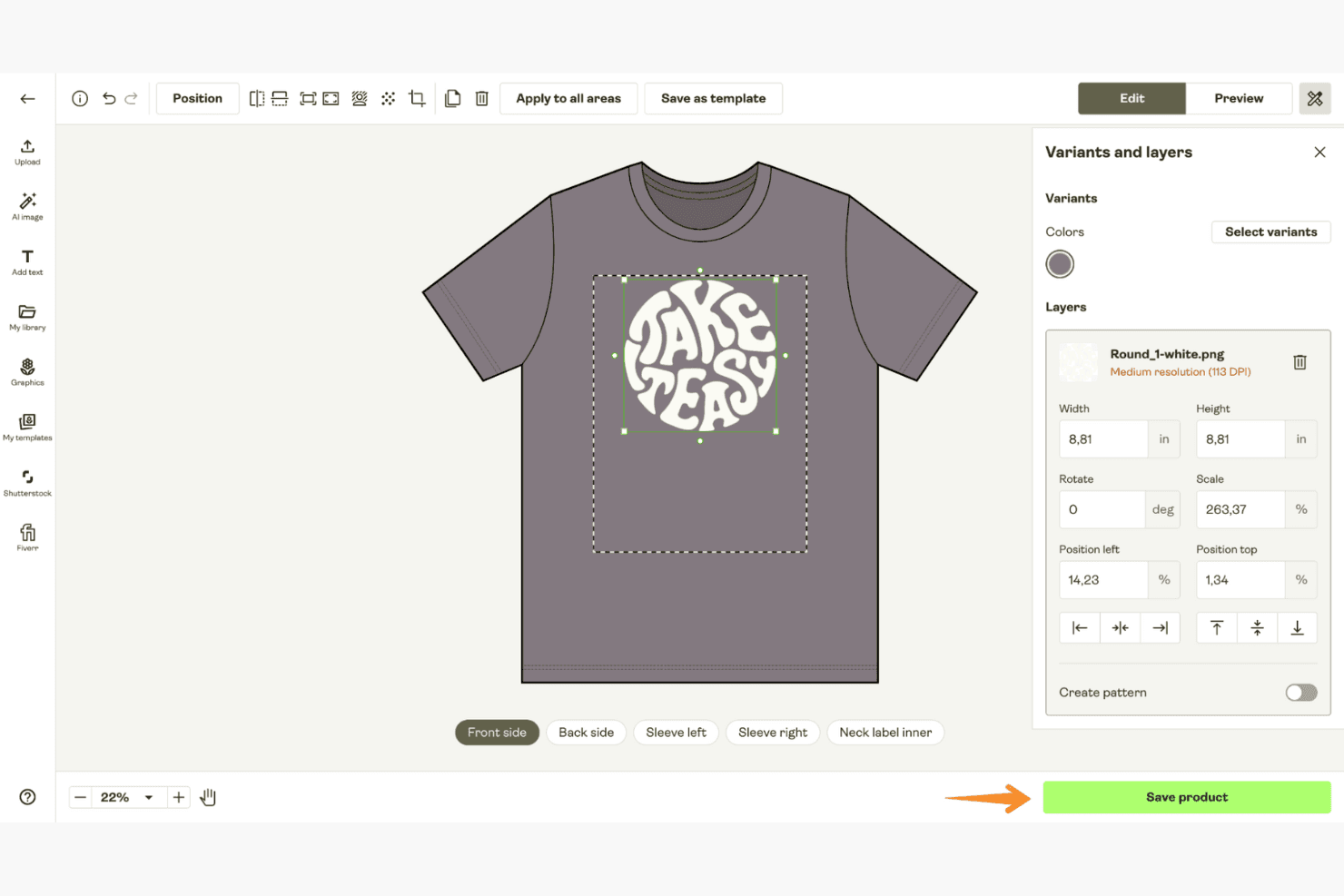
Printify genera anteprime di prodotti personalizzati per un'ampia gamma di articoli stampabili. Printify è un generatore gratuito di anteprime grafiche per prodotti fisici, con un Creatore di prodotti per posizionare opere grafiche caricate su abbigliamento, articoli per bevande, accessori, poster e altri articoli stampati su richiesta, all'interno di scene di lifestyle e viste dall'alto.
Per chi è più adatto Printify?
Printify è adatto ai venditori di prodotti stampati su richiesta e ai team creativi che hanno bisogno di anteprime di prodotti fisici per abbigliamento, articoli per bevande, poster e inserzioni nei negozi.
Perché ho scelto Printify
Ho scelto Printify perché è ideale per creare anteprime di prodotti personalizzati con oltre 1000 modelli. Uso il suo Creatore di prodotti per posizionare opere grafiche su abbigliamento, tazze, poster, custodie per telefoni e altri prodotti, quindi seleziono scene di lifestyle, viste dall'alto o multiangolo. La sua Libreria di anteprime supporta inoltre i download con sfondo trasparente e più varianti di prodotto.
Funzionalità principali di Printify
- Caricamenti da più origini: Importa file JPEG, PNG o SVG da Dropbox e Google Drive.
- Modifica dei livelli: Disponi fino a 20 livelli di progettazione all'interno delle aree di stampa supportate.
- Rimozione dello sfondo: Rimuovi gli sfondi delle immagini con un solo clic.
- Editor di testo: Aggiungi caratteri personalizzati, testo e scritture non latine ai progetti.
Integrazioni di Printify
Printify offre integrazioni con Shopify, WooCommerce, Wix, Squarespace, BigCommerce, Etsy, eBay, Amazon e TikTok Shop. Supporta inoltre i caricamenti da Dropbox e Google Drive, oltre a un'API per connessioni personalizzate.
Cosa è gratuito?
Printify offre un piano gratuito per sempre per creare anteprime di prodotti e configurare prodotti stampati su richiesta. Sono disponibili aggiornamenti a pagamento per funzionalità aggiuntive, mentre il piano gratuito rimane disponibile senza limiti di tempo.
Pros and Cons
Pros:
- Download illimitati di file PNG senza filigrana
- Oltre 2.000 opzioni di anteprima per prodotti fisici
- L'editor con trascinamento supporta 20 livelli
Cons:
- Nessuno schermo di telefono, laptop o tablet
- Gli sfondi personalizzati supportano un numero limitato di prodotti
Learn more about Printify: Ideale per la varietà di modelli dimostrativi 3D per confezioni e dispositivi
- Piano gratuito disponibile; prova gratuita di 7 giorni
- A partire da $17/utente/mese (con fatturazione annuale)
Visit WebsiteCustomer Rating:4.5/5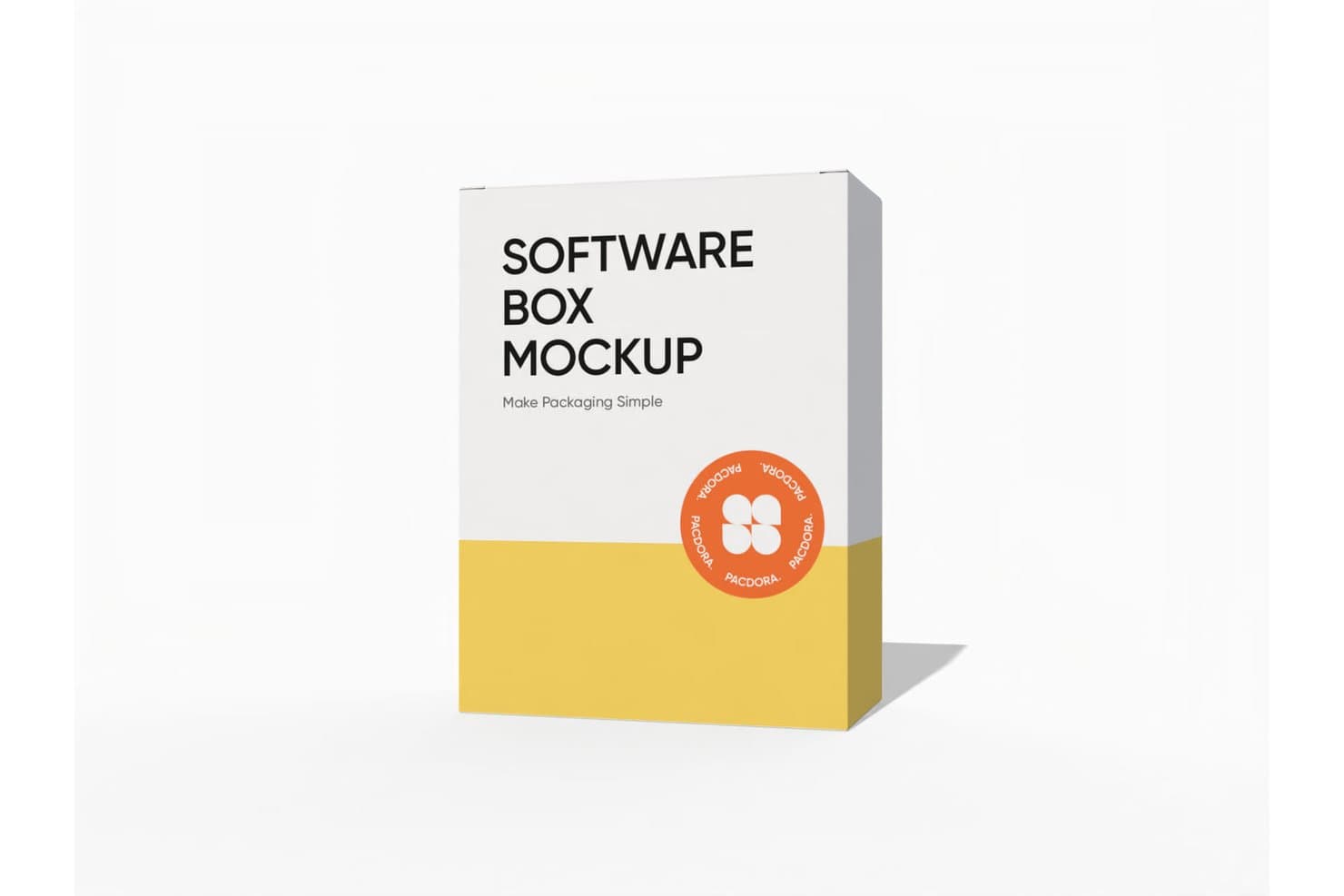
Pacdora consente agli utenti di creare modelli dimostrativi di scatole per software con design personalizzati. Pacdora è un generatore di modelli dimostrativi 3D basato su browser, con modelli per confezioni e dispositivi, caricamento di immagini, scene personalizzabili, anteprime in tempo reale, esportazioni di immagini e video e collegamenti 3D condivisibili.
A chi è più adatto Pacdora?
Pacdora è adatto ai designer di confezioni e ai team di prodotto che hanno bisogno di immagini 3D realistiche per idee progettuali, presentazioni e riscontri delle parti interessate.
Perché ho scelto Pacdora
Ho scelto Pacdora per la varietà di modelli dimostrativi 3D per confezioni e dispositivi, soprattutto quando un'idea progettuale richiede qualcosa in più rispetto a una semplice immagine piatta dello schermo. La sua libreria include modelli per confezioni, iPhone, iPad, MacBook e Apple Watch, oltre a illuminazione, angolazioni, sfondi e scene regolabili. Posso anche creare animazioni rotanti in formato MP4 o MOV per presentazioni commerciali e revisioni con le parti interessate, anche se le esportazioni gratuite possono includere filigrane.
Caratteristiche principali di Pacdora
- Progetti e caricamenti illimitati: Crea e archivia modelli dimostrativi senza limiti di quantità dichiarati.
- Esportazioni PNG e JPG: Scarica modelli dimostrativi statici nei formati immagine più comuni.
- Collegamenti 3D condivisibili: Invia modelli dimostrativi interattivi per ricevere riscontri da remoto.
- Generatore di sfondi con AI: Crea ambientazioni personalizzate per le immagini dei prodotti.
Integrazioni di Pacdora
Pacdora non dispone di integrazioni native. I piani a pagamento consentono di esportare i tracciati di fustella delle confezioni in formato AI per utilizzarli in Adobe Illustrator.
Cosa offre il piano gratuito?
Pacdora offre un piano gratuito senza scadenza e una prova gratuita di 7 giorni delle funzionalità a pagamento. Le esportazioni gratuite possono includere filigrane e Pacdora non dispone di integrazioni native.
Pros and Cons
Pros:
- Progetti e caricamenti illimitati
- Scene 3D e illuminazione realistiche
- Esporta immagini, video e collegamenti condivisibili
Cons:
- I modelli di dispositivi sono fortemente incentrati sui prodotti Apple
- Le esportazioni gratuite possono includere filigrane
Learn more about Pacdora: Ideale per personalizzare facilmente i modelli dimostrativi online
- Piano gratuito disponibile
- A partire da €3.75/mese (con fatturazione annuale)
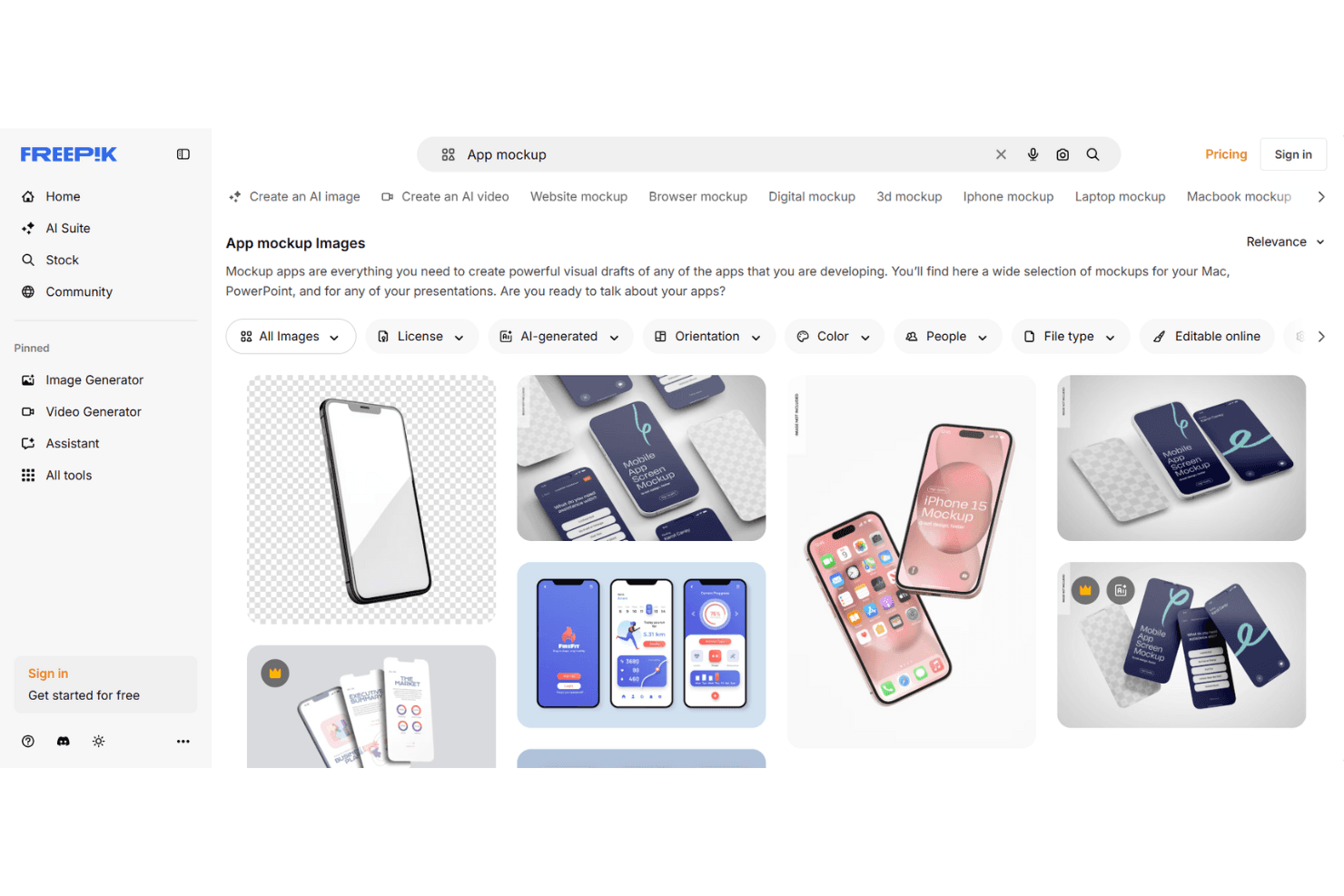
Freepik offre una semplice personalizzazione dei modelli dimostrativi attraverso un'ampia selezione di modelli. Freepik è un generatore di modelli dimostrativi basato su browser, con modelli modificabili per abbigliamento, dispositivi, stampa, imballaggi e stili di vita, posizionamento manuale delle immagini, personalizzazione delle scene tramite IA ed esportazioni JPEG o PNG senza filigrana fino a 5K.
Per chi è più adatto Freepik?
Designer UI/UX e team creativi che hanno bisogno di modelli dimostrativi curati e pronti per la presentazione senza installare software di progettazione.
Perché ho scelto Freepik
Ho scelto Freepik perché rende pratica la personalizzazione online dei modelli dimostrativi per revisioni rapide dei progetti. Posso caricare file PNG, JPG, SVG o WebP, inserirli in scene modificabili nel browser per abbigliamento, dispositivi, imballaggi e stampa, quindi regolarne manualmente la posizione. I suoi prompt per le scene IA aiutano inoltre a trasformare un semplice concetto di prodotto in un'immagine pronta per la presentazione.
Caratteristiche principali di Freepik
- Esportazioni senza filigrana: scarica file JPEG o PNG con una risoluzione fino a 5K.
- Libreria gratuita di modelli dimostrativi: accedi a 100 modelli dimostrativi modificabili online senza abbonamento.
- Generazione di scene IA: crea scene personalizzate da prompt testuali.
- Utilizzo commerciale dei modelli dimostrativi: usa i modelli dimostrativi generati per progetti personali e commerciali.
Integrazioni di Freepik
Freepik offre integrazioni tramite il suo plugin per After Effects, il plugin della Community di Figma, MCP e ComfyUI. I piani a pagamento includono l'accesso alle API per integrazioni personalizzate.
Cosa è gratuito?
Freepik offre un piano gratuito, quindi puoi utilizzare i suoi strumenti per i modelli dimostrativi senza avviare una prova a pagamento. Il piano gratuito include 100 modelli dimostrativi modificabili online, mentre l'accesso alle API e altre funzionalità a pagamento richiedono un abbonamento.
Pros and Cons
Pros:
- Le esportazioni senza filigrana raggiungono una risoluzione di 5K
- Le scene IA ampliano le possibilità oltre i modelli fissi
- Le scene per abbigliamento e imballaggi sono adatte alle immagini di marketing
Cons:
- Il posizionamento manuale non rileva le cornici dei dispositivi
- La libreria gratuita limita il lavoro ripetuto sui modelli dimostrativi
Learn more about Freepik: Ideale per mockup di prodotti generati con IA senza filigrana
- Piano gratuito disponibile
- A partire da $5.7/mese (con fatturazione annuale)
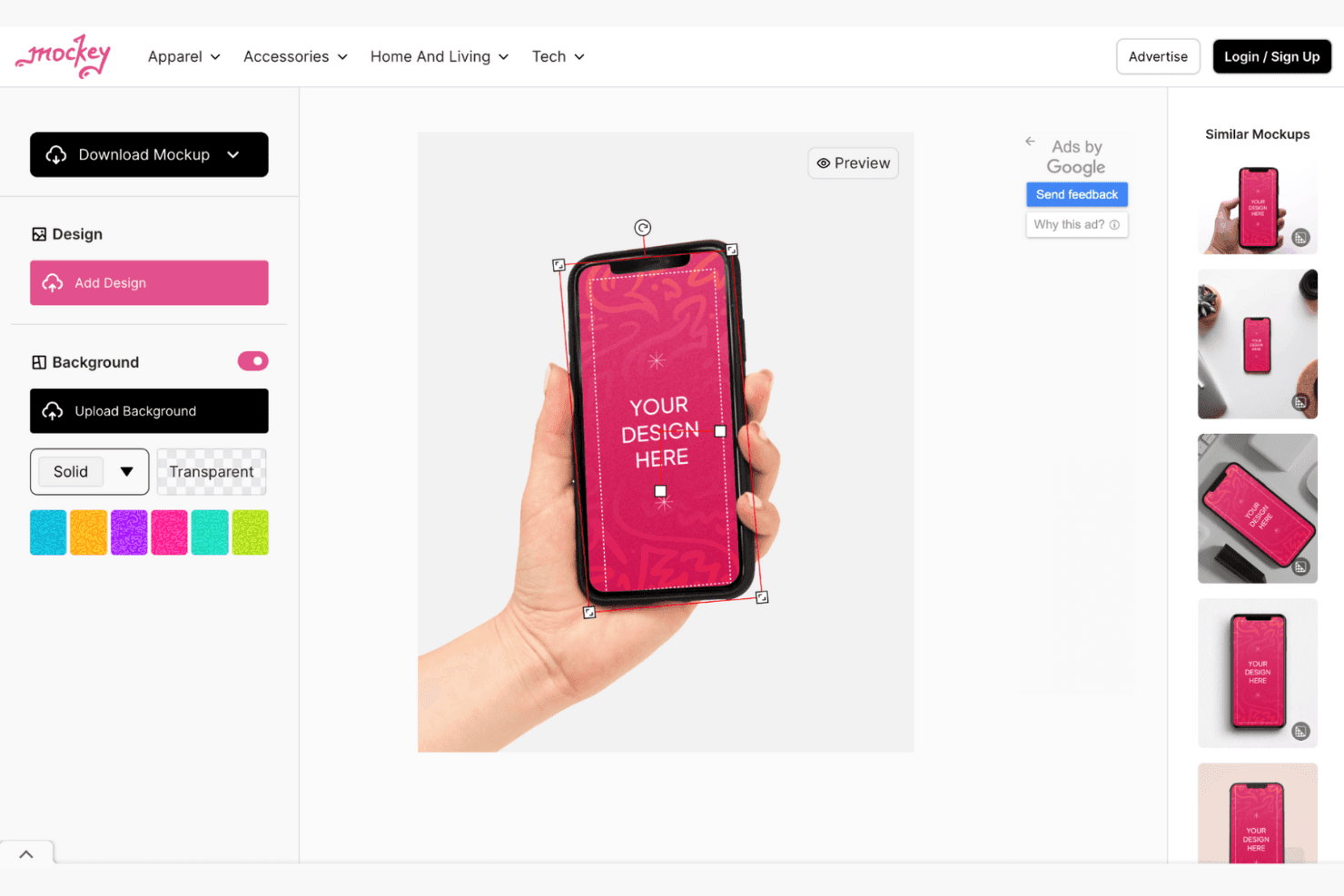
Mockey consente di creare diversi mockup di prodotti in numerose categorie. Mockey è un generatore di mockup basato sul browser con modelli per tecnologia, abbigliamento, imballaggi e stile di vita, oltre al caricamento di immagini, al posizionamento automatico sui dispositivi, alla modifica dello sfondo, agli strumenti per scene con IA e ai mockup video e 3D.
Per chi è più adatto Mockey?
Mockey è adatto a designer di UI/UX e team di marketing che necessitano di mockup di dispositivi, prodotti e stile di vita senza filigrana e senza Photoshop.
Perché ho scelto Mockey
Ho scelto Mockey perché crea mockup di prodotti generati con IA senza filigrana, con scene tecnologiche e di stile di vita realistiche. Utilizzo i suoi modelli di iPhone e MacBook per inserire i progetti delle interfacce con proporzioni di ritaglio adattate al modello, quindi perfeziono le presentazioni con il servizio fotografico con IA e sfondi generati. Le esportazioni JPG gratuite sono adatte a presentazioni rapide, immagini per portfolio e primi concept di marketing.
Funzionalità principali di Mockey
- Caricamenti in più formati: Importa progetti PNG, JPG e WebP.
- Controlli di posizionamento: Adatta, riempi, ruota, rifletti, allinea, ingrandisci e distorci i progetti.
- Modifica del colore dei dispositivi: Cambia i colori dei prodotti con tavolozze o codici esadecimali.
- Plugin per Figma: Crea mockup direttamente nei file Figma.
Integrazioni di Mockey
Mockey offre quattro integrazioni documentate: Figma, Shopify, Etsy e ChatGPT. Il plugin per Figma è particolarmente utile per i designer, mentre Shopify ed Etsy supportano i flussi di lavoro per l'e-commerce.
Cosa è gratuito?
Mockey offre un piano gratuito, non solo una prova a tempo limitato. Include esportazioni JPG senza filigrana, mentre le funzionalità avanzate e altre opzioni di esportazione potrebbero richiedere un piano a pagamento.
Pros and Cons
Pros:
- Le esportazioni senza filigrana sono adatte alle bozze dei portfolio
- Le proporzioni dello schermo corrispondono ai dispositivi attuali
- Le scene con IA valorizzano le immagini delle presentazioni
Cons:
- Le esportazioni gratuite sono limitate al formato JPG
- Nessun prototipo interattivo per i test con gli utenti
Learn more about Mockey: Ideale per creare mockup tramite trascinamento in oltre 5.300 scene
- Piano gratuito disponibile
- A partire da $15/mese
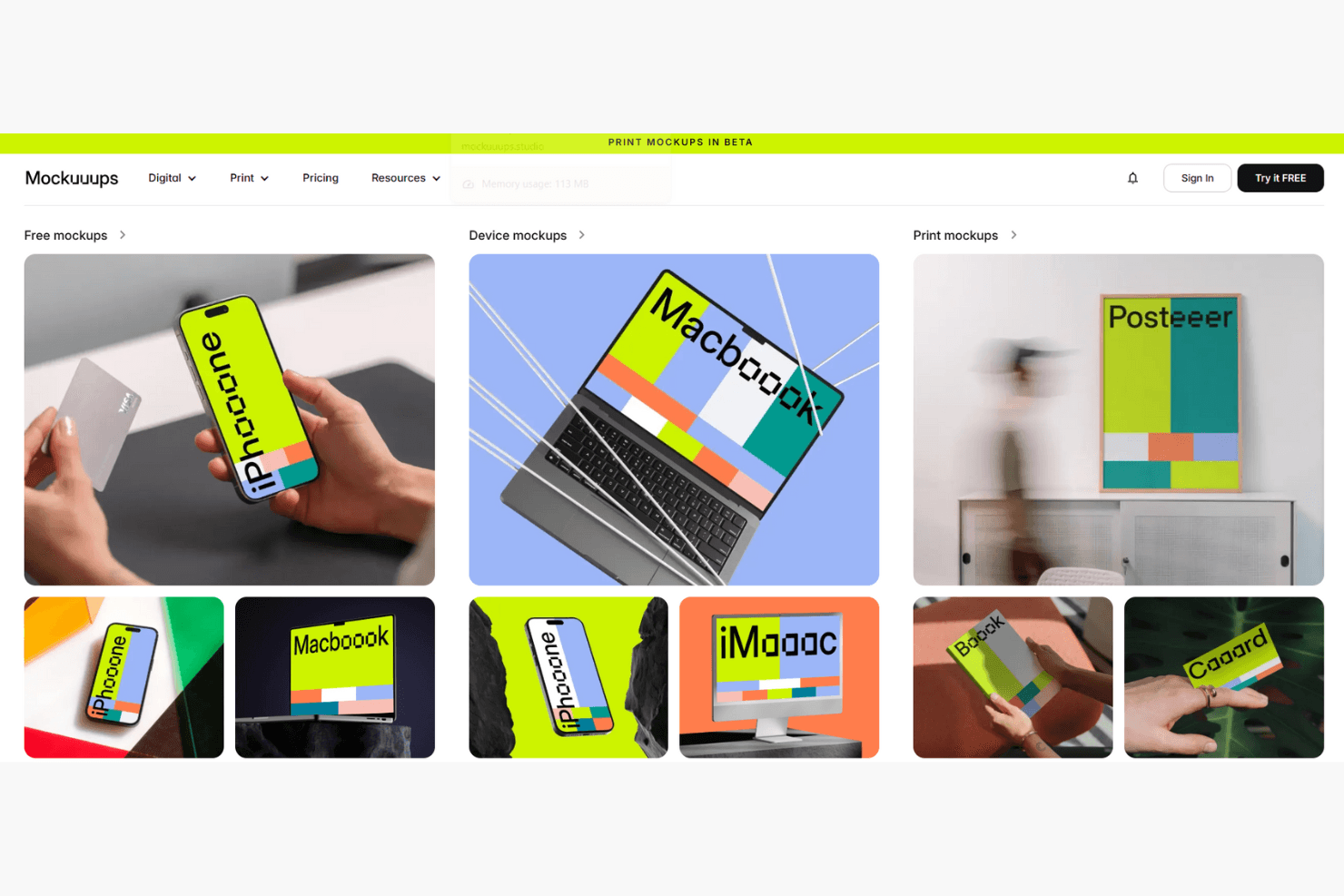
Mockuuups Studio crea mockup di app e dispositivi con un flusso di lavoro basato sul trascinamento. Mockuuups Studio è un generatore gratuito di mockup con posizionamento degli screenshot tramite trascinamento, scene fotorealistiche di dispositivi e stili di vita, sfondi personalizzabili e integrazioni per Figma, Sketch, Penpot e Adobe Express.
Per chi è più adatto Mockuuups Studio?
Product manager e designer UI/UX che hanno bisogno di immagini realistiche per presentazioni commerciali, presentazioni agli stakeholder e revisioni rapide dei concept.
Perché ho scelto Mockuuups Studio
Ho scelto Mockuuups Studio per creare mockup tramite trascinamento in oltre 5.300 scene, inclusi telefoni, laptop, tablet e ambientazioni di vita quotidiana. Posso inserire uno screenshot in tutta la libreria, quindi scegliere angolazioni dei dispositivi, colori, ombre e sfondi per presentazioni commerciali o revisioni dei concept. Le esportazioni gratuite sono limitate e i mockup premium includono filigrane.
Funzionalità principali di Mockuuups Studio
- Plugin per strumenti di progettazione: si integra con Figma, Sketch, Penpot e Adobe Express.
- Formati di esportazione: supporta i download in formato PNG, JPG e WebP.
- Strumento di ritaglio: offre il ritaglio manuale e aree di ritaglio preimpostate.
- App desktop: mette a disposizione app per macOS, Windows e Linux.
Integrazioni di Mockuuups Studio
Mockuuups Studio offre cinque integrazioni documentate con strumenti di progettazione: Figma, Sketch, Penpot, Adobe Express e Frontify. Fornisce inoltre un'API REST con supporto per Zapier per integrazioni personalizzate.
Cosa è gratuito?
Mockuuups Studio offre un piano gratuito senza scadenza con accesso alla libreria di mockup e all'editor con trascinamento. Le esportazioni gratuite sono limitate e i mockup premium includono filigrane.
Pros and Cons
Pros:
- Oltre 5.300 scene fotorealistiche di dispositivi e stili di vita
- Posiziona automaticamente gli screenshot in tutta la libreria
- Aggiunge frequentemente mockup di dispositivi appena lanciati
Cons:
- Le esportazioni gratuite includono filigrane e richiedono l'attribuzione
- Nessuna esportazione in blocco o modello per le dimensioni degli store
Learn more about Mockuuups Studio: Ideale per immagini di mockup di dispositivi 3D e animati
- Piano gratuito disponibile
- A partire da $228/anno (con fatturazione annuale)
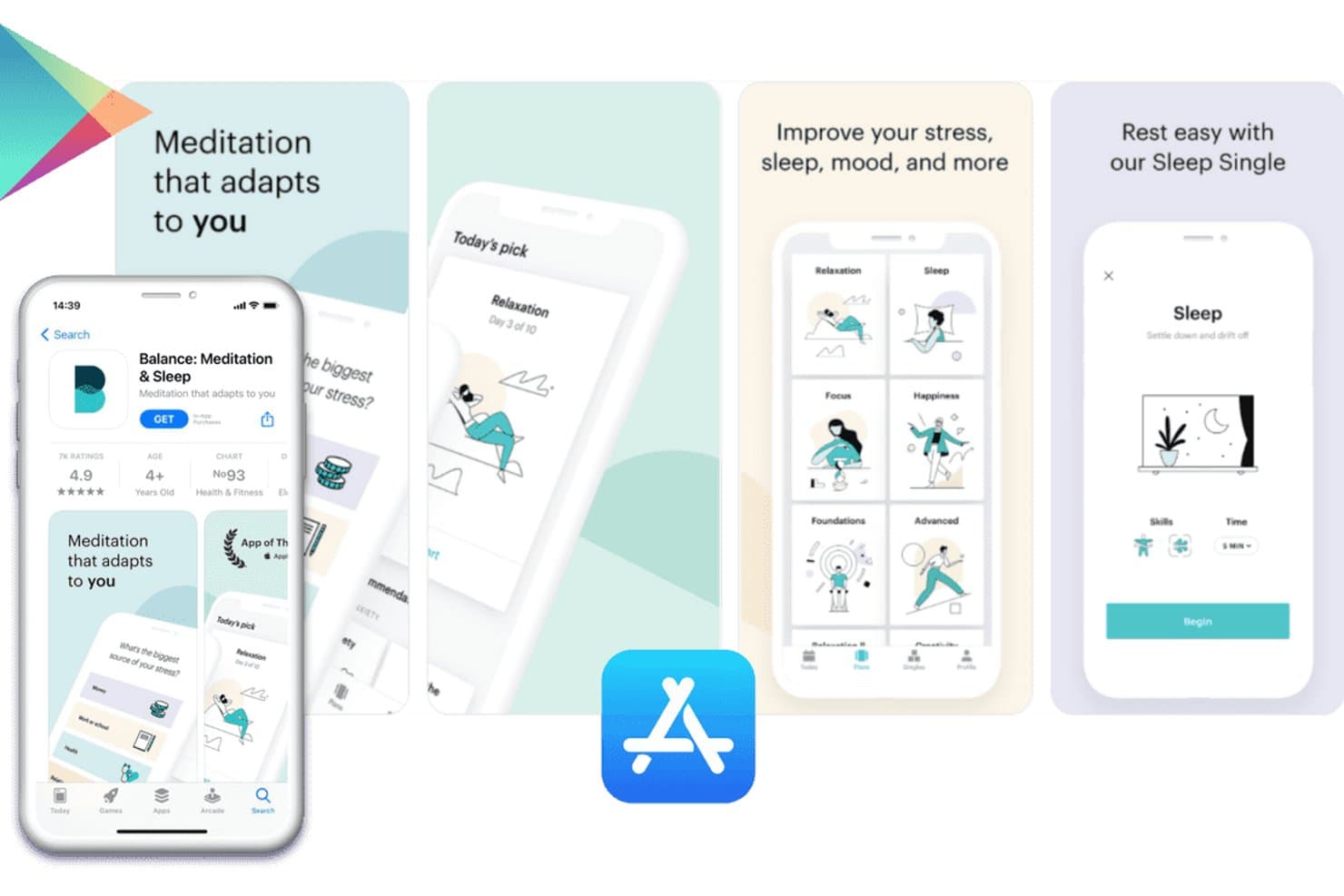
Previewed consente agli utenti di creare screenshot per l'App Store con mockup di dispositivi. Previewed è un generatore di mockup basato su browser con modelli di dispositivi 2D e 3D, caricamenti di immagini e video, scene personalizzabili, layout per i social e output statici o animati.
Per chi è più adatto Previewed?
Designer UI/UX e piccoli team di prodotto che creano immagini raffinate di dispositivi 2D, 3D e animate per presentazioni o portfolio.
Perché ho scelto Previewed
Previewed si è guadagnato un posto nella mia lista ristretta perché gestisce immagini di mockup di dispositivi 3D e animati oltre ai normali design 2D. Uso il suo editor 3D per impostare angolazioni della fotocamera, ambienti e stili di dispositivi effetto argilla per le presentazioni di prodotto. Le scene animate e gli output MP4 aiutano inoltre a trasformare le schermate delle app in immagini promozionali raffinate.
Funzionalità principali di Previewed
- Libreria di modelli di dispositivi: Include iPhone, telefoni Android, tablet, laptop, monitor e cornici per browser.
- Caricamento di contenuti multimediali per lo schermo: Sostituisce i segnaposto dei dispositivi con immagini caricate o video MP4.
- Set di screenshot panoramici: Crea layout con più immagini per gli screenshot dell'App Store e di Google Play.
- Modelli per i social media: Offre layout per Instagram, Facebook, Twitter e LinkedIn.
Integrazioni di Previewed
Previewed non dispone di integrazioni native, API documentate, plugin per Figma o Sketch, né di un collegamento diretto ad App Store Connect e Google Play Console. Supporta l'accesso con Google, Facebook e Twitter, oltre alla condivisione tra team all'interno di Previewed.
Cosa è disponibile gratuitamente?
Previewed offre un piano Lite gratuito per sempre per una sola app o progetto. Include output 2D illimitati a 720p, ma richiede l'attribuzione Creative Commons ed esclude gli output 3D e video; l'uso commerciale richiede un piano a pagamento.
Pros and Cons
Pros:
- Crea immagini 3D e animate raffinate
- Offre controlli avanzati della fotocamera e dell'ambiente
- Supporta layout panoramici per gli screenshot degli app store
Cons:
- Gli output gratuiti richiedono l'attribuzione e sono limitati a 720p
- La libreria di dispositivi non include i modelli più recenti di smartphone
Learn more about Previewed: Ideale per mockup 3D di dispositivi con integrazione con Figma
- Piano gratuito disponibile
- Da $15/mese
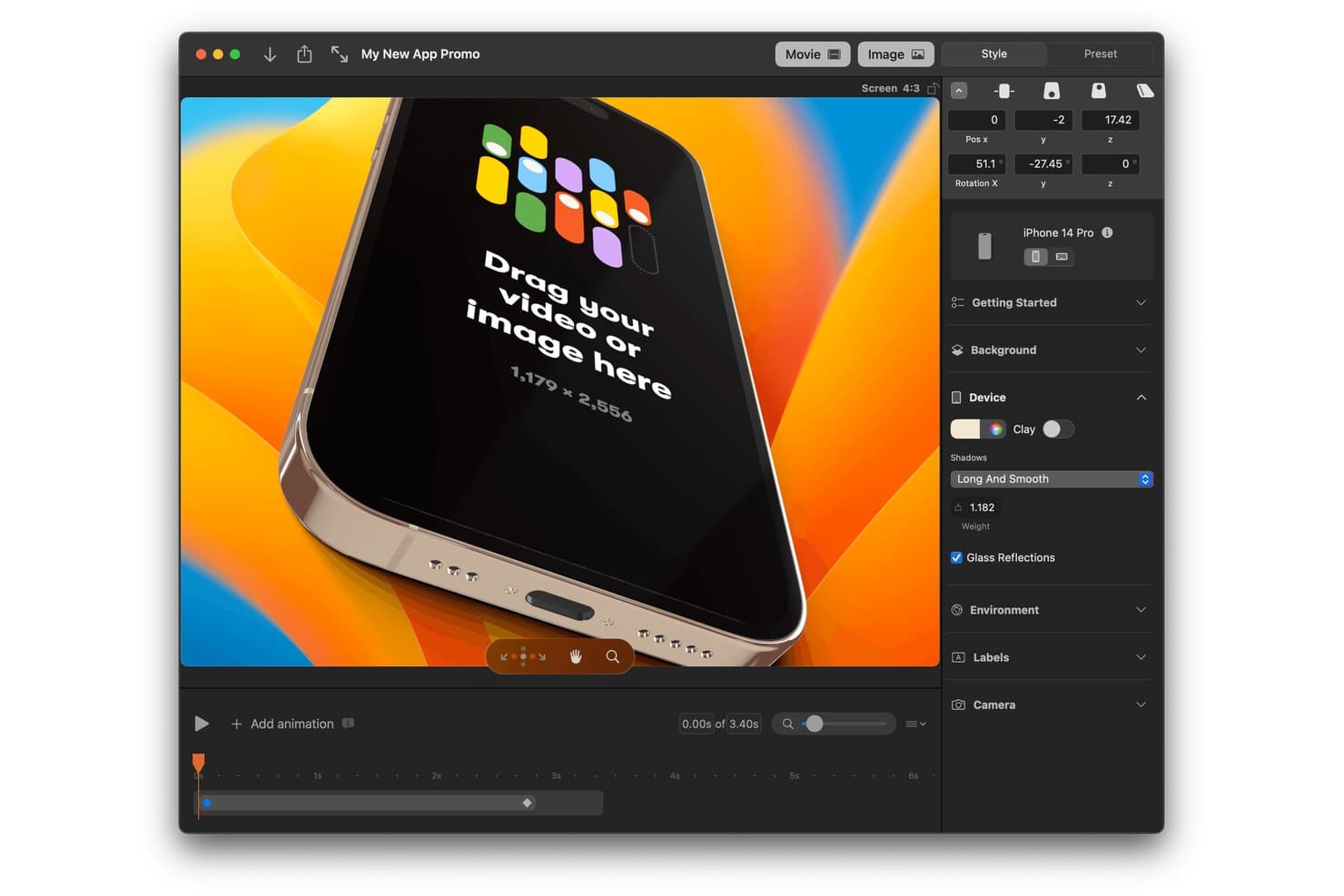
Rotato consente agli utenti di creare mockup 3D di iPhone con animazioni e sfondi personalizzati. Rotato è un generatore di mockup 3D di dispositivi che consente di trasformare schermate di app, registrazioni e siti web in immagini fisse e video personalizzabili, con integrazione con Figma, scene animate ed esportazioni di screenshot per l'App Store.
Per chi è più adatto Rotato?
I designer UI/UX e i team creativi che lavorano su Mac apprezzeranno Rotato per le immagini curate delle app, le demo animate e i mockup di dispositivi pronti per le presentazioni.
Perché ho scelto Rotato
Ho scelto Rotato per i suoi mockup 3D curati dei dispositivi e l'integrazione con Figma. Posso inserire schermate o registrazioni di app su telefoni, tablet, laptop e orologi, quindi creare scene animate per presentazioni commerciali o immagini per portfolio. La sua funzione di esportazione per l'App Store gestisce diverse dimensioni di iPhone, anche se le esportazioni gratuite includono una filigrana.
Funzionalità principali di Rotato
- Prova gratuita illimitata: Crea mockup illimitati senza limiti di tempo, con esportazioni con filigrana.
- Ampio supporto dei file: Importa file PNG, JPG, HEIC, PSD, SVG, TIFF, WebP, RAW, MOV e MP4.
- Modalità presentazione: Presenta le scene durante le chiamate su Zoom, Teams e Google Meet.
- Sfondi personalizzati: Usa colori, immagini, video o sfumature 3D dietro i rendering dei dispositivi.
Integrazioni di Rotato
Rotato dispone di integrazioni documentate con Figma e Sketch. Non risultano chiaramente documentate altre integrazioni native.
Cosa è gratuito?
Rotato offre una prova gratuita e illimitata senza limiti di tempo, ma i mockup esportati includono una filigrana. Puoi creare mockup e testare gratuitamente le sue funzionalità, mentre per le esportazioni senza filigrana è necessario un piano a pagamento.
Pros and Cons
Pros:
- La libreria attuale di dispositivi include telefoni moderni
- Esporta video fino a 8K con trasparenza
- Esegue il rendering in serie delle dimensioni degli iPhone per l'App Store
Cons:
- Le esportazioni gratuite mantengono una filigrana
- I rendering inclinati possono nascondere i dettagli della pagina dell'App Store
Learn more about Rotato: Ideale per gli elementi grafici degli screenshot dell'App Store, gratuito per sempre
- Piano gratuito disponibile
- A partire da $19/mese
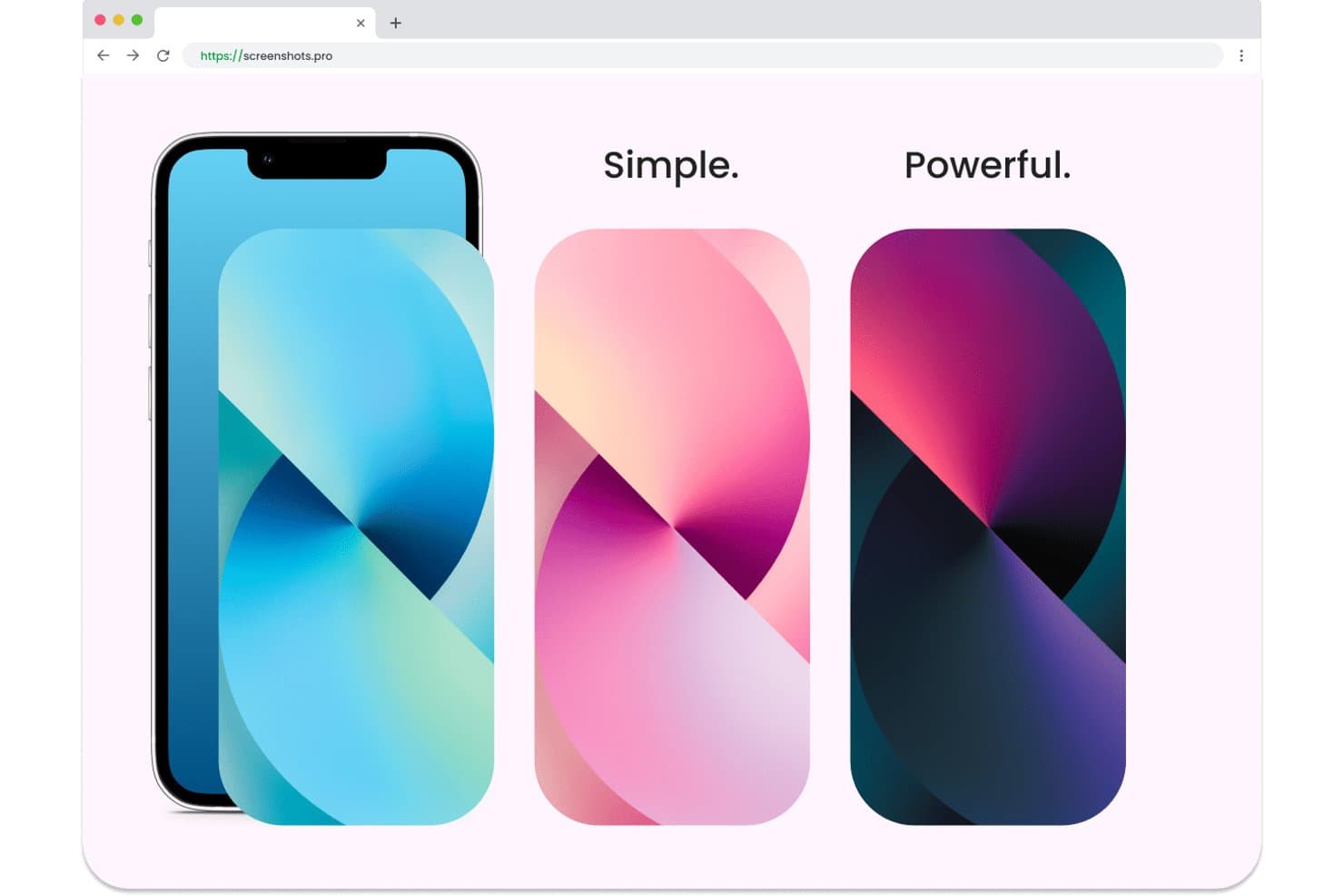
Screenshots.pro consente agli utenti di creare mockup con più temi cromatici. Screenshots.pro è un generatore di mockup per app basato su browser, incentrato sugli screenshot per App Store e Google Play, con cornici per dispositivi, modelli predefiniti, modifica tramite trascinamento, personalizzazione delle cornici ed esportazione intelligente per le dimensioni degli store.
Per chi è più adatto Screenshots.pro?
Sviluppatori indipendenti di app e piccoli team di prodotto che hanno bisogno di set di screenshot pronti per App Store e Google Play senza utilizzare software di progettazione.
Perché ho scelto Screenshots.pro
Ho scelto Screenshots.pro perché è creato appositamente per gli elementi grafici degli screenshot dell'App Store ed è gratuito per sempre. Utilizzo le sue cornici per dispositivi, i modelli predefiniti per gli store e l'esportazione intelligente per trasformare un singolo design dell'app in file PNG ad alta risoluzione per ogni dimensione di App Store e Google Play. Il suo approccio è adatto agli sviluppatori che preparano un rilascio, anziché a chi crea ampi mockup di ambientazioni.
Funzionalità principali di Screenshots.pro
- Editor con trascinamento: Posiziona, ridimensiona, ruota e definisci lo stile di screenshot e testo.
- Personalizzazione delle cornici: Scegli stili realistici o effetto argilla, colori e orientamenti.
- Salvataggio automatico e sincronizzazione: Salva automaticamente i progetti nelle sessioni supportate.
- Esportazione PNG ad alta risoluzione: Scarica gli elementi grafici per gli store come file PNG da oltre 4K.
Integrazioni di Screenshots.pro
Screenshots.pro non dispone di integrazioni native. La sua API REST, disponibile con il piano Extended, supporta flussi di lavoro CI/CD personalizzati e genera screenshot da URL pubblici di immagini.
Cosa è gratuito?
Screenshots.pro offre un piano gratuito per sempre per creare elementi grafici di screenshot per App Store e Google Play. Le integrazioni native non sono disponibili e l'accesso all'API REST per i flussi di lavoro CI/CD richiede il piano Extended.
Pros and Cons
Pros:
- Le esportazioni gratuite coprono ogni dimensione degli store
- Le cornici per dispositivi si adattano ai flussi di lavoro degli store di app
- I layout con trascinamento consentono iterazioni rapide
Cons:
- Gli output gratuiti richiedono l'attribuzione a Screenshots.pro
- I modelli non includono mockup di ambientazioni e oggetti
Learn more about Screenshots.pro: Ideale per modelli di dispositivi con la privacy come priorità e senza accesso
- Piano gratuito disponibile
- Prezzo su richiesta
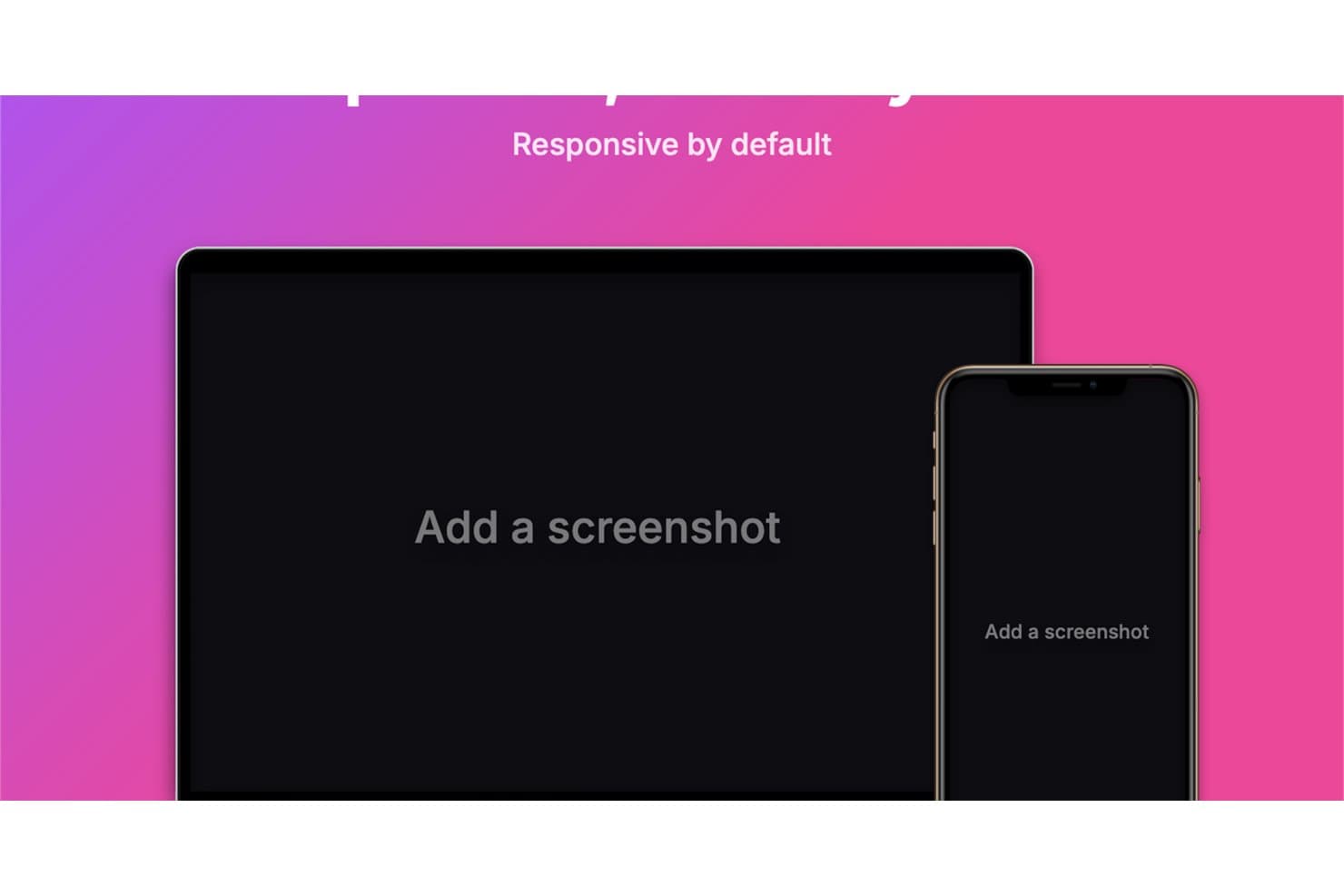
Device Shots genera modelli grafici reattivi per computer desktop e dispositivi mobili. Device Shots è un generatore gratuito di modelli grafici con 76 cornici di dispositivi, 412 modelli per piattaforme, modifica a livelli, layout multi-dispositivo ed esportazioni in formato PNG, JPG, WebP o SVG.
A chi è più adatto Device Shots?
Responsabili di prodotto, designer UI/UX e team di marketing che necessitano di modelli grafici senza accesso e con la privacy come priorità, per presentazioni, prototipi, contenuti per i social e immagini per gli app store.
Perché ho scelto Device Shots
Ho scelto Device Shots perché è uno dei migliori generatori gratuiti di modelli grafici per creare modelli di dispositivi senza accesso e con la privacy come priorità. Posso inserire schermate riservate in 76 cornici di dispositivi senza caricarle, quindi perfezionare i layout con livelli, guide, icone e composizioni multi-dispositivo. I suoi 412 modelli mi aiutano inoltre a preparare direttamente nel browser immagini per presentazioni, social e app store.
Caratteristiche principali di Device Shots
- Modalità di adattamento: Scegli tra posizionamento con copertura, contenimento o estensione.
- Formati di esportazione: Scarica file PNG, JPG, WebP o SVG.
- Preimpostazioni della tela: Crea contenuti per social network, app store e presentazioni.
- Controlli dello sfondo: Applica colori uniformi, sfumature, sfondi, immagini o trasparenza.
Integrazioni di Device Shots
Device Shots non dispone di integrazioni native. Supporta la copia dagli appunti in Figma, Slack e Notion, ma non dispone di API, plugin o collegamenti documentati con marketplace.
Cosa offre il piano gratuito?
Device Shots offre un piano gratuito anziché una prova a tempo limitato, senza richiedere l'accesso. Supporta la creazione di modelli grafici basata sul browser e con la privacy come priorità, ma non dispone di integrazioni native, API, plugin o collegamenti con marketplace.
Pros and Cons
Pros:
- La modifica eseguita esclusivamente nel browser protegge le schermate riservate
- 412 modelli coprono i principali formati di contenuto
- I controlli dei livelli supportano composizioni multi-dispositivo curate
Cons:
- Le cornici dei dispositivi si fermano ai modelli hardware meno recenti
- Nessuna scena fotografica di vita quotidiana per immagini di marketing
Learn more about Device Shots:
Altri generatori di mockup
Ecco alcune opzioni aggiuntive di generatori di mockup che offrono anche piani o prove gratuite. Sebbene questi strumenti non siano stati inclusi nel mio elenco, vale comunque la pena consultarli:
- 11ShotsIdeale per creare mockup di dispositivi senza accesso e con profondità stilistica
- 12Artboard StudioIdeale per oltre 5.000 modelli di dispositivi e scene
- 13KittlIdeale per mockup di prodotti e abbigliamento di alta qualità
- 14RecraftIdeale per mockup aziendali generati dall’IA in pochi secondi
- 15PlaceitIdeale per ampia libreria di mockup e utilizzo aziendale
- 16MediamodifierIdeale per la creazione di mockup dal browser su qualsiasi dispositivo
- 17MockupLabsIdeale per mockup alimentati da AI con oltre 10.000 modelli
- 18Dynamic MockupsIdeale per la creazione automatizzata di immagini realistiche di prodotti
Come valuto i generatori gratuiti di mockup
Per prima cosa, definisco cosa si intende per gratuito. Un generatore di mockup deve offrire un piano gratuito permanente, non una versione di prova, con più modelli, caricamento di file, personalizzazione ed esportazione. Dopodiché, suddivido la mia valutazione in tre parti: funzionalità fondamentali, a cui assegno il peso maggiore, come il posizionamento dei design e l'esportazione; caratteristiche distintive, come la generazione in batch; e aspetti che vanno oltre l'insieme delle funzionalità, come la scalabilità del piano gratuito.
Funzionalità fondamentali (requisiti essenziali per questo elenco)
Oltre ai requisiti relativi al piano gratuito, utilizzo un sistema di punteggio per selezionare gli strumenti da includere nel mio elenco. Assegno a ciascuno un punteggio su una scala da 0 (non offre la funzionalità) a 5 (eccelle in quest'area) per ogni funzionalità fondamentale elencata di seguito, in base a ciò che è disponibile nel piano gratuito. Converto quindi il totale in una percentuale per aiutare a valutare l'idoneità complessiva di ogni strumento, attribuendo un peso aggiuntivo alle funzionalità che ho considerato essenziali.
- Modelli di dispositivi e scenari (essenziale): Valuto la varietà dei modelli per telefoni, computer portatili, confezioni, abbigliamento e scenari di vita quotidiana, destinati a diversi concetti di prodotto.
- Caricamento e posizionamento delle immagini (essenziale): Verifico se gli screenshot e i design si caricano facilmente, si adattano con precisione e supportano i tipi di file più comuni per le recensioni dei prodotti.
- Esportazione e download (essenziale): Cerco mockup scaricabili in formati immagine pratici per presentazioni commerciali, schede delle app, presentazioni e sessioni di raccolta dei riscontri.
- Personalizzazione di base: Valuto i controlli gratuiti per sfondi, angolazioni, colori e varianti dei modelli che aiutano i team ad adattarsi alle esigenze di presentazione.
- Più output di mockup: Verifico se i team possono creare diversi mockup per confrontare visualizzazioni dei dispositivi, concetti o opzioni di presentazione.
Una volta ottenuto un elenco di strumenti che soddisfano i criteri, considero ciò che distingue ogni piattaforma.
Fattori distintivi (ciò che differenzia i fornitori)
Ecco come confronto e metto in evidenza le differenze tra i vari fornitori:
Caratteristiche distintive
Cerco un'esportazione rapida senza accesso perché i responsabili di prodotto spesso hanno bisogno di un mockup in pochi minuti prima di una chiamata con le parti interessate, non dopo aver completato una procedura di registrazione. La generazione in blocco è altrettanto importante: quando si prepara una scheda per un negozio di app o una presentazione commerciale, creare una visualizzazione di ogni dispositivo una alla volta rappresenta un vero collo di bottiglia. Valuto anche le raccolte di scenari e sfondi, poiché inserire uno schermo in un contesto di vita quotidiana, come una mano che tiene un telefono, comunica un'idea più rapidamente di quanto possa fare una semplice cornice del dispositivo.
Oltre le funzionalità
Verifico se uno strumento consente a chi non è designer di produrre un mockup curato senza dover comprendere i livelli o i tracciati vettoriali. Se caricare uno screenshot ed esportare una cornice del dispositivo richiede più di pochi clic, lo strumento è troppo complesso per un responsabile di prodotto che si prepara a una revisione della riunione sulla roadmap all'ultimo minuto. Valuto anche quanto sia sostenibile il piano gratuito per un utilizzo ricorrente: i mockup vengono utilizzati in ogni fase, dalla scoperta al lancio, quindi una prova una tantum non è sufficiente. Strumenti come Smartmockups e Media Modifier mantengono piani gratuiti stabili che supportano il lavoro continuativo senza barriere di pagamento improvvise.
Come scegliere un generatore gratuito di mockup
Gli elenchi di funzionalità complessi e le strutture dei prezzi possono rendere difficile capire cosa si ottiene realmente da un generatore gratuito di mockup. Per aiutarti a rimanere concentrato mentre valuti le opzioni software, ecco alcuni fattori da tenere a mente:
| Fattore | Cosa considerare |
|---|---|
| FattoreAmpiezza dell'offerta gratuita | Cosa considerareVerifica quali funzionalità sono disponibili nel piano gratuito. Copre esigenze di base come l'accesso ai modelli e le opzioni di esportazione? Cerca eventuali limitazioni che potrebbero influire sul tuo lavoro. |
| FattoreScalabilità | Cosa considerareValuta se lo strumento può crescere insieme al tuo team. Sarà in grado di gestire carichi di lavoro maggiori o progetti più complessi? Assicurati che supporti le tue esigenze a lungo termine. |
| FattoreIntegrazioni | Cosa considerareCerca la compatibilità con gli altri strumenti che utilizzi. Può collegarsi a software di progettazione o piattaforme di gestione dei progetti per migliorare il tuo flusso di lavoro? |
| FattoreSemplicità d'uso | Cosa considerareValuta quanto è intuitiva l'interfaccia. Tu e il tuo team potete utilizzarla facilmente senza una formazione approfondita? Un design facile da usare fa risparmiare tempo e riduce la frustrazione. |
| FattorePersonalizzazione | Cosa considerareDetermina il livello di personalizzazione disponibile. Puoi adattare facilmente i modelli per rispecchiare l'identità del tuo marchio o sei limitato alle opzioni preimpostate? |
| FattoreAssistenza clienti | Cosa considerareVerifica se l'assistenza è facilmente disponibile quando ne hai bisogno. Sono presenti diversi canali di contatto e risorse come domande frequenti o tutorial per aiutarti? |
| FattorePrestazioni | Cosa considerareValuta la velocità e l'affidabilità dello strumento. Gestisce file di grandi dimensioni senza problemi o rallenta durante le attività più importanti? |
| FattoreConvenienza economica | Cosa considerareConfronta il piano gratuito con le opzioni a pagamento. Se decidi di effettuare l'upgrade, le funzionalità valgono il costo? Cerca un buon rapporto qualità-prezzo sia nei piani gratuiti sia in quelli a pagamento. |
Che cos'è un generatore gratuito di mockup?
Un generatore di mockup è uno strumento che consente agli utenti di creare rappresentazioni visive dei prodotti, spesso offrendo piani gratuiti o versioni di prova per accedere alle funzionalità di base. Questi strumenti sono comunemente utilizzati da designer, esperti di marketing e team di prodotto per visualizzare i concetti e presentare le idee in modo efficace.
Offrono valore consentendo agli utenti di produrre rapidamente mockup dall'aspetto professionale senza competenze avanzate di progettazione. Funzionalità come le interfacce con trascinamento, le librerie di modelli e le opzioni di personalizzazione aiutano a creare e visualizzare i progetti in modo efficiente.
Funzionalità
Esaminiamo le funzionalità comunemente presenti nei generatori di mockup e quali sono generalmente incluse nei piani gratuiti rispetto a quelli a pagamento.
Funzionalità tipiche dei generatori di mockup gratuiti
- Libreria di modelli: offre una varietà di progetti pronti all'uso, facilitando l'avvio della creazione di mockup senza dover partire da zero.
- Interfaccia con trascinamento: semplifica il processo di progettazione consentendo agli utenti di spostare e posizionare facilmente gli elementi all'interno dei mockup.
- Personalizzazione di base: offre opzioni per modificare colori, testo e immagini, aiutando gli utenti ad adattare i progetti al proprio marchio.
- Esportazioni ad alta risoluzione: garantisce che i mockup possano essere scaricati con una qualità elevata per presentazioni o ulteriori modifiche.
- Mockup di dispositivi: include modelli per vari dispositivi, come smartphone e laptop, aiutando a visualizzare i progetti su diverse piattaforme.
- Accesso agli elementi grafici: offre accesso a elementi di progettazione di base, come icone e forme, per arricchire i mockup.
- Interfaccia intuitiva: è progettata per essere intuitiva, consentendo agli utenti di imparare rapidamente a utilizzare lo strumento e orientarsi al suo interno.
Funzionalità tipiche dei generatori di mockup a pagamento
- Personalizzazione avanzata: offre opzioni di progettazione più elaborate, come regolazioni dettagliate ed effetti unici, per creare mockup personalizzati.
- Collaborazione in tempo reale: consente a più utenti di lavorare contemporaneamente a un progetto, facilitando il lavoro di squadra e la condivisione dei feedback.
- Strumenti basati sull'intelligenza artificiale: utilizzano l'intelligenza artificiale per potenziare le capacità di progettazione, ad esempio tramite regolazioni automatiche o suggerimenti intelligenti.
- Branding personalizzato: consente agli utenti di creare mockup con elementi specifici del marchio, garantendo coerenza in tutti i progetti.
- Integrazione con altri strumenti: offre connessioni con altri software, come strumenti di progettazione o di gestione dei progetti, migliorando l'efficienza del flusso di lavoro.
- Libreria completa di elementi: include una gamma più ampia di elementi e risorse di progettazione, offrendo agli utenti più opzioni creative.
- Assistenza clienti prioritaria: offre agli utenti dei piani a pagamento un'assistenza più rapida e personalizzata, garantendo una risoluzione tempestiva dei problemi.
Vantaggi
L'implementazione di un generatore di mockup gratuito offre diversi vantaggi al tuo team e alla tua azienda. Eccone alcuni:
- Risparmio sui costi: accedi agli strumenti di progettazione essenziali senza spendere denaro, consentendo al tuo team di rispettare i limiti di budget.
- Avvio rapido: utilizza le librerie di modelli e le interfacce con trascinamento per iniziare immediatamente a creare mockup, risparmiando tempo sull'apprendimento di software complessi.
- Maggiore creatività: sperimenta diverse idee progettuali utilizzando una varietà di modelli e opzioni di personalizzazione, favorendo l'innovazione.
- Maggiore efficienza: produci rapidamente mockup di alta qualità con strumenti intuitivi, consentendo di completare i progetti più velocemente.
- Collaborazione: condividi facilmente i progetti con il tuo team, facilitando i feedback e i miglioramenti iterativi senza costi aggiuntivi.
- Accesso agli elementi grafici: utilizza icone e forme di base per arricchire i tuoi progetti, anche con un piano gratuito.
- Sviluppo delle competenze: migliora le competenze di progettazione del tuo team esercitandosi con strumenti intuitivi, preparandolo ad affrontare attività più avanzate.
Costi & prezzi
Mi rendo conto che sei arrivato a questo articolo cercando le migliori opzioni di generatori di mockup disponibili gratuitamente. Tuttavia, poiché i piani gratuiti offrono solo funzionalità limitate, è molto probabile che in futuro dovrai passare a un piano superiore.
La tabella seguente riassume i piani più comuni, i relativi prezzi medi e le funzionalità tipicamente incluse nelle soluzioni per la generazione di mockup:
Tabella di confronto dei piani per i generatori di mockup
| Tipo di piano | Prezzo medio | Funzionalità comuni |
|---|---|---|
| Tipo di pianoPiano gratuito | Prezzo medio$0 | Funzionalità comuniAccesso a modelli di base, opzioni di personalizzazione limitate, download senza filigrana e accesso alle risorse di progettazione. |
| Tipo di pianoPiano personale | Prezzo medio$5-$25/utente/mese | Funzionalità comuniPiù opzioni di modelli, personalizzazione avanzata, esportazioni a risoluzione più elevata e assistenza prioritaria. |
| Tipo di pianoPiano aziendale | Prezzo medio$30-$60/utente/mese | Funzionalità comuniFunzionalità per la collaborazione del gruppo, ampia libreria di modelli, integrazione con altri strumenti e opzioni di identità del marchio personalizzata. |
| Tipo di pianoPiano per grandi aziende | Prezzo medio$75+/utente/mese | Funzionalità comuniFunzionalità di sicurezza avanzate, responsabile dedicato dell'account, piena capacità di integrazione e accesso illimitato a tutti i modelli e alle risorse di progettazione. |
Domande frequenti sui generatori di mockup gratuiti
Ecco alcune risposte alle domande comuni sui generatori di mockup gratuiti:
Quanto posso personalizzare con un generatore di mockup gratuito?
Un generatore di mockup gratuito consente in genere di caricare un file PNG o JPG, modificare gli sfondi, applicare ombre e ridimensionare la disposizione per diversi prodotti, come magliette, felpe con cappuccio, biglietti da visita o persino schermi di iPhone e Android. Le modifiche più avanzate, come il controllo dettagliato dell’illuminazione, le regolazioni a livelli o le angolazioni alternative, potrebbero richiedere un aggiornamento a pagamento. La maggior parte delle opzioni gratuite funziona bene per bozze rapide, schede prodotto di base per l’e-commerce e semplici attività di progettazione grafica.
Un generatore di mockup gratuito supporta l'uso commerciale?
Alcuni strumenti consentono l’uso commerciale, mentre altri lo limitano ai soli progetti personali. Esamina sempre le condizioni di licenza prima di utilizzare un’immagine mockup nel marketing, nelle schede prodotto di un e-commerce o nei post di Instagram. Alcuni piani gratuiti possono limitare le esportazioni ad alta risoluzione o i download senza filigrana; verifica quindi i diritti di utilizzo se hai bisogno di mockup realistici per un lavoro professionale.
I generatori di mockup gratuiti sono adatti ai progettisti professionisti?
Sì: gli strumenti gratuiti per mockup possono essere utili per concetti rapidi, prime bozze o immagini veloci di prodotti. I progettisti li utilizzano spesso per creare un semplice mockup di una maglietta, una disposizione del prodotto in vista dall’alto o un’anteprima di un dispositivo prima di perfezionare la progettazione altrove. Tuttavia, i professionisti possono riscontrare limitazioni nella profondità della personalizzazione e nella qualità dell’esportazione, il che talvolta li porta a passare a funzionalità avanzate o ad accedere a raccolte più ampie di modelli di progettazione.
Quali limitazioni devo aspettarmi dai generatori di mockup gratuiti?
Le limitazioni comuni includono librerie di modelli più ridotte, opzioni di personalizzazione limitate e qualità dell’esportazione ridotta. Alcune piattaforme limitano il numero di progetti salvati o i tipi di output delle immagini mockup. Potresti inoltre trovare meno mockup realistici o meno scene basate su dispositivi, come schermate di iPhone o Android. Valuta se il piano gratuito corrisponde ai tuoi obiettivi prima di farvi affidamento per gli elementi grafici finali.
Posso collaborare con il mio gruppo utilizzando un generatore di mockup gratuito?
Alcuni generatori di mockup gratuiti includono strumenti di collaborazione essenziali, come link condivisi o commenti di base. Tuttavia, la modifica in tempo reale o il supporto multiutente richiedono spesso un piano a pagamento. Se la collaborazione è importante per il tuo flusso di lavoro, cerca generatori di mockup gratuiti che offrano funzionalità adatte ai gruppi senza richiedere un aggiornamento immediato.
Con quale frequenza i generatori di mockup gratuiti aggiornano i loro modelli?
La frequenza degli aggiornamenti varia. Alcune piattaforme aggiungono regolarmente nuovi modelli di progettazione per abbigliamento, biglietti da visita, schermi digitali e altre scene di prodotti reali. Altre aggiornano le proprie librerie meno frequentemente. Scegliere uno strumento che rinnova spesso le categorie di mockup ti garantisce di avere sempre accesso a stili attuali e nuove opzioni visive.