

10 alternative ad Adobe Firefly che consiglio nel 2026

Elenco delle alternative ad Adobe Firefly


Una valida alternativa ad Adobe Firefly offre al tuo team una generazione flessibile di immagini tramite IA, funzionalità intuitive di progettazione grafica e strumenti di collaborazione adatti ai flussi di lavoro creativi reali. Se stai cercando alternative ad Adobe Firefly, probabilmente hai bisogno di opzioni che supportino qualsiasi attività, dalle rapide modifiche visive alla grafica avanzata e pronta per il tuo marchio, senza sacrificare usabilità o controllo creativo. Questo elenco ti aiuterà a confrontare le migliori alternative ad Adobe Firefly per 2026, così potrai trovare quella più adatta alle tue esigenze di progettazione, alla struttura del team e agli obiettivi del progetto.
Che cos'è Adobe Firefly?
Adobe Firefly è uno strumento di progettazione grafica basato sull'IA che genera immagini, effetti di testo e risorse creative a partire da semplici prompt. È progettato per designer e team creativi che desiderano velocizzare la creazione di contenuti visivi mantenendo il controllo sullo stile e sul branding. Firefly si integra con Adobe Creative Cloud, semplificando l'utilizzo delle risorse generate dall'IA nei flussi di lavoro di progettazione abituali.
Riepilogo delle migliori alternative ad Adobe Firefly
Questa tabella comparativa riassume i dettagli sui prezzi delle mie migliori alternative ad Adobe Firefly, per aiutarti a trovare quella più adatta al tuo budget e alle esigenze della tua attività.
| Tool | Best For | Trial Info | Price | ||
|---|---|---|---|---|---|
| 1 | Ideale per collaborazione rapida in team sui contenuti visivi | Piano gratuito disponibile | Da $12/mese (fatturato annualmente) | Website | |
| 2 | Ideale per la creazione integrata di contenuti IA | Prova gratuita di 7 giorni + demo gratuita disponibile | Da $59/postazione/mese (fatturazione annuale) | Website | |
| 3 | Ideale per grafiche di presentazione con il marchio | Prova gratuita di 14 giorni + piano gratuito disponibile | Da $12.25/utente/mese (fatturato annualmente) | Website | |
| 4 | Ideale per risultati artistici estremamente dettagliati | Prova gratuita disponibile | Da $10/mese | Website | |
| 5 | Ideale per risorse visive pronte per siti web | Piano gratuito disponibile | Da $17/mese (fatturazione annuale) | Website | |
| 6 | Ideale per l'accesso a librerie di risorse stock | Piano gratuito disponibile | Da $5,75/mese (fatturazione annuale) | Website | |
| 7 | Ideale per la precisione da testo a immagine | Livello gratuito (a seconda del fornitore) + demo gratuita disponibile | Il prezzo varia a seconda del fornitore | Website | |
| 8 | Ideale per la personalizzazione open-source | Piano gratuito disponibile | Da $10/mese (fatturato annualmente) | Website | |
| 9 | Ideale per la generazione di immagini fotorealistiche | Piano gratuito disponibile | Piano gratuito disponibile | Website | |
| 10 | Ideale per sperimentare con i modelli generativi | Piano gratuito + crediti disponibili | Prezzo su richiesta | Website |
Perché Fidarsi delle Nostre Recensioni Software
Testiamo e recensiamo software per il product management dal 2020. Come product manager sappiamo quanto sia fondamentale e difficile fare la scelta giusta in termini di software. Investiamo in una ricerca approfondita per aiutare il nostro pubblico a prendere decisioni migliori sugli acquisti di software. Abbiamo testato oltre 2.000 strumenti per diversi casi d’uso e scritto più di 1.000 recensioni approfondite.Scopri come assicuriamo la trasparenza & la nostra metodologia di recensione software.
Recensioni delle alternative ad Adobe Firefly
Di seguito trovi i miei riepiloghi dettagliati delle alternative ad Adobe Firefly incluse nel mio elenco ristretto. Le mie recensioni offrono uno sguardo approfondito sulle funzionalità, sui casi d’uso migliori e sulle capacità di ogni piattaforma, per aiutarti a trovare quella più adatta a te.
Canva
Ideale per collaborazione rapida in team sui contenuti visivi
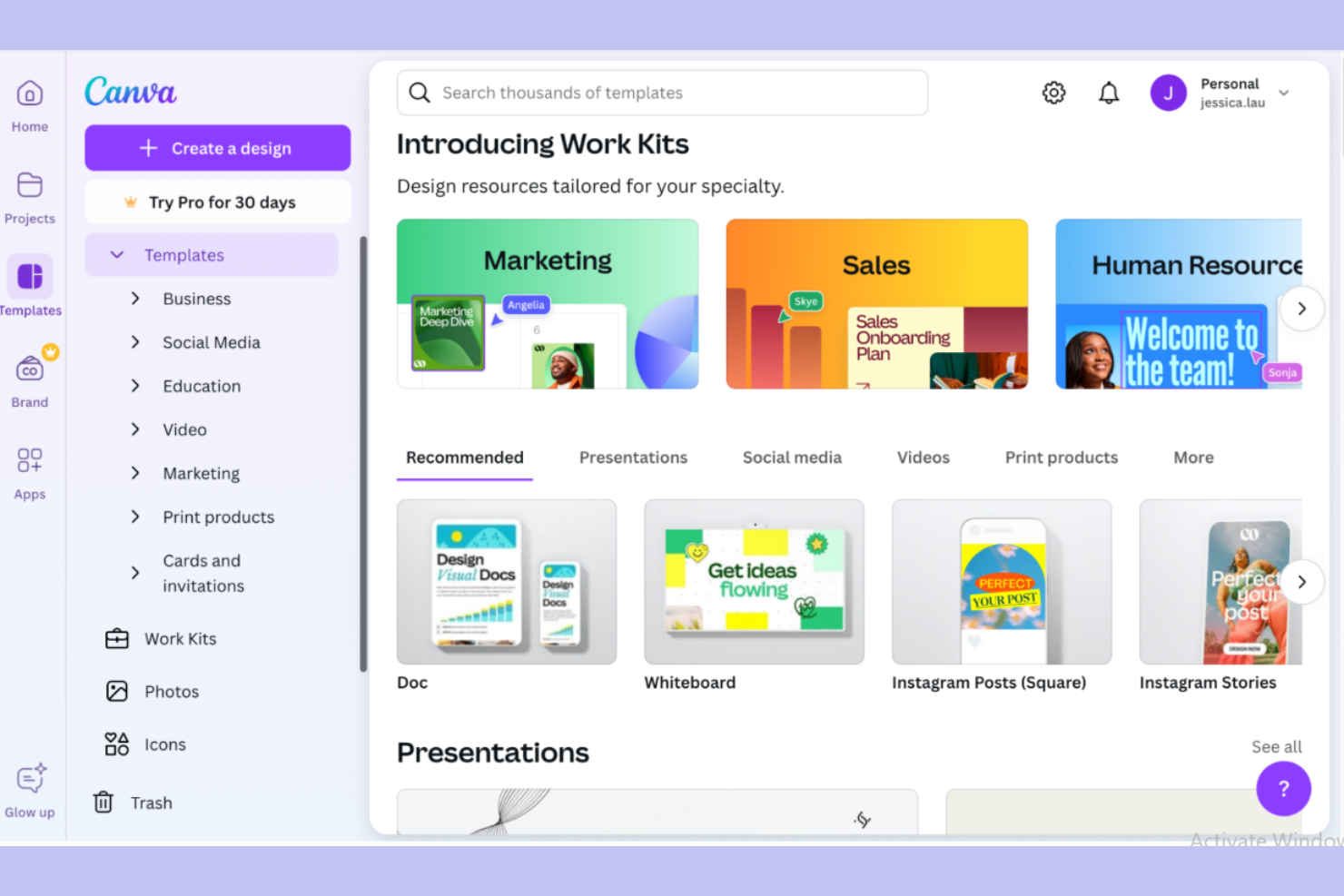
Se il tuo team ha bisogno di uno strumento di grafica che renda semplice la collaborazione sui contenuti visivi, il generatore di immagini AI di Canva merita attenzione. È progettato per team di marketing, educatori e piccole imprese che desiderano creare e modificare grafici insieme in tempo reale. Canva si distingue da Adobe Firefly offrendo condivisione facile, modelli integrati e un’interfaccia intuitiva per i progetti di gruppo.
Perché Canva è una valida alternativa ad Adobe Firefly
Per i team che devono collaborare su progetti di grafica, Canva offre modifica in tempo reale e spazi di lavoro condivisi che facilitano il lavoro di gruppo. Ho scelto Canva perché il suo generatore di immagini AI consente a più utenti di raccogliere idee, creare e perfezionare i contenuti visivi insieme senza dover cambiare strumento. Le funzioni di commento e feedback della piattaforma aiutano i team a rimanere allineati sulla direzione creativa. Questi strumenti di collaborazione distinguono Canva da Adobe Firefly, soprattutto per i gruppi che lavorano su progetti visivi con tempi rapidi.
Funzionalità principali di Canva
Altre funzionalità rendono Canva una scelta versatile per i team di design grafico:
- Generatore di immagini AI: Crea immagini personalizzate da prompt testuali direttamente nello spazio di lavoro progettuale.
- Gestione del Brand Kit: Archivia e applica colori, font e loghi del marchio su tutti i progetti per un branding coerente.
- Strumento di ridimensionamento magico: Adatta istantaneamente i progetti a diversi formati e piattaforme senza ridimensionamento manuale.
- Ampia libreria di modelli: Accedi a migliaia di modelli predefiniti per presentazioni, social media e materiali di marketing.
Integrazioni di Canva
Le integrazioni includono Slack, Asana, HubSpot, Mailchimp, Shopify, Vimeo, TikTok, Instagram, LinkedIn e Google Drive.
Pros and Cons
Pros:
- Collaborazione in tempo reale su progetti grafici condivisi
- Ampia libreria di modelli per creare contenuti rapidamente
- Brand kit integrato per un'identità visiva coerente
Cons:
- Controlli di modifica delle immagini avanzati limitati
- I contenuti generati dall’AI possono mancare di originalità

Jasper
Ideale per la creazione integrata di contenuti IA

Jasper riunisce la creazione di contenuti e immagini alimentata da intelligenza artificiale in un'unica piattaforma, rendendolo una scelta ideale per i team di marketing e i creatori di contenuti che desiderano unificare i loro flussi di lavoro. Se cerchi uno strumento di grafica che ti permetta di generare testo e immagini nello stesso ambiente, Jasper si distingue da Adobe Firefly e altri strumenti di design. Il suo approccio integrato aiuta i team a mantenere la coerenza del branding e a far procedere rapidamente le campagne.
Perché Jasper è una valida alternativa ad Adobe Firefly
A differenza di molti strumenti di design grafico, Jasper combina la generazione di immagini tramite IA con la creazione di contenuti potenziata dall'IA in un unico spazio di lavoro. Ho scelto Jasper perché è possibile generare testo per il marketing, post per blog e contenuti visivi tutti nella stessa piattaforma, il che aiuta a mantenere i progetti creativi coordinati e coerenti con il brand. I suoi flussi di lavoro permettono di passare facilmente dalla scrittura del testo alla produzione delle immagini, evitando di dover utilizzare più strumenti. Per i team che desiderano centralizzare la produzione di design e contenuti, Jasper offre una soluzione unificata che Adobe Firefly non eguaglia.
Funzionalità Principali di Jasper
Altre caratteristiche che mi hanno colpito includono:
- Controlli del tono di voce del brand: Imposta e gestisci le linee guida per lo stile comunicativo del brand su tutti i contenuti e le immagini generate.
- Libreria di template: Accedi a un'ampia gamma di template per diversi tipi di contenuti ed esigenze di design.
- Strumenti di collaborazione: Invita i membri del team a collaborare ai progetti e condividere feedback in tempo reale.
- Cronologia delle revisioni: Tieni traccia delle modifiche e ripristina le versioni precedenti dei tuoi contenuti o immagini quando necessario.
Integrazioni di Jasper
Le integrazioni disponibili includono Slack, Google BigQuery, Webflow, Microsoft Word, Google Sheets, Google Docs e Google Chrome.
Pros and Cons
Pros:
- Combina generazione di immagini e testi IA in un'unica piattaforma
- I controlli per il tono di voce del brand supportano una comunicazione coerente
- Gli strumenti di collaborazione facilitano la creazione di contenuti in team
Cons:
- Mancano strumenti avanzati per illustrazione o vettoriali
- Personalizzazione limitata dei prompt per la generazione di immagini

Visme
Ideale per grafiche di presentazione con il marchio
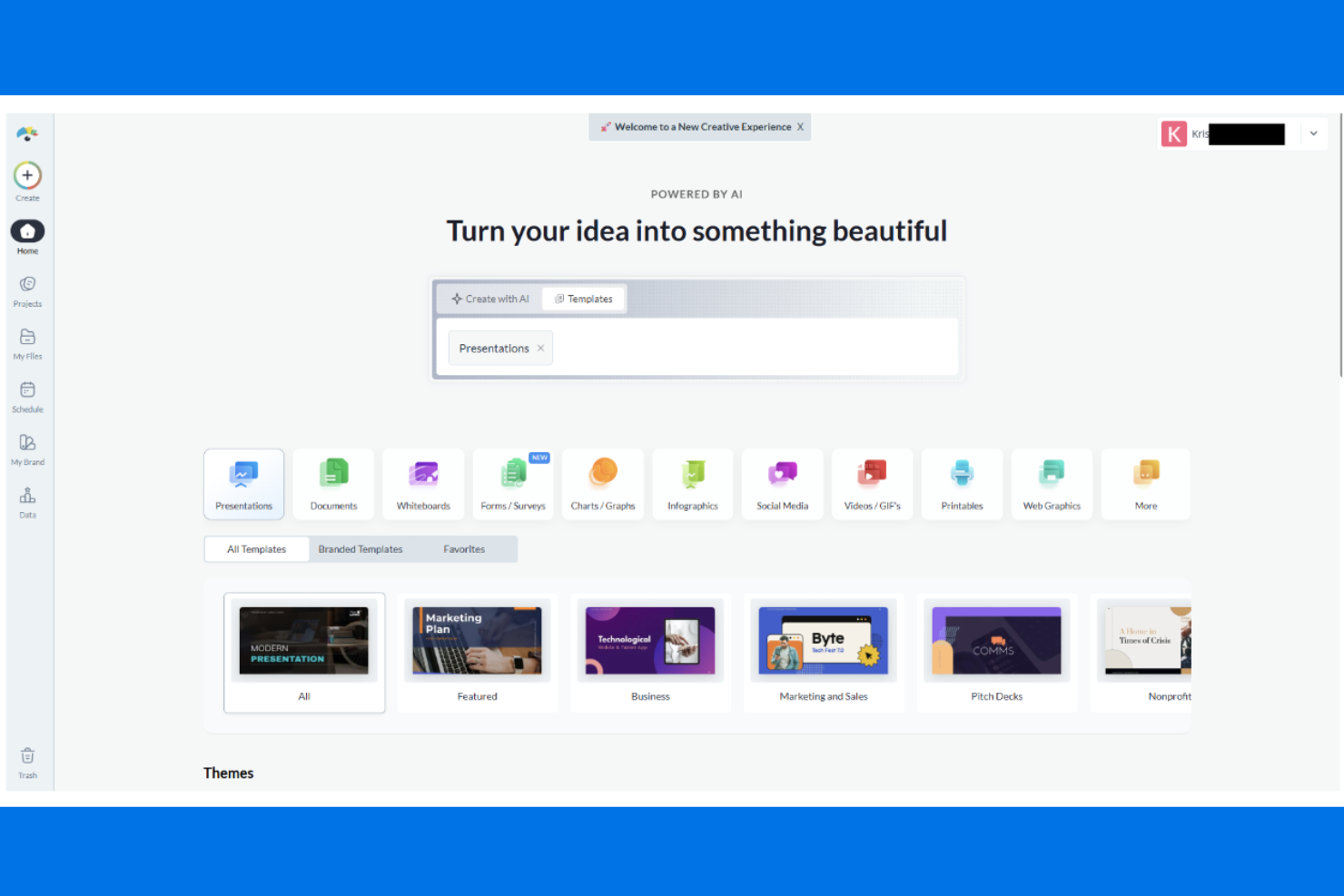
Se hai bisogno di creare presentazioni con il tuo marchio, Visme offre una gamma mirata di strumenti per realizzare grafiche e diapositive curate e coerenti con l’identità visiva. I team di marketing, gli educatori e i professionisti aziendali possono utilizzare Visme per mantenere la coerenza visiva in tutti i loro materiali di presentazione. A differenza di Adobe Firefly, Visme si concentra sulla gestione delle risorse del marchio e sulla personalizzazione dei modelli per presentazioni e infografiche.
Perché Visme è una valida alternativa ad Adobe Firefly
Per i team che puntano su grafiche di presentazione con il marchio, Visme offre un kit di strumenti specializzati che va oltre ciò che propone Adobe Firefly. Ho scelto Visme perché permette di creare presentazioni con kit di branding personalizzati, così che i tuoi font, colori e loghi restano coerenti su ogni slide. La libreria di modelli della piattaforma è pensata per contesti business, educativi e di marketing, facilitando l’inizio di ogni progetto con un aspetto professionale. Se hai bisogno di gestire e applicare le risorse del tuo marchio direttamente nel flusso di lavoro di design, Visme è una valida alternativa ad Adobe Firefly.
Funzionalità principali di Visme
Altre funzionalità degne di nota includono:
- Editor drag-and-drop: Crea e personalizza diapositive o grafiche utilizzando un’interfaccia visiva e intuitiva.
- Strumenti di visualizzazione dati: Crea grafici, diagrammi e infografiche con widget dati integrati.
- Animazioni e interattività: Aggiungi elementi animati e hotspot cliccabili a presentazioni e grafiche.
- Libreria di risorse: Accedi a una vasta collezione di foto stock, icone e illustrazioni da usare nei tuoi progetti.
Integrazioni Visme
Le integrazioni includono Mailchimp, HubSpot, YouTube, Vimeo, Wistia, Loom, Vidyard, Google Drive, Dropbox e OneDrive.
Pros and Cons
Pros:
- Gestione avanzata del kit di branding per presentazioni coerenti
- Strumenti integrati di visualizzazione dei dati per l’ambito business
- Elementi interattivi aumentano il coinvolgimento nelle presentazioni
Cons:
- Nessuna funzione nativa per la generazione di immagini AI
- Funzionalità limitate di fotoritocco avanzato

Ideale per risultati artistici estremamente dettagliati
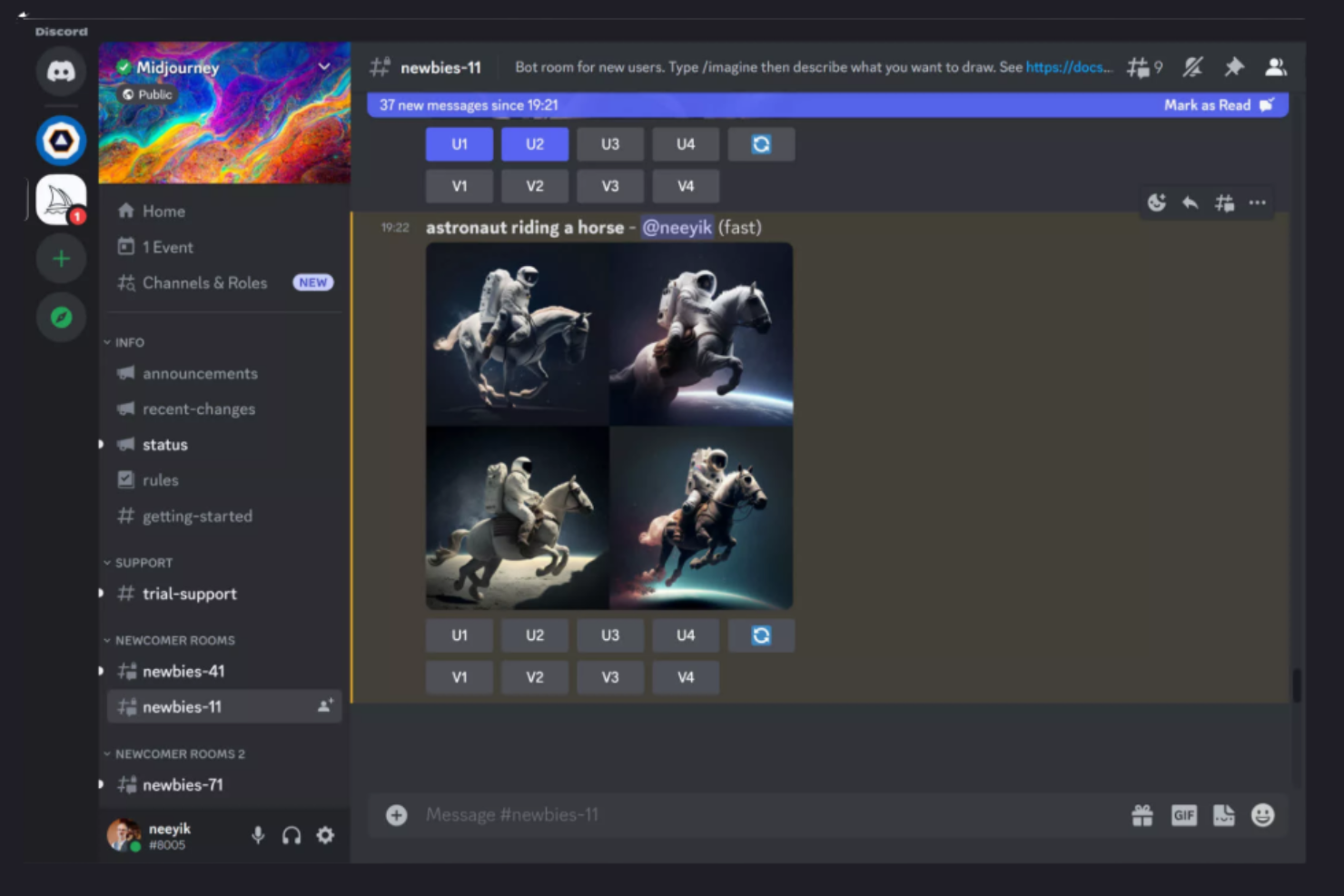
Artisti e professionisti creativi alla ricerca di immagini complesse e visivamente sorprendenti si rivolgono spesso a Midjourney. Questo strumento basato su intelligenza artificiale è specializzato nella generazione di opere d'arte estremamente dettagliate e fantasiose da semplici prompt testuali, risultando particolarmente adatto per illustratori, artisti concettuali e studi di design. A differenza di Adobe Firefly, Midjourney è noto per il suo stile artistico unico e per la capacità di produrre visual complessi e surreali che risaltano nei progetti creativi.
Perché Midjourney è una valida alternativa ad Adobe Firefly
Se hai bisogno di uno strumento di grafica che eccelle nella creazione di immagini artistiche ricche di dettagli, Midjourney è un’ottima scelta. Ho selezionato Midjourney perché il suo motore AI genera costantemente visual complessi e fantasiosi che vanno ben oltre le classiche immagini stock. Il sistema basato su prompt ti consente di guidare il processo creativo e sperimentare con diversi stili artistici e livelli di dettaglio. Per team di design o artisti in cerca di risultati unici e ricchi visivamente, Midjourney offre possibilità creative che lo distinguono da Adobe Firefly.
Caratteristiche principali di Midjourney
Altre funzionalità rendono Midjourney una scelta flessibile per i professionisti creativi:
- Opzioni multiple di upscaling: Scegli tra diversi metodi di upscaling per migliorare la risoluzione e i dettagli delle immagini.
- Galleria della community: Esplora e trai ispirazione da una galleria pubblica di opere generate dagli utenti.
- Remix dei prompt: Modifica i prompt esistenti per esplorare rapidamente diverse idee visive.
- Modalità privata: Genera immagini in uno spazio di lavoro privato per mantenere confidenziali i progetti.
Integrazioni di Midjourney
Le integrazioni includono Discord.
Pros and Cons
Pros:
- Produce risultati artistici estremamente dettagliati e stilizzati
- Remix dei prompt consente rapida iterazione creativa
- Galleria della community attiva per ispirazione
Cons:
- Richiede Discord per tutti i flussi di lavoro di generazione immagini
- Controllo limitato sui precisi aggiustamenti delle immagini

Ideale per risorse visive pronte per siti web
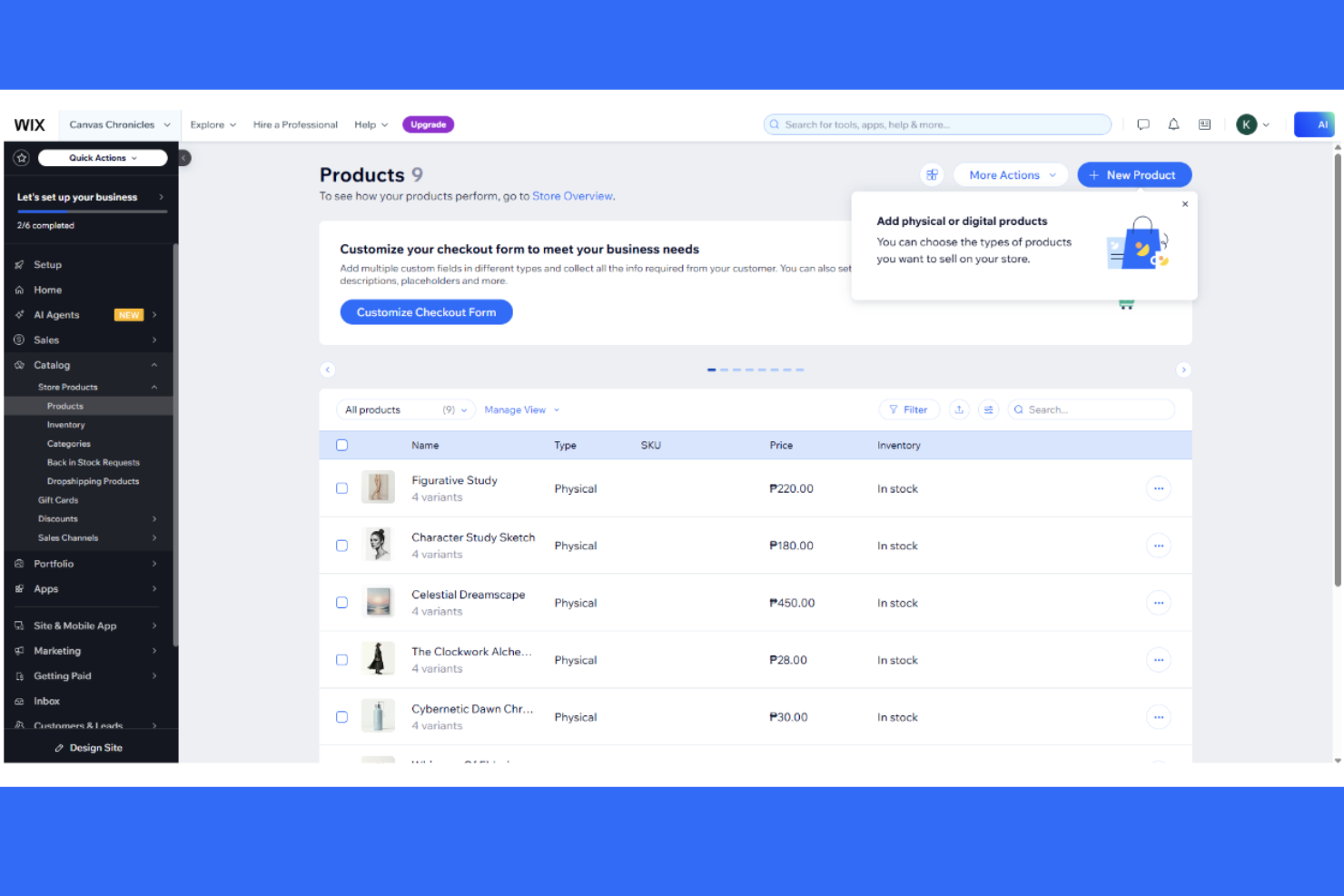
I designer e i professionisti del web che cercano risorse visive pronte per essere utilizzate su siti web live troveranno Wix Studio particolarmente utile. La piattaforma combina strumenti di graphic design con l'integrazione diretta nel sito web, rendendo facile creare, personalizzare e pubblicare asset senza uscire dall'ambiente Wix. A differenza di Adobe Firefly, Wix Studio è pensato per un passaggio fluido dal design al web, riducendo gli ostacoli per i team che costruiscono e aggiornano siti.
Perché Wix Studio è una buona alternativa ad Adobe Firefly
Se hai bisogno di risorse visive pronte per andare online sul tuo sito web, Wix Studio si distingue come scelta pratica. Ho scelto Wix Studio perché ti permette di progettare elementi grafici e implementarli all'istante nei progetti web senza dover effettuare passaggi aggiuntivi di esportazione o formattazione. Gli strumenti di design inclusi nella piattaforma sono pensati per l'utilizzo sul web, così puoi creare banner, pulsanti ed elementi interattivi che si integrano perfettamente nei siti Wix. Per i team che vogliono passare rapidamente dal concetto alla pubblicazione degli asset, Wix Studio offre un flusso di lavoro diretto che Adobe Firefly non eguaglia.
Caratteristiche principali di Wix Studio
Altre funzionalità degne di nota includono:
- Controlli di design responsive: Regola layout e asset per visualizzazione su desktop, tablet e mobile.
- Incorporamento di codice personalizzato: Aggiungi HTML, CSS o JavaScript direttamente ai tuoi design.
- Libreria di gestione degli asset: Organizza, archivia e riutilizza immagini, icone e grafica su più progetti.
- Strumenti di collaborazione: Invita i membri del team a revisionare, commentare e modificare i design in tempo reale.
Integrazioni di Wix Studio
Le integrazioni includono Google Analytics, TikTok Pixel, Meta Pixel & CAPI, Google Tag Manager, Google Ads, Amazon, Instagram, Bing, Google Business Profile e Salesforce.
Pros and Cons
Pros:
- Pubblicazione diretta di risorse visive su siti web online
- Controlli di design responsive per layout multi-dispositivo
- Supporta codice personalizzato per esigenze di design avanzate
Cons:
- Non dispone di funzionalità di generazione immagini tramite IA
- È più un costruttore orientato al web che un vero generatore di arte tramite IA


Se hai bisogno di uno strumento di design grafico che unisca la generazione di immagini tramite IA a una vasta libreria di risorse stock, Freepik merita di essere preso in considerazione. I professionisti creativi che lavorano nel marketing, nell'editoria e nel web design possono usare Freepik per reperire o generare rapidamente immagini, vettori e template per una vasta gamma di progetti. A differenza di Adobe Firefly, Freepik si distingue perché consente di combinare immagini generate dall'IA con risorse stock già pronte provenienti dalla sua ampia collezione.
Perché Freepik è una buona alternativa ad Adobe Firefly
Per i team che necessitano sia di immagini generate con l'IA che dell'accesso a un'immensa libreria di risorse stock, Freepik offre un vantaggio unico rispetto ad Adobe Firefly. Ho scelto Freepik perché permette di creare visual personalizzati tramite il generatore di immagini IA e di integrarli subito con milioni di foto stock, vettori e template. Questa combinazione permette di creare, modificare e remixare risorse per campagne di marketing, presentazioni o progetti web senza dover cambiare piattaforma. Se cerchi uno strumento di graphic design che unisca la creatività dell'IA con un'ampia libreria di risorse pronte all'uso, Freepik è una scelta molto valida.
Caratteristiche principali di Freepik
Oltre alla sua libreria di risorse e alla generazione di immagini tramite IA, ho trovato degne di nota anche queste funzionalità:
- Template modificabili: Accedi a migliaia di template personalizzabili per presentazioni, social media e materiali di stampa.
- Strumenti di modifica vettoriale: Modifica e personalizza grafica vettoriale direttamente sulla piattaforma.
- Rimozione sfondo: Rimuovi istantaneamente gli sfondi dalle immagini per ottenere risorse più pulite e versatili.
- Organizzazione delle collezioni: Raggruppa e gestisci le tue risorse preferite in collezioni per un accesso rapido e una migliore organizzazione dei progetti.
Integrazioni di Freepik
Le integrazioni includono Adobe Illustrator, Adobe Photoshop, Figma, Canva, PowerPoint, Google Slides, Sketch, CorelDRAW, InDesign e Microsoft Word.
Pros and Cons
Pros:
- Ampia libreria di risorse stock unita alla generazione IA
- Template modificabili per velocizzare i flussi di lavoro del design
- Modifica vettoriale integrata per la personalizzazione delle risorse
Cons:
- Controllo limitato sui risultati ottenuti tramite prompt IA
- Le condizioni di licenza delle risorse possono risultare poco chiare

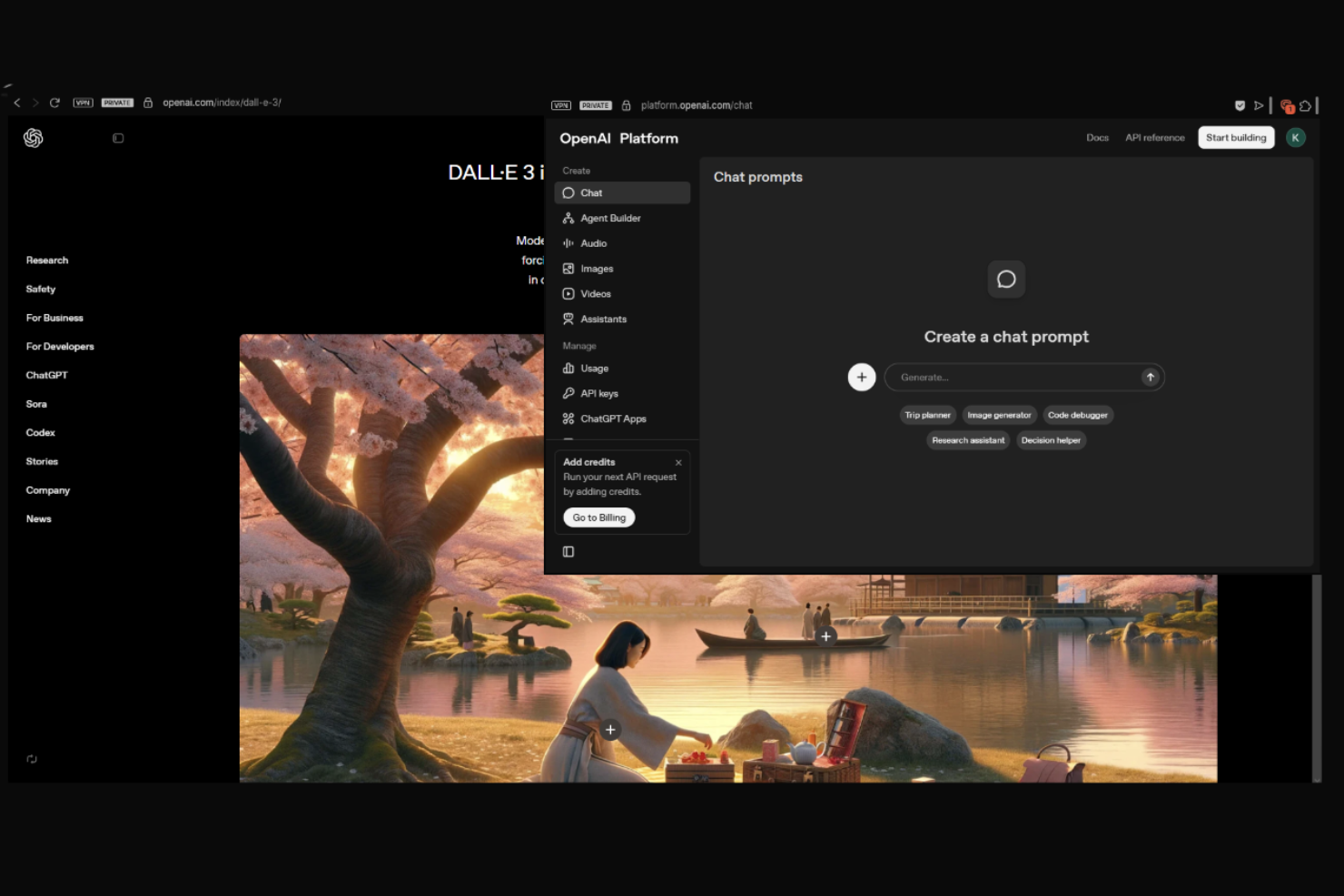
Le informazioni sui prezzi e sulle prove di Dall.E 3 non sono elencate nelle pagine OpenAI fornite. Per i dettagli più aggiornati, visita direttamente il sito ufficiale di OpenAI.
Designer e marketer che necessitano di interpretazioni visive precise delle proprie idee spesso scelgono Dall.E 3. Questo generatore di immagini AI si distingue per la capacità di tradurre prompt testuali dettagliati in immagini estremamente accurate e contestualmente rilevanti. Se i tuoi progetti richiedono una rappresentazione fedele dei concetti scritti—come mockup di prodotto, visual per campagne o grafica editoriale—Dall.E 3 offre un livello di fedeltà ai prompt difficile da eguagliare con Adobe Firefly o altri strumenti di graphic design.
Perché Dall.E 3 è una valida alternativa ad Adobe Firefly
Quando hai bisogno di immagini che corrispondano fedelmente alle tue descrizioni scritte, Dall.E 3 è una valida alternativa ad Adobe Firefly. Ho scelto Dall.E 3 perché la sua precisione nel passaggio da testo a immagine è tra le migliori disponibili, riuscendo a cogliere dettagli e contesti sottili anche da prompt complessi. L'avanzata comprensione linguistica dello strumento consente di specificare elementi visivi, stili e composizioni complessi con un alto grado di controllo. Per i team di design grafico che fanno affidamento su uno storytelling visivo preciso, la fedeltà ai prompt di Dall.E 3 lo rende una scelta eccezionale.
Caratteristiche principali di Dall.E 3
Altre funzionalità rendono Dall.E 3 una soluzione versatile per progetti di graphic design:
- Generazione di variazioni d'immagine: Crea molteplici variazioni di un singolo prompt per esplorare diverse direzioni visive.
- Strumenti di modifica integrati: Usa funzioni di editing integrate per perfezionare o modificare le immagini generate direttamente sulla piattaforma.
- Filtri per contenuti sicuri: Analizza automaticamente i risultati per contenuti inappropriati o non sicuri.
- Download ad alta risoluzione: Esporta immagini in alta risoluzione per l'uso su progetti digitali o di stampa.
Integrazioni Dall.E 3
Le integrazioni comprendono una API OpenAI, che permette un'integrazione personalizzata con varie applicazioni.
Pros and Cons
Pros:
- Alta precisione nella traduzione dei prompt di testo in immagini
- Gestisce bene istruzioni complesse e sfumature nei prompt
- Strumenti di modifica integrati per perfezionare le immagini generate
Cons:
- Controllo limitato su proporzioni e composizione
- Nessuna integrazione nativa con strumenti di design

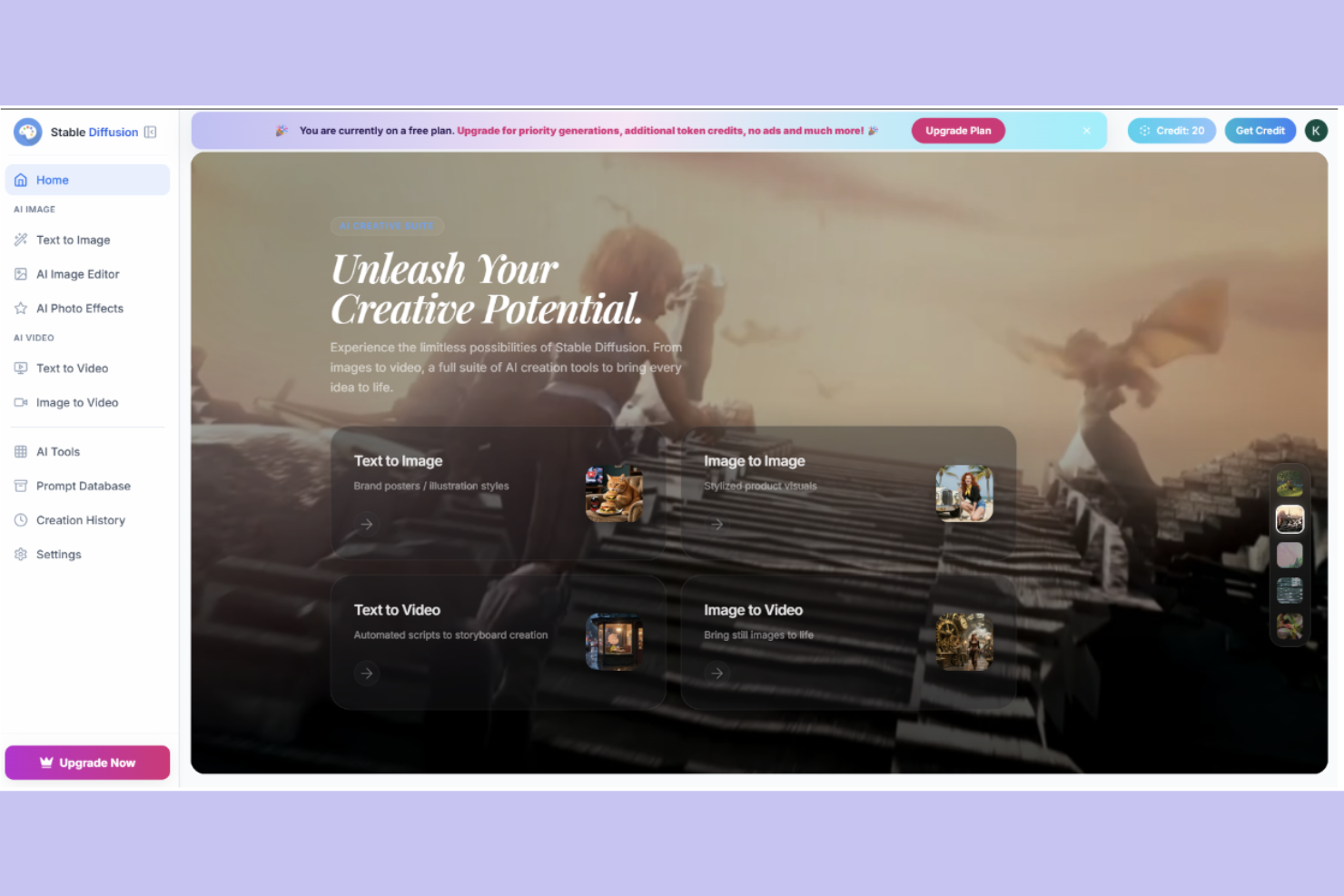
I team creativi che desiderano un controllo approfondito sulle immagini generate dall'IA spesso si rivolgono a Stable Diffusion. Questa piattaforma open-source attira designer, sviluppatori e agenzie che vogliono personalizzare modelli di generazione di immagini o flussi di lavoro per esigenze di branding o di progetto uniche. A differenza di Adobe Firefly, Stable Diffusion offre la flessibilità di perfezionare i risultati, integrarsi con strumenti personalizzati e persino eseguire i modelli sulla propria infrastruttura.
Perché Stable Diffusion è una valida alternativa ad Adobe Firefly
Se desideri il pieno controllo sul processo di generazione di immagini con IA, Stable Diffusion è una solida alternativa ad Adobe Firefly. Ho scelto Stable Diffusion perché la sua struttura open-source permette di personalizzare i modelli, modificare i parametri e persino addestrare sui propri dataset. Questa flessibilità è particolarmente preziosa per i team di graphic design con particolari esigenze di branding o necessità tecniche avanzate. Puoi inoltre installare Stable Diffusion sull'hardware aziendale, ottenendo maggiore controllo su privacy e prestazioni rispetto alla maggior parte degli strumenti basati su cloud.
Funzionalità principali di Stable Diffusion
Altre funzionalità rendono Stable Diffusion interessante per i team di graphic design:
- Strumenti di Inpainting e Outpainting: Permettono di modificare o estendere le immagini esistenti riempiendo aree mancanti o espandendo oltre i bordi originali.
- Generazione di immagini basata su prompt: Genera immagini direttamente da descrizioni testuali dettagliate, per soddisfare una vasta gamma di esigenze creative.
- Condivisione dei modelli nella community: Accedi e utilizza modelli condivisi dalla community open-source per diversi stili artistici ed effetti.
- Generazione batch di immagini: Crea più immagini contemporaneamente a partire da un unico prompt o da un set di prompt.
Integrazioni di Stable Diffusion
Le integrazioni includono GitHub, Google Colab, Hugging Face, Docker e TensorFlow.
Pros and Cons
Pros:
- Il modello open-source consente personalizzazione approfondita e controllo
- Supporta l'addestramento su dataset personalizzati per risultati unici
- Forte supporto della community con modelli e risorse condivisi
Cons:
- Richiede competenze tecniche per l'installazione e l'ottimizzazione
- Nessuna integrazione nativa con piattaforme di design standard

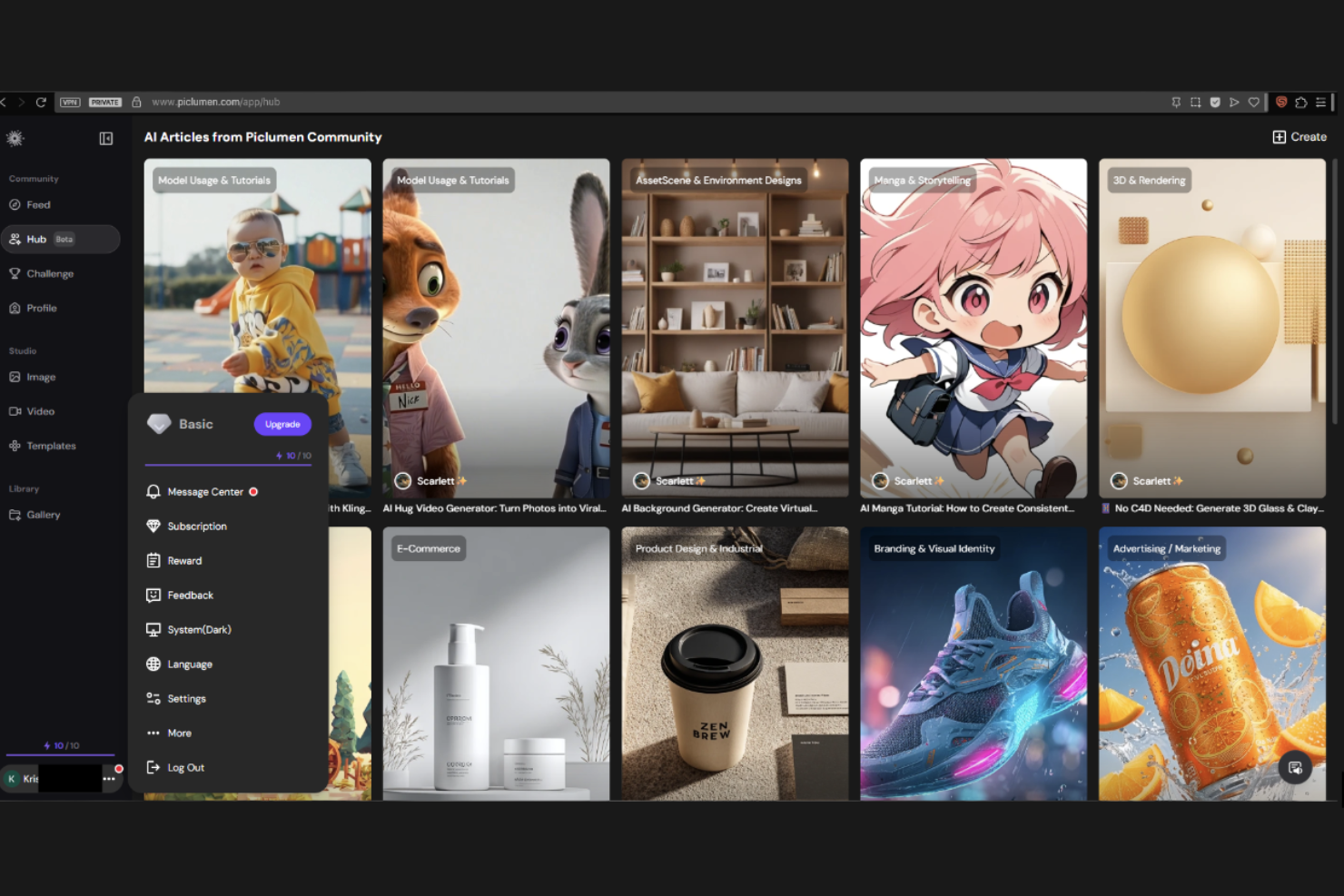
Per team di design e marketer che necessitano di visual realistici, PicLumen è specializzato nella generazione di immagini fotorealistiche da prompt testuali. Questo strumento è particolarmente utile per professionisti della pubblicità, dell'e-commerce e del product design che vogliono creare immagini di alta qualità e realistiche senza dover ricorrere a foto stock o alla fotografia tradizionale. PicLumen si distingue da Adobe Firefly concentrandosi su risultati iper-realistici che imitano da vicino l’illuminazione, le texture e i dettagli del mondo reale.
Perché PicLumen è una valida alternativa ad Adobe Firefly
PicLumen si distingue per i team che necessitano di generazione di immagini fotorealistiche, rendendolo una solida alternativa ad Adobe Firefly. Ho scelto PicLumen perché i suoi modelli di IA sono addestrati specificamente per produrre immagini con illuminazione, texture e dettagli fini realistici. Puoi generare mockup di prodotto, scene di vita quotidiana o visual per il marketing che appaiono estremamente convincenti, il che è particolarmente prezioso per progetti di e-commerce e pubblicità. Questa attenzione ai risultati realistici offre opzioni creative che vanno oltre gli output più stilizzati di molti altri strumenti di graphic design.
Caratteristiche principali di PicLumen
Altre funzionalità rendono PicLumen utile per progetti di graphic design:
- Generazione da testo a immagine: Crea immagini direttamente da descrizioni scritte dettagliate per un'ampia gamma di esigenze creative.
- Selezione del rapporto d’aspetto: Scegli tra diversi rapporti d’aspetto per adattarti a varie necessità di design e piattaforme.
- Generazione in batch: Genera più immagini contemporaneamente da un singolo prompt o da un set di prompt.
- Download in alta risoluzione: Esporta le immagini generate in formati ad alta risoluzione adatti sia alla stampa che all’uso digitale.
Integrazioni PicLumen
Le integrazioni includono Discord.
Pros and Cons
Pros:
- Genera immagini altamente fotorealistiche con grande dettaglio
- Supporta la generazione di immagini in batch per flussi di lavoro più rapidi
- Output ad alta risoluzione adatti a visual commerciali
Cons:
- Capacità di editing avanzate limitate all’interno della piattaforma
- Meno opzioni di stile creativo rispetto alla concorrenza


Se vuoi sperimentare con modelli generativi all’avanguardia per progetti creativi, Google AI Studio offre un ambiente unico. Questo strumento è pensato per designer, sviluppatori e team creativi che desiderano prototipare, testare e perfezionare immagini e risorse generate dall’AI. A differenza di Adobe Firefly, Google AI Studio ti offre accesso diretto ai più recenti modelli generativi di Google, rendendo più facile esplorare nuove possibilità creative e flussi di lavoro.
Perché Google AI Studio è una valida alternativa ad Adobe Firefly
Per chi desidera sperimentare direttamente con l’AI generativa, Google AI Studio offre un ambiente flessibile che si distingue da Adobe Firefly. Ho scelto Google AI Studio perché permette di interagire direttamente con gli ultimi modelli generativi di Google, dandoti maggior controllo sui prompt e sui risultati. La piattaforma supporta il rapid prototyping, quindi puoi testare rapidamente idee creative differenti e iterare sui tuoi risultati. Se vuoi spingere oltre i limiti di ciò che l’AI generativa può fare nel design grafico, Google AI Studio è un’ottima alternativa.
Caratteristiche principali di Google AI Studio
Altre funzionalità degne di nota includono:
- Strumenti di personalizzazione dei prompt: Regola e affina i prompt per guidare i risultati del modello e ottenere risultati più su misura.
- Selezione versione del modello: Scegli tra diverse versioni dei modelli generativi di Google per avvicinamenti creativi diversi.
- Opzioni di download degli output: Esporta immagini e risorse generate in più formati per utilizzarle in altri strumenti di design.
- Tracciamento cronologia sessioni: Rivedi e recupera le sessioni di prompt precedenti per confrontare i risultati e iterare sulle idee.
Integrazioni Google AI Studio
Le integrazioni includono Google Cloud, BigQuery, TensorFlow, AutoML, Vertex AI, Google Sheets, Google Drive, Looker, Google Analytics e Data Studio.
Pros and Cons
Pros:
- Accesso diretto agli ultimi modelli di AI generativa
- Supporta la personalizzazione dei prompt per la sperimentazione
- La cronologia delle sessioni aiuta a tracciare e perfezionare i risultati
Cons:
- Nessuna funzionalità integrata di collaborazione per i team
- Strumenti limitati per flussi di lavoro di design avanzati
Altre alternative ad Adobe Firefly
Ecco alcune ulteriori alternative ad Adobe Firefly che non sono entrate nel mio elenco ristretto, ma che vale comunque la pena prendere in considerazione:
- ChatGPT
Ideale per l'ideazione conversazionale di immagini e per il perfezionamento dei prompt
- ElevenLabs
Ottimo con strumenti integrati di sintesi vocale
- Runway
Ideale per flussi di lavoro avanzati di montaggio video
- Kling AI
Il migliore per la collaborazione creativa in tempo reale
- DeepAI
Ideale per la generazione di immagini guidata da API
- Leonardo
Ideale per preset di stile personalizzabili
- ImagineArt
Ideale per l'ispirazione guidata dalla comunità
- Rendair
Ideale per output ad alta risoluzione
- NightCafe
Ideale per sfide creative quotidiane
- WaveSpeedAI
Ideale per l'elaborazione rapida di immagini in batch


Come Valuto le Alternative ad Adobe Firefly
Suddivido la mia valutazione in requisiti di base—come la licenza commerciale e la qualità del text-to-image—e fattori differenzianti come i controlli di brand e le integrazioni con Figma che sono particolarmente importanti per i team di prodotto.
Funzionalità Principali (Requisiti Fondamentali per Questa Lista)
Quando seleziono gli strumenti per la mia lista, assegno a ciascuno un punteggio da 0 (non offre la funzionalità) a 5 (eccelle in quell'area) per ogni funzionalità principale elencata di seguito. Poi calcolo il punteggio totale dello strumento in percentuale. Ogni strumento deve raggiungere un punteggio minimo totale del 65% per essere considerato per l'inclusione.
- Generazione da Testo a Immagine: Valuto l'aderenza al prompt, la qualità dell'output e le opzioni di risoluzione per verificare se uno strumento può produrre asset come immagini di rilievo e visualizzazioni di concept a partire da un singolo prompt.
- Licenza per Uso Commerciale: Condizioni di licenza chiare sono fondamentali quando i team di prodotto utilizzano le immagini generate nei materiali di lancio, quindi controllo sempre i diritti commerciali e le disposizioni sulla proprietà intellettuale di ogni fornitore.
- Controlli di Stile e Brand: Cerco preset di stile, caricamento di immagini di riferimento o impostazioni di kit del brand che aiutino i team a mantenere coerenza visiva su presentazioni, blog e listing negli app store.
- Funzionalità di Modifica Immagine: Strumenti che offrono inpainting, rimozione dello sfondo o sostituzione di oggetti consentono ai product manager di iterare sui mockup senza dover passare a un'app di design separata.
- Collaborazione e Opzioni di Esportazione: Valuto se uno strumento supporta spazi di lavoro condivisi, librerie di asset ed esportazioni in formati come PNG, SVG e PDF per un facile passaggio a designer e stakeholder.
- Integrazione con Strumenti di Prodotto: I team di prodotto lavorano principalmente su Figma, Notion, Slack e Google Workspace, quindi verifico se ciascuno strumento si collega nativamente o tramite API alle piattaforme già usate dai team.
Dopo aver stilato la lista degli strumenti che rispondono a questi criteri, considero cosa distingue ciascuna piattaforma.
Fattori Differenzianti (Cosa Distingue i Fornitori)
Ecco come confronto e metto a confronto i diversi fornitori:
Funzionalità Distintive
La generazione coerente di personaggi e prodotti è un grande elemento distintivo. Cerco strumenti che permettano di riutilizzare la stessa mascotte o render del prodotto su presentazioni di lancio, post del blog e asset per i social senza dover ricominciare ogni volta da zero. Le librerie di template fanno anche risparmiare molto tempo ai team di prodotto quando servono rapidamente screenshot per l’app store o header per il blog. Anche l’assistenza al prompt è importante, dato che la maggior parte dei product manager non sono ingegneri di prompt e beneficiano di suggerimenti integrati e della cronologia generativa ricercabile per iterare più velocemente.
Oltre le Funzionalità
È utile verificare attentamente l’indennizzo rispetto alla proprietà intellettuale. Se il tuo team pubblica immagini generate sulle pagine prodotto rivolte ai clienti, vuoi un fornitore che tuteli legalmente ciò che produce. I modelli di prezzo variano molto: dai sistemi a credito fino alla generazione illimitata con piani team; quindi valuto quale struttura si adatta meglio alla frequenza di lanci e sprint di un team di prodotto. Per i clienti enterprise, considero anche se il fornitore offre SSO, log di audit e opzioni di gestione dei dati per mantenere privati sia i prompt che gli asset generati.
Perché cercare un'alternativa ad Adobe Firefly?
Sebbene Adobe Firefly sia una buona scelta come strumento di progettazione grafica, esistono diversi motivi per cui alcuni utenti cercano soluzioni alternative. Potresti cercare un'alternativa ad Adobe Firefly perché…
- Hai bisogno di controlli più avanzati per l'IA generativa
- Il tuo team necessita di funzionalità di collaborazione in tempo reale
- Desideri il supporto per output a risoluzione più elevata
- Hai bisogno di uno strumento disponibile al di fuori dell'ecosistema Adobe
- Cerchi opzioni di prezzo più flessibili
Se ti riconosci in una di queste situazioni, sei nel posto giusto. Il mio elenco contiene diverse opzioni di strumenti di progettazione grafica più adatte ai team che affrontano queste difficoltà con Adobe Firefly e cercano soluzioni alternative.
Funzionalità principali di Adobe Firefly
Ecco alcune delle funzionalità principali di Adobe Firefly, per aiutarti a mettere a confronto ciò che offrono le soluzioni alternative:
- Generazione da testo a immagine: Utilizza un'intelligenza artificiale avanzata per trasformare le descrizioni testuali in immagini dettagliate per casi d'uso creativi e di marketing
- Strumenti di riempimento generativo: Modifica ed espandi le immagini aggiungendo o rimuovendo elementi con suggerimenti basati sull'intelligenza artificiale
- Effetti fotografici IA: Applica modifiche ed effetti stilizzati alle immagini per diversi approcci creativi
- Automazione della piattaforma IA: Aiuta ad accelerare le attività di progettazione ripetitive generando più varianti da un singolo prompt
- Opzioni di esportazione in più formati: Supporta diversi tipi di file e risoluzioni per output digitali e di stampa
- Compatibilità con Creative Cloud: Funziona con Adobe Express e altri strumenti Adobe per flussi di lavoro di progettazione più completi