

Reseña de Wrike: Ventajas, Desventajas, Características Clave y Precios Actualizados
Wrike supera a la competencia con sólidas funciones de gestión de tareas y colaboración en equipo que ayudan a los equipos de producto a coordinar el trabajo multifuncional de forma estructurada.

Revisamos las herramientas de forma independiente y las comisiones ayudan a financiar nuestras pruebas. Consulta nuestra política de transparencia, nuestra metodología, o sugiere una herramienta.
Wrike is a product management tool built for cross-functional teams that need to plan work, track resources, and report on progress across multiple departments. I'd consider it if your team has outgrown Asana's simpler task views but doesn't need Jira's engineering-heavy setup. Wrike sits in between, with stronger workload management and reporting capabilities than Asana offers without the technical configuration overhead that Jira demands.
Wrike Evaluation Summary
4.3/5
- From $10/user/month (billed annually)
- Free plan + 14-day free trial + free demo available
Por qué confiar en nuestras recomendaciones de software
6,700+
Reviews
20
Industry experts
16+
Evaluation factors
14
Years
Nuestro equipo lleva probando y evaluando software desde 2012. Como gestores de producto, sabemos lo difícil —y lo importante— que es elegir el software adecuado.
Para esta guía, evaluamos las herramientas mediante pruebas prácticas e investigación independiente, puntuando las herramientas según nuestros criterios de selección.
Nuestras reseñas reflejan nuestro criterio editorial humano, no un discurso de ventas.
 Hannah ClarkSenior TPM
- Cristiano ValimSenior UI/UX Lead
Wrike Overview
When judging Wrike against other product management software, its flexible workflow design, granular permissions, and deep reporting set it apart for teams managing complex projects. The interface is modern but can feel dense, and onboarding may require extra time for non-technical users. Pricing is competitive for mid-sized and large organizations, especially given the breadth of integrations and automation options. Support is responsive, and the platform excels in environments where cross-functional collaboration and customization are priorities.
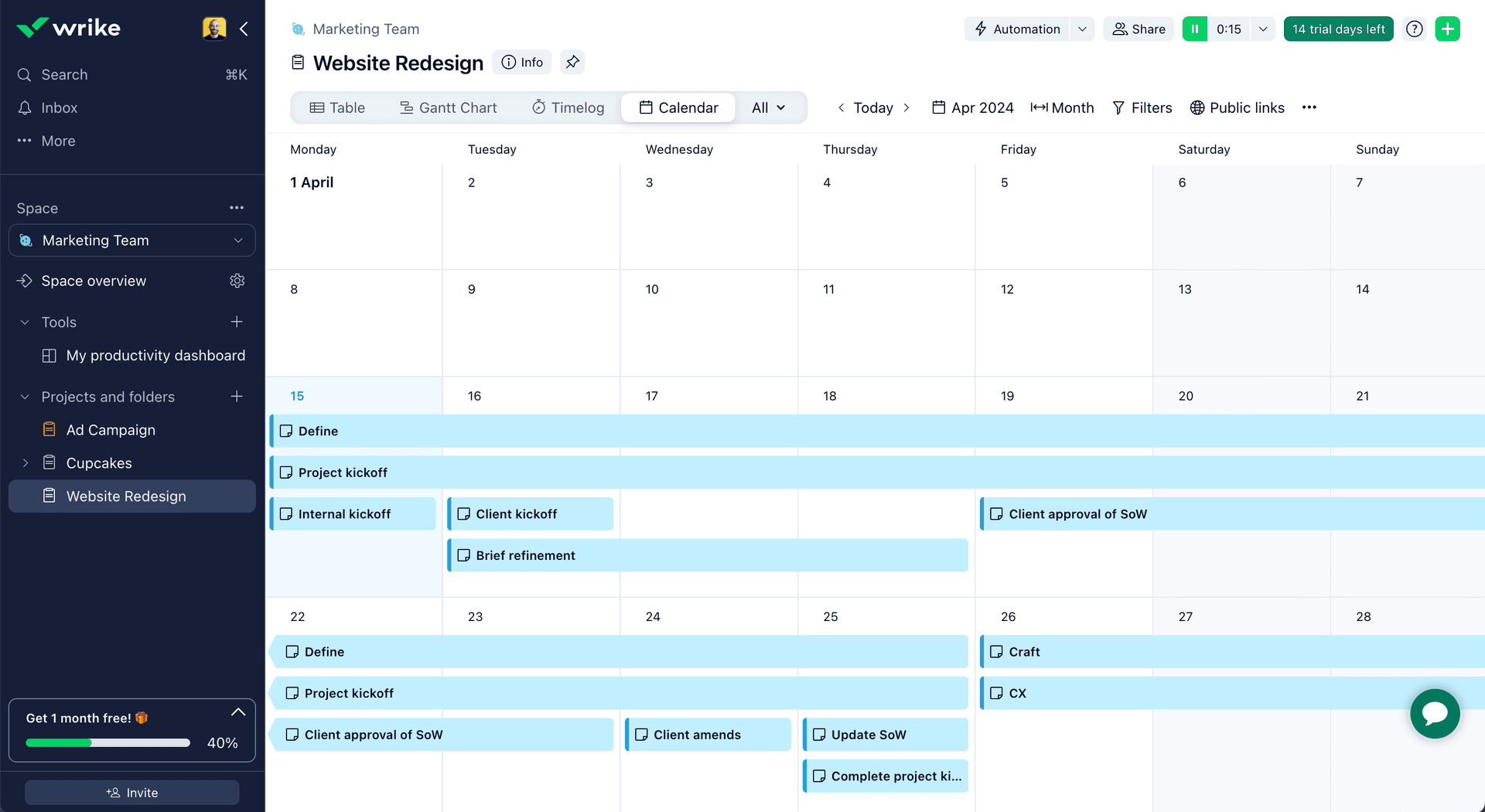
Wrike is best suited for teams that need to tailor processes, such as marketing agencies or product development groups handling multiple concurrent projects.
Pros
- Gantt charts: Wrike's interactive Gantt charts provide a visual timeline of tasks and dependencies to track progress.
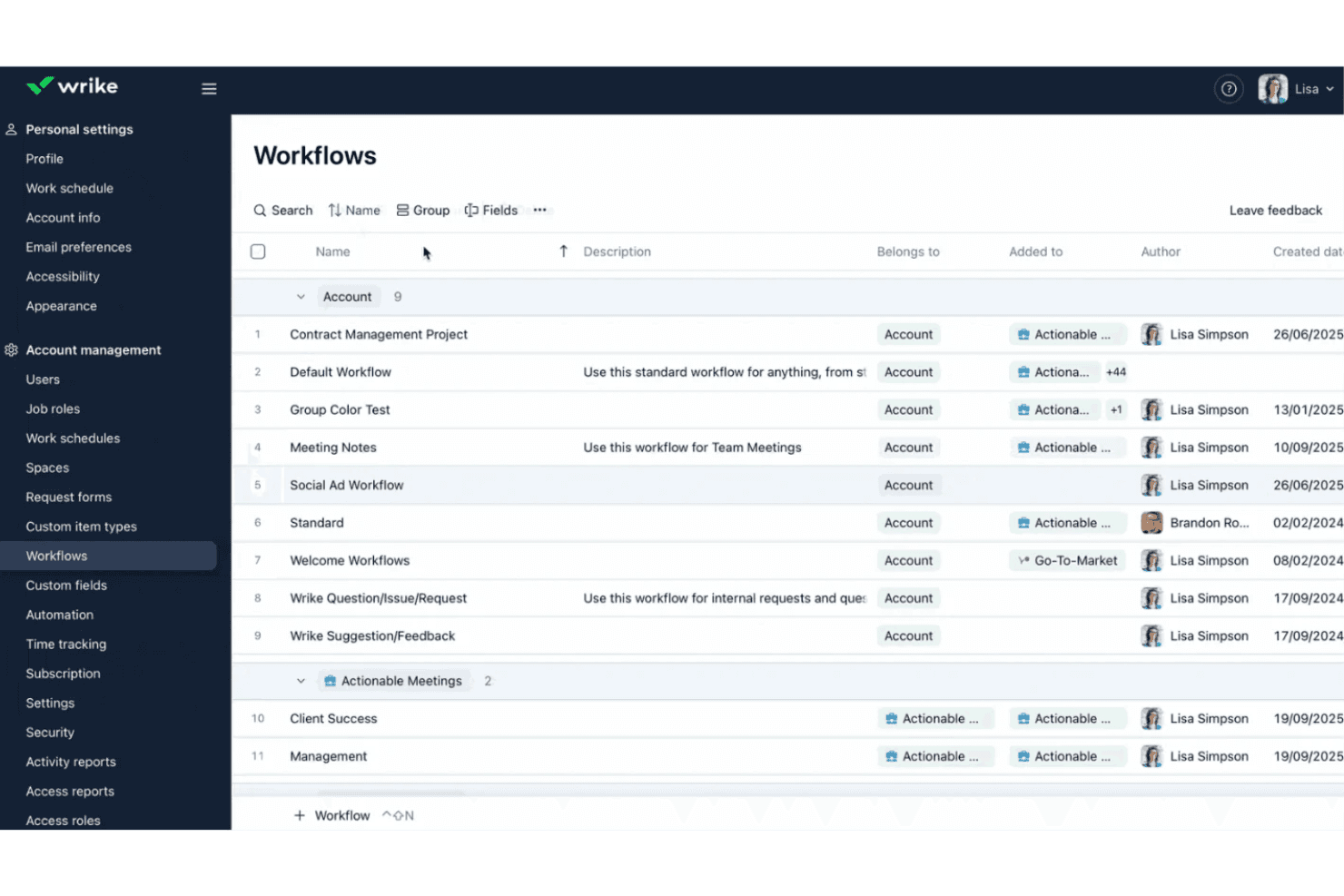
- Custom workflows: Users can build custom workflows and approval processes to standardize work and ensure consistency.
- Time tracking: The software’s built-in time tracking capabilities allow teams to log hours worked on tasks and monitor productivity.
Cons
- Learning curve: Wrike's extensive features and customization options can take time to fully learn and configure.
- Notifications: The high volume of notifications and updates can be overwhelming and difficult to manage.
- Mobile app: The mobile app has limited functionality compared to the web version and can be slow or buggy.
Is Wrike Right For Your Needs?
Who Would be a Good Fit for Wrike?
Wrike is best suited for organizations that need advanced workflow automation, granular permissions, and detailed reporting to manage complex projects across multiple teams. Its feature set supports industries and departments where collaboration, process customization, and visibility are essential. Teams that handle creative approvals, cross-functional projects, or resource allocation will find Wrike’s tools especially valuable.
- Marketing AgenciesWrike’s proofing, approval, and campaign tracking features support creative workflows.
- IT Project TeamsAdvanced task dependencies and workflow automation help manage technical projects.
- Product DevelopmentCustom dashboards and reporting provide visibility into product roadmaps and releases.
- Professional ServicesTime tracking and resource management support client billing and project delivery.
- Enterprise OperationsGranular permissions and audit trails meet compliance and security needs.
- Remote TeamsReal-time collaboration and document sharing enable distributed workforces.
Who Would be a Bad Fit for Wrike?
Wrike may not be the best choice for teams with simple project needs, limited budgets, or those requiring highly specialized industry features. Its complexity and pricing structure can be excessive for smaller organizations or those with straightforward workflows.
- Small StartupsWrike’s advanced features and pricing exceed basic project needs.
- Construction FirmsLacks built-in Gantt chart tools tailored for field scheduling.
- NonprofitsResource management and automation may be unnecessary for simple programs.
- FreelancersThe platform’s scale and cost are not justified for solo work.
- Retail OperationsInventory and POS integrations are not core Wrike capabilities.
- Event PlannersLimited event-specific templates and scheduling tools compared to niche platforms.
Cómo Probamos y Puntamos Herramientas
Llevamos años construyendo, refinando y mejorando nuestro sistema de pruebas y puntuación de software. La rúbrica está diseñada para captar los matices de la selección de software y lo que hace que una herramienta sea eficaz, centrándose en aspectos críticos del proceso de decisión. A continuación, puedes ver exactamente cómo funcionan nuestras pruebas y puntuaciones a través de siete criterios. Esto nos permite proporcionar una evaluación imparcial del software según funcionalidad principal, características destacadas, facilidad de uso, implementación, soporte al cliente, integraciones, reseñas de clientes y relación calidad-precio.
Funcionalidad Principal (25% de la puntuación final)
El punto de partida de nuestra evaluación siempre es la funcionalidad principal de la herramienta. ¿Cuenta con las funciones básicas que un usuario espera ver? ¿Alguna de esas funciones centrales está limitada a planes de precios superiores? Esperamos que una herramienta esté a la altura de las capacidades básicas de sus competidores.
Características Destacadas (25% de la puntuación final)
Luego evaluamos características especiales poco comunes que van más allá de la funcionalidad principal que normalmente se encuentra en herramientas similares. Una alta puntuación refleja características especializadas o únicas que hacen que el producto sea más rápido, eficiente u ofrezca valor añadido al usuario. También evaluamos lo fácil que es integrar con otras herramientas habituales en el entorno tecnológico para ampliar la funcionalidad y utilidad del software. Las herramientas que ofrecen integraciones nativas abundantes, conexiones de terceros y acceso por API para crear integraciones personalizadas obtienen la mejor puntuación.
Facilidad de Uso (10% de la puntuación final)
Consideramos lo rápido y sencillo que es llevar a cabo las tareas definidas en la funcionalidad principal usando la herramienta. El software con alta puntuación está bien diseñado, es intuitivo, ofrece apps móviles, tiene plantillas y hace que tareas relativamente complejas parezcan simples.
Implementación (10% de la puntuación final)
Sabemos lo importante que es la adopción rápida del equipo para una nueva plataforma, así que evaluamos la facilidad de aprendizaje y uso de una herramienta con entrenamiento mínimo. Evaluamos cuán rápidamente un miembro del equipo puede configurar y empezar a usar la herramienta sin experiencia previa. Las soluciones con alta puntuación indican que se requiere poco o ningún soporte.
Soporte al Cliente (10% de la puntuación final)
Revisamos lo rápido y sencillo que es desatascarse y encontrar ayuda por teléfono, chat en vivo o base de conocimientos. Los productos y empresas que ofrecen soporte en tiempo real obtienen mejor puntuación, mientras que los chats automáticos obtienen la peor.
Reseñas de Clientes (10% de la puntuación final)
Más allá de nuestras propias pruebas y evaluaciones, consideramos el net promoter score de clientes actuales y pasados. Revisamos su probabilidad, dadas las opciones, de elegir la herramienta de nuevo por su funcionalidad principal. Un software con alta puntuación refleja un alto net promoter score de clientes actuales o anteriores.
Relación Calidad-Precio (10% de la puntuación final)
Por último, teniendo en cuenta todos los demás criterios, revisamos el precio promedio de los planes de nivel de entrada frente a las funcionalidades principales y consideramos el valor de los demás criterios de evaluación. El software que ofrece más por menos, obtendrá una puntuación mayor.
Core Features
Custom Workflows
Design and automate multi-step processes tailored to your team’s needs. Trigger actions, assign tasks, and set approvals for any project type.
Task Dependencies
Link tasks to visualize and control project sequences. Prevent bottlenecks by ensuring work starts only when prerequisites are complete.
Dynamic Request Forms
Collect project requests with customizable forms that auto-route submissions. Standardize intake and reduce manual triage for new work.
Real-Time Collaboration
Comment, edit, and share files directly within tasks. Keep feedback and discussions centralized for easy reference.
Resource Management
Allocate team members, track workloads, and forecast capacity. Balance assignments to avoid overloading or underutilizing staff.
Advanced Reporting
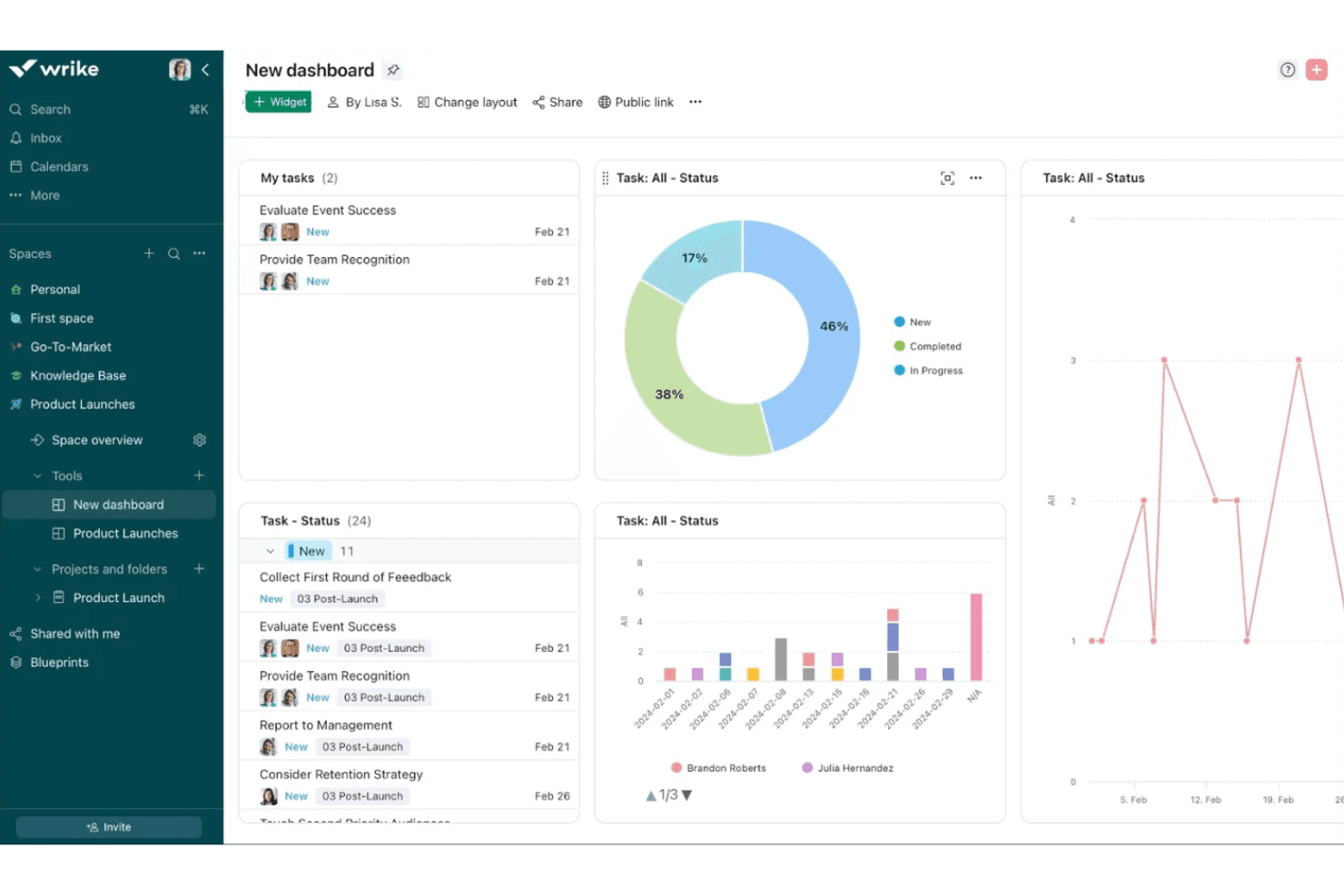
Build interactive dashboards and export detailed analytics. Monitor project health, team performance, and deadlines in one place.
Standout Features
Proofing and Approval Tools
Wrike offers built-in markup and feedback tools for images, videos, and documents, allowing teams to review and approve creative assets without leaving the platform. This streamlines creative workflows and keeps all feedback organized in one place.
Blueprints for Project Templates
Wrike’s Blueprints let you create reusable templates for projects, tasks, or folders, including pre-set assignees, timelines, and dependencies. This feature accelerates project setup and ensures consistency across recurring work.
Ease of Use
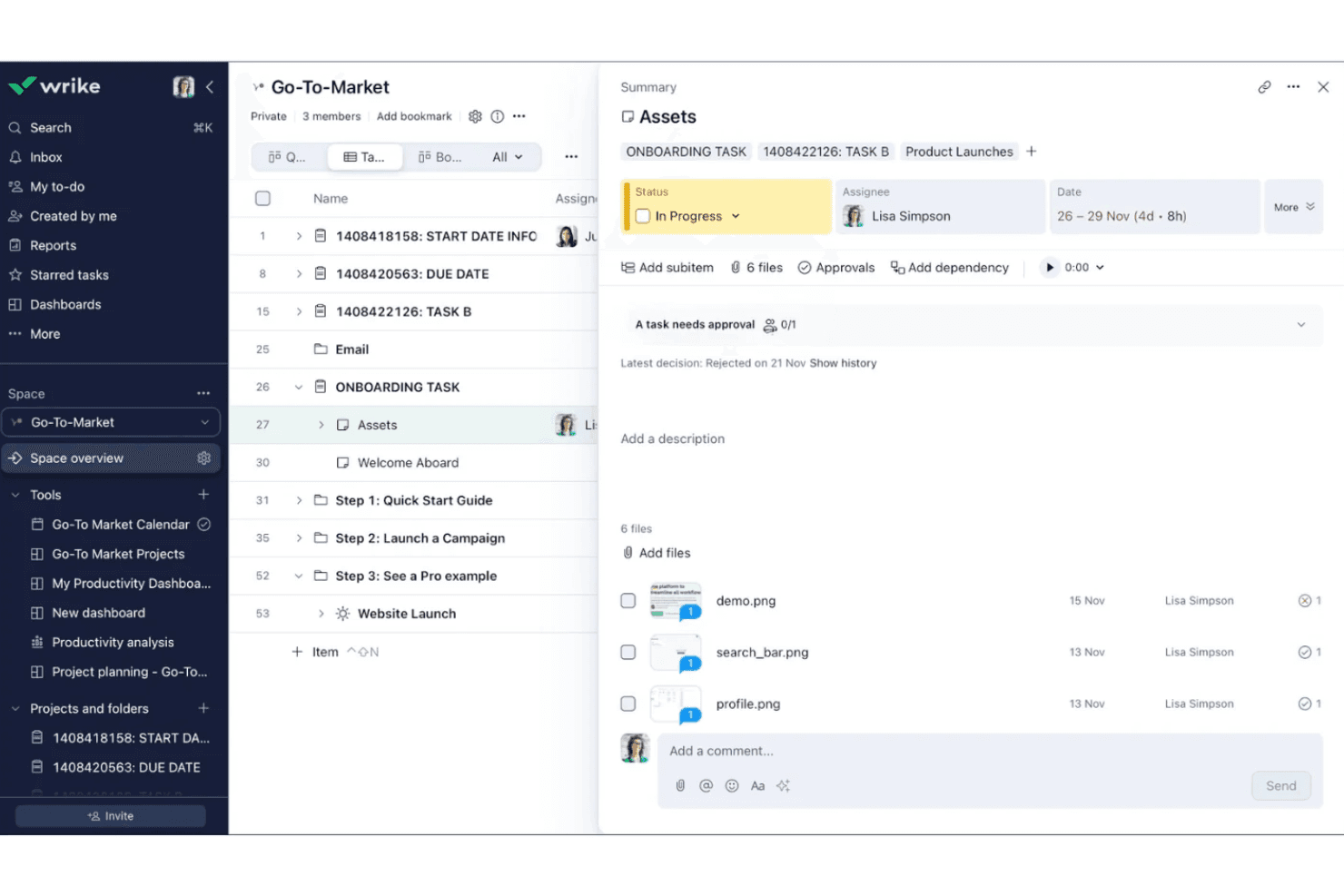
Wrike offers a modern, feature-rich interface, but its depth can feel overwhelming for new users or teams with simple needs. Many users appreciate the customization and flexibility, yet navigating advanced features like workflow automation and resource management often requires training. The platform’s onboarding guides and help resources are helpful, but teams with limited technical experience may find setup and daily use more complex than expected for basic project tracking.
Onboarding
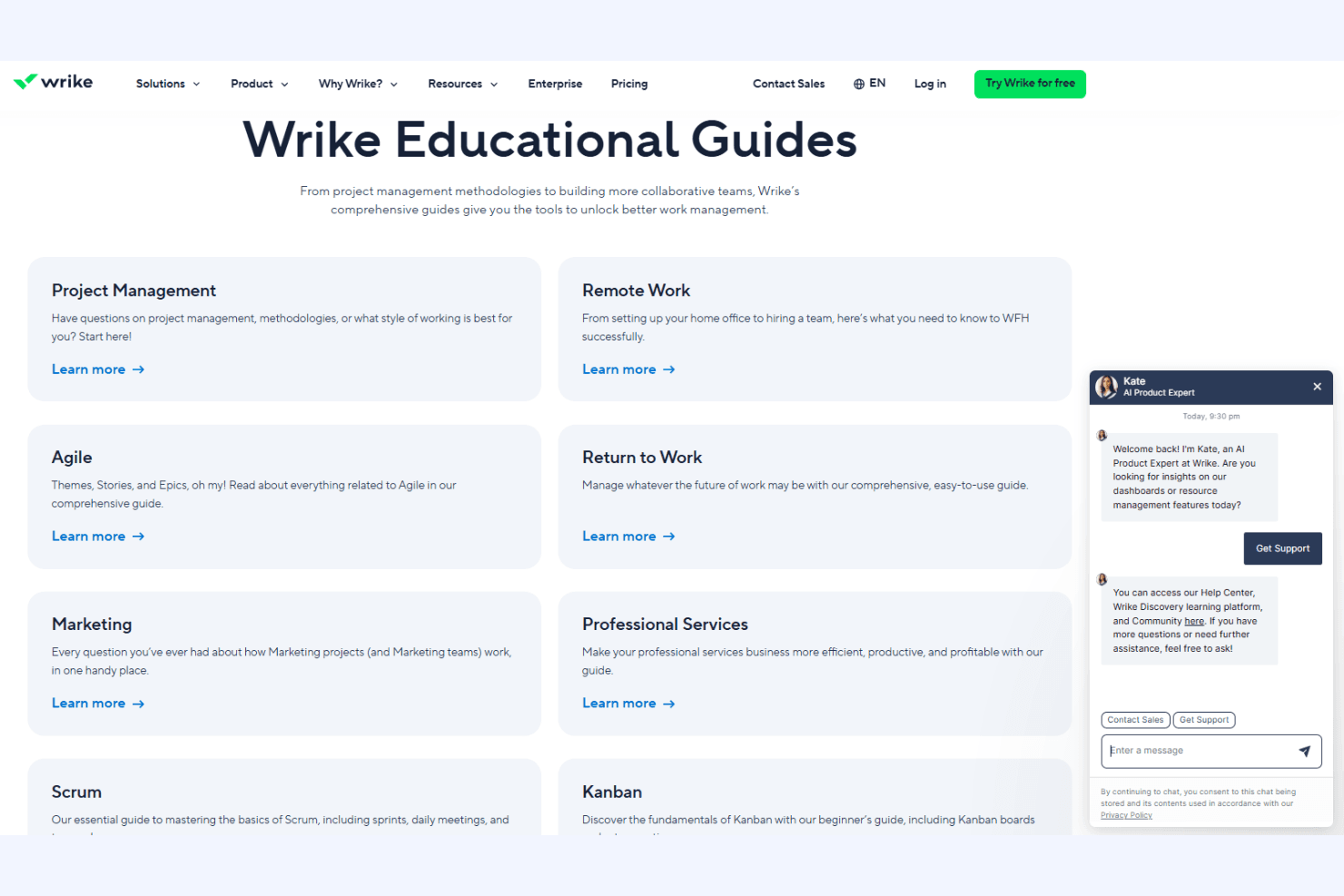
Wrike’s onboarding experience is thorough, offering interactive tutorials, a knowledge base, and live chat support to help new users get started. Many users note that initial setup can be time-consuming due to the platform’s depth, but the guided walkthroughs and onboarding checklists help teams configure workflows and permissions. Dedicated customer success resources are available for larger accounts, which can accelerate adoption and reduce confusion during the first weeks of use.
Customer Support
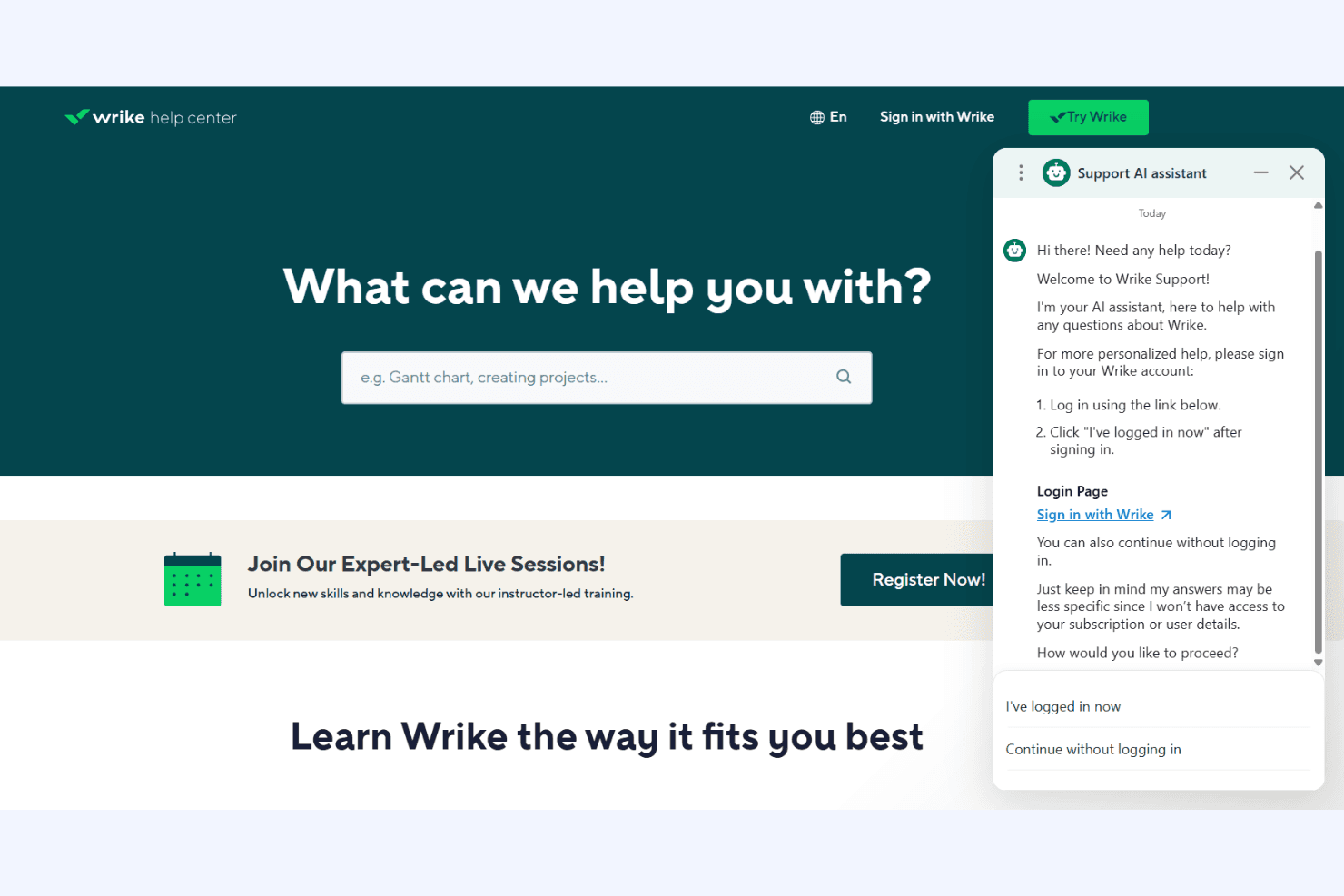
Wrike provides responsive customer support through live chat, email, and a detailed help center, with many users reporting quick and helpful responses. Premium support tiers offer faster response times and dedicated account managers for enterprise clients. The platform’s resource library, webinars, and community forums give users multiple ways to find answers and share best practices. However, some users mention delays during peak times or with complex technical issues.
Integrations
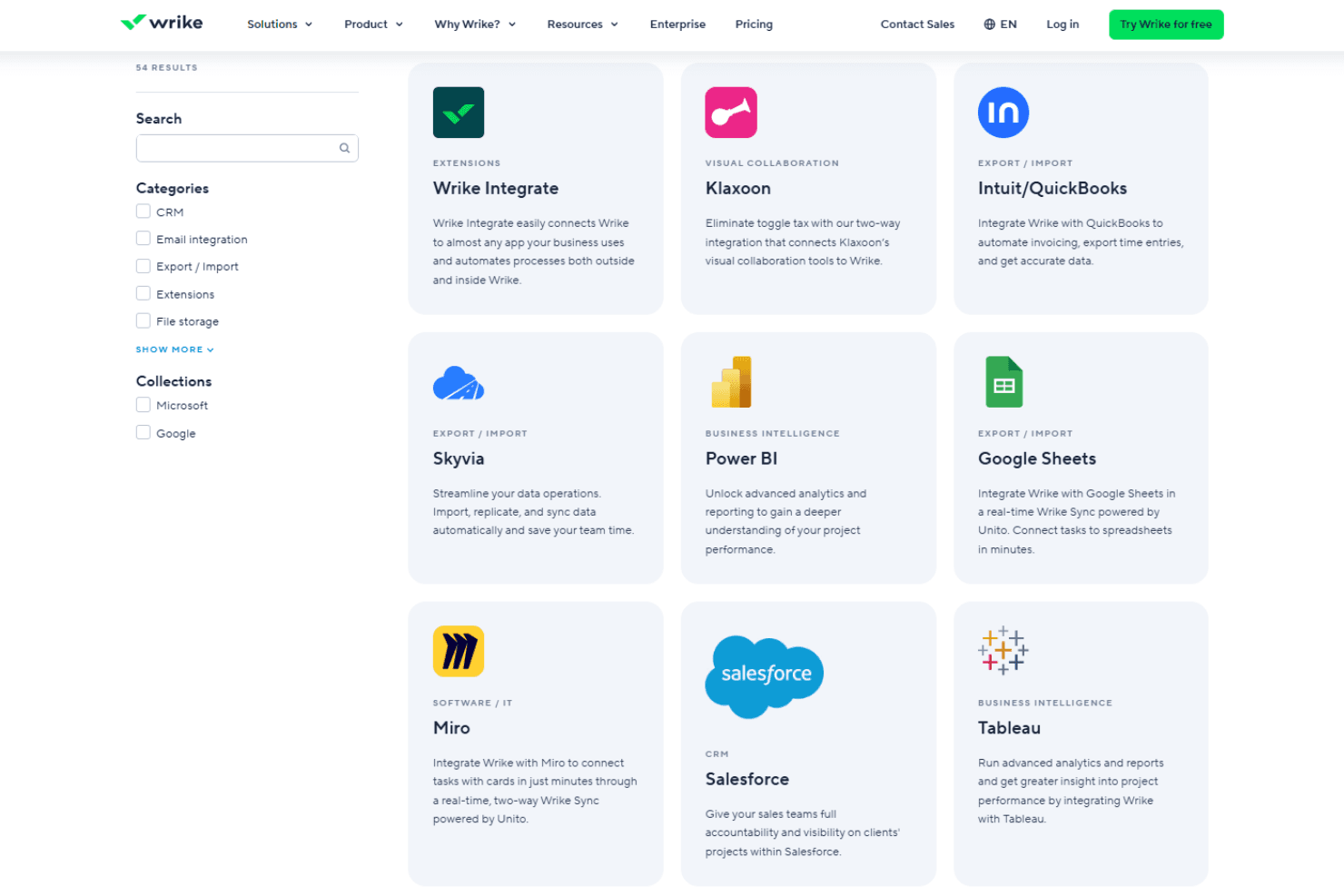
Wrike integrates with Microsoft Teams, Google Drive, Salesforce, Slack, Jira, Adobe Creative Cloud, Dropbox, Box, Outlook, and Zoom, among others.
Wrike also offers an open API and connects with third-party integration tools like Zapier for expanded connectivity.
Value for Money
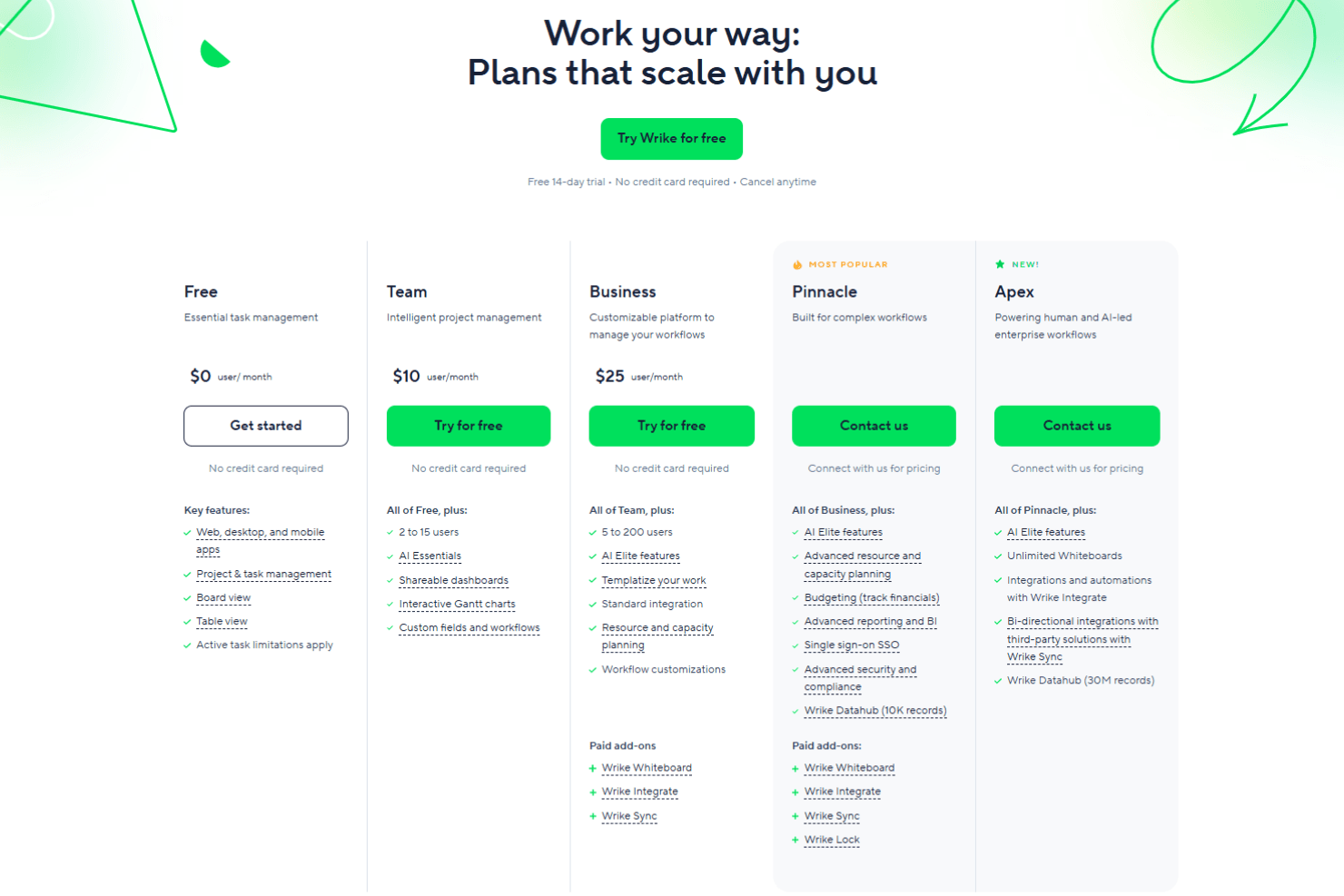
Wrike’s pricing reflects its advanced feature set, with many users finding strong value in its customization, automation, and reporting tools—especially at higher tiers. However, smaller teams or those with basic needs may find the cost high for features they won’t use, and some advanced capabilities are only available on premium plans.
- Free: Basic task and project management for small teams.
- Team: Adds dashboards, interactive Gantt charts, and up to 25 users.
- Business: Includes custom workflows, advanced reporting, and resource management.
- Enterprise: Offers advanced security, permissions, and scalability for large organizations.
- Pinnacle: Adds advanced analytics, budgeting, and more granular controls beyond Enterprise.
- Apex: Adds enterprise AI workflows, advanced automation, and tools designed to power human- and AI-led operations at scale.
Wrike Specs
- API: Yes
- Batch Permissions & Access: Yes
- Budgeting: Yes
- Calendar Management: Yes
- Collaboration Support: Yes
- Contact Management: Yes
- Contact Sharing: No
- Customer Management: No
- Dashboard: Yes
- Dashboards: Yes
- Data Export: Yes
- Data Import: Yes
- Data Visualization: Yes
- Dependency Tracking: Yes
- Document Sharing: Yes
- Expense Tracking: Yes
- External Integrations: Yes
- File Sharing: Yes
- Gantt Charts: Yes
- Kanban Boards: Yes
- Multi-User: Yes
- Notifications: Yes
- Project Management: Yes
- Resource Management: Yes
- Scheduling: Yes
- Task Scheduling/Tracking: Yes
- Third-Party Plugins/Add-Ons: Yes
- Time Management: Yes
- Travel Management: No
- Workflow Management: Yes
Wrike FAQs
Wrike Company Overview & History
Wrike is a project management and collaboration software company that offers cloud-based solutions for teams and organizations to manage projects, tasks, and workflows. Headquartered in San Jose, California, Wrike has offices in Dublin, Melbourne, and Tokyo, with over 1,000 employees worldwide.
Launched in 2006, Wrike's flagship product includes features like Gantt charts, time tracking, custom dashboards, proofing and approval, and integrations with over 400 other apps. Notable clients include Google, Dell, Airbnb, Snowflake, Siemens, Okta, and Nickelodeon.
Wrike Major Milestones
- 2006**:** Andrew Filev founded Wrike
- 2007**:** Wrike project management software officially launched
- 2013**:** Released new version with redesigned interface and proofing/approval features
- 2015**:** Raised $26 million in Series B funding
- 2016**:** Opened EMEA headquarters in Dublin
- 2022**:** Reached $1 billion valuation and 20,000 customers worldwide
- 2025: Named a Leader in the Gartner Magic Quadrant for Collaborative Work Management for the third time.