

Reseña de UXCam: Ventajas, Desventajas, Características y Precios
En mi carrera, he utilizado muchas herramientas de diseño UX/UI, incluyendo UXCam. Permíteme contarte sobre los precios de UXCam, su público objetivo, casos de uso, así como sus pros y contras en esta reseña integral de software.

Revisamos las herramientas de forma independiente y las comisiones ayudan a financiar nuestras pruebas. Consulta nuestra política de transparencia, nuestra metodología, o sugiere una herramienta.
UXCam is a UX/UI design software built for mobile app teams that need to understand how users actually interact with their product through session recordings, heatmaps, and funnel analysis. If your team is focused on mobile rather than web, I'd consider UXCam over FullStory—it's purpose-built for mobile UX analytics, where FullStory's strengths lean more heavily toward web experiences.
UXCam Evaluation Summary
4.6/5
- Pricing upon request
- Free demo + 14-day free trial available
Por qué confiar en nuestras recomendaciones de software
6,700+
Reviews
20
Industry experts
16+
Evaluation factors
14
Years
Nuestro equipo lleva probando y evaluando software desde 2012. Como gestores de producto, sabemos lo difícil —y lo importante— que es elegir el software adecuado.
Para esta guía, evaluamos las herramientas mediante pruebas prácticas e investigación independiente, puntuando las herramientas según nuestros criterios de selección.
Nuestras reseñas reflejan nuestro criterio editorial humano, no un discurso de ventas.
Revisores expertos:
 Hannah ClarkSenior TPM
- Cristiano ValimSenior UI/UX Lead

UXCam Overview
When judging UXCam as a UX/UI design software, its standout strengths are mobile session replay, heatmaps, and intuitive onboarding, making it easy for teams to start analyzing user behavior quickly. Pricing is competitive for mobile-focused analytics, and integrations cover most major app platforms.
While it lacks advanced prototyping or wireframing, its analytics depth outperforms many generalist tools. Support is responsive, and the interface is clean, though some may want more customization. UXCam is best for teams prioritizing mobile UX insights over broad design features, such as SaaS product managers or mobile-first startups seeking actionable user data.
Pros
- You get real-time analytics that help you understand user behavior.
- Your team can easily navigate the intuitive interface.
- You'll benefit from detailed heatmaps for better user insights.
Cons
- You might find the initial data setup time-consuming.
- Your team may encounter occasional bugs in the software.
- You could need more advanced customization options for specific needs.
Is UXCam Right For Your Needs?
Who Would be a Good Fit for UXCam?
If you’re a product manager or part of a UX team in tech startups or e-commerce businesses, UXCam is a great fit. You’ll benefit from its real-time analytics and intuitive interface, helping you understand user behavior and improve design decisions. Its detailed heatmaps provide insights that are crucial for enhancing user experiences, making it ideal for teams focused on data-driven design.
- Tech StartupsYou’ll gain valuable insights into user behavior with UXCam’s real-time analytics, crucial for rapid product iterations.
- E-Commerce BusinessesYour team can enhance customer journeys with detailed heatmaps that reveal user interactions.
- Mobile App DevelopersYou can optimize app experiences by understanding user flows through UXCam’s session replays.
- UX/UI Design TeamsYou’ll streamline design decisions with intuitive tools that make user data accessible and actionable.
- Product ManagersYou can drive product improvements by leveraging UXCam’s analytics to make informed decisions.
- Customer Experience DepartmentsYour team can boost satisfaction by identifying pain points through UXCam’s user behavior insights.
Who Would be a Bad Fit for UXCam?
If you’re part of a small business or a non-tech industry that doesn’t prioritize user experience analysis, UXCam might not be for you. The platform’s advanced analytics and data-driven insights could be overkill if you don’t need to make frequent design changes or lack the technical team to interpret the data. Smaller teams with limited resources might find the setup and ongoing data management too demanding.
- Small Retail ShopsYou might not need in-depth analytics if your focus is on in-person sales rather than digital interactions.
- Traditional IndustriesYour industry might not benefit from UXCam’s digital-centric tools if user experience isn’t a priority.
- Freelance DesignersYou could find UXCam’s features too complex if you work on smaller projects without a team.
- Non-Tech DepartmentsYour team might not utilize UXCam’s analytics if you’re not involved in product or UX design.
- Startups Without a UX TeamYou might struggle with data interpretation if you lack a dedicated UX team.
- Companies Focused on B2B SalesYou may not need UXCam’s user behavior insights if your sales rely more on direct client relationships than on digital interactions.
Cómo Probamos y Puntamos Herramientas
Llevamos años construyendo, refinando y mejorando nuestro sistema de pruebas y puntuación de software. La rúbrica está diseñada para captar los matices de la selección de software y lo que hace que una herramienta sea eficaz, centrándose en aspectos críticos del proceso de decisión. A continuación, puedes ver exactamente cómo funcionan nuestras pruebas y puntuaciones a través de siete criterios. Esto nos permite proporcionar una evaluación imparcial del software según funcionalidad principal, características destacadas, facilidad de uso, implementación, soporte al cliente, integraciones, reseñas de clientes y relación calidad-precio.
Funcionalidad Principal (25% de la puntuación final)
El punto de partida de nuestra evaluación siempre es la funcionalidad principal de la herramienta. ¿Cuenta con las funciones básicas que un usuario espera ver? ¿Alguna de esas funciones centrales está limitada a planes de precios superiores? Esperamos que una herramienta esté a la altura de las capacidades básicas de sus competidores.
Características Destacadas (25% de la puntuación final)
Luego evaluamos características especiales poco comunes que van más allá de la funcionalidad principal que normalmente se encuentra en herramientas similares. Una alta puntuación refleja características especializadas o únicas que hacen que el producto sea más rápido, eficiente u ofrezca valor añadido al usuario. También evaluamos lo fácil que es integrar con otras herramientas habituales en el entorno tecnológico para ampliar la funcionalidad y utilidad del software. Las herramientas que ofrecen integraciones nativas abundantes, conexiones de terceros y acceso por API para crear integraciones personalizadas obtienen la mejor puntuación.
Facilidad de Uso (10% de la puntuación final)
Consideramos lo rápido y sencillo que es llevar a cabo las tareas definidas en la funcionalidad principal usando la herramienta. El software con alta puntuación está bien diseñado, es intuitivo, ofrece apps móviles, tiene plantillas y hace que tareas relativamente complejas parezcan simples.
Implementación (10% de la puntuación final)
Sabemos lo importante que es la adopción rápida del equipo para una nueva plataforma, así que evaluamos la facilidad de aprendizaje y uso de una herramienta con entrenamiento mínimo. Evaluamos cuán rápidamente un miembro del equipo puede configurar y empezar a usar la herramienta sin experiencia previa. Las soluciones con alta puntuación indican que se requiere poco o ningún soporte.
Soporte al Cliente (10% de la puntuación final)
Revisamos lo rápido y sencillo que es desatascarse y encontrar ayuda por teléfono, chat en vivo o base de conocimientos. Los productos y empresas que ofrecen soporte en tiempo real obtienen mejor puntuación, mientras que los chats automáticos obtienen la peor.
Reseñas de Clientes (10% de la puntuación final)
Más allá de nuestras propias pruebas y evaluaciones, consideramos el net promoter score de clientes actuales y pasados. Revisamos su probabilidad, dadas las opciones, de elegir la herramienta de nuevo por su funcionalidad principal. Un software con alta puntuación refleja un alto net promoter score de clientes actuales o anteriores.
Relación Calidad-Precio (10% de la puntuación final)
Por último, teniendo en cuenta todos los demás criterios, revisamos el precio promedio de los planes de nivel de entrada frente a las funcionalidades principales y consideramos el valor de los demás criterios de evaluación. El software que ofrece más por menos, obtendrá una puntuación mayor.
Core Features
Real-Time Analytics
You can track user behavior as it happens, helping your team make immediate design decisions. It offers deep insights into user interactions.
Session Replays
Watch how users navigate your app, allowing you to identify usability issues quickly. This feature is crucial for refining the user experience.
Heatmaps
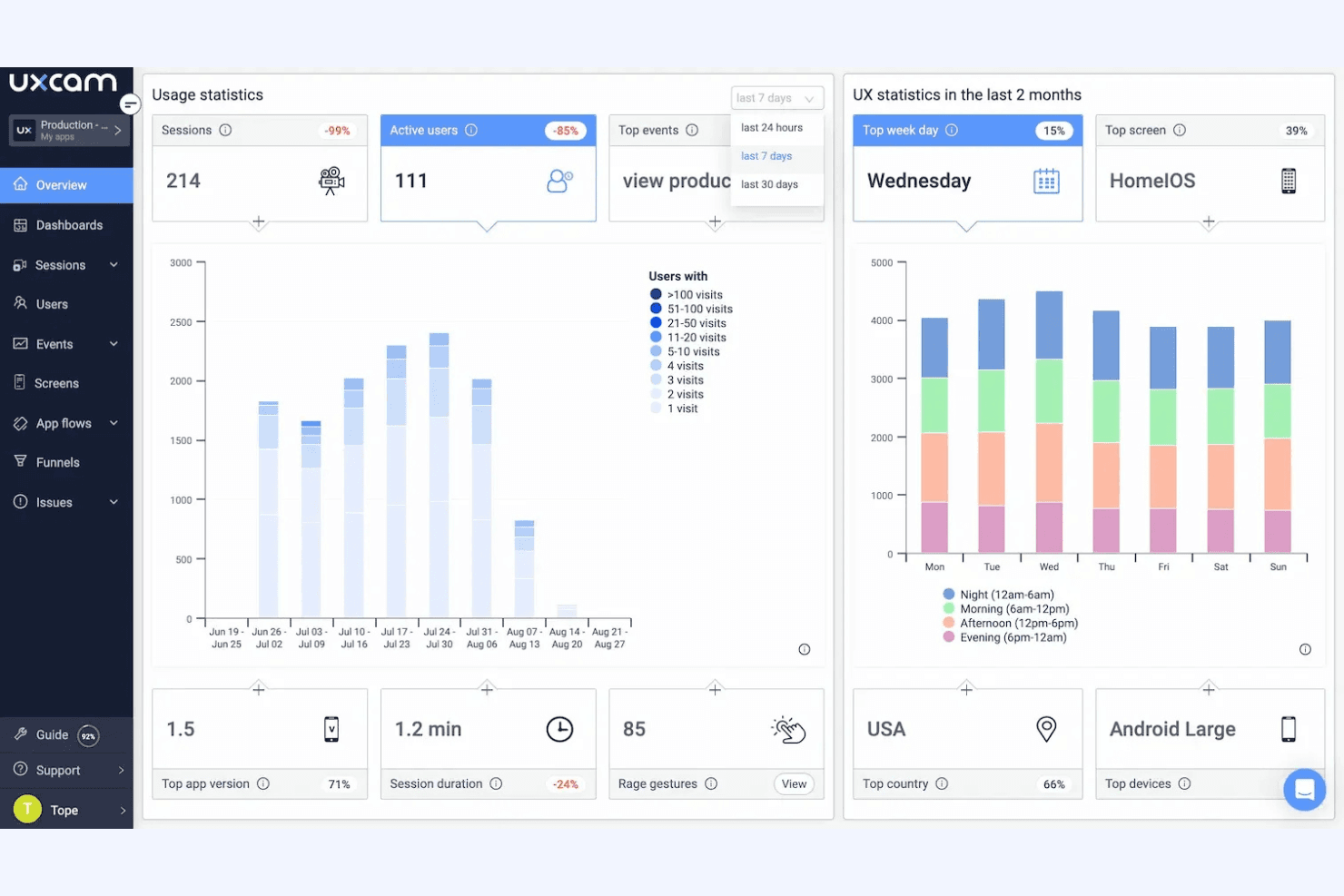
Visualize where users click, scroll, and linger, providing clear insights into user engagement. Use this data to optimize your layout and content.
Event Tagging
Easily tag and track specific user actions to gather focused data. It helps your team understand which features are most engaging.
Funnel Analysis
Identify where users drop off in your conversion paths. You'll spot bottlenecks and improve your sales or engagement processes.
User Segmentation
Group users based on behavior for targeted insights. This allows your team to tailor experiences to different user groups.
Ease of Use
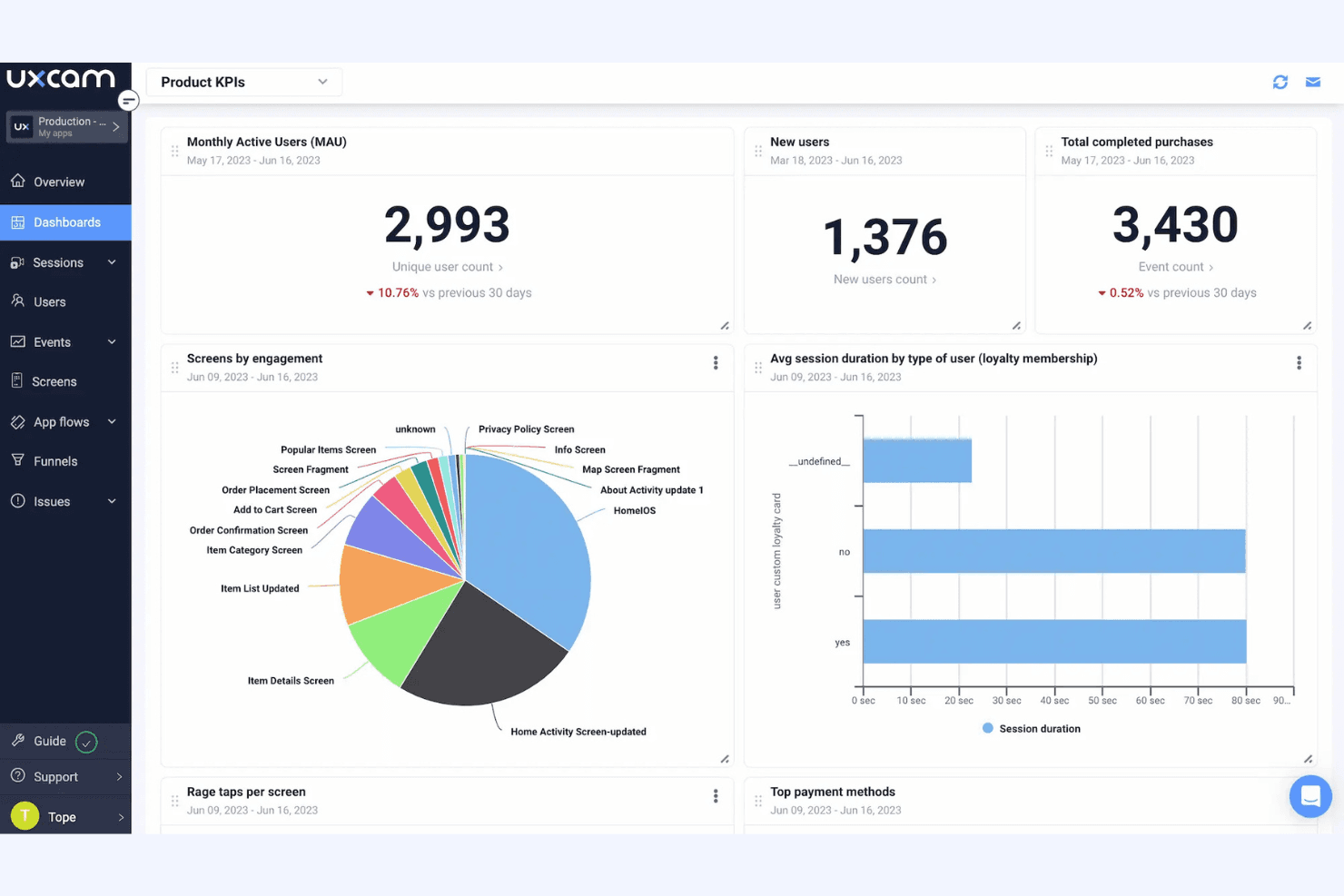
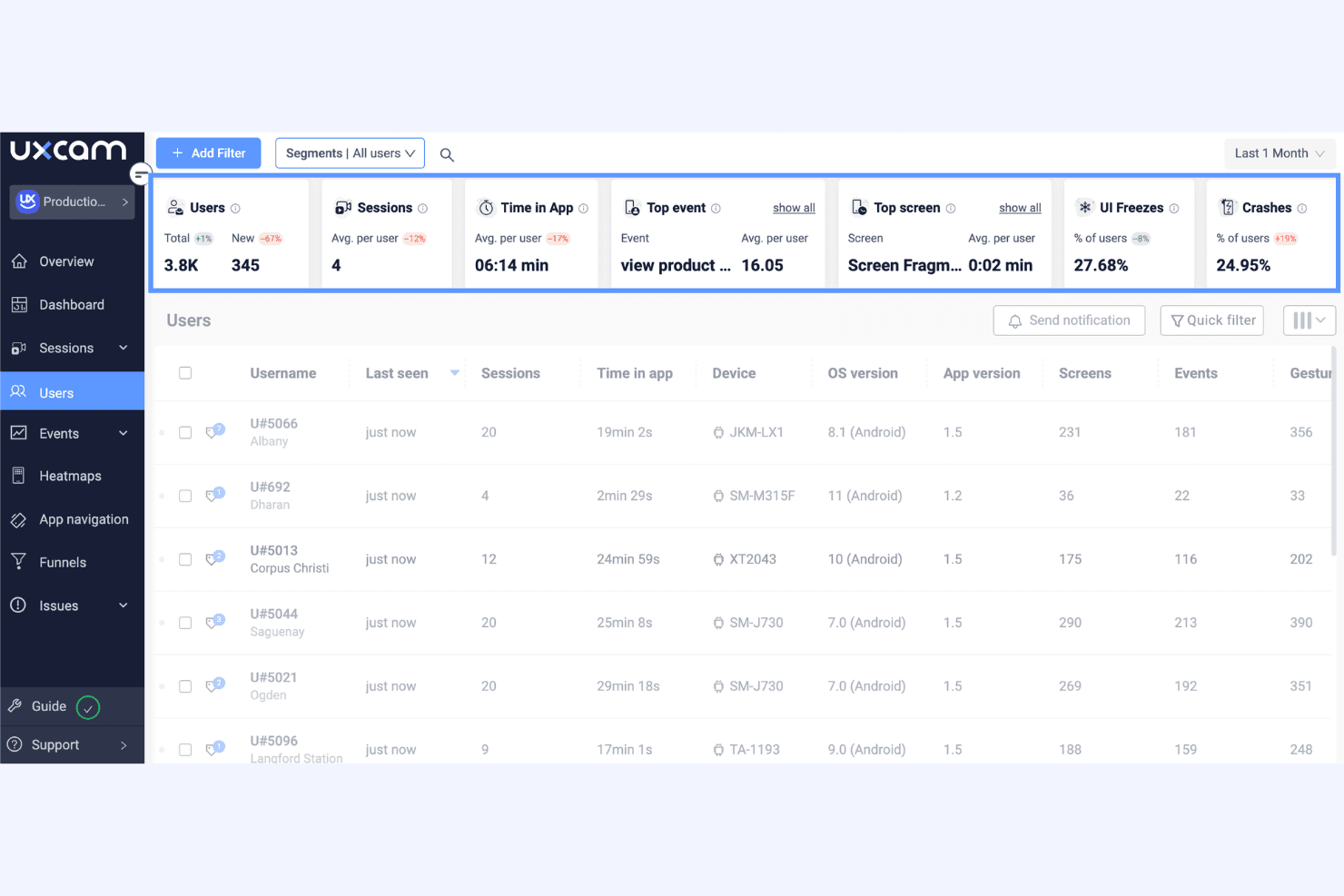
UXCam stands out for its user-friendly interface that simplifies complex data analysis. You’ll find it easy to navigate, with intuitive controls that let you quickly access key features like session replays and heatmaps. Users appreciate how UXCam streamlines data interpretation, making it accessible even for teams without a technical background. Its custom dashboards let you focus on essential metrics, ensuring your team spends less time searching for information and more time enhancing user experiences.
Integrations
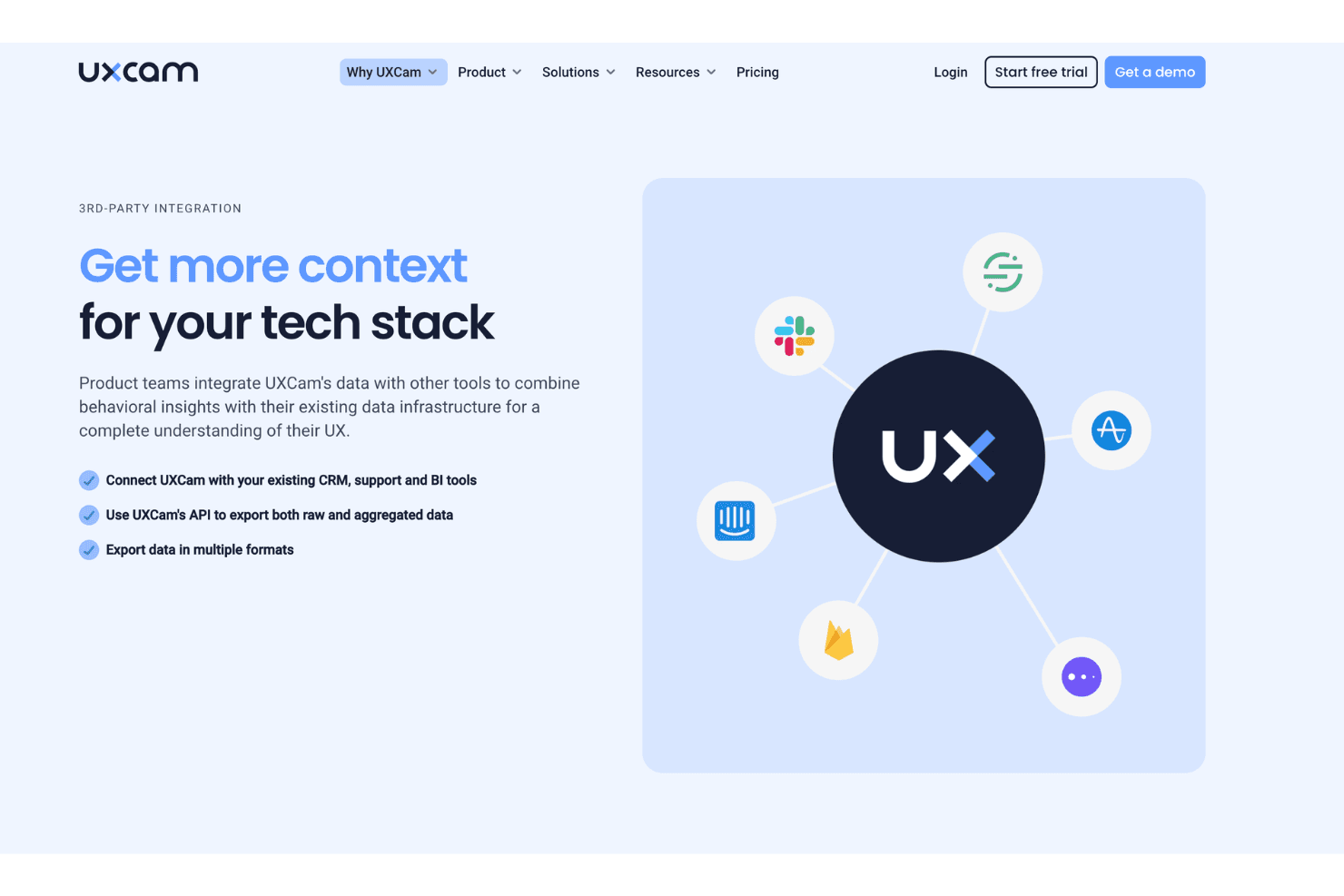
UXCam integrates with Firebase, Segment, Mixpanel, Google Analytics, Slack, Jira, Zendesk, Braze, Adjust, and AppsFlyer, among others.
UXCam also offers a public API and supports connections with third-party integration tools.
UXCam Specs
- A/B Testing: No
- AI Integration: Yes
- Analytics: Yes
- API: Yes
- Comparative Reporting: Yes
- Conversion Tracking: Yes
- Custom Reports: Yes
- Dashboard: Yes
- Dashboards: No
- Data Export: Yes
- Data Import: Yes
- Data Mining: Yes
- Data Visualization: Yes
- External Integrations: Yes
- Feedback Management: Yes
- Forecasting: No
- Historical Data Analysis: Yes
- Keyword Tracking: No
- Link Tracking: No
- Multi-Site: Yes
- Multi-User: Yes
- Notifications: Yes
- Process Reporting: Yes
- Real-time Alerts: Yes
- Referral Tracking: No
- Reports: Yes
- Scenario Planning: No
- SEO: No
- Time Series Modeling: No
- Visualization: Yes
- Workflow Management: No


