

¿Tienes la sensación de que Framer no termina de satisfacer las necesidades de tu equipo? Quizá se deba a las limitaciones de sus funciones, a los problemas para escalar o a unas herramientas de colaboración que no están a la altura. Como responsable de producto o desarrollador, resulta frustrante que las herramientas de las que dependes no estén a la altura de la visión que persigues.
Seamos sinceros: el diseño es el corazón de tu producto. Es lo que te diferencia en un mercado saturado. Estás aquí porque necesitas algo que realmente funcione para tus desafíos específicos, no una solución universal que obligue a tu equipo a improvisar.
¿La buena noticia? Yo he hecho el trabajo pesado por ti. Después de analizar a fondo el mundo de las herramientas de diseño, he descubierto algunas alternativas fantásticas a Framer que podrían ser justo lo que buscas. Cada opción aporta algo único, y te explicaré sus funciones y ventajas, además de los aspectos que conviene tener en cuenta, para ayudarte a tomar la mejor decisión.
¿Qué es Framer?
Framer es una conocida herramienta de diseño de productos para crear prototipos interactivos y animaciones. Es popular entre diseñadores, desarrolladores y responsables de producto que valoran sus capacidades para visualizar y probar ideas rápidamente. Con funciones como flujos de trabajo colaborativos, herramientas de diseño flexibles y sólidas capacidades de creación de prototipos, Framer ofrece una plataforma versátil para dar vida a las ideas. Dicho esto, ninguna herramienta es perfecta y, si estás aquí, es muy probable que estés explorando alternativas que se adapten mejor a las necesidades específicas de tu equipo. No te preocupes, podemos ayudarte.
Tabla comparativa de alternativas a Framer
Esta tabla comparativa resume los detalles de precios de mis principales alternativas seleccionadas a Framer:
| Tool | Best For | Trial Info | Price | ||
|---|---|---|---|---|---|
| 1 | Ideal para autónomos que crean sitios para clientes | Prueba gratuita de 14 días | Desde $19/mes (facturado anualmente) | Website | |
| 2 | Ideal para la propiedad de sitios de código abierto y autoalojados | Hay un plan gratuito disponible | Desde $5/mes | Website | |
| 3 | Ideal para sitios con mucho contenido bajo una licencia GPL | Plan gratuito disponible | Desde $39/mes (facturado anualmente) | Website | |
| 4 | Ideal para pasar del diseño a la publicación en un solo espacio de trabajo | Plan gratuito disponible | Desde $16/usuario/mes | Website | |
| 5 | Ideal para el diseño web adaptable con un lienzo visual de CSS | Plan gratuito disponible | Desde $15/mes (facturado anualmente) | Website | |
| 6 | Ideal para crear sitios con herramientas empresariales integradas | Plan gratuito disponible | Desde $17/mes (facturado anualmente) | Website | |
| 7 | Ideal para sitios integrales que van más allá de las páginas de marketing | Hay un plan gratuito disponible | Desde $17/mes (facturado anualmente) | Website | |
| 8 | Ideal para publicar sitios desde Figma para equipos de diseño | Plan gratuito disponible | Desde $16/usuario/mes (facturado anualmente) | Website | |
| 9 | Ideal para sitios sin código con reventa para agencias | Website | |||
| 10 | Ideal para animaciones editoriales y de portafolio | Plan gratuito disponible | Desde $14/mes (facturado anualmente) | Website |


Por qué confiar en nuestras recomendaciones de software
6,700+
Reviews
20
Industry experts
16+
Evaluation factors
14
Years
Nuestro equipo lleva probando y evaluando software desde 2012. Como gestores de producto, sabemos lo difícil —y lo importante— que es elegir el software adecuado.
Para esta guía, evaluamos las herramientas mediante pruebas prácticas e investigación independiente, puntuando las herramientas según nuestros criterios de selección.
Nuestras reseñas reflejan nuestro criterio editorial humano, no un discurso de ventas.
Revisores expertos:
 Hannah ClarkSenior TPM
- Cristiano ValimSenior UI/UX Lead

Reseñas de las mejores alternativas a Framer
A continuación encontrarás mis resúmenes detallados de las mejores alternativas a Framer que llegaron a mi lista de selección. En mis reseñas analizo en profundidad las funciones principales, las ventajas y desventajas, las integraciones y los casos de uso ideales de cada herramienta para ayudarte a encontrar la más adecuada para ti.
 Ideal para autónomos que crean sitios para clientes
- Prueba gratuita de 14 días
- Desde $19/mes (facturado anualmente)
Visit WebsiteCustomer Rating:4.6/5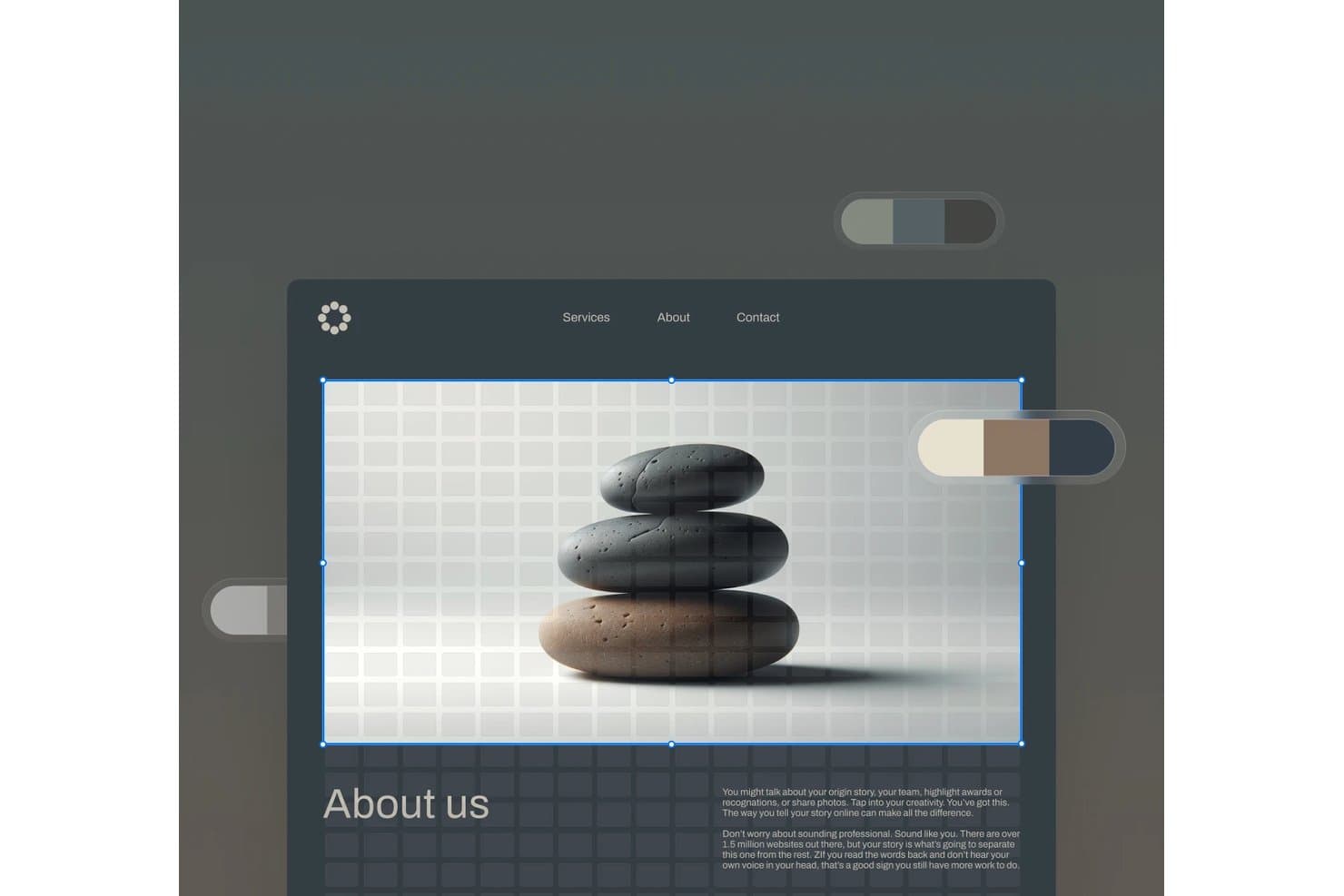
Squarespace permite a los usuarios editar imágenes principales con una interfaz visual de arrastrar y soltar. Squarespace es un creador de sitios web para autónomos que necesitan sitios para clientes con un acabado profesional, plantillas flexibles y herramientas integradas para presentar servicios, publicar contenido y gestionar las necesidades de su negocio en línea.
¿Para quién es más adecuado Squarespace?
Squarespace es adecuado para diseñadores autónomos y profesionales creativos que necesitan portafolios y páginas de servicios con un acabado profesional sin un desarrollo web extenso.
Por qué Squarespace es una buena alternativa a Framer
Elegí Squarespace porque sus plantillas cuidadas y diseños de portafolio me ayudan a crear sitios para clientes que parecen listos para presentar. Utilizo páginas de servicios, galerías de proyectos y herramientas de contenido integradas para mostrar el trabajo de un autónomo sin desarrollo personalizado. Es ideal para autónomos que crean sitios para clientes.
Características principales de Squarespace
- Configuración de SEO: Edita los títulos de las páginas, las descripciones y los fragmentos de URL.
- Analítica del sitio web: Supervisa el tráfico, las visitas y las fuentes de los visitantes.
- Bloques de formularios: Añade formularios de contacto, boletines y registro.
- Gestión de dominios: Conecta o registra un dominio personalizado.
Integraciones de Squarespace
Squarespace ofrece integraciones oficiales con Stripe, PayPal, Square, Google Analytics, Mailchimp, Google Workspace, Instagram, Google Maps, YouTube y Zapier. También proporciona API de Commerce para integraciones personalizadas, con acceso y permisos que varían según el plan.
Pros and Cons
Pros:
- Las plantillas cuidadas son adecuadas para presentar a clientes
- Los diseños de portafolio muestran claramente el trabajo visual
- La configuración de SEO integrada facilita la visibilidad
Cons:
- Ofrece menos libertad de animación que Framer
- El editor limita los diseños muy personalizados
Learn more about Squarespace: Ideal para la propiedad de sitios de código abierto y autoalojados
- Hay un plan gratuito disponible
- Desde $5/mes
Visit WebsiteCustomer Rating:4.8/5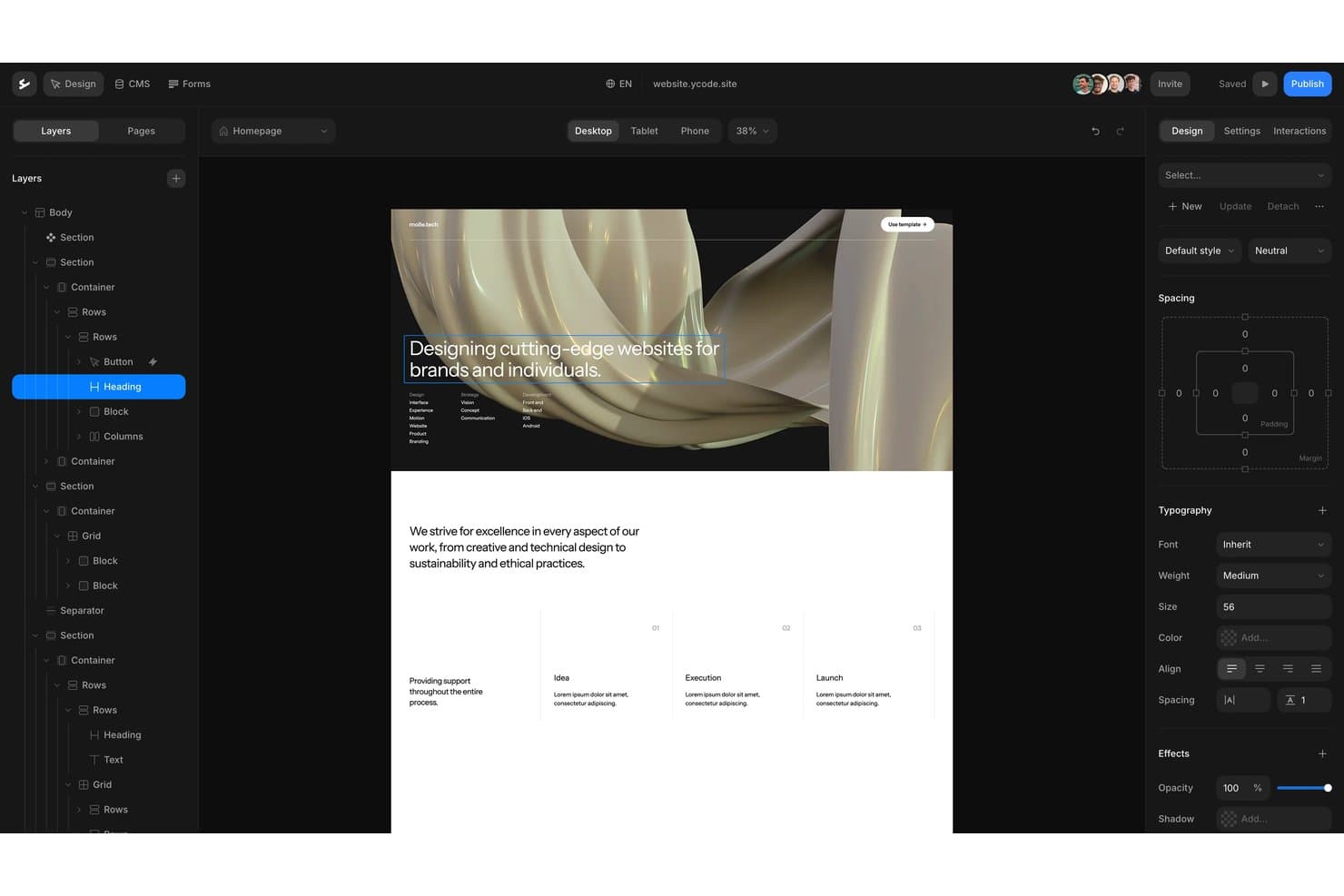
Ycode ofrece un editor visual de arrastrar y soltar con controles de diseño por capas. Ycode es un creador de sitios web sin código para equipos que necesitan sitios de marketing personalizados y adaptables, así como páginas impulsadas por un CMS, sin depender de desarrolladores para cada actualización.
¿Para quién es más adecuado Ycode?
Ycode es adecuado para equipos de producto, marketing y diseño que quieren gestionar y autoalojar la infraestructura de su sitio web.
Por qué Ycode es una buena alternativa a Framer
Elegí Ycode porque permite a mi equipo tener la propiedad de un sitio de código abierto y autoalojado, en lugar de limitar nuestro sitio web a una plataforma alojada. Usamos su creador visual para crear páginas de marketing adaptables y su CMS para actualizar contenido estructurado. Esta configuración es adecuada para equipos que necesitan sitios web personalizados y, al mismo tiempo, quieren mantener el control sobre la implementación y los datos del sitio.
Características principales de Ycode
- Asistente de diseño con IA: Actualiza diseños, espaciado y estilos mediante indicaciones.
- Componentes reutilizables: Crea componentes compartidos y aplica sobrescrituras en distintas páginas.
- Controles de colecciones: Filtra colecciones, pagina resultados y ordena contenido dinámico.
- Dominios personalizados: Conecta dominios de marca a sitios web publicados.
Integraciones de Ycode
Ycode ofrece integraciones nativas con Airtable, Webflow, Figma, MailerLite, Google Maps y Mapbox. También proporciona API REST para integraciones personalizadas, mientras que las integraciones con Zapier y Make están previstas.
Pros and Cons
Pros:
- La propiedad del código abierto permite una implementación autoalojada
- Las colecciones del CMS permiten flujos de trabajo de contenido estructurado
- Los componentes reutilizables permiten crear páginas adaptables coherentes
Cons:
- El autoalojamiento requiere una mayor responsabilidad técnica
- Ecosistema más pequeño que el de las alternativas consolidadas a Framer
Learn more about Ycode: Ideal para sitios con mucho contenido bajo una licencia GPL
- Plan gratuito disponible
- Desde $39/mes (facturado anualmente)
Visit WebsiteCustomer Rating:4.3/5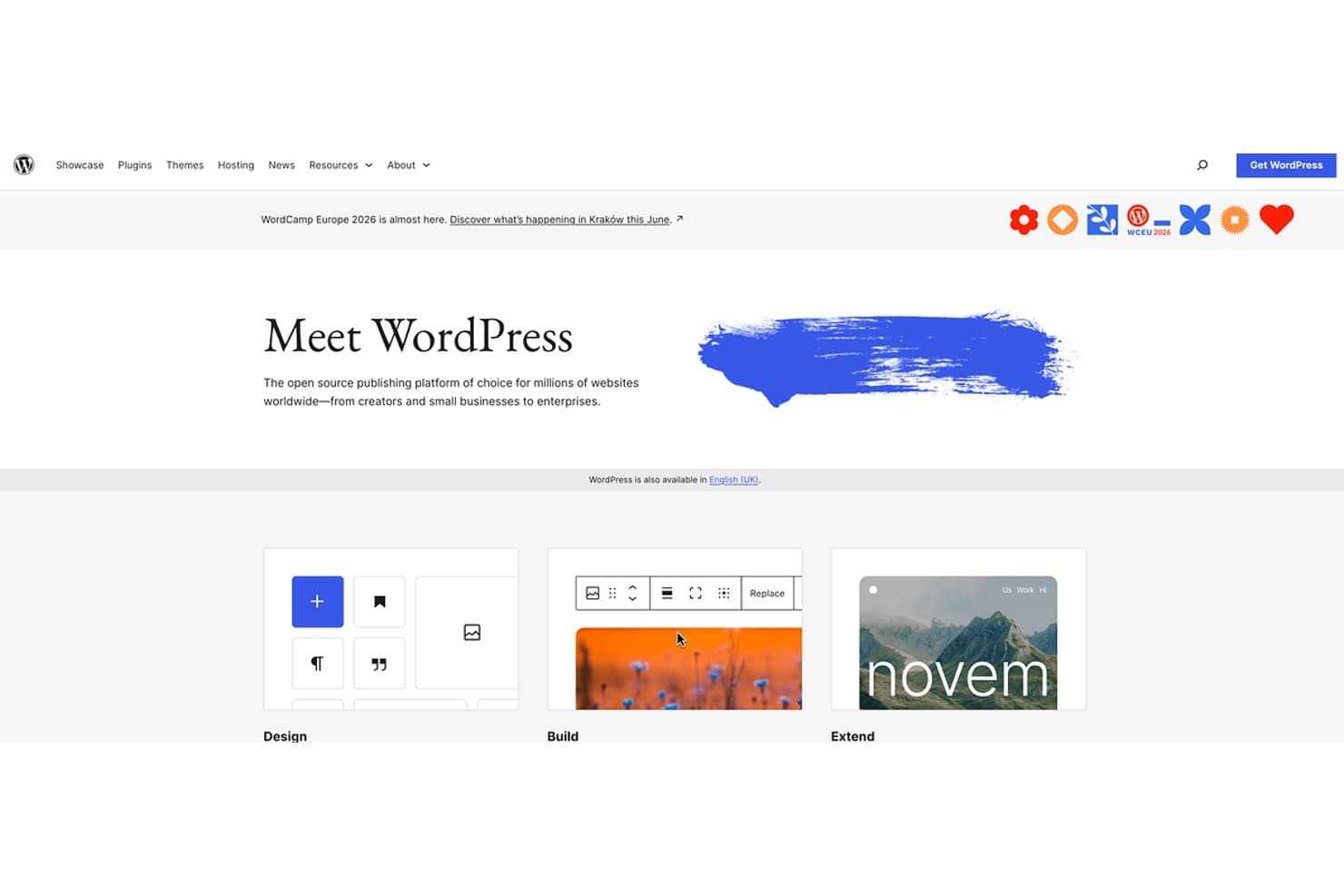
WordPress ofrece creación de sitios web de código abierto para todos los niveles de experiencia. WordPress es un creador de sitios web flexible para editores, empresas y equipos de contenido que necesitan controlar la estructura del sitio, los flujos de publicación, la personalización y el crecimiento a largo plazo, más allá del enfoque centrado en el diseño de Framer.
¿Para quién es más adecuado WordPress?
WordPress es adecuado para editores, equipos editoriales y empresas que necesitan una gestión flexible del contenido bajo una licencia GPL.
Por qué WordPress es una buena alternativa a Framer
Elegí WordPress porque es ideal para sitios con mucho contenido bajo una licencia GPL. Utilizo tipos de contenido personalizados, taxonomías y un historial de revisiones para gestionar sitios editoriales con contenido estructurado. Sus permisos basados en roles también permiten que redactores, editores y desarrolladores trabajen con responsabilidades de publicación diferenciadas.
Características principales de WordPress
- Editor de bloques: Crea páginas y entradas con bloques de contenido reutilizables.
- Biblioteca multimedia: Sube, organiza y edita imágenes, audio, vídeo y documentos.
- Sistema de temas: Aplica y personaliza diseños de sitios web con temas.
- Directorio de plugins: Añade funcionalidades mediante miles de plugins disponibles.
Integraciones de WordPress
WordPress no cuenta con un catálogo centralizado de integraciones nativas; su directorio de plugins permite conectarse con servicios como WooCommerce, Mailchimp y Google Analytics. WordPress también ofrece una API REST para integraciones personalizadas.
Pros and Cons
Pros:
- La licencia GPL favorece la propiedad del contenido a largo plazo
- Los tipos de contenido personalizados permiten una publicación estructurada
- El historial de revisiones protege los cambios editoriales
Cons:
- El mantenimiento de plugins aumenta las responsabilidades de seguridad
- Los diseños visuales avanzados suelen requerir configuración adicional
Learn more about WordPress: Ideal para pasar del diseño a la publicación en un solo espacio de trabajo
- Plan gratuito disponible
- Desde $16/usuario/mes
Visit WebsiteCustomer Rating:4.7/5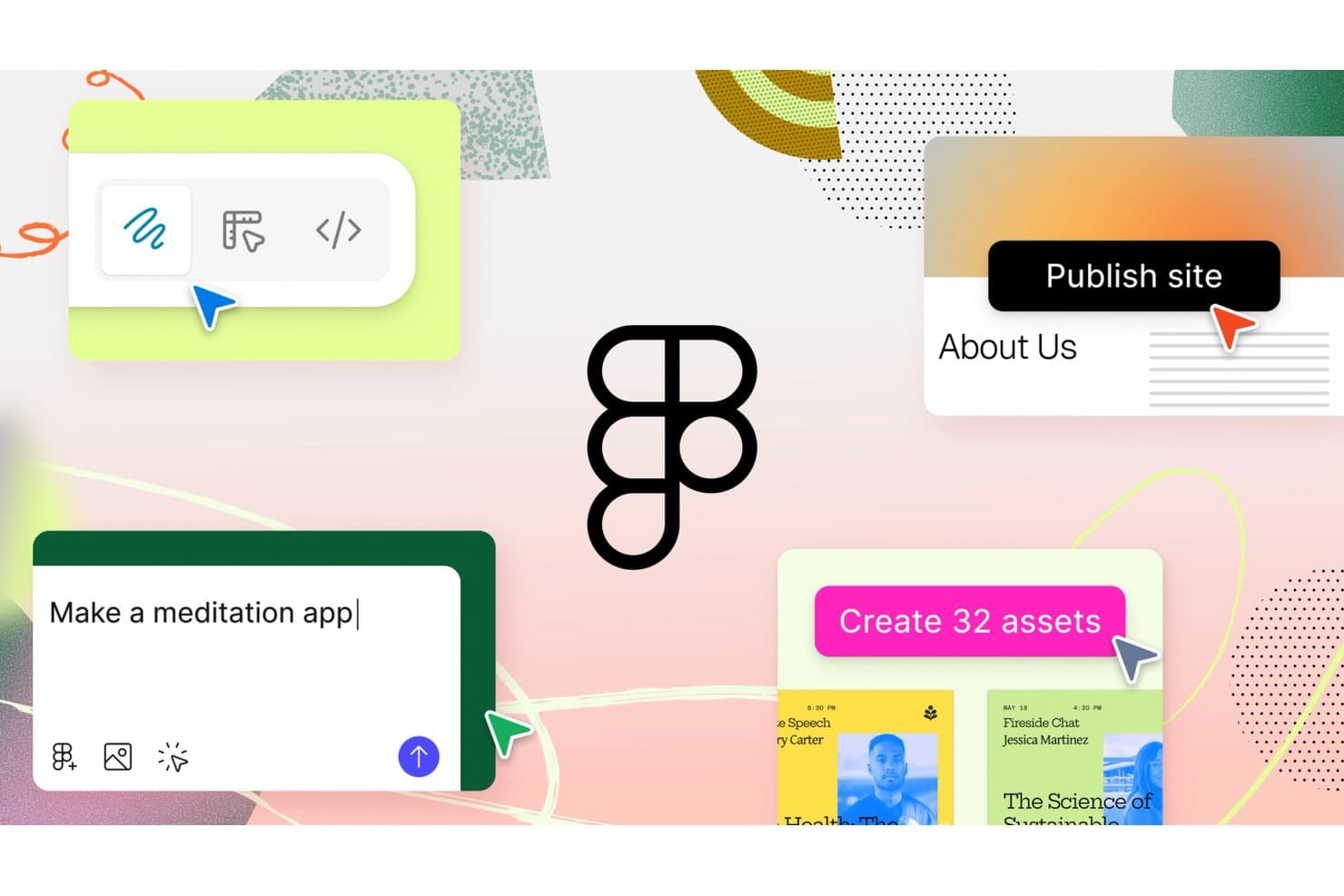
Figma permite a los usuarios diseñar, crear prototipos y publicar sitios con indicaciones de IA. Figma es una plataforma colaborativa de diseño de UI/UX para equipos de productos, agencias y profesionales independientes que reúne la investigación, la creación de wireframes, la creación de prototipos y la entrega a desarrolladores para reducir el trabajo repetido y alinear las decisiones sobre el producto.
¿Para quién es más adecuado Figma?
Figma es adecuado para equipos de productos multifuncionales que necesitan que diseñadores, gerentes de producto e ingenieros estén alineados desde los primeros conceptos hasta la entrega a los desarrolladores.
Por qué Figma es una buena alternativa a Framer
Elegí Figma porque puedo pasar de los conceptos de interfaz a las experiencias de producto publicadas en un solo espacio de trabajo. Mi equipo utiliza su lienzo multijugador, la creación de prototipos interactivos, las variables y el Modo de desarrollo para conectar las decisiones de diseño con los detalles de implementación. Este flujo de trabajo de diseño a publicación nos ayuda a convertir las evaluaciones de alternativas a Framer en interfaces de producto funcionales y listas para los desarrolladores.
Características principales de Figma
- Componentes: Crea elementos de interfaz reutilizables con propiedades configurables.
- Diseño automático: Organiza las capas con reglas adaptables de espaciado y tamaño.
- Complementos: Amplía Figma con herramientas para diseño, contenido y flujos de trabajo.
- Historial de versiones: Revisa, restaura y asigna nombres a versiones anteriores de los archivos.
Integraciones de Figma
Figma ofrece integraciones oficiales con Jira, Slack, Microsoft Teams, Confluence y Dropbox, además de Zapier para conectar flujos de trabajo con otras herramientas. También proporciona API REST y API de complementos para integraciones personalizadas.
Pros and Cons
Pros:
- El lienzo multijugador mantiene alineados a los equipos de productos
- El Modo de desarrollo conecta los diseños con la implementación
- Los componentes y las variables permiten crear sistemas escalables
Cons:
- La publicación de sitios web requiere pasos adicionales en el flujo de trabajo
- Los archivos grandes pueden volverse lentos con el tiempo
 Ideal para el diseño web adaptable con un lienzo visual de CSS
- Plan gratuito disponible
- Desde $15/mes (facturado anualmente)
Visit WebsiteCustomer Rating:4.4/5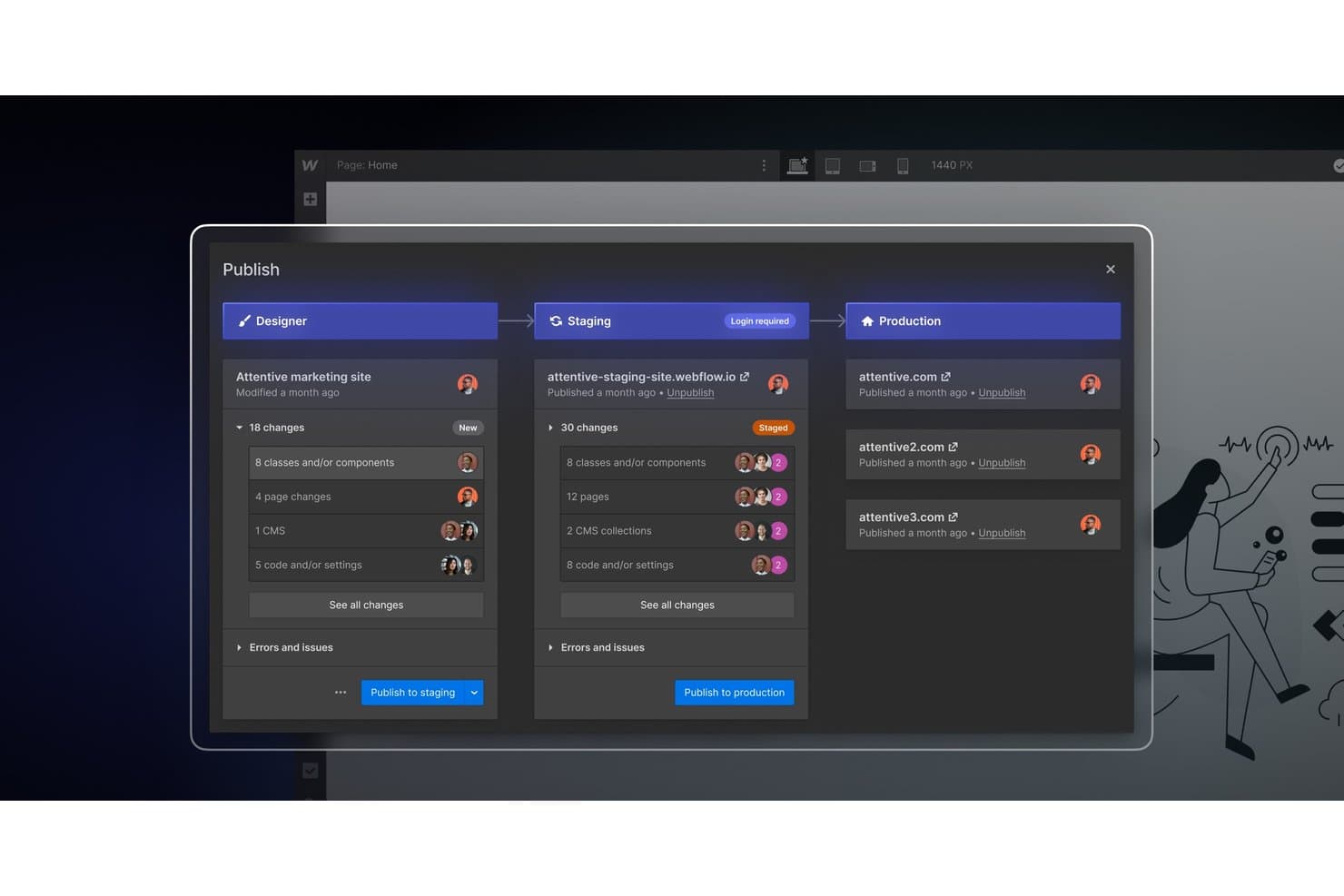
Webflow permite a los equipos publicar cambios en entornos de ensayo y producción. Webflow es una plataforma visual de diseño web para equipos de marketing, agencias y diseñadores que necesitan sitios web adaptables sin programar manualmente cada diseño, y que desean mantener el control sobre CSS, interacciones y contenido.
¿Para quién es más adecuado Webflow?
Webflow es adecuado para agencias y equipos creativos internos que necesitan crear y mantener sitios de marketing adaptables sin delegar cada decisión de diseño a los desarrolladores.
Por qué Webflow es una buena alternativa a Framer
Elegí Webflow porque su lienzo visual de CSS me proporciona control directo sobre los diseños adaptables sin tener que programar manualmente cada página. Utilizo Flexbox, CSS Grid y puntos de interrupción personalizados para adaptar las páginas de destino a distintos tamaños de pantalla y, después, aplico interacciones para conseguir lanzamientos de productos y sitios de marketing pulidos.
Funciones principales de Webflow
- Colecciones del CMS: Estructura y publica contenido dinámico sin código.
- Gestión de formularios: Recopila envíos directamente desde los formularios del sitio web.
- Controles de SEO: Edita títulos de página, metadescripciones y ajustes del mapa del sitio.
- Gestión de recursos: Sube, organiza y reutiliza imágenes en distintos proyectos.
Integraciones de Webflow
Webflow ofrece integraciones a través de su biblioteca oficial, incluidas Google Docs, Google Workspace, Airtable, OpenStreetMap y Storesynk para comercio electrónico basado en Shopify, además de Zapier. También proporciona las API de datos y las API de Designer para integraciones personalizadas.
Pros and Cons
Pros:
- Diseños adaptables precisos mediante controles visuales de CSS
- El CMS estructurado admite contenido de marketing dinámico
- Controles integrados de SEO y gestión de formularios
Cons:
- Los diseños en el lienzo requieren conocimientos de CSS
- Las interacciones avanzadas requieren configuración manual
Learn more about Webflow: 6Ideal para crear sitios con herramientas empresariales integradas
Wix
- Plan gratuito disponible
- Desde $17/mes (facturado anualmente)
Visit WebsiteCustomer Rating:4.2/5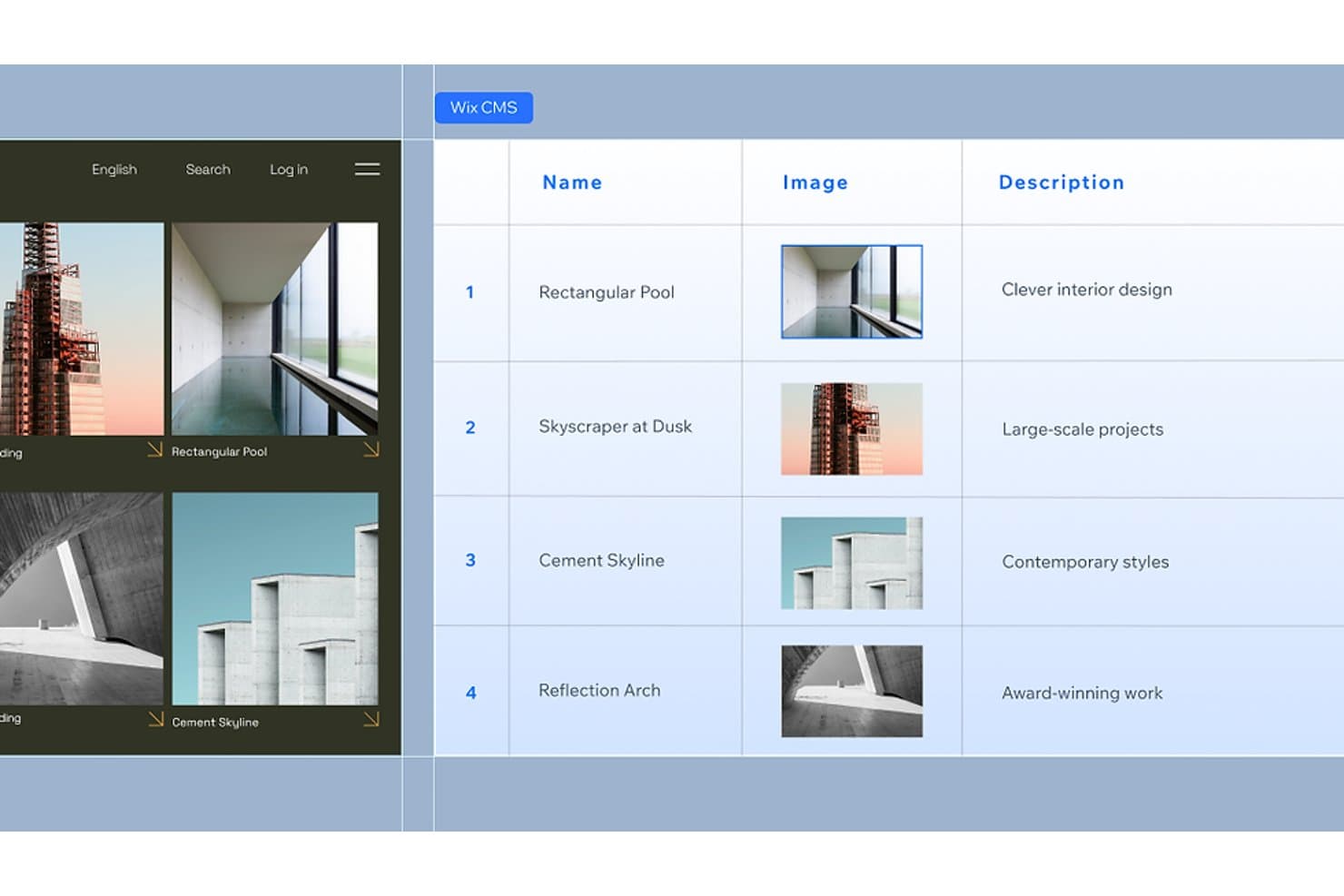
Wix CMS permite a los usuarios gestionar contenido estructurado con imágenes y descripciones. Wix es un creador de sitios web para pequeñas empresas, trabajadores independientes y emprendedores que necesitan crear una presencia profesional en línea sin coordinar herramientas separadas para el diseño, el contenido y las operaciones comerciales.
¿Para quién es más adecuado Wix?
Wix es adecuado para propietarios de pequeñas empresas y trabajadores independientes que quieren gestionar su sitio web, las reservas, los pagos y el marketing desde una sola plataforma.
Por qué Wix es una buena alternativa a Framer
Elegí Wix como una de las mejores alternativas a Framer porque es ideal para crear sitios con herramientas empresariales integradas. Uso Wix Bookings para las citas, Wix Payments para el proceso de pago y el marketing por correo electrónico integrado para hacer seguimiento de los clientes potenciales. Esto ayuda a mi equipo a gestionar las operaciones comerciales diarias desde el mismo sitio web que presenta la marca.
Características principales de Wix
- Editor de arrastrar y soltar: Crea páginas colocando los elementos exactamente donde quieras.
- Plantillas de sitios web: Comienza con diseños profesionales para distintos sectores.
- Herramientas de SEO: Edita los metadatos, las URL, los datos estructurados y la configuración del mapa del sitio.
- Wix App Market: Añade aplicaciones de terceros para ampliar las funciones del sitio web.
Integraciones de Wix
Wix ofrece integraciones nativas con Google Analytics, TikTok Pixel, Meta Pixel & CAPI, Google Tag Manager, Google Ads, Amazon, Instagram, Bing y Google Business Profile, además de integraciones con marketplaces mediante más de 500 aplicaciones de Wix App Market. Es compatible con Zapier y proporciona API de Wix para integraciones personalizadas.
Pros and Cons
Pros:
- Herramientas integradas de reservas, pagos y marketing
- Las plantillas sectoriales reducen el tiempo de lanzamiento del sitio web
- Los controles de SEO permiten optimizar continuamente el contenido
Cons:
- Menor control visual preciso que Framer
- El editor puede resultar desordenado en sitios complejos
Learn more about Wix: Ideal para sitios integrales que van más allá de las páginas de marketing
- Hay un plan gratuito disponible
- Desde $17/mes (facturado anualmente)
Visit WebsiteCustomer Rating:4.2/5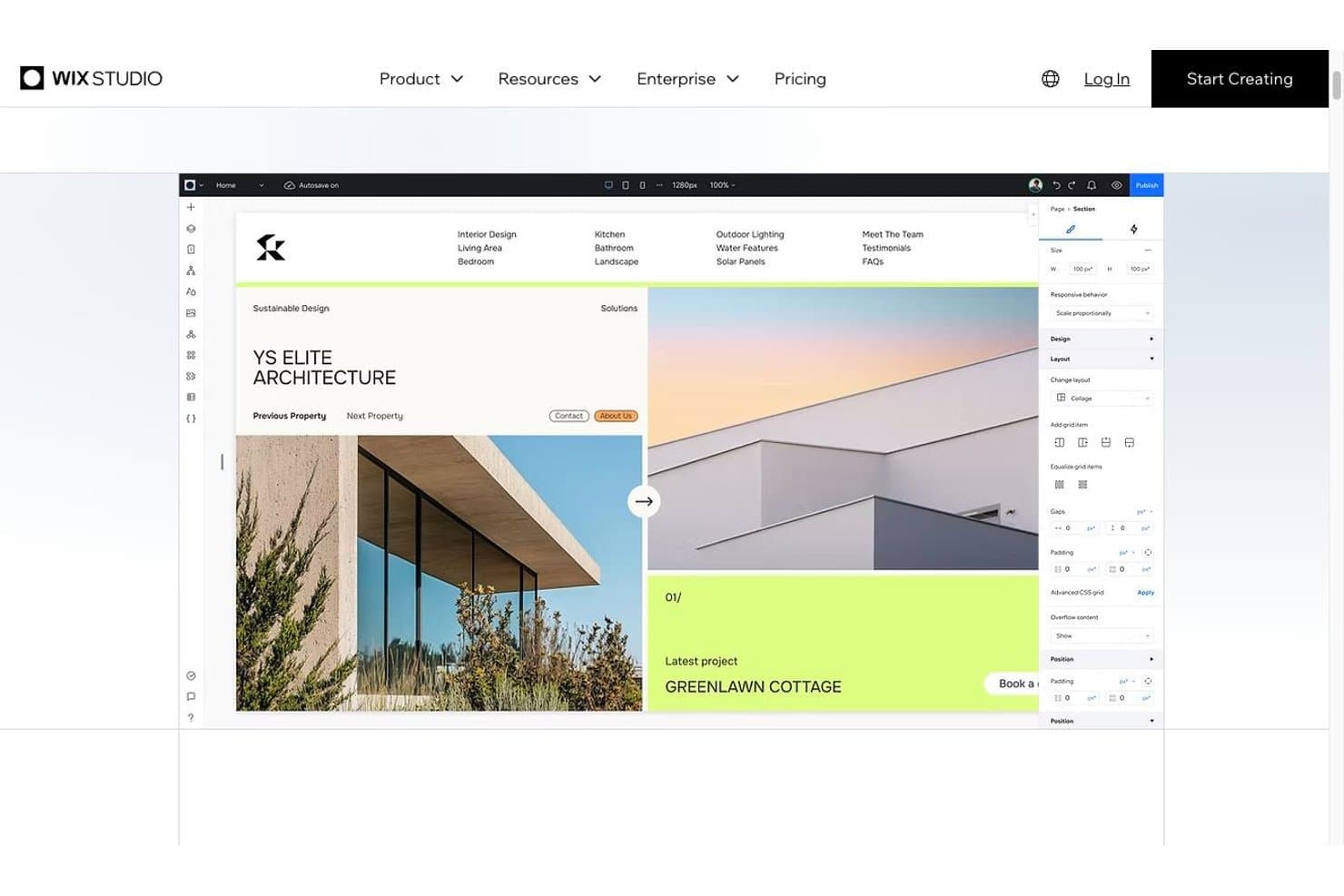
El editor de Wix Studio con controles de diseño adaptable Wix Studio es una solución de diseño web integral para agencias, autónomos y empresas que necesitan crear, gestionar y ampliar sitios de marketing, experiencias de comercio electrónico y proyectos web personalizados desde un solo lugar.
¿Para quién es más adecuado Wix Studio?
Wix Studio es adecuado para agencias y empresas en crecimiento que necesitan capacidades de diseño, comercio electrónico y desarrollo web personalizado en una única plataforma gestionada.
Por qué Wix Studio es una buena alternativa a Framer
Elegí Wix Studio porque permite crear sitios integrales que van más allá de las páginas de marketing. Utilizo su cuadrícula adaptable, puntos de interrupción personalizados, CMS y herramientas de comercio electrónico integradas para crear sitios que evolucionan desde páginas de campañas hasta tiendas con mucho contenido o portales para clientes. Este alcance más amplio ofrece a los equipos una alternativa práctica a Framer cuando un proyecto necesita tanto un diseño cuidado como funciones operativas.
Características principales de Wix Studio
- Comportamientos adaptables: Define cómo se redimensionan, acoplan y reposicionan los elementos según el tamaño de la pantalla.
- Animaciones avanzadas: Añade efectos de desplazamiento, estados al pasar el cursor y animaciones de entrada.
- Código personalizado: Añade JavaScript, CSS y lógica del servidor mediante el entorno de desarrollo.
- Biblioteca de diseño: Guarda y reutiliza componentes, secciones y estilos de marca.
Integraciones de Wix Studio
Wix Studio ofrece integraciones nativas con Google Analytics, TikTok Pixel, Meta Pixel & CAPI, Google Tag Manager, Google Ads, Amazon, Instagram, Bing y Google Business Profile, además de Zapier. También proporciona acceso a más de 500 aplicaciones del mercado y a las API de Wix para integraciones personalizadas.
Pros and Cons
Pros:
- Gestiona sitios de comercio electrónico y con mucho contenido
- Los puntos de interrupción personalizados permiten un control adaptable detallado
- Las bibliotecas de diseño reutilizables se adaptan a los flujos de trabajo de las agencias
Cons:
- Requiere más configuración que Framer para lanzamientos rápidos
- La personalización avanzada puede requerir desarrollo con Velo
Learn more about Wix Studio: Ideal para publicar sitios desde Figma para equipos de diseño
- Plan gratuito disponible
- Desde $16/usuario/mes (facturado anualmente)
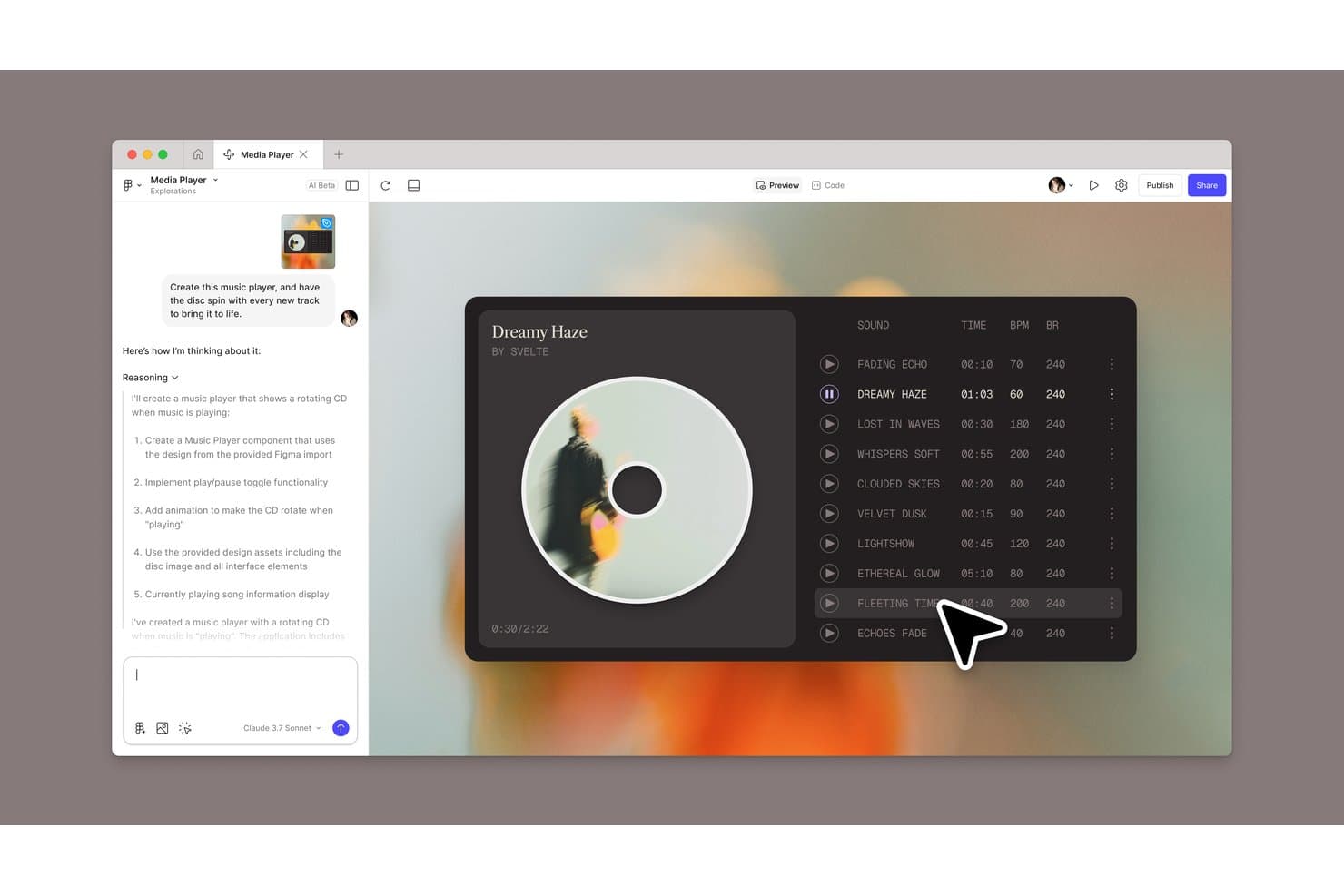
Figma Sites permite a los usuarios crear un reproductor de música generado por AI con una animación de disco giratorio. Figma Sites es un creador de sitios web para equipos de diseño que ayuda a convertir diseños de Figma en sitios web adaptables y publicables sin una entrega de desarrollo independiente.
¿Para quién es más adecuado Figma Sites?
Figma Sites es adecuado para equipos de producto, UX y marca que necesitan publicar sitios web adaptables directamente desde diseños compartidos de Figma.
Por qué Figma Sites es una buena alternativa a Framer
Elegí Figma Sites porque convierte diseños compartidos de Figma en sitios web adaptables y publicables sin una entrega de desarrollo independiente. Me gusta cómo los equipos de diseño pueden pasar de diseños aprobados a la publicación de un sitio activo dentro del mismo flujo de trabajo. Esto lo hace especialmente útil para publicar sitios desde Figma para equipos de diseño.
Características principales de Figma Sites
- Bloques prediseñados: Añade componentes de diseño automático y estilos personalizados para estructurar las páginas.
- Interacciones predefinidas: Aplica desplazamiento de marquesina, cursores personalizados y efectos al pasar el cursor.
- CMS de Sites: Crea colecciones de contenido y actualiza el texto o los elementos visuales por separado.
- Personalización mediante código y AI: Edita el código del sitio o genera interacciones con indicaciones para la AI.
Integraciones de Figma Sites
Las integraciones nativas específicas de Figma Sites no están documentadas claramente. La plataforma más amplia de Figma es compatible con Jira, Confluence, Slack, Google Workspace, Microsoft Teams, Notion, Asana, Linear y Zapier, además de la API de Figma para integraciones personalizadas.
Pros and Cons
Pros:
- Publica sitios adaptables a partir de diseños de Figma
- Mantiene el diseño y la publicación en un solo flujo de trabajo
- Admite código personalizado junto con la edición visual
Cons:
- Las funciones para sitios web siguen siendo más recientes que las de Framer
- Las interacciones avanzadas pueden requerir editar el código
Learn more about Figma Sites:
 Learn more about Weblium:
 10Ideal para animaciones editoriales y de portafolio
ReadyMag
- Plan gratuito disponible
- Desde $14/mes (facturado anualmente)
Learn more about ReadyMag:
Cómo evalúo las alternativas a Framer
Divido mi evaluación en tres partes: funcionalidad principal (si permite crear visualmente y publicar de forma adaptable; estos aspectos tienen el mayor peso), funcionalidades destacadas, como la calidad de la exportación de código y la generación de diseños asistida por IA, y factores que van más allá de las funcionalidades, como la transparencia de precios y la incorporación de equipos sin formación en diseño.
Funcionalidad principal (requisitos básicos para esta lista)
Al seleccionar las herramientas para mi lista, puntúo cada una en una escala de 0 (no ofrece la funcionalidad) a 5 (sobresale en esta área) para cada funcionalidad principal que se indica a continuación. Después convierto el total en un porcentaje para ayudar a evaluar la adecuación general de cada herramienta, con un peso adicional para las funcionalidades que he considerado esenciales.
- Creador visual de sitios web (esencial): Busco lienzos flexibles, controles de diseño precisos y edición sin código para páginas de marketing, portafolios y lanzamientos.
- Publicación adaptable (esencial): Evalúo los controles de puntos de ruptura y la capacidad de las páginas publicadas para adaptarse a teléfonos, tabletas y pantallas de escritorio.
- Animaciones e interacciones: Compruebo la disponibilidad de efectos personalizados al pasar el cursor, desplazarse, hacer clic y realizar transiciones que contribuyan a una presentación pulida del producto.
- Biblioteca de plantillas: Evalúo la variedad de plantillas, el nivel de personalización y los puntos de partida para páginas de destino, portafolios, blogs y sitios empresariales.
- Colaboración en tiempo real: Busco edición compartida, comentarios, permisos y flujos de trabajo de revisión que respalden a los equipos de producto, diseño, marketing y clientes.
- Capacidades de CMS: Evalúo colecciones estructuradas, campos reutilizables y plantillas dinámicas para blogs, casos prácticos, documentación y otros contenidos recurrentes.
Una vez que tengo una lista de herramientas que cumplen los criterios, considero qué distingue a cada plataforma.
Factores diferenciadores (lo que distingue a los proveedores)
Así es como comparo y contrasto los distintos proveedores:
Funcionalidades destacadas
Evalúo la calidad de la exportación de código porque los equipos de producto a menudo necesitan que el área de ingeniería amplíe o personalice lo que se ha creado visualmente. Un HTML/CSS o una salida de React limpios, como los que ofrecen Webflow y Framer, ahorran semanas de trabajo de reconstrucción. También compruebo si existe generación de diseños asistida por IA, que acelera la creación de conceptos iniciales cuando se están explorando distintas direcciones para una página de destino. La compatibilidad con la localización también es importante; busco publicación nativa en varios idiomas para que los equipos globales puedan lanzar variantes regionales sin duplicar sitios completos.
Más allá de las funcionalidades
Analizo la transparencia de precios y cómo aumentan los costes al añadir sitios, elementos de CMS o usuarios del equipo; los costes adicionales inesperados tras migrar desde Framer anulan el propósito del cambio. La adecuación al flujo de trabajo interfuncional también es importante: compruebo si una plataforma admite historial de versiones, comentarios e integraciones con herramientas como Figma o Slack, para que los responsables de producto y los ingenieros puedan colaborar sin enviarse capturas de pantalla por correo electrónico. También evalúo la infraestructura de SEO, incluidos los controles de metadatos integrados, el marcado limpio y el rendimiento de las Métricas web esenciales, ya que una página de destino que carga lentamente hace que tu campaña pierda conversiones reales.
¿Por qué buscar una alternativa a Framer?
Como he dicho, ninguna herramienta lo tiene todo y, aunque Framer es una opción sólida para el diseño de productos, hay varios motivos por los que algunos usuarios buscan soluciones alternativas. Estos son algunos ejemplos de por qué podrías estar aquí buscando una alternativa:
- Los planes de precios de Framer no se ajustan al presupuesto de tu equipo
- Buscas herramientas de colaboración más avanzadas
- Carece de ciertas integraciones que tu equipo necesita
- Te enfrentas a problemas de escalabilidad en proyectos grandes
Si alguna de estas situaciones te resulta familiar, has llegado al lugar adecuado. Mi lista incluye varias opciones de diseño de productos más adecuadas para los equipos que se enfrentan a estos desafíos con Framer y buscan soluciones alternativas.
Funciones principales de Framer
Estas son algunas de las características principales de Framer, para ayudarte a contrastar y comparar lo que ofrecen las soluciones alternativas:
- Diseño y maquetación: Puedes diseñar sin limitaciones, utilizando herramientas similares a Adobe XD y Figma, compatibles con cuadrículas flexibles y diseños adaptables.
- Estilos: Aplica estilos personalizados a las capas con controles de propiedades para rellenos, bordes y sombras, lo que ayuda a tu equipo a mantener la coherencia.
- Importación desde Figma: Importa diseños de Figma directamente, conservando las capas para editarlos y publicarlos fácilmente, lo que resulta útil para la gestión de contenidos y para equipos que ya utilizan Figma.
- Importación de elementos del sitio web: Incorpora tus páginas de destino y sitios web codificados a Framer simplemente copiando y pegando, ya sea HTML, CSS o cualquier creador de sitios web que estés utilizando actualmente.
- Herramientas de IA: Mejora el contenido de tu sitio web con funciones de reescritura mediante IA para hacerlo más atractivo y pulido.
- Navegación: Utiliza herramientas intuitivas para enlazar y organizar el contenido, ofreciendo una navegación fluida y una gestión eficaz de las URL.
- Colaboración en tiempo real: Trabaja con tu equipo durante el proceso de diseño en tiempo real, utilizando permisos específicos de visualización y edición para facilitar la colaboración desde las maquetas hasta la exportación.
- Prototipado: Crea prototipos interactivos para probar y validar tus diseños antes del desarrollo. Crea y previsualiza fácilmente tus prototipos en Android y iOS.
- Animaciones: Añade animaciones a tus diseños para hacerlos más interactivos y atractivos visualmente.
- Sistema de componentes: Utiliza un sistema de componentes reutilizables para mantener la coherencia del diseño en todos los proyectos.
- Exportación de código: Exporta código listo para producción, lo que permite a los desarrolladores integrar los diseños directamente en los proyectos.
- Alojamiento y creación gratuitos de sitios web- Ofrece una configuración rápida y escalable para sitios web personalizados, diversas plantillas de diseño web, funciones de SEO integradas y optimización, numerosos complementos e integraciones, y publicación gratuita.