

Reseña de Userbrain: Ventajas, Desventajas, Características y Precios
Userbrain destaca en las pruebas de usabilidad gracias a su interfaz fácil de usar y su precio asequible, lo que la convierte en una de las principales opciones para equipos que buscan retroalimentación eficiente.

Revisamos las herramientas de forma independiente y las comisiones ayudan a financiar nuestras pruebas. Consulta nuestra política de transparencia, nuestra metodología, o sugiere una herramienta.
Userbrain is a usability testing tool built for product teams that want a steady stream of recorded user sessions without coordinating a full research operation. It's worth considering if your team runs tests regularly but doesn't need the enterprise infrastructure of UserTesting—Userbrain's subscription model and built-in participant panel make it easier to get ongoing feedback without the per-test pricing or the project management overhead that comes with larger platforms.
Userbrain Evaluation Summary
4.2/5
- From $0/month
Por qué confiar en nuestras recomendaciones de software
6,700+
Reviews
20
Industry experts
16+
Evaluation factors
14
Years
Nuestro equipo lleva probando y evaluando software desde 2012. Como gestores de producto, sabemos lo difícil —y lo importante— que es elegir el software adecuado.
Para esta guía, evaluamos las herramientas mediante pruebas prácticas e investigación independiente, puntuando las herramientas según nuestros criterios de selección.
Nuestras reseñas reflejan nuestro criterio editorial humano, no un discurso de ventas.
Revisores expertos:
 Hannah ClarkSenior TPM
- Cristiano ValimSenior UI/UX Lead

Userbrain Overview
In my opinion, Userbrain is a strong contender in the usability testing tools space. It excels in ease of use and quick setup, making it ideal for teams that need fast, actionable insights on their prototypes without the hassle. The pricing is competitive, especially for startups and small teams. However, its customer support could be more responsive compared to others. Userbrain stands out for offering a straightforward, no-frills approach to usability testing, which is perfect for teams looking to validate their user experience without getting bogged down in complex features. If you're after simplicity and speed, Userbrain is a solid choice.
Pros
- You can quickly gather real user feedback with minimal setup.
- The interface is intuitive, making it easy for your team to navigate.
- Userbrain offers fast insights, helping your team make decisions swiftly.
Cons
- Customer support response times could be quicker for your urgent queries.
- It lacks some advanced features found in other usability tools.
- You might find the reporting options a bit limited for detailed analysis.
Is Userbrain Right For Your Needs?
Who Would be a Good Fit for Userbrain?
Userbrain is perfect for small to medium-sized tech startups and digital agencies where quick, actionable feedback is crucial. If your team values speed and simplicity in usability testing and user research, Userbrain's intuitive interface and fast insights make it a great choice. Product managers and UX designers will find it especially useful for validating user experiences without the complexity of more advanced tools. Its ease of use allows you to focus on improving your product rather than getting bogged down in technicalities.
- Tech StartupsUserbrain provides quick user feedback that helps your startup iterate rapidly.
- Digital AgenciesAgencies can use Userbrain to validate design concepts and improve client projects efficiently.
- Product ManagersIt helps you gather user insights without complex setups, aiding in informed decision-making.
- UX DesignersUserbrain's simple interface allows you to test user experiences on web and mobile apps.
- Small BusinessesSmall teams benefit from its affordability and ease of use for direct user feedback.
- Remote TeamsUserbrain's online platform lets your remote team collaborate seamlessly on usability testing.
Who Would be a Bad Fit for Userbrain?
Userbrain might not suit large enterprises or industries requiring advanced, detailed analytics due to its limited reporting capabilities. If your team needs extensive integrations with other software or highly customizable testing options, you might find Userbrain lacking in these areas. Teams focused on in-depth data analysis or those requiring robust customer support may want to consider other tools with richer features and more comprehensive support options.
- Large EnterprisesUserbrain lacks the advanced analytics and scalability that big companies often require.
- Data-Driven TeamsIf your team relies on deep data analysis, Userbrain's reporting might not meet your needs.
- Complex ProjectsFor projects needing extensive customization, Userbrain's simplicity might be a limitation.
- Corporate IT DepartmentsIf your IT department needs extensive integrations, Userbrain may not offer sufficient options.
- Customer Service TeamsTeams needing immediate support might find Userbrain's support response times too slow.
- Industries with Compliance NeedsUserbrain may not provide the necessary compliance features for heavily regulated industries.
Cómo Probamos y Puntamos Herramientas
Llevamos años construyendo, refinando y mejorando nuestro sistema de pruebas y puntuación de software. La rúbrica está diseñada para captar los matices de la selección de software y lo que hace que una herramienta sea eficaz, centrándose en aspectos críticos del proceso de decisión. A continuación, puedes ver exactamente cómo funcionan nuestras pruebas y puntuaciones a través de siete criterios. Esto nos permite proporcionar una evaluación imparcial del software según funcionalidad principal, características destacadas, facilidad de uso, implementación, soporte al cliente, integraciones, reseñas de clientes y relación calidad-precio.
Funcionalidad Principal (25% de la puntuación final)
El punto de partida de nuestra evaluación siempre es la funcionalidad principal de la herramienta. ¿Cuenta con las funciones básicas que un usuario espera ver? ¿Alguna de esas funciones centrales está limitada a planes de precios superiores? Esperamos que una herramienta esté a la altura de las capacidades básicas de sus competidores.
Características Destacadas (25% de la puntuación final)
Luego evaluamos características especiales poco comunes que van más allá de la funcionalidad principal que normalmente se encuentra en herramientas similares. Una alta puntuación refleja características especializadas o únicas que hacen que el producto sea más rápido, eficiente u ofrezca valor añadido al usuario. También evaluamos lo fácil que es integrar con otras herramientas habituales en el entorno tecnológico para ampliar la funcionalidad y utilidad del software. Las herramientas que ofrecen integraciones nativas abundantes, conexiones de terceros y acceso por API para crear integraciones personalizadas obtienen la mejor puntuación.
Facilidad de Uso (10% de la puntuación final)
Consideramos lo rápido y sencillo que es llevar a cabo las tareas definidas en la funcionalidad principal usando la herramienta. El software con alta puntuación está bien diseñado, es intuitivo, ofrece apps móviles, tiene plantillas y hace que tareas relativamente complejas parezcan simples.
Implementación (10% de la puntuación final)
Sabemos lo importante que es la adopción rápida del equipo para una nueva plataforma, así que evaluamos la facilidad de aprendizaje y uso de una herramienta con entrenamiento mínimo. Evaluamos cuán rápidamente un miembro del equipo puede configurar y empezar a usar la herramienta sin experiencia previa. Las soluciones con alta puntuación indican que se requiere poco o ningún soporte.
Soporte al Cliente (10% de la puntuación final)
Revisamos lo rápido y sencillo que es desatascarse y encontrar ayuda por teléfono, chat en vivo o base de conocimientos. Los productos y empresas que ofrecen soporte en tiempo real obtienen mejor puntuación, mientras que los chats automáticos obtienen la peor.
Reseñas de Clientes (10% de la puntuación final)
Más allá de nuestras propias pruebas y evaluaciones, consideramos el net promoter score de clientes actuales y pasados. Revisamos su probabilidad, dadas las opciones, de elegir la herramienta de nuevo por su funcionalidad principal. Un software con alta puntuación refleja un alto net promoter score de clientes actuales o anteriores.
Relación Calidad-Precio (10% de la puntuación final)
Por último, teniendo en cuenta todos los demás criterios, revisamos el precio promedio de los planes de nivel de entrada frente a las funcionalidades principales y consideramos el valor de los demás criterios de evaluación. El software que ofrece más por menos, obtendrá una puntuación mayor.
Core Features
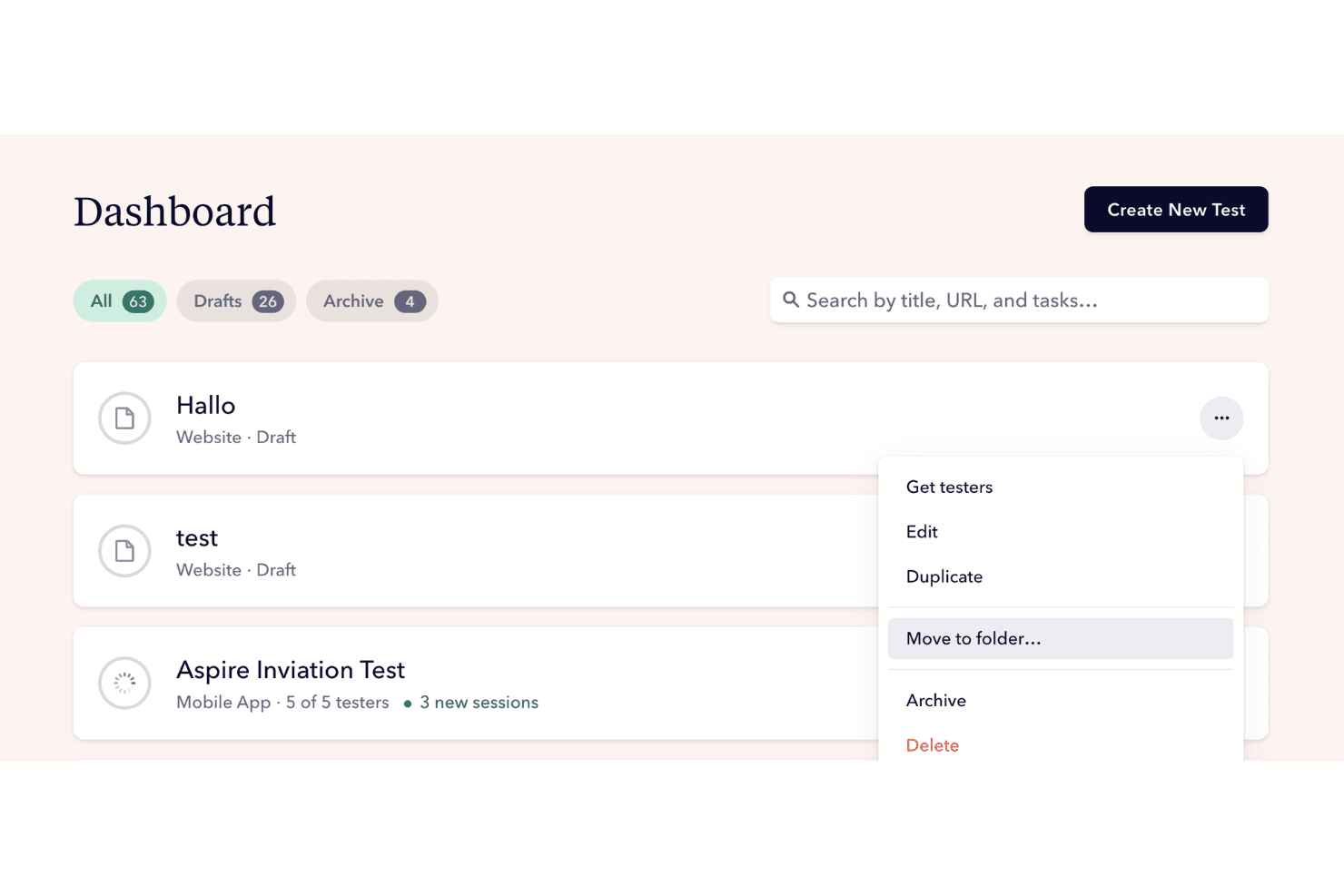
User Feedback Collection
Userbrain lets you gather feedback from real users quickly, providing high-quality insights.. This feature allows your team to see how users interact with your product.
Task-Based Testing
You can set up specific tasks for users to complete using customizable templates, helping you evaluate particular aspects of your product. This approach ensures you get focused feedback.
Video Recordings
Userbrain records users as they navigate your product, giving you a visual understanding of their interactions. These recordings help you identify usability issues you might otherwise miss.
Simple Interface
The intuitive design of Userbrain's interface makes it easy for your team to set up tests and analyze results. You won't waste time learning complex systems, allowing you to focus on your product.
Quick Setup
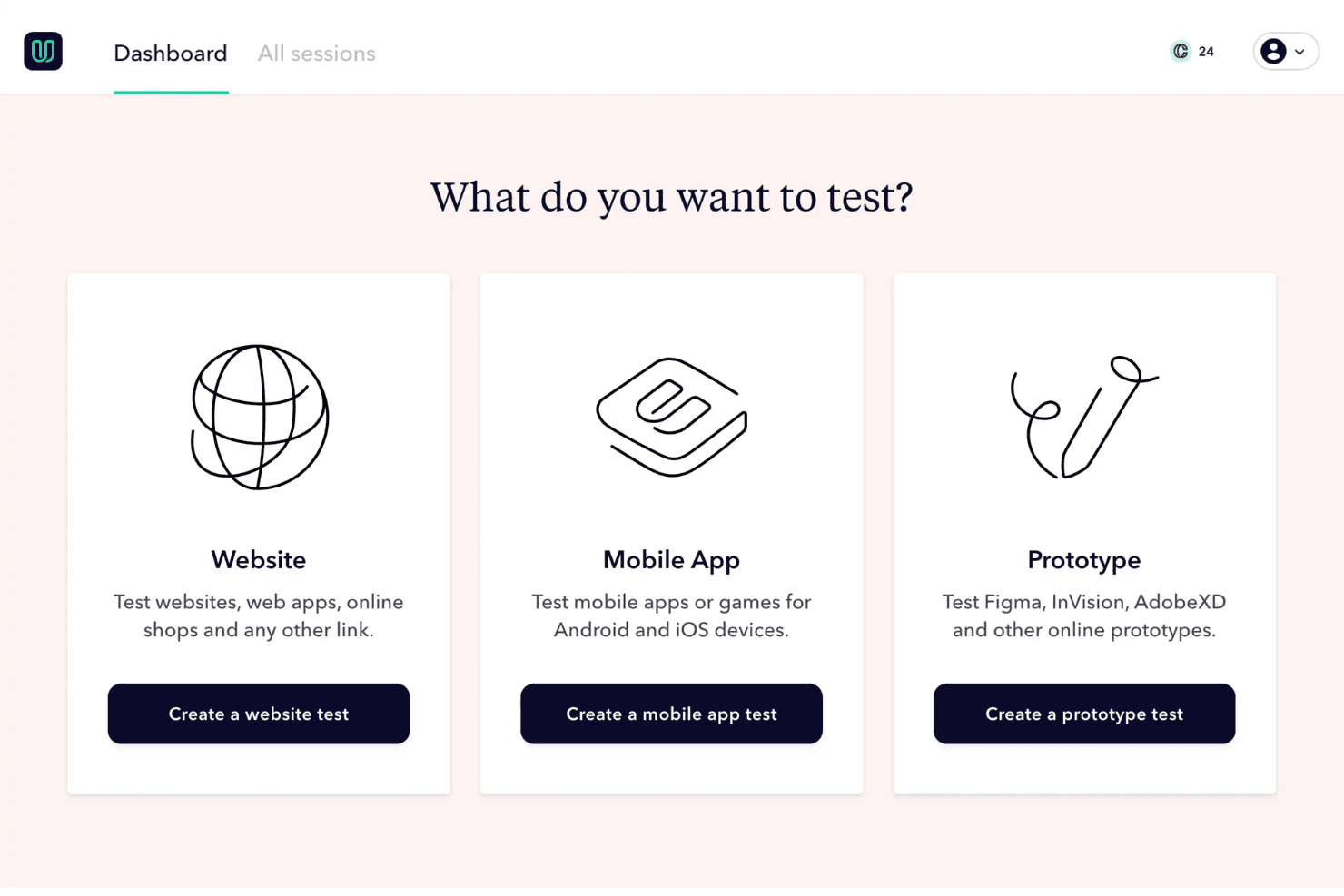
Userbrain's straightforward setup process means you can start testing in minutes. This ease of use is perfect for teams that need feedback without delays.
Automated Weekly Tests
Userbrain automates regular testing, so you constantly receive fresh insights without manual intervention. This feature ensures your team stays updated on user behavior and product performance.
Ease of Use
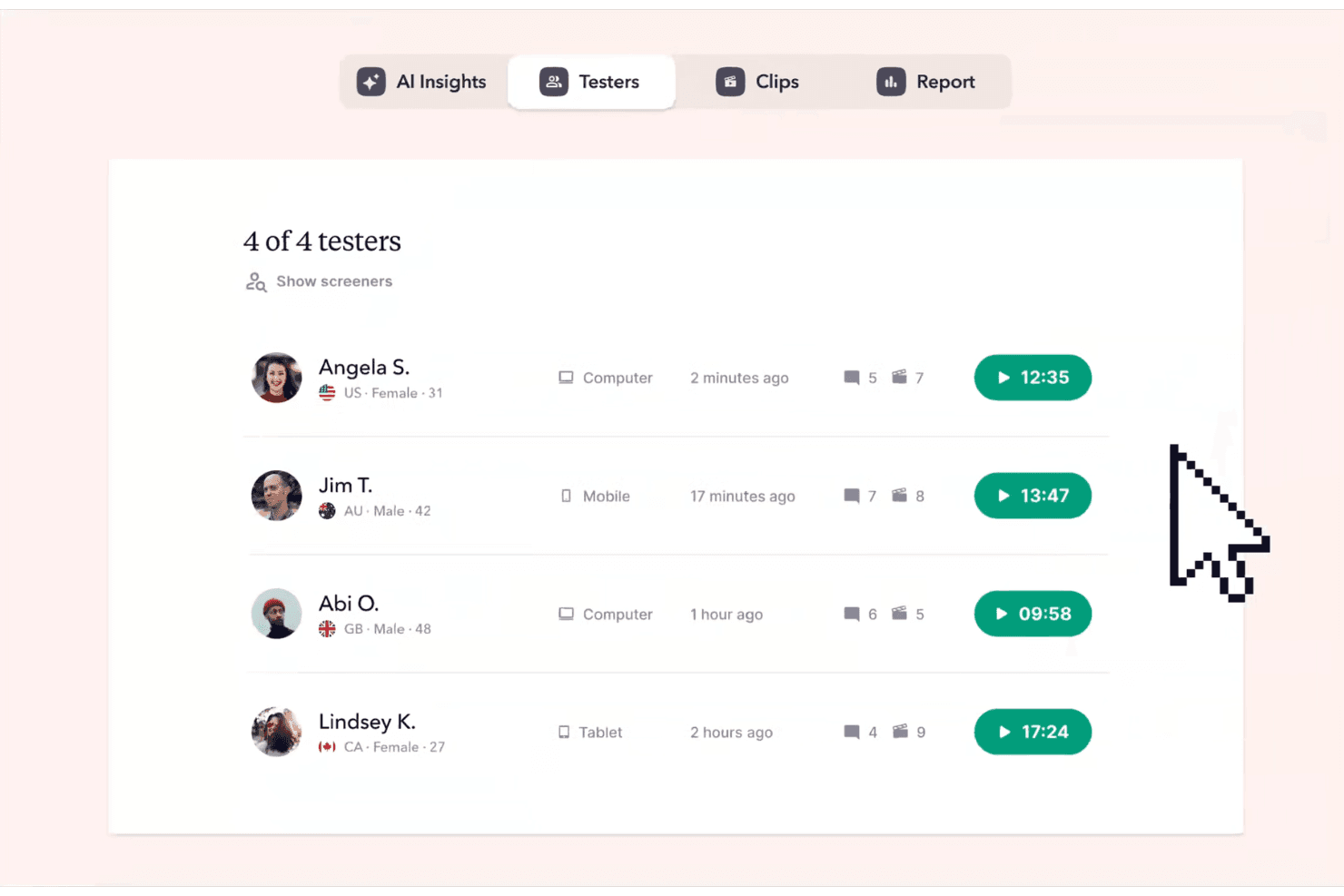
Userbrain stands out for its user-friendly interface and straightforward setup, making it a breeze for your team to start testing quickly. You won't need extensive training to navigate its features, allowing you to focus on gathering valuable user feedback. Compared to other tools, it offers a simpler experience, which many users appreciate for its efficiency. The intuitive design ensures you can easily set up tests, view results, and make informed decisions without any fuss.
Integrations
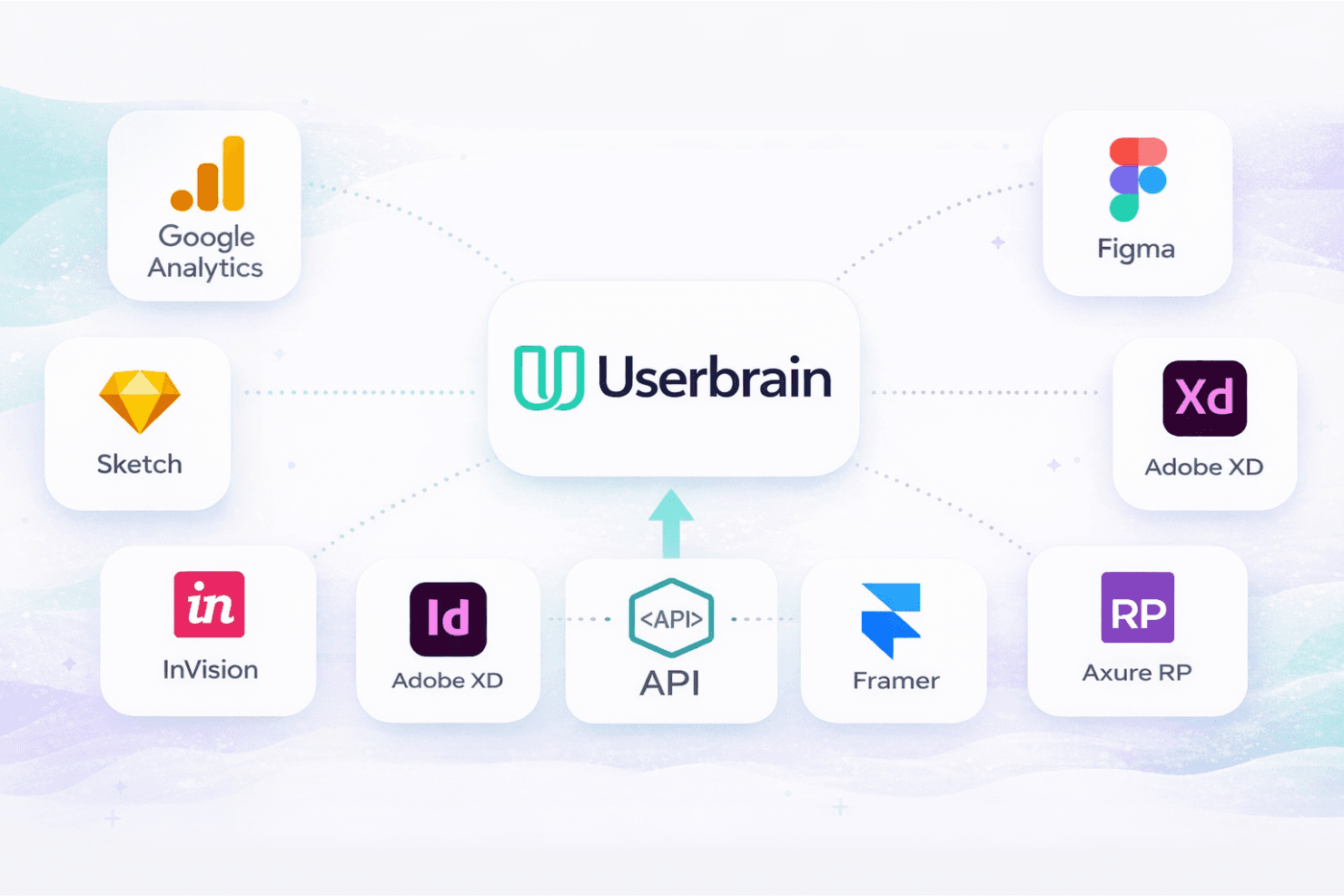
Userbrain integrates with Google Analytics, Figma, Sketch, Adobe XD, InVision, Framer, and Axure RP.
Userbrain also offers an API for custom integrations.
Userbrain Specs
- Analytics: Yes
- API: Yes
- Calendar Management: No
- Chat: No
- Click-to-Dial: No
- CRM Integration: No
- Customer Management: No
- Customer Service: No
- Dashboard: Yes
- Dashboards: No
- Data Export: Yes
- Data Import: Yes
- Data Visualization: Yes
- External Integrations: Yes
- Feedback Management: Yes
- Knowledge Base: Yes
- Lead Management: No
- Lead Scoring: No
- Multi-Source Feedback: Yes
- Multi-User: Yes
- Net Promoter Score: No
- Notifications: Yes
- Omnichannel Referrals: No
- Online Surveys: Yes
- Review Moderation: No
- Scheduling: Yes
- Sentiment Analysis: No
- Social Media Monitoring: No


