

Reseña de Datadog: Pros, Contras, Características y Precios
Descubre los pros, contras, precios y características de Datadog comparados con otras herramientas de seguimiento de usuarios para ver si es adecuado para tu equipo.

Revisamos las herramientas de forma independiente y las comisiones ayudan a financiar nuestras pruebas. Consulta nuestra política de transparencia, nuestra metodología, o sugiere una herramienta.
Datadog is a user tracking software for engineering and product teams that need to connect frontend user behavior to backend performance data. I'd consider it over something like New Relic if your team already runs infrastructure monitoring in Datadog and wants real user monitoring, session replay, and error tracking in the same platform—rather than managing a separate tool just for the user-facing layer.
Datadog Evaluation Summary
4.5/5
- From $5/month (billed annually)
- Free plan available and 14-day free trial
Por qué confiar en nuestras recomendaciones de software
6,700+
Reviews
20
Industry experts
16+
Evaluation factors
14
Years
Nuestro equipo lleva probando y evaluando software desde 2012. Como gestores de producto, sabemos lo difícil —y lo importante— que es elegir el software adecuado.
Para esta guía, evaluamos las herramientas mediante pruebas prácticas e investigación independiente, puntuando las herramientas según nuestros criterios de selección.
Nuestras reseñas reflejan nuestro criterio editorial humano, no un discurso de ventas.
Revisores expertos:
 Hannah ClarkSenior TPM
- Cristiano ValimSenior UI/UX Lead

Datadog Overview
In my opinion, Datadog stands out with its powerful real-time monitoring features, making it ideal for tech-driven teams needing detailed insights. While it offers excellent integrations and customer support, its pricing may not suit smaller businesses. Compared to competitors, Datadog excels in data visualization and alerting but falls short on ease of use and onboarding. It's best for larger organizations or those with complex infrastructure needing robust analytics. If your team requires detailed monitoring and can handle a steeper learning curve, Datadog is a solid choice.
Pros
- You get real-time monitoring that helps your team catch issues quickly.
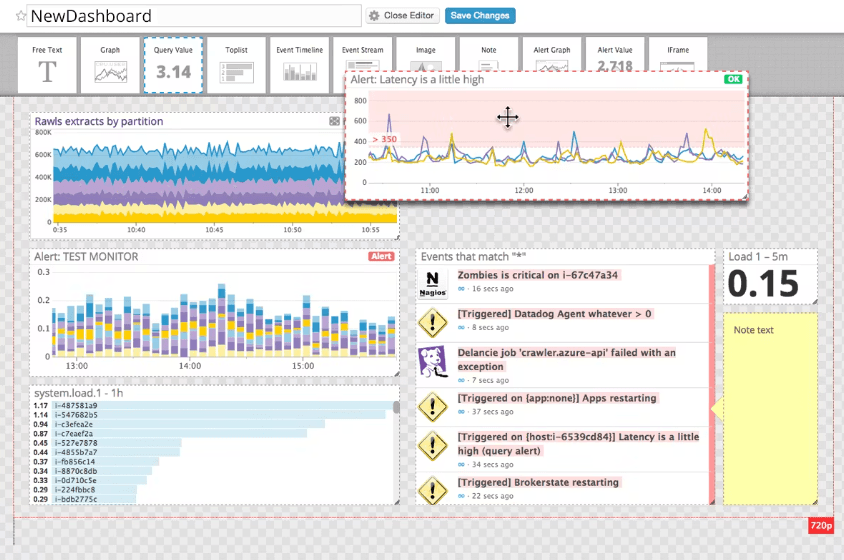
- Datadog's dashboards make it easy to visualize your data.
- The alerting system is customizable to fit your team's needs.
Cons
- You might find the interface a bit complex to navigate.
- Onboarding can be challenging for new users.
- Your team may need time to learn its advanced features.
Is Datadog Right For Your Needs?
Who Would be a Good Fit for Datadog?
Datadog is perfect for tech-driven teams in industries like finance and e-commerce where real-time data is crucial. If your team needs a robust monitoring tool with customizable alerts, Datadog's real-time analytics and visualization tools will serve you well. It's especially useful for IT operations and development teams dealing with complex infrastructures, as it helps identify performance issues quickly.
- Large EnterprisesDatadog's scalability and detailed analytics make it ideal for big companies needing comprehensive monitoring.
- IT OperationsYour IT team will benefit from Datadog's real-time monitoring and alerting features to manage system performance.
- E-commerceDatadog helps track and analyze user interactions in real-time, crucial for online retail businesses.
- Financial ServicesThe detailed insights and security monitoring make it suitable for finance sectors needing stringent oversight.
- DevOps TeamsYour DevOps team can leverage Datadog’s integration capabilities to streamline development and operations.
- Healthcare ITDatadog's robust data visualization and monitoring features support compliance and performance in healthcare tech environments.
Who Would be a Bad Fit for Datadog?
Datadog might not suit small businesses or startups with limited budgets and simpler monitoring needs. Its complex interface and steep learning curve can be overwhelming if your team lacks technical expertise. If you’re looking for a straightforward, user-friendly tool without extensive setup, Datadog’s advanced features might be overkill. It’s also not ideal if your team doesn't require real-time analytics or detailed customizations.
- Small StartupsDatadog's complexity and cost are unnecessary for startups needing simple monitoring solutions.
- Non-Tech TeamsYour non-tech team might struggle with Datadog's complex interface and advanced features.
- Budget-Constrained BusinessesIf your business has tight budgets, Datadog's pricing may not align with your financial plans.
- Simple Monitoring NeedsFor basic monitoring, Datadog's advanced capabilities are excessive and may not be cost-effective.
- Short-Term ProjectsIf your project is temporary, Datadog's setup time and learning curve might not be worth it.
- FreelancersFreelancers with simple tracking needs will find Datadog's features too extensive and costly.
Cómo Probamos y Puntamos Herramientas
Llevamos años construyendo, refinando y mejorando nuestro sistema de pruebas y puntuación de software. La rúbrica está diseñada para captar los matices de la selección de software y lo que hace que una herramienta sea eficaz, centrándose en aspectos críticos del proceso de decisión. A continuación, puedes ver exactamente cómo funcionan nuestras pruebas y puntuaciones a través de siete criterios. Esto nos permite proporcionar una evaluación imparcial del software según funcionalidad principal, características destacadas, facilidad de uso, implementación, soporte al cliente, integraciones, reseñas de clientes y relación calidad-precio.
Funcionalidad Principal (25% de la puntuación final)
El punto de partida de nuestra evaluación siempre es la funcionalidad principal de la herramienta. ¿Cuenta con las funciones básicas que un usuario espera ver? ¿Alguna de esas funciones centrales está limitada a planes de precios superiores? Esperamos que una herramienta esté a la altura de las capacidades básicas de sus competidores.
Características Destacadas (25% de la puntuación final)
Luego evaluamos características especiales poco comunes que van más allá de la funcionalidad principal que normalmente se encuentra en herramientas similares. Una alta puntuación refleja características especializadas o únicas que hacen que el producto sea más rápido, eficiente u ofrezca valor añadido al usuario. También evaluamos lo fácil que es integrar con otras herramientas habituales en el entorno tecnológico para ampliar la funcionalidad y utilidad del software. Las herramientas que ofrecen integraciones nativas abundantes, conexiones de terceros y acceso por API para crear integraciones personalizadas obtienen la mejor puntuación.
Facilidad de Uso (10% de la puntuación final)
Consideramos lo rápido y sencillo que es llevar a cabo las tareas definidas en la funcionalidad principal usando la herramienta. El software con alta puntuación está bien diseñado, es intuitivo, ofrece apps móviles, tiene plantillas y hace que tareas relativamente complejas parezcan simples.
Implementación (10% de la puntuación final)
Sabemos lo importante que es la adopción rápida del equipo para una nueva plataforma, así que evaluamos la facilidad de aprendizaje y uso de una herramienta con entrenamiento mínimo. Evaluamos cuán rápidamente un miembro del equipo puede configurar y empezar a usar la herramienta sin experiencia previa. Las soluciones con alta puntuación indican que se requiere poco o ningún soporte.
Soporte al Cliente (10% de la puntuación final)
Revisamos lo rápido y sencillo que es desatascarse y encontrar ayuda por teléfono, chat en vivo o base de conocimientos. Los productos y empresas que ofrecen soporte en tiempo real obtienen mejor puntuación, mientras que los chats automáticos obtienen la peor.
Reseñas de Clientes (10% de la puntuación final)
Más allá de nuestras propias pruebas y evaluaciones, consideramos el net promoter score de clientes actuales y pasados. Revisamos su probabilidad, dadas las opciones, de elegir la herramienta de nuevo por su funcionalidad principal. Un software con alta puntuación refleja un alto net promoter score de clientes actuales o anteriores.
Relación Calidad-Precio (10% de la puntuación final)
Por último, teniendo en cuenta todos los demás criterios, revisamos el precio promedio de los planes de nivel de entrada frente a las funcionalidades principales y consideramos el valor de los demás criterios de evaluación. El software que ofrece más por menos, obtendrá una puntuación mayor.
Core Features
Real-Time Monitoring
Datadog provides live data tracking, so your team can identify and resolve issues instantly. This feature is crucial for maintaining system health and performance.
Customizable Dashboards
You can tailor dashboards to display the most relevant data for your work. This flexibility helps you focus on what matters to your team and align monitoring workflows with your operational priorities.
Alerting System
Automate alerts to notify you of issues before they escalate. You can customize these alerts based on specific thresholds and conditions, helping your team respond quickly and reduce downtime.
Data Visualization
The platform offers clear, visual insights into your data. This makes it easier for you to analyze custom metrics, identify trends, and make informed decisions.
Log Management
Datadog efficiently collects and manages logs from your applications. When combined with APM, it helps you troubleshoot and optimize your system's performance.
Real User Monitoring (RUM)
Datadog lets you track how real users interact with your applications across devices and locations. This helps your team identify performance issues, user behavior, and improve the user experience.

Ease of Use
Datadog's interface can be a bit daunting at first, especially if your team isn't tech-savvy. The advanced features and customizable dashboards offer great flexibility, but they require a learning curve. You'll find that setting up alerts and configuring dashboards may take time, but once you get the hang of it, the insights are invaluable. Compared to other tools, Datadog offers powerful capabilities, but ease of use isn't its strongest suit for newcomers.
Integrations
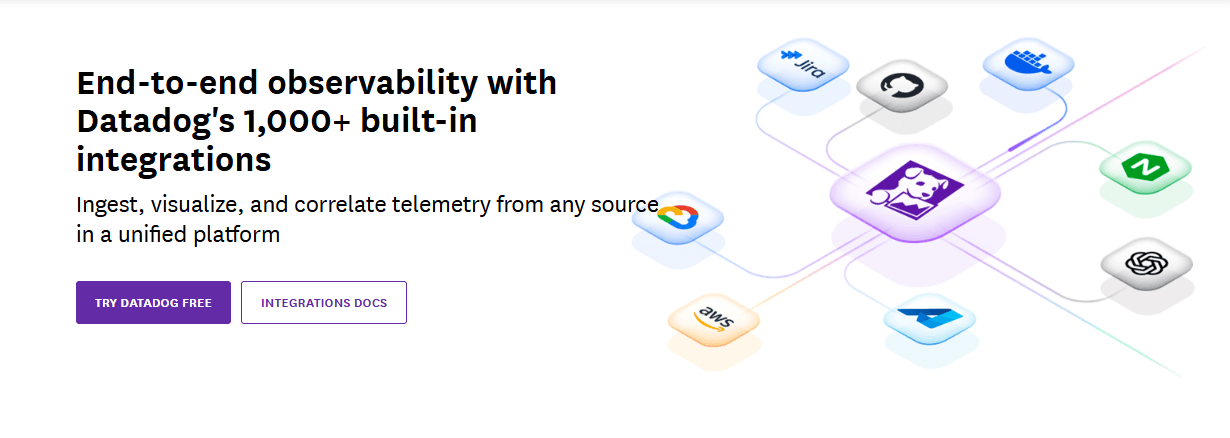
Datadog integrates with AWS, Azure, Google Cloud, Slack, PagerDuty, Jira, GitHub, Docker, Kubernetes, and Apache.
Datadog also offers an API and connects with third-party integration tools to extend its capabilities.
Datadog Specs
- AI Integration: No
- API: Yes
- Automated Testing: No
- Browser Compatibility Testing: No
- Bug Tracking: Yes
- Code Review: No
- Custom Reports: Yes
- Data Export: Yes
- Data Import: Yes
- Developer Tools: Yes
- External Integrations: Yes
- Malware Protection: No
- Multi-User: Yes
- Notifications: Yes
- Performance Testing: Yes
- Process Reporting: No
- Static Analysis: No
- Status Notifications: Yes
- Workflow Management: No


