

Con tantas opciones diferentes de software para paneles de estado disponibles, es difícil determinar cuál es la adecuada para ti. Sabes que quieres agregar datos en tiempo real de diversas fuentes y tener una visión integral del estado del producto, pero necesitas averiguar qué herramienta es la mejor para el trabajo. ¡Yo te ayudo! En este artículo te ayudaré a elegir fácilmente, compartiendo mis experiencias personales usando decenas de herramientas diferentes con equipos grandes y productos diversos, junto con mis selecciones del mejor software para paneles de estado.
Por qué confiar en nuestras recomendaciones de software
6,700+
Reviews
20
Industry experts
16+
Evaluation factors
14
Years
Nuestro equipo lleva probando y evaluando software desde 2012. Como gestores de producto, sabemos lo difícil —y lo importante— que es elegir el software adecuado.
Para esta guía, evaluamos las herramientas mediante pruebas prácticas e investigación independiente, puntuando las herramientas según nuestros criterios de selección.
Nuestras reseñas reflejan nuestro criterio editorial humano, no un discurso de ventas.
Revisores expertos:
 Hannah ClarkSenior TPM
- Cristiano ValimSenior UI/UX Lead

Tabla comparativa del software para paneles de estado
Esta tabla comparativa resume los detalles de precios de mis principales selecciones de software para paneles de estado:
| Tool | Best For | Trial Info | Price | ||
|---|---|---|---|---|---|
| 1 | La mejor opción para el cumplimiento normativo de páginas de estado de nivel gubernamental | Prueba gratuita de 30 días | Desde $29/mes | Website | |
| 2 | Ideal para supervisar dependencias de servicios de terceros | Plan gratuito + prueba gratuita de 14 días disponible | Desde 72 $/mes (facturado anualmente) | Website | |
| 3 | Ideal para la comunicación de incidentes en equipos conectados a Atlassian | Plan gratuito disponible | Desde $29/mes | Website | |
| 4 | La mejor opción para la automatización de páginas de estado basada en la supervisión | Plan gratuito + demostración gratuita disponible | Desde $29/licencia/mes | Website | |
| 5 | Ideal para crear paneles impulsados por IA | Plan gratuito disponible | Desde $16/mes (facturado anualmente) | Website | |
| 6 | Ideal para integraciones de monitorización con actualizaciones automáticas | Plan gratuito disponible | Desde $20/mes | Website | |
| 7 | Ideal para la comunicación de incidentes con múltiples audiencias | Prueba gratuita de 14 días + demostración gratuita disponible | Desde $49/mes | Website | |
| 8 | Ideal para páginas de estado de incidentes conectadas con ITSM | Demostración gratuita disponible | Precio bajo consulta | Website | |
| 9 | La mejor opción para la automatización nativa de páginas de estado mediante monitorización | Prueba gratuita de 14 días + demostración gratuita disponible | Desde $7/mes (facturado anualmente) | Website | |
| 10 | Ideal para páginas de estado con marca blanca y asistencia las 24 horas, los 7 días de la semana | No disponible | Desde $79/mes | Website |


Reseñas del mejor software para paneles de estado
A continuación encontrarás mis resúmenes detallados del mejor software para paneles de estado que llegó a mi lista de preseleccionados. Mis reseñas ofrecen una visión detallada de las funciones clave, ventajas y desventajas, integraciones y casos de uso ideales de cada herramienta para ayudarte a encontrar la mejor opción para ti.
 La mejor opción para el cumplimiento normativo de páginas de estado de nivel gubernamental
- Prueba gratuita de 30 días
- Desde $29/mes
Visit WebsiteCustomer Rating:4.9/5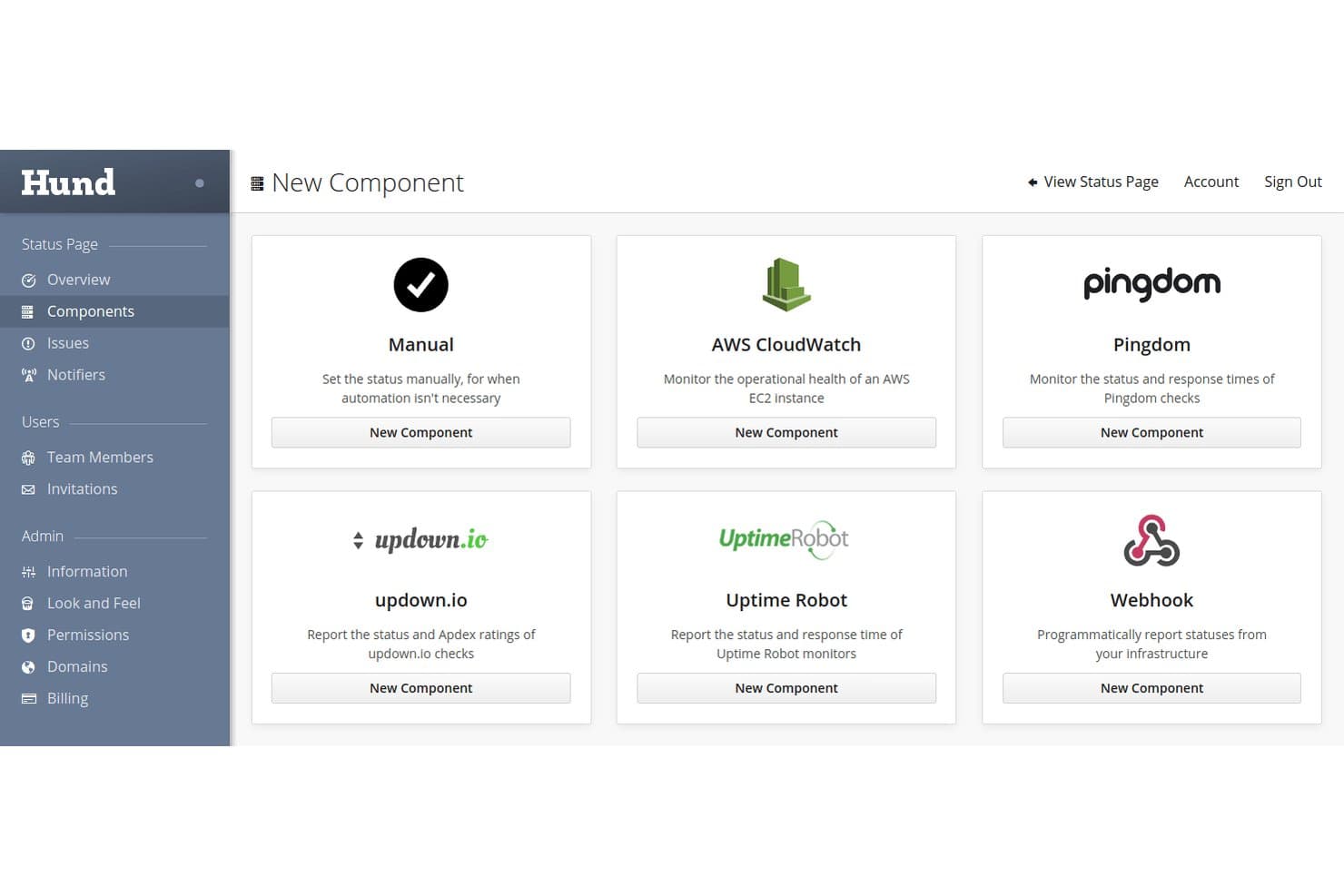
Hund.io admite múltiples integraciones de supervisión, como AWS, Pingdom y webhooks. Hund.io es una plataforma alojada de páginas de estado con supervisión de servicios integrada, notificaciones de incidentes multicanal y flujos de trabajo automatizados para realizar un seguimiento del estado de los componentes y comunicarlo.
¿Para quién es más adecuado Hund.io?
Hund.io es una opción sólida para equipos de DevOps y operaciones de TI en organizaciones preocupadas por la seguridad, especialmente aquellas que deben cumplir requisitos gubernamentales como FedRAMP o ITAR.
Por qué elegí Hund.io
He incluido Hund.io entre mis principales opciones porque es una de las pocas plataformas de páginas de estado con una infraestructura diseñada específicamente para el cumplimiento normativo gubernamental, incluidas implementaciones aisladas diseñadas para cumplir los requisitos de FedRAMP, ITAR y DoD SRG de nivel 2 y 4. También me gusta que su nivel Sovereign Enterprise ofrezca residencia de datos personalizada e infraestructura de alta disponibilidad totalmente aislada, algo poco común en esta categoría. El registro de auditoría es inmutable y los controles RBAC llegan hasta objetos individuales, por lo que la responsabilidad sobre el acceso queda realmente restringida.
Características principales de Hund.io
- Supervisión Watchdog: Las comprobaciones HTTP, TCP, DNS e ICMP integradas prueban automáticamente tus servicios desde varias regiones globales y actualizan el estado de los componentes sin intervención manual.
- Interruptor de hombre muerto: Un webhook que supervisa los trabajos programados y las comprobaciones internas, y abre automáticamente una interrupción del servicio si se omite una comprobación.
- Plantillas de comunicación: Las plantillas de mensajes prediseñadas con variables mantienen la coherencia de las actualizaciones de incidentes en todo el equipo durante todo el ciclo de vida del incidente.
- Proveedor de Terraform: Un proveedor oficial de Terraform permite gestionar la infraestructura de tu página de estado como código junto con el resto de tu cadena de herramientas de DevOps.
Integraciones de Hund.io
Hund.io se integra con PagerDuty, New Relic, AWS CloudWatch, Pingdom, UptimeRobot, Slack, Microsoft Teams y GitHub. También ofrece una API REST y webhooks para crear flujos de trabajo personalizados de supervisión e incidentes.
Pros and Cons
Pros:
- Opciones de cumplimiento normativo de nivel gubernamental
- La supervisión automatizada actualiza el estado de los componentes
- Las auditorías inmutables respaldan la responsabilidad sobre el acceso
Cons:
- Los informes carecen de análisis documentados de SLA
- La cobertura de reseñas de terceros sigue siendo limitada
Learn more about Hund.io: Ideal para supervisar dependencias de servicios de terceros
- Plan gratuito + prueba gratuita de 14 días disponible
- Desde 72 $/mes (facturado anualmente)
Visit WebsiteCustomer Rating:5/5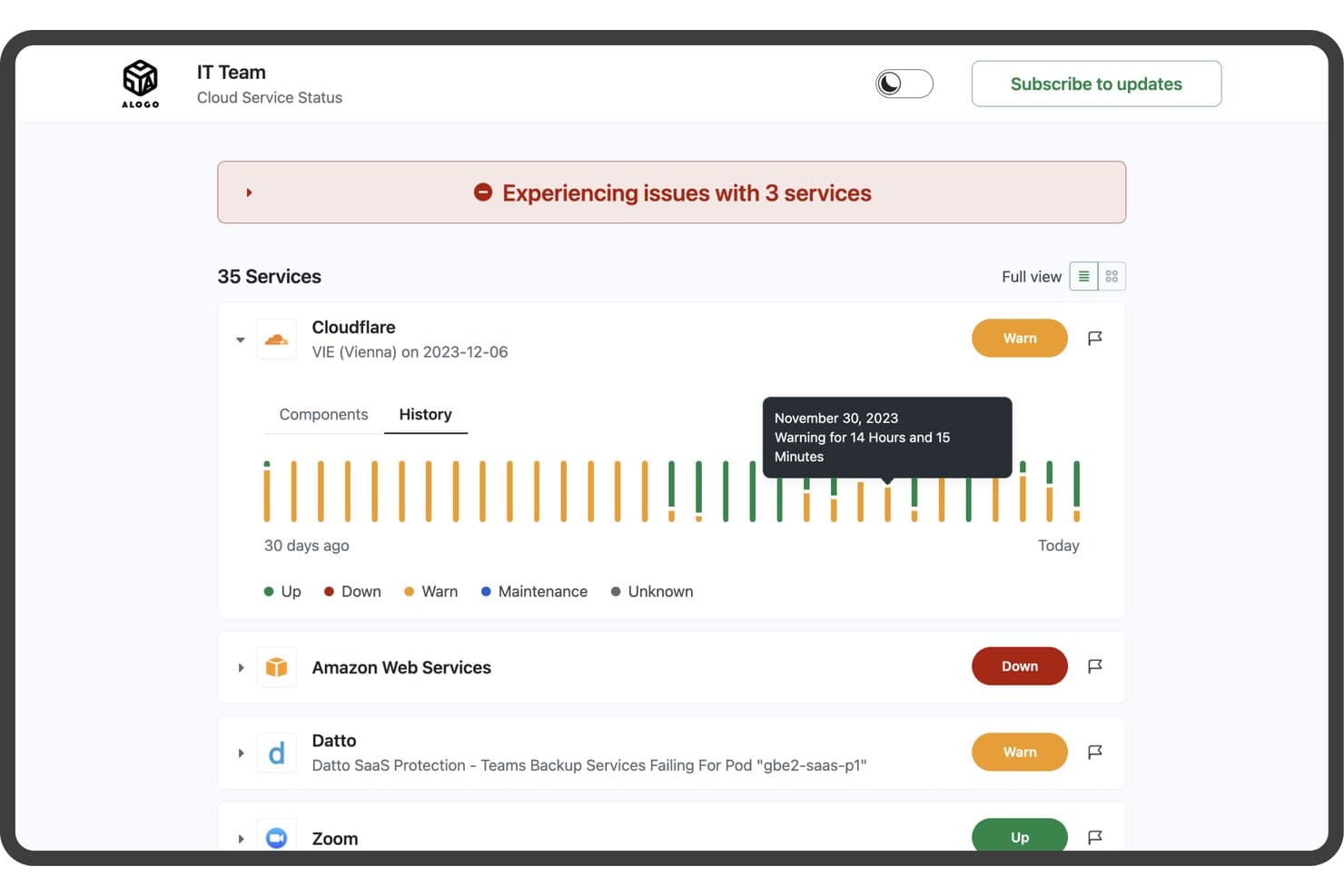
StatusGator supervisa el estado de los servicios en la nube con información y un historial en tiempo real. StatusGator es una herramienta de panel de estado que agrega páginas de estado de servicios de terceros junto con su propio sitio web, ping y monitores personalizados en una única página de estado pública o privada, con gestión de incidentes, notificaciones a suscriptores e historial de disponibilidad.
¿Para quién es más adecuado StatusGator?
StatusGator es una opción sólida para los equipos de operaciones de TI y soporte que dependen en gran medida de herramientas SaaS de terceros y necesitan supervisar las interrupciones de los proveedores junto con su propia infraestructura en un solo lugar.
Por qué elegí StatusGator
StatusGator ocupa un lugar en mi lista de favoritos porque supervisa más de 10.780 páginas de estado de proveedores externos junto con sus propios monitores en un solo lugar. Me gusta especialmente su función de Señales de advertencia tempranas, que detecta las interrupciones antes de que los proveedores las reconozcan oficialmente; por ejemplo, señala los problemas de Google Workspace unas cuatro horas antes. Cuando una dependencia SaaS deja de funcionar, ese margen de tiempo es importante. Combinado con la creación automática de incidentes a partir de las páginas de estado de terceros, ofrece a los equipos de operaciones de TI y soporte una visión realmente proactiva del estado de los proveedores.
Características principales de StatusGator
- Ciclo de vida estructurado de los incidentes: Cree incidentes con fases definidas (Investigando, Identificado, Supervisando, Resuelto), niveles de gravedad y estados por monitor; después, publique actualizaciones con marca de tiempo para los suscriptores con cada cambio.
- Ventanas de mantenimiento programado: Establezca las horas de inicio y finalización de las interrupciones planificadas, muévalas automáticamente a 'En curso' y permita que se resuelvan por sí solas para que su página de estado siga siendo precisa sin intervención manual.
- Notificaciones a suscriptores por varios canales: Alerte a las partes interesadas mediante correo electrónico, SMS, Slack, Microsoft Teams, Google Chat, Discord y notificaciones push móviles, con filtrado a nivel de componente para que los suscriptores solo reciban información sobre lo que les afecta.
- Informes de disponibilidad exportables: Descargue el historial del panel, los cambios de estado y los resúmenes de componentes como archivos CSV, JSON o Excel para cualquier intervalo de fechas directamente desde la sección Informes.
Integraciones de StatusGator
StatusGator ofrece integraciones documentadas con PagerDuty, Opsgenie, Freshdesk, Zendesk, Slack, Microsoft Teams, Datadog, Cisco Meraki, Atlassian Statuspage y AWS. También admite la API v3, webhooks, un servidor MCP y la incorporación privada de estados desde Azure, Google Cloud y Microsoft 365.
Pros and Cons
Pros:
- Visibilidad de las dependencias de terceros
- Advertencias tempranas antes de la confirmación del proveedor
- El historial de disponibilidad exportable favorece la transparencia
Cons:
- Los incidentes de servicios personalizados requieren actualizaciones manuales
- La marca ofrece un control de diseño limitado
Learn more about StatusGator: Ideal para la comunicación de incidentes en equipos conectados a Atlassian
- Plan gratuito disponible
- Desde $29/mes
Visit WebsiteCustomer Rating:4.2/5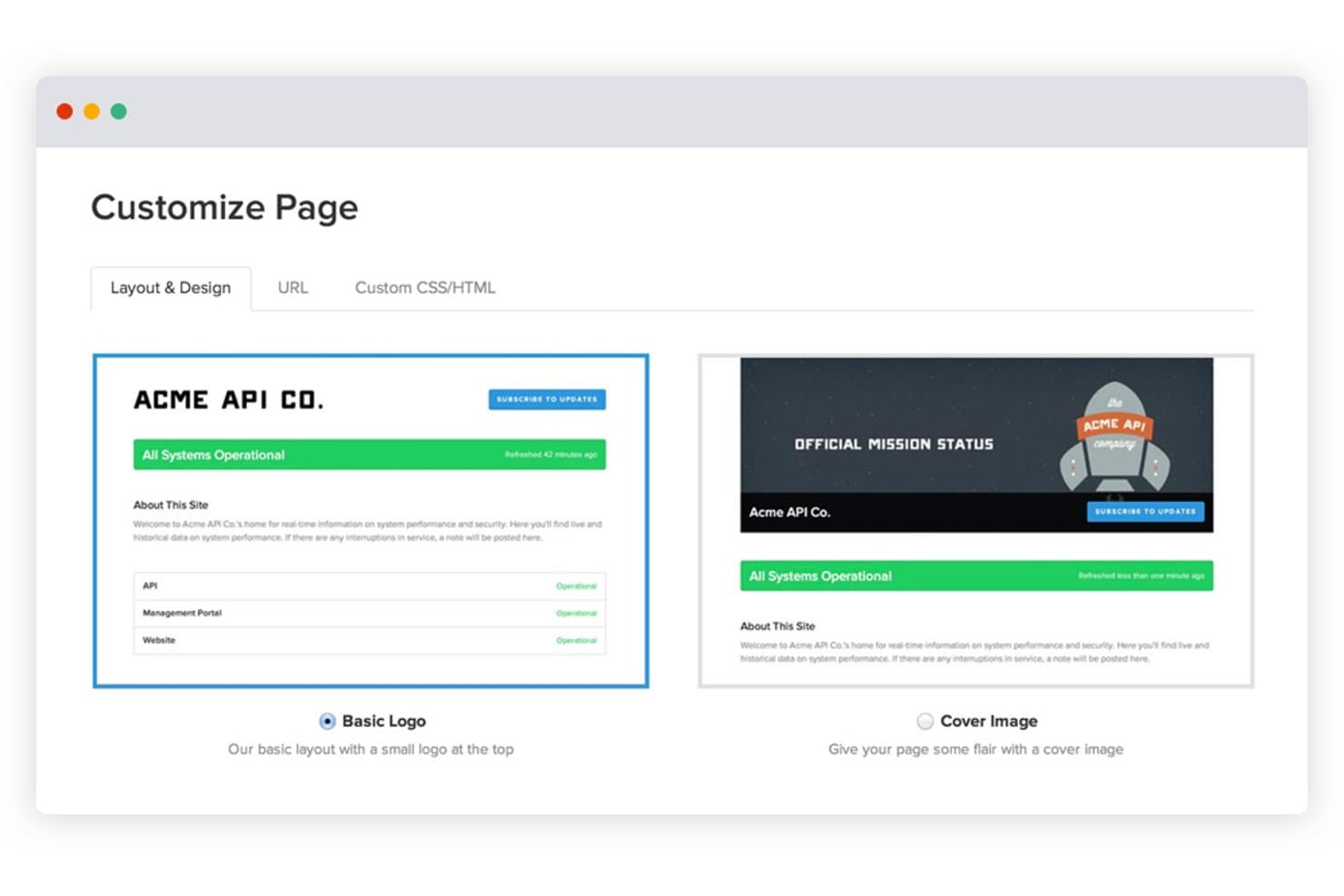
Statuspage permite a los usuarios personalizar los diseños de las páginas de estado con opciones de logotipo o imagen de portada. Statuspage es una herramienta alojada de panel de estado de Atlassian que permite publicar páginas de estado públicas, privadas y específicas para distintas audiencias, con actualizaciones de incidentes, mantenimiento programado, seguimiento de componentes y notificaciones a suscriptores a través de múltiples canales.
¿Para quién es más adecuado Statuspage?
Statuspage es una opción excelente para equipos que ya forman parte del ecosistema de Atlassian y necesitan una herramienta madura de comunicación de incidentes dirigida a los clientes.
Por qué elegí Statuspage
Statuspage ocupa un lugar en mi lista de opciones principales porque está diseñado específicamente para equipos conectados a Atlassian que necesitan una capa madura de comunicación de incidentes dirigida a los clientes. Me encanta que admita tres tipos de páginas distintos: páginas públicas para clientes, páginas privadas autenticadas mediante Okta o Ping Identity y páginas específicas para distintas audiencias de usuarios. Cuando ocurre un incidente, las actualizaciones estructuradas con marca de tiempo se envían automáticamente por correo electrónico, SMS, Slack y Teams, lo que mantiene informados a los suscriptores sin que tu equipo tenga que apresurarse a enviar actualizaciones manuales.
Características principales de Statuspage
- Widget de estado integrable: Un widget prediseñado que puedes añadir a tu sitio web o aplicación para mostrar el estado activo de los componentes sin enviar a los usuarios a una página independiente.
- Plantillas de incidentes: Plantillas de mensajes reutilizables que permiten a tu equipo publicar rápidamente actualizaciones de incidentes coherentes y previamente redactadas durante una interrupción del servicio.
- Métricas públicas: Una visualización configurable de datos de rendimiento del sistema en tiempo real, compatible con hasta 50 métricas en los planes empresariales, que se muestra directamente en tu página de estado.
- Seguimiento de componentes de terceros: Una función que permite añadir a tu página los estados de proveedores externos para que los suscriptores vean las dependencias ascendentes junto con tus propios servicios.
Integraciones de Statuspage
Statuspage ofrece integraciones nativas con Slack, Microsoft Teams, Twitter, Okta, Ping Identity, OneLogin y Bitium. También proporciona acceso a la API REST y webhooks para integraciones personalizadas.
Pros and Cons
Pros:
- Admite páginas públicas, privadas y específicas para distintas audiencias
- Publica actualizaciones con marca de tiempo a través de múltiples canales
- Proporciona widgets integrables y datos históricos de disponibilidad
Cons:
- Requiere supervisión externa para realizar comprobaciones automatizadas del estado
- Los controles avanzados requieren planes de nivel superior
Learn more about Statuspage: La mejor opción para la automatización de páginas de estado basada en la supervisión
- Plan gratuito + demostración gratuita disponible
- Desde $29/licencia/mes
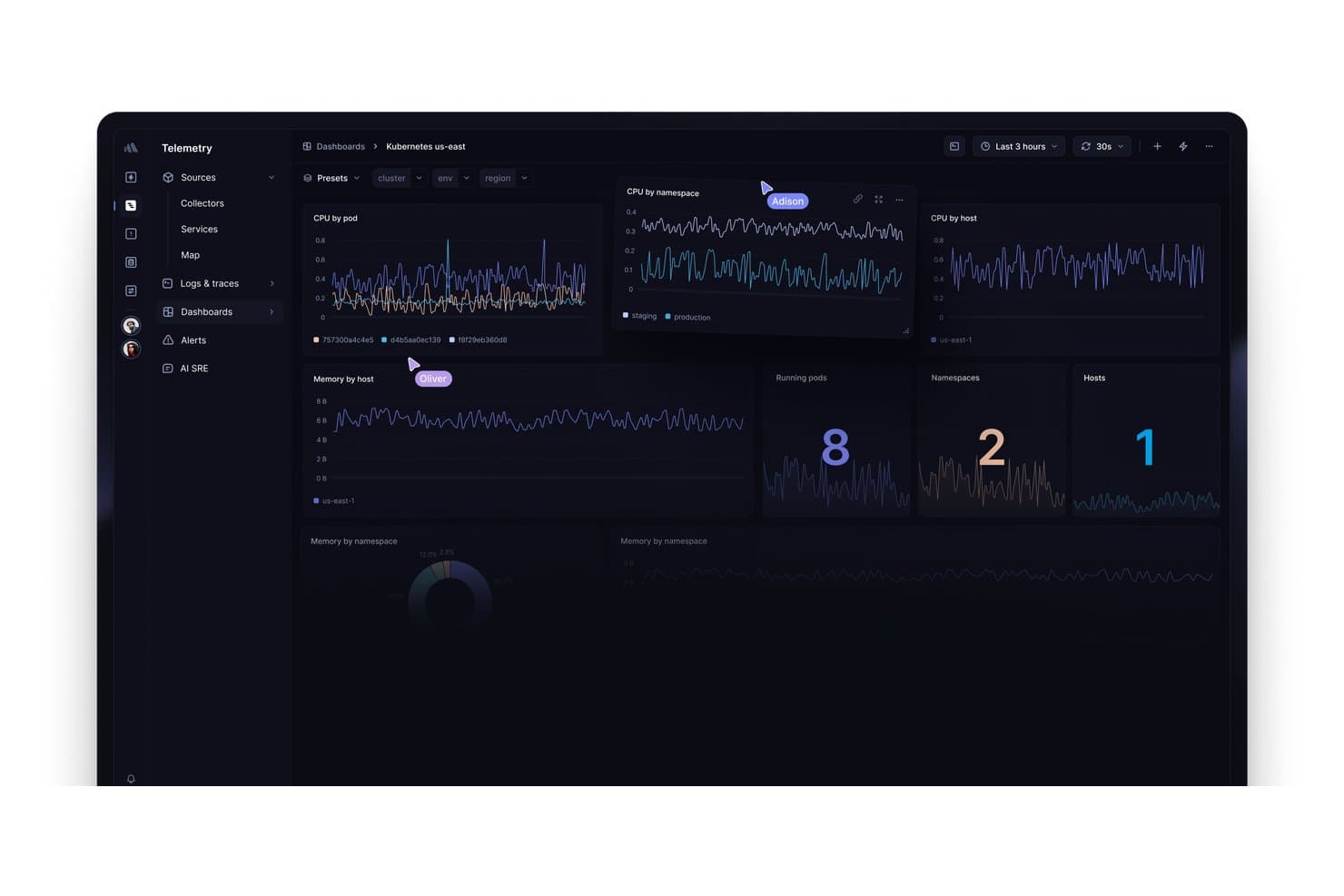
Better Stack muestra métricas de Kubernetes de CPU, memoria, pods y hosts. Better Stack es una plataforma de observabilidad que combina la supervisión del tiempo de actividad, la gestión de incidentes, la programación de guardias y las páginas de estado alojadas en un único producto unificado.
¿Para quién es más adecuado Better Stack?
Better Stack es una opción excelente para equipos de DevOps y SRE que quieren tener la supervisión, la gestión de guardias y las páginas de estado en un solo lugar, en vez de combinar herramientas independientes.
Por qué elegí Better Stack
Better Stack ocupa un lugar en mi lista de favoritos porque es la única herramienta de aquí que vincula directamente la supervisión con la página de estado, de modo que las actualizaciones de incidentes se publican automáticamente cuando un monitor detecta una interrupción. Me encanta que puedas configurar flujos de trabajo de estado automatizados para monitores HTTP, SSL, DNS y de latido sin escribir una sola línea de código. La programación de guardias, los análisis posteriores a incidentes asistidos por IA y los gráficos del tiempo de respuesta en tiempo real en la página pública también están integrados en el mismo producto.
Características principales de Better Stack
- Supervisión del tiempo de actividad de varios tipos: Ejecuta comprobaciones de transacciones HTTP, SSL, DNS, TCP, de latido y de Playwright desde varias ubicaciones globales, cada una con una captura de pantalla y una cronología de errores segundo a segundo.
- Páginas de estado privadas: Restringe las páginas de estado internas mediante SSO, una contraseña o una lista de direcciones IP permitidas, de modo que solo sean accesibles para equipos específicos o usuarios empresariales.
- Notificaciones por correo electrónico para suscriptores: Permite que los usuarios se suscriban a las actualizaciones de toda la página o de componentes individuales, con 1.000 plazas para suscriptores incluidas en los planes de pago.
- Compatibilidad con páginas en varios idiomas: Traduce tu página de estado a cualquier idioma y edita cada cadena para que puedas atender a audiencias globales en su idioma preferido.
Integraciones de Better Stack
Better Stack se integra con Datadog, New Relic, Grafana, Prometheus, Zabbix, AWS, Azure, Google Cloud, Slack y Microsoft Teams. También admite la API REST, Terraform, webhooks y la conectividad con Zapier.
Pros and Cons
Pros:
- Las incidencias detectadas actualizan automáticamente las páginas de estado
- Los gráficos del tiempo de respuesta aclaran el estado del servicio
- Las páginas multilingües permiten atender a las partes interesadas de todo el mundo
Cons:
- Las notificaciones a suscriptores se centran principalmente en el correo electrónico
- La agrupación diaria de incidentes complica los informes de interrupciones
Learn more about Better Stack: Ideal para crear paneles impulsados por IA
- Plan gratuito disponible
- Desde $16/mes (facturado anualmente)
Visit WebsiteCustomer Rating:5/5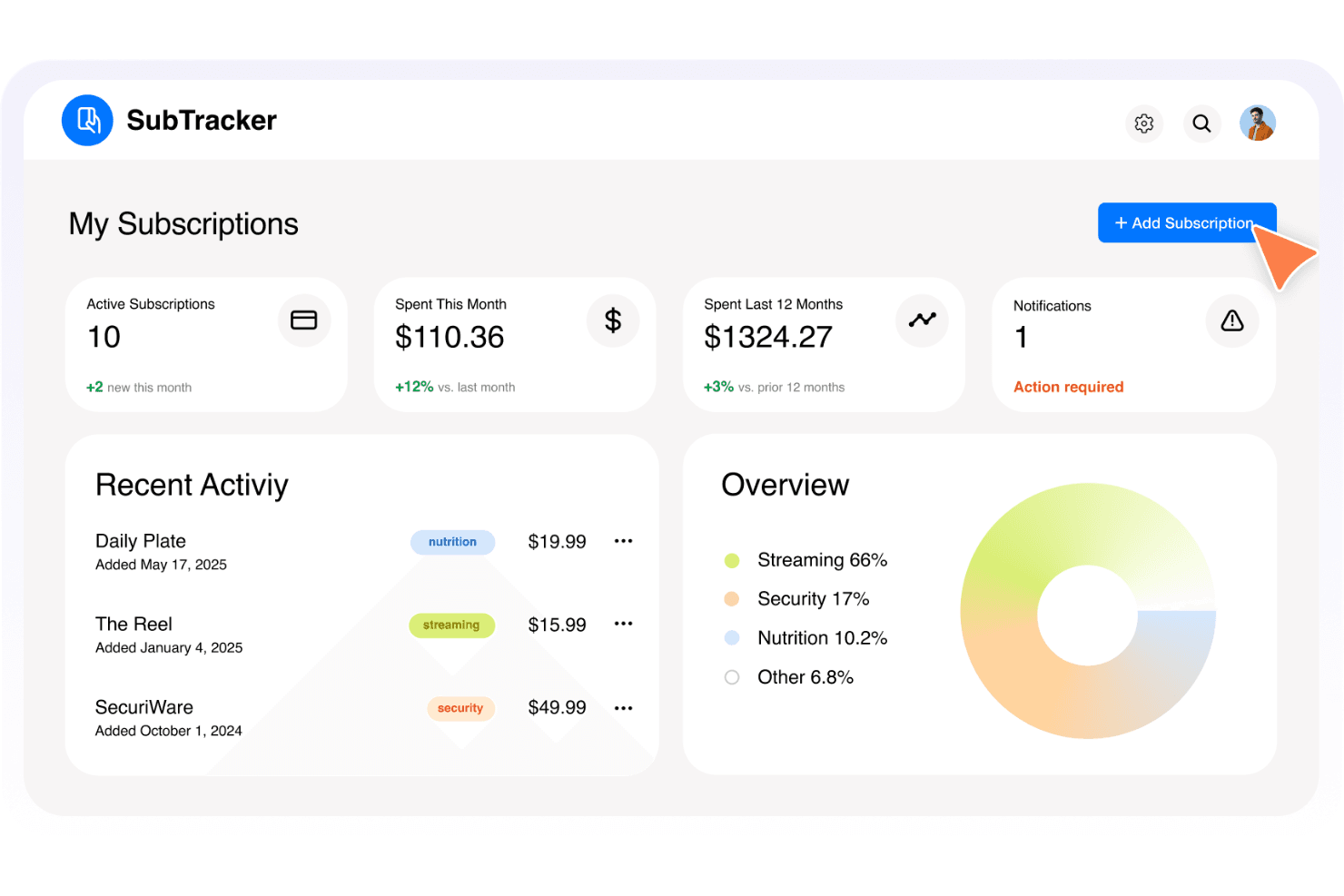
Interfaz de selección de plantillas de panel de Base44. Base44 es un creador de aplicaciones impulsado por IA y sin código que te permite diseñar e implementar aplicaciones web personalizadas, incluidos paneles, describiendo lo que quieres en lenguaje sencillo, sin escribir código.
¿Para quién es más adecuado Base44?
Base44 es una buena opción para gerentes de producto que quieren crear un prototipo de un panel de estado personalizado sin escribir código.
Por qué elegí Base44
Elegí Base44 como una de las mejores opciones porque te permite crear un panel de estado totalmente personalizado describiendo lo que quieres en lenguaje sencillo, sin necesidad de programar. Si necesitas un panel adaptado a los componentes específicos de tu producto en lugar de una plantilla genérica, la IA genera la interfaz, la base de datos y el alojamiento de una sola vez. He comprobado que los gerentes de producto que quieren crear un prototipo de una vista de estado personalizada, con modelos de datos y elementos de marca propios, pueden poner algo en funcionamiento en días en lugar de semanas.
Características principales de Base44
- Compatibilidad con dominios personalizados: Puedes conectar tu propio dominio para dar a tu aplicación una URL profesional y asociada a tu marca.
- Base de datos integrada: Base44 genera una base de datos estructurada junto con tu aplicación, por lo que los modelos de datos personalizados para los componentes del servicio se incluyen automáticamente.
- Integraciones con un clic: Conecta herramientas como Slack, SendGrid y Gmail para crear flujos de trabajo de notificaciones directamente en tu aplicación.
- Sincronización bidireccional con GitHub: Exporta el código fuente completo de tu aplicación a GitHub, lo que te proporciona la propiedad total de lo que construyes.
Integraciones de Base44
Base44 incluye integraciones con un clic con Slack, SendGrid, Gmail, Google Drive, Notion, HubSpot, Salesforce, Stripe y OpenAI, además de sincronización bidireccional con GitHub en el plan Elite. No cuenta con integraciones nativas documentadas con herramientas de monitorización o alertas.
Pros and Cons
Pros:
- Creación rápida de prototipos de paneles personalizados
- Base de datos y alojamiento integrados
- El código fuente exportable permite conservar la propiedad
Cons:
- Sin monitorización nativa del tiempo de actividad
- Las correcciones de la IA pueden consumir créditos cuando hay errores
Learn more about Base44: Ideal para integraciones de monitorización con actualizaciones automáticas
- Plan gratuito disponible
- Desde $20/mes
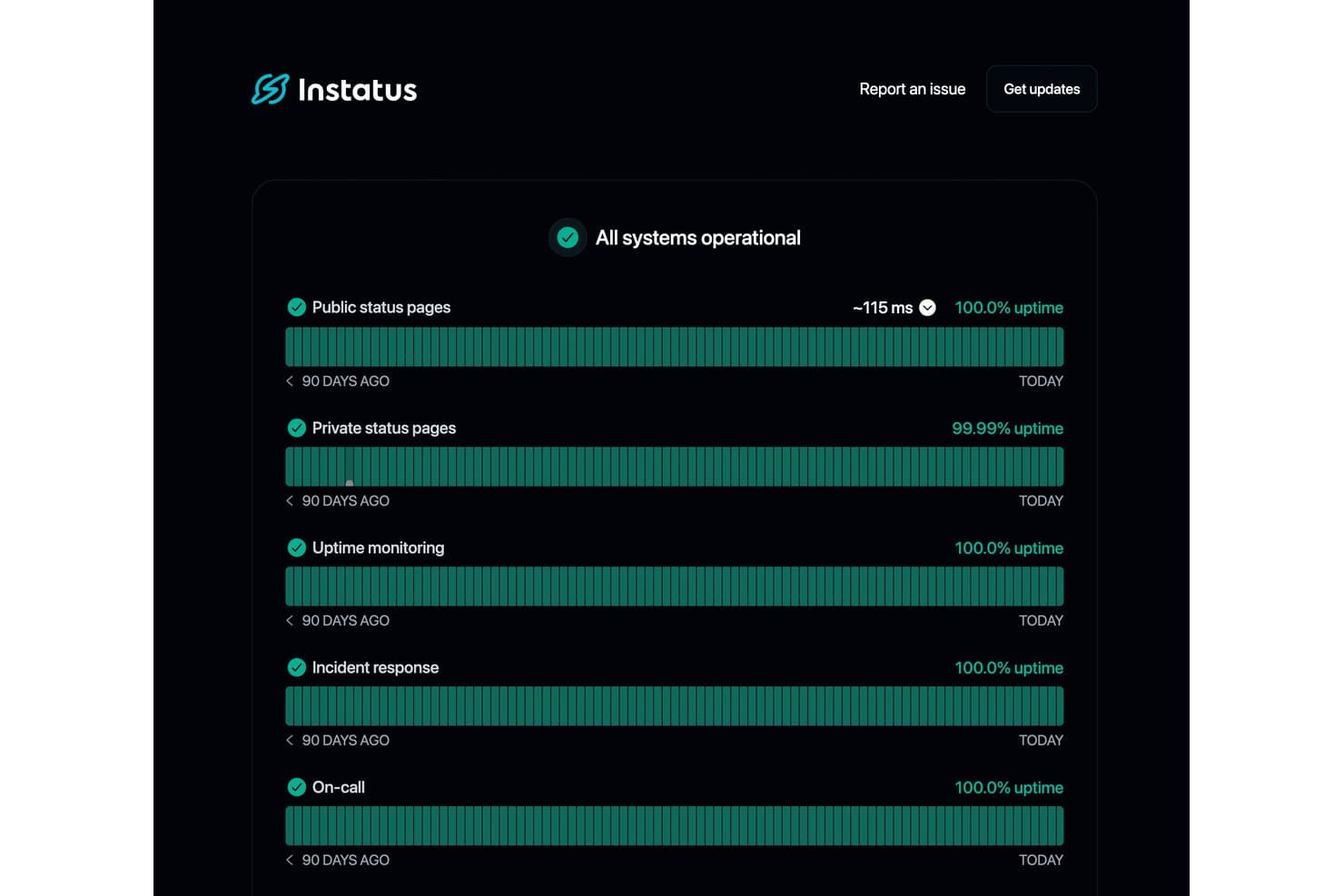
Instatus muestra métricas de disponibilidad en tiempo real de todos los servicios monitorizados. Instatus es una plataforma de paneles de estado que combina páginas de estado públicas y privadas, monitorización de disponibilidad integrada, gestión de incidentes y notificaciones a suscriptores a través de múltiples canales en una sola herramienta.
¿Para quién es más adecuado Instatus?
Instatus es una excelente opción para equipos de DevOps y SRE que quieren monitorización de disponibilidad, escalaciones de guardia y una página de estado pública sin tener que gestionar tres herramientas distintas.
Por qué elegí Instatus
Instatus ocupa un lugar en mi lista de opciones principales por lo bien que gestiona las integraciones de monitorización con actualizaciones automáticas. Me encanta que, cuando una herramienta conectada como Datadog o PagerDuty detecta un problema, Instatus crea automáticamente un incidente y actualiza la página de estado, de modo que mi equipo no tiene que publicar actualizaciones manualmente durante una interrupción del servicio. Las escalaciones de guardia también están integradas, lo que significa que las personas adecuadas reciben el aviso sin necesidad de otra herramienta.
Funciones principales de Instatus
- Notificaciones a suscriptores: Los suscriptores pueden recibir actualizaciones sobre incidentes y mantenimientos por correo electrónico, SMS, Slack, Microsoft Teams, webhook, RSS y X.
- Programación de mantenimientos: Planifica y publica ventanas de mantenimiento programadas con los componentes afectados, actualizaciones de estado y alertas automáticas para los suscriptores antes y durante el evento.
- Marca y estilos personalizados de la página: Aplica tu logotipo, favicon, colores de marca y HTML, CSS o JavaScript personalizados en hasta cinco ubicaciones de tu página de estado.
- Widget de estado integrable: Inserta un widget de estado en tiempo real directamente en tu sitio web o dentro del sistema de mensajería de Intercom para que los usuarios vean actualizaciones del estado en contexto.
Integraciones de Instatus
Instatus ofrece integraciones nativas con Datadog, PagerDuty, Prometheus, Grafana, New Relic, Pingdom, UptimeRobot, Google Cloud Monitoring, Slack y Microsoft Teams. También admite conexiones mediante API, webhook, correo electrónico, Jira y Zapier.
Pros and Cons
Pros:
- Las actualizaciones automatizadas de incidentes reducen el trabajo manual relacionado con el estado
- La segmentación flexible de la audiencia aclara el estado de los componentes
- La personalización avanzada de la marca favorece una comunicación confiable con los clientes
Cons:
- Las funciones empresariales requieren una actualización considerable
- Los informes de disponibilidad no ofrecen pruebas de SLA exportables
Learn more about Instatus: Ideal para la comunicación de incidentes con múltiples audiencias
- Prueba gratuita de 14 días + demostración gratuita disponible
- Desde $49/mes
Visit WebsiteCustomer Rating:5/5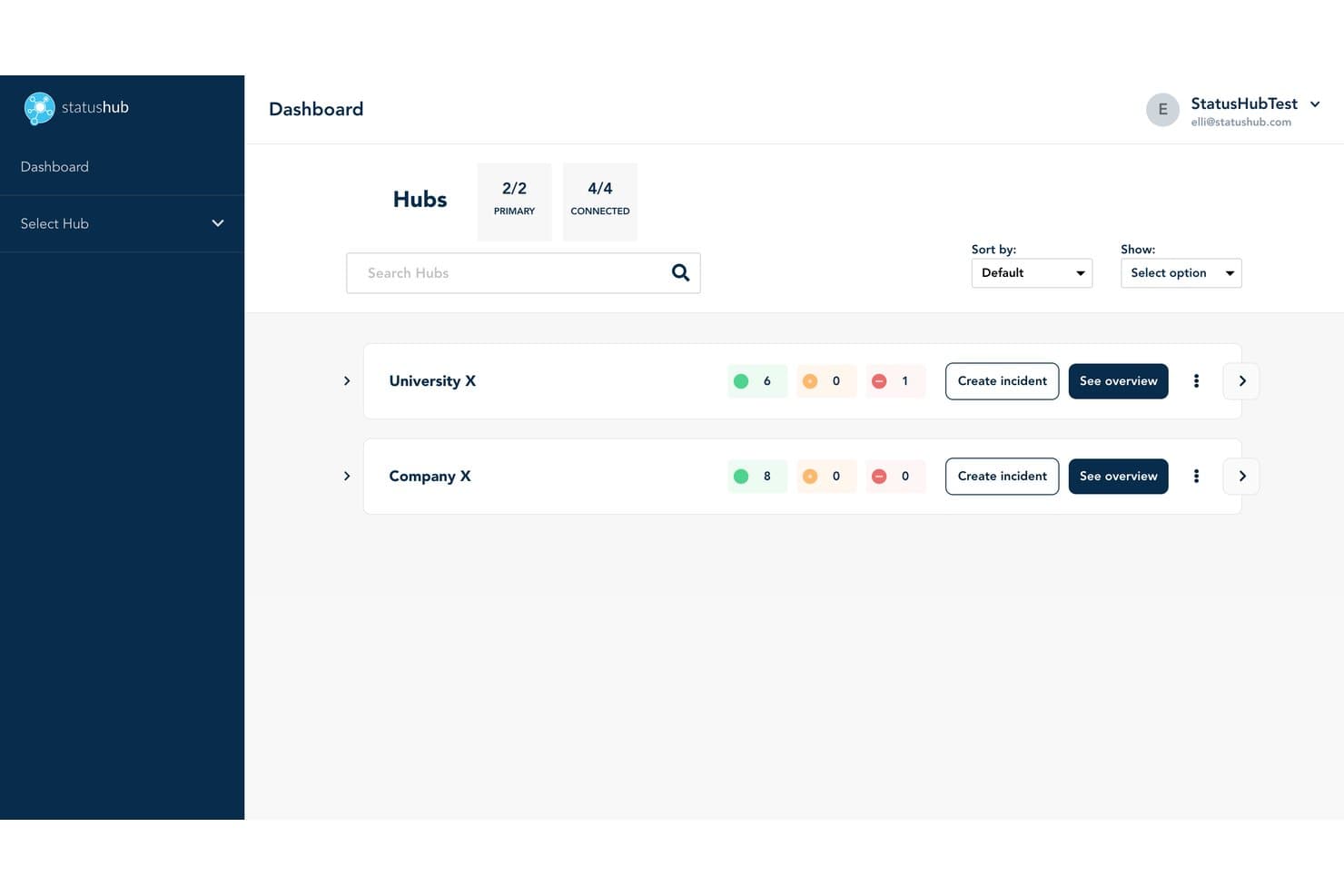
StatusHub permite a los usuarios supervisar varios centros y el estado de los servicios de un vistazo. StatusHub es una plataforma de paneles de estado que te permite gestionar páginas de estado públicas y privadas, administrar incidentes mediante flujos de trabajo estructurados y notificar a los suscriptores a través de múltiples canales, incluidos el correo electrónico, SMS, Slack y Microsoft Teams.
¿Para quién es más adecuado StatusHub?
StatusHub es una opción excelente para los equipos de operaciones de TI y atención al cliente que necesitan comunicar incidentes a múltiples audiencias distintas, como personal interno, clientes regionales o líneas de productos independientes.
Por qué elegí StatusHub
Elegí StatusHub como una de las mejores opciones porque su función de centros conectados no se parece a nada más que haya visto en esta categoría. Te permite gestionar páginas de estado independientes y dirigidas a audiencias distintas desde una sola cuenta, de modo que el personal interno de TI, los clientes regionales y los clientes empresariales vean únicamente lo que les corresponde. Si a esto le sumas etapas de incidentes estructuradas y alineadas con ITIL, además de plantillas de mensajes prediseñadas, tu equipo de soporte puede publicar actualizaciones claras y coherentes rápidamente, incluso durante un incidente.
Características principales de StatusHub
- Notificaciones de suscriptores por múltiples canales: Los suscriptores seleccionan su canal preferido —correo electrónico, SMS, Slack, Microsoft Teams o webhook— y filtran las alertas por servicio individual.
- Páginas privadas con SAML 2.0 y OAuth: Las páginas de estado internas están protegidas mediante autenticación de inicio de sesión único, lo que garantiza que las actualizaciones de incidentes sensibles solo sean visibles para el personal autorizado.
- Integraciones con herramientas de monitorización: Las conexiones con Pingdom, New Relic, UptimeRobot, PagerDuty y otras herramientas actualizan automáticamente los estados de los servicios sin necesidad de introducir datos manualmente.
- Widgets de estado insertables: El estado del servicio en tiempo real puede insertarse directamente en tu producto, sitio web o portal de soporte para ofrecer visibilidad contextual.
Integraciones de StatusHub
StatusHub ofrece integraciones documentadas con Pingdom, New Relic, UptimeRobot, SolarWinds Observability, PagerDuty, Opsgenie, Zendesk, Slack, Microsoft Teams y Okta. Su API REST y sus webhooks permiten establecer conexiones personalizadas.
Pros and Cons
Pros:
- Los centros conectados permiten dirigirse a audiencias de clientes distintas
- Las páginas privadas facilitan la comunicación interna de incidentes
- Las plantillas guían la publicación coherente de actualizaciones sobre interrupciones
Cons:
- Los informes carecen de análisis avanzados del tiempo de actividad
- La gestión continua requiere un esfuerzo considerable
Learn more about StatusHub: Ideal para páginas de estado de incidentes conectadas con ITSM
- Demostración gratuita disponible
- Precio bajo consulta
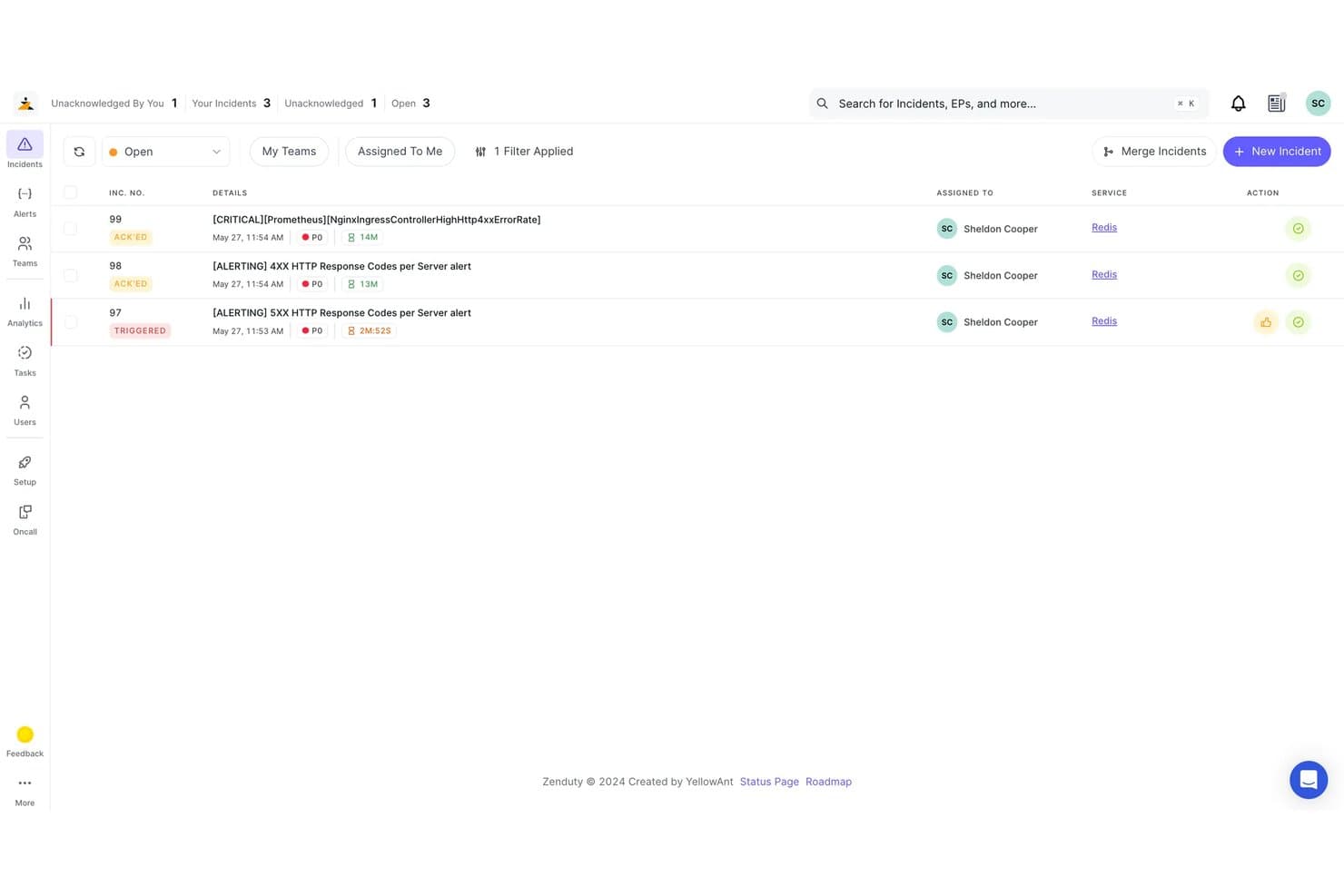
Zenduty permite a los usuarios supervisar y gestionar incidentes abiertos por prioridad y estado. Xurrent es una plataforma de ITSM y gestión de incidentes que incluye páginas de estado con sincronización de incidentes en tiempo real, vistas específicas para cada audiencia, notificaciones automatizadas a suscriptores y más de 150 integraciones con herramientas de monitorización mediante sus conectores Beacon sin código.
¿Para quién es mejor Xurrent?
Xurrent es una excelente opción para los equipos de operaciones de TI y DevOps que ya gestionan flujos de trabajo de incidentes y quieren que sus páginas de estado se actualicen automáticamente a partir de esos incidentes.
Por qué elegí Xurrent
Xurrent se ha ganado un lugar en mi lista de favoritos porque sus páginas de estado están conectadas directamente con su plataforma de gestión de incidentes, lo que significa que la página pública se actualiza en el momento en que un responsable cambia el estado de un incidente en IMR. Me gustan especialmente los conectores Beacon, que extraen señales de más de 150 herramientas de monitorización y pueden abrir, actualizar y resolver incidentes automáticamente sin que nadie tenga que modificar manualmente la página de estado. Las vistas específicas para cada audiencia permiten ofrecer distintas páginas de estado a diferentes segmentos de clientes desde un único centro de control, cada una con sus propios componentes y reglas de notificación.
Funciones principales de Xurrent
- Ventanas de mantenimiento programadas: Configura eventos de mantenimiento con horas de finalización estimadas, reglas de cierre automático y notificaciones de recordatorio en intervalos configurables antes y durante la ventana.
- Informes de SLA de disponibilidad: Consulta la disponibilidad de componentes y grupos en periodos diarios, semanales, mensuales y anuales, medida según los umbrales de advertencia y críticos que definas, con exportación a CSV.
- Acceso basado en roles con SSO y SCIM: Controla quién puede ver o gestionar las páginas mediante SAML, OpenID Connect, aprovisionamiento SCIM y registros de auditoría en toda tu organización.
- Componentes de estado integrables: Integra componentes activos de estado e historial de disponibilidad directamente en portales, sitios de SharePoint u otras propiedades web sin redirigir a los usuarios a una página independiente.
Integraciones de Xurrent
Xurrent ofrece más de 150 integraciones mediante Beacons, incluidas Datadog, New Relic, Prometheus, Jira, ServiceNow, Slack, Microsoft Teams, GitHub y GitLab. Su API REST admite integraciones personalizadas y flujos de trabajo de datos de estado.
Pros and Cons
Pros:
- Los estados de los incidentes actualizan automáticamente las páginas públicas
- Las vistas específicas para cada audiencia aclaran el estado del producto
- Las revisiones posteriores a incidentes conectan las interrupciones con acciones registradas
Cons:
- Las páginas de estado requieren un contexto más amplio de ITSM
- La documentación abarca varias marcas de productos heredadas y superpuestas
Learn more about Xurrent: La mejor opción para la automatización nativa de páginas de estado mediante monitorización
- Prueba gratuita de 14 días + demostración gratuita disponible
- Desde $7/mes (facturado anualmente)
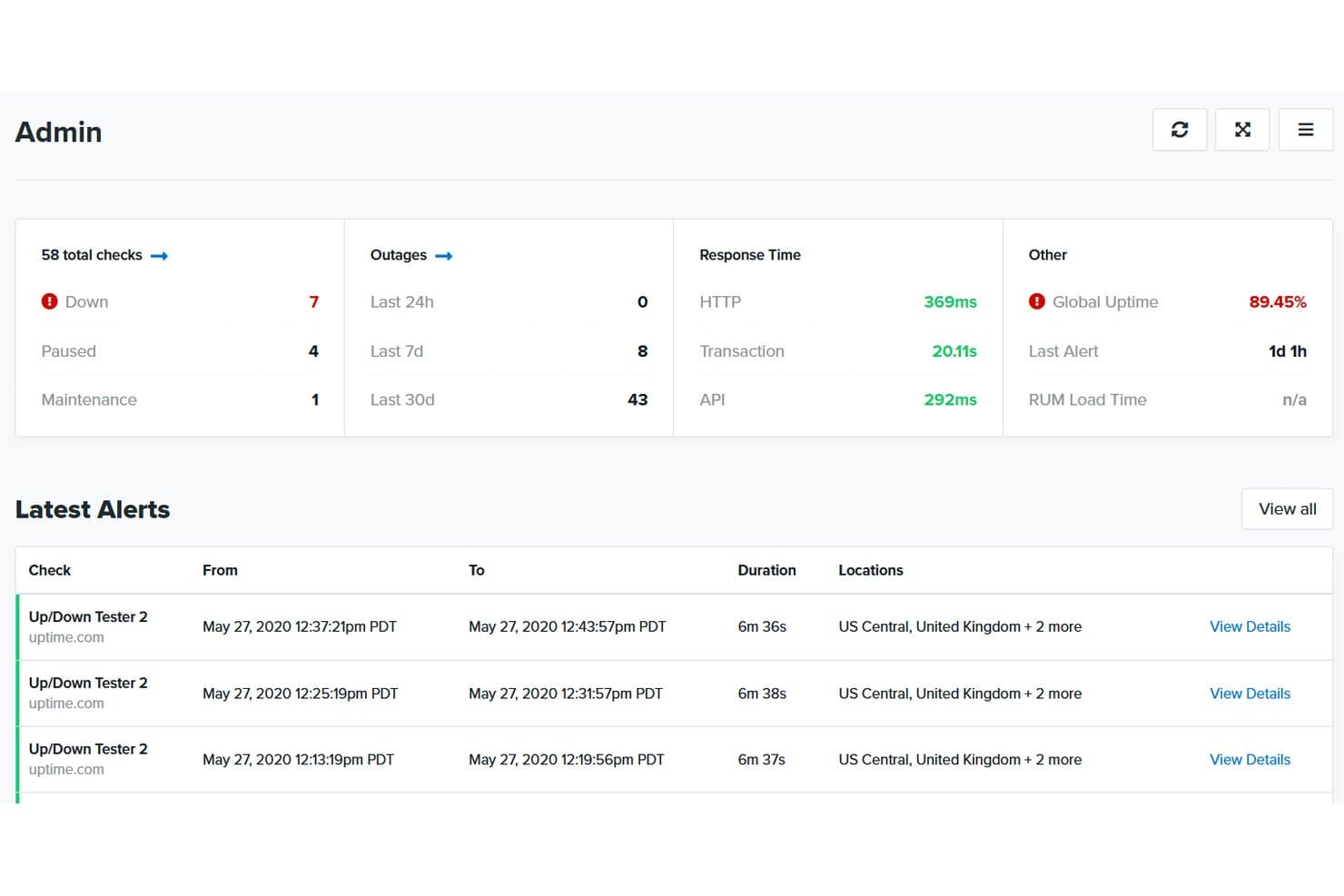
Uptime.com centraliza las comprobaciones de disponibilidad, las interrupciones y las alertas en un solo panel. Uptime.com es una plataforma de monitorización de sitios web que combina comprobaciones de disponibilidad con páginas de estado alojadas, ofreciéndote gestión de incidentes, seguimiento de componentes, notificaciones a suscriptores e informes de SLA en un solo lugar.
¿Para quién es más adecuado Uptime.com?
Uptime.com es una opción excelente para equipos de DevOps y operaciones de TI que quieren gestionar la monitorización y las páginas de estado desde una única plataforma.
Por qué elegí Uptime.com
Elegí Uptime.com como una de las mejores opciones porque es la única herramienta de esta lista en la que las comprobaciones de monitorización y la página de estado son realmente el mismo sistema. Cuando una comprobación detecta una interrupción, el componente vinculado se actualiza automáticamente, sin necesidad de publicar nada manualmente. También me gusta que puedas gestionar varias páginas de estado desde una sola cuenta y clonarlas conservando sus componentes y diseño, lo que ahorra mucho tiempo al administrar varios productos o entornos.
Funciones principales de Uptime.com
- Filtrado de componentes para suscriptores: Los suscriptores eligen sobre qué componentes específicos quieren recibir notificaciones, por lo que solo reciben actualizaciones relevantes para ellos.
- Páginas de estado multiinquilino: Se pueden configurar vistas de estado independientes y seguras para distintos grupos de clientes desde una sola cuenta.
- Programación de ventanas de mantenimiento: Los eventos de mantenimiento planificados se pueden programar y publicar directamente en tu página de estado con antelación.
- Informes de SLA: El seguimiento y los informes de SLA integrados te permiten medir y compartir datos de rendimiento de disponibilidad con las partes interesadas.
Integraciones de Uptime.com
Uptime.com se integra con PagerDuty, Slack y Opsgenie, además de ofrecer webhooks personalizados para enviar alertas a otras herramientas. Su API admite integraciones personalizadas.
Pros and Cons
Pros:
- Actualizaciones automáticas de componentes a partir de las comprobaciones de monitorización
- Las páginas multiinquilino protegen las vistas de servicio específicas de cada cliente
- Los suscriptores filtran las alertas por componente
Cons:
- Las funciones avanzadas requieren más configuración
- El HTML y el CSS personalizados están limitados según el plan
Learn more about Uptime.com: Ideal para páginas de estado con marca blanca y asistencia las 24 horas, los 7 días de la semana
- No disponible
- Desde $79/mes
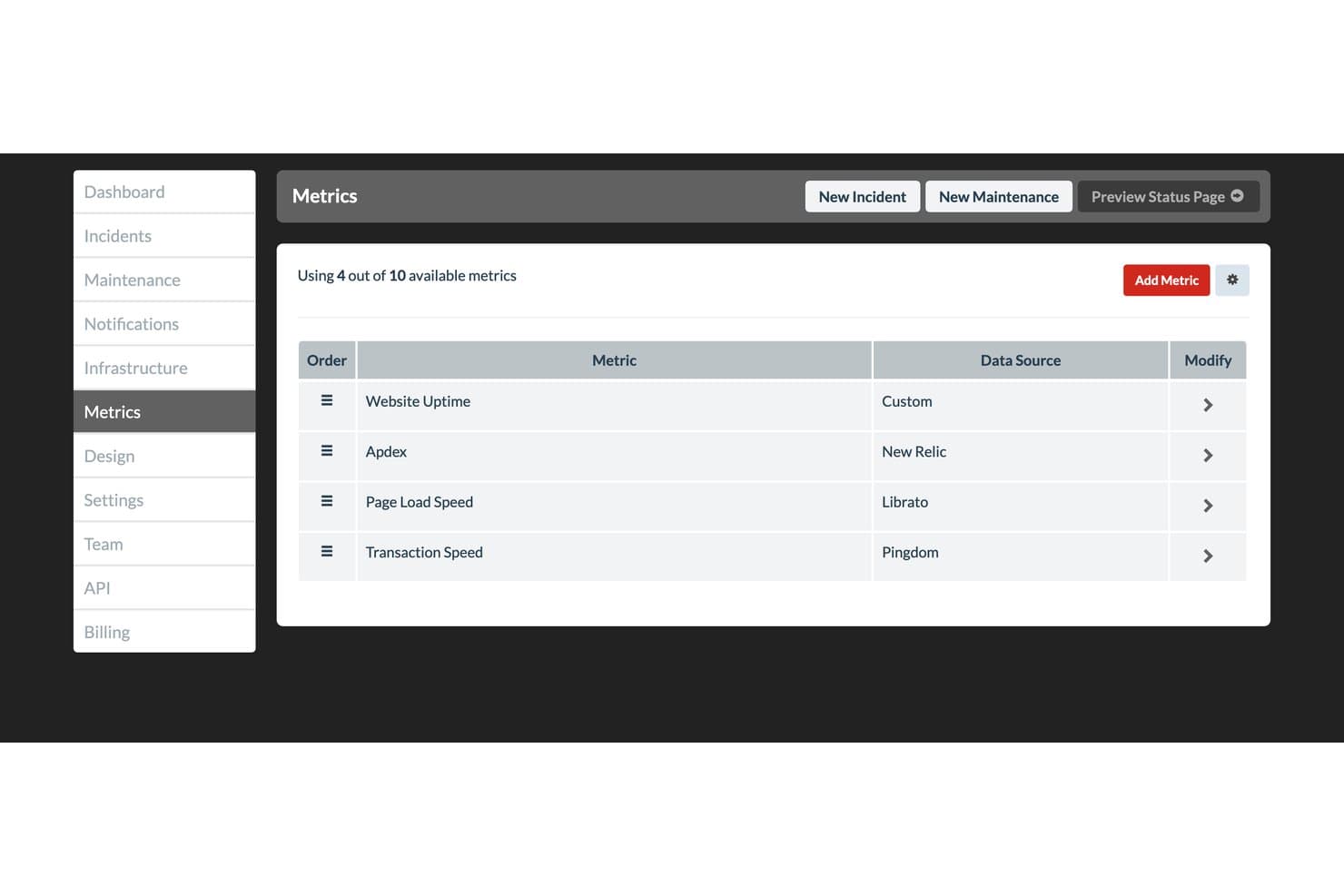
Status.io permite a los usuarios supervisar las métricas de estado del producto desde múltiples fuentes de datos. Status.io es una plataforma de páginas de estado alojada que permite publicar actualizaciones de incidentes y mantenimiento en tiempo real, gestionar el estado de los componentes y notificar a los suscriptores a través de nueve canales, incluidos el correo electrónico, los SMS, Slack y los webhooks.
¿Para quién es más adecuado Status.io?
Status.io es una excelente opción para los equipos de operaciones de TI y DevOps que necesitan una página de estado totalmente personalizable y con marca blanca, con integraciones de monitorización avanzadas y controles de acceso de nivel empresarial.
Por qué elegí Status.io
Status.io está en mi lista de opciones principales porque es una de las pocas herramientas de páginas de estado que ofrece un control real de marca blanca: dominio personalizado, tu propio certificado TLS/SSL y la posibilidad de inyectar HTML, CSS y JavaScript completos para adaptar la página exactamente a tu marca. También valoro mucho su asistencia humana disponible las 24 horas, los 7 días de la semana, algo importante cuando gestionas un incidente activo a las 2 de la madrugada y necesitas una respuesta real con rapidez. Además, las ventanas de mantenimiento automatizadas comienzan y terminan sin intervención manual, por lo que tu página de estado se mantiene actualizada incluso cuando nadie la está supervisando.
Características principales de Status.io
- Notificaciones de suscriptores multicanal: Los suscriptores reciben actualizaciones de incidentes a través de nueve canales, incluidos el correo electrónico, los SMS, Slack, Microsoft Teams, los webhooks y RSS.
- Integraciones con herramientas de monitorización: Status.io se conecta con PagerDuty, OpsGenie, Nagios, New Relic, Pingdom y otras herramientas para activar cambios automáticos en el estado de los componentes.
- Visualización de mapas de ubicación: Un mapa geográfico muestra el estado de los componentes por región, para que los usuarios puedan identificar rápidamente dónde se está produciendo un problema.
- Controles de acceso a páginas privadas: Las páginas pueden restringirse a determinados miembros del equipo, direcciones IP o usuarios autenticados mediante proveedores de identidad SAML u OIDC.
Integraciones de Status.io
Status.io ofrece ocho integraciones nativas para la automatización del estado, incluidas PagerDuty, OpsGenie, Nagios, New Relic, Pingdom, Site24x7, StatusCake y UptimeRobot. También admite integraciones por correo electrónico, además de API para desarrolladores y API públicas para conectividad personalizada.
Pros and Cons
Pros:
- El control completo de marca blanca adapta la página a la identidad del producto
- Las ventanas de mantenimiento automatizadas evitan avisos obsoletos
- Los mapas geográficos de componentes aclaran las interrupciones regionales
Cons:
- El historial de noventa días limita el análisis del estado a largo plazo
- No ofrece informes nativos posteriores a los incidentes ni seguimiento de SLA
Learn more about Status.io:
Otro software para paneles de estado
Estas son algunas opciones adicionales de software para paneles de estado que no llegaron a mi lista de preseleccionados, pero que aun así merece la pena revisar:
- 11ChecklyLa mejor opción para páginas de estado basadas en la monitorización como código
- 12HyperpingIdeal para consolidar la supervisión y las páginas de estado
- 13PagerDutyIdeal para actualizaciones de estado de guardia impulsadas por incidentes
- 14Site24x7Ideal para la agrupación de páginas de estado nativas de la monitorización
- 15Oh DearIdeal para supervisar páginas de estado de agencias especializadas en monitorización
- 16FireHydrantIdeal para flujos de trabajo de estado de incidentes dirigidos por operaciones
- 17incident.ioIdeal para flujos de trabajo de estado de incidentes nativos de Slack
- 18StatusDashboardIdeal para las notificaciones de la página de estado en varios canales
- 19PulseticIdeal para la configuración de páginas de estado basada en la monitorización
Cómo evalúo el software de paneles de estado
Divido mi evaluación en tres partes: funcionalidad principal (¿ofrece una página de estado pública en tiempo real y permite gestionar incidentes con etapas estructuradas del ciclo de vida?), funciones destacadas, como las integraciones con herramientas de monitorización, y factores adicionales, como la calidad del soporte y la relación calidad-precio. La funcionalidad principal tiene el mayor peso.
Funcionalidad principal (requisitos básicos para esta lista)
Al seleccionar herramientas para mi lista, puntúo cada una en una escala de 0 (no ofrece la funcionalidad) a 5 (sobresale en esta área) para cada funcionalidad principal que se indica a continuación. Después convierto el total en un porcentaje para ayudar a evaluar la adecuación general de cada herramienta, dando un peso adicional a las funcionalidades que he considerado esenciales.
- Página de estado pública (esencial): Evalúo si la página alojada se actualiza en tiempo real en varios componentes y ofrece indicadores visuales claros que los visitantes puedan interpretar de un vistazo.
- Gestión de incidentes (esencial): Aquí son importantes las etapas estructuradas del ciclo de vida: investigación, identificación, monitorización y resolución, con actualizaciones fechadas que los suscriptores puedan seguir.
- Monitorización de componentes: Busco la posibilidad de definir, agrupar y supervisar servicios de forma independiente para que los equipos puedan determinar qué sistema está degradado sin tener que hacer suposiciones.
- Notificaciones a suscriptores: La entrega multicanal mediante correo electrónico, SMS y webhooks es el requisito básico. Compruebo si los suscriptores pueden seleccionar por sí mismos los componentes que desean seguir.
- Historial y métricas de disponibilidad: Los porcentajes históricos de disponibilidad y las cronologías de incidentes ayudan a las partes interesadas a evaluar las tendencias de fiabilidad durante semanas o meses, no solo el estado actual.
- Personalización y marca: También tengo en cuenta los dominios personalizados, la personalización de colores y la ubicación del logotipo. La página de estado debe parecerse a tu producto, no a una herramienta de terceros.
Una vez que tengo una lista de herramientas que cumplen los criterios, considero qué diferencia a cada plataforma.
Factores diferenciadores (lo que distingue a los proveedores)
Así es como comparo y contrasto los distintos proveedores:
Funciones destacadas
Lo primero que compruebo son las integraciones con herramientas de monitorización. Los conectores nativos para herramientas como Datadog, PagerDuty o New Relic permiten que las páginas de estado se actualicen automáticamente cuando se activa una alerta, de modo que tu equipo no tenga que copiar los detalles del incidente manualmente a las 2 de la madrugada. También evalúo la automatización de la página de estado junto con la programación de mantenimientos. Los activadores automáticos de incidentes, combinados con ventanas de mantenimiento anunciadas previamente, permiten que las partes interesadas vean las transiciones en tiempo real sin que nadie tenga que redactar una publicación manual durante una interrupción. Por último, examino los widgets integrables y el acceso a la API, que permiten mostrar el estado en directo directamente dentro de la interfaz de usuario de tu producto o de los paneles internos.
Más allá de las funciones
Evalúo con qué facilidad las partes interesadas no técnicas pueden adoptar la herramienta. Si tu equipo de soporte o marketing no puede publicar una actualización de un incidente sin presentar una solicitud al equipo de ingeniería, la adopción se estanca rápidamente. También compruebo si el proveedor publica su propio historial de disponibilidad: un proveedor de páginas de estado que oculta sus propios incidentes es una señal de alerta. Por último, examino las opciones de exportación de datos, ya que los equipos suelen necesitar extraer métricas de disponibilidad y SLA para incluirlas en revisiones empresariales trimestrales o auditorías de cumplimiento.
Cómo elegir un software para paneles de estado
Es fácil perderse entre largas listas de funciones y complejas estructuras de precios. Para ayudarte a mantener la concentración mientras avanzas en tu proceso único de selección de software, aquí tienes una lista de factores que debes tener en cuenta:
| Factor | Qué debes considerar |
|---|---|
| FactorEscalabilidad | Qué debes considerarEvalúa si el software puede crecer con tu empresa. Ten en cuenta los límites de usuarios y la capacidad de datos. Una herramienta debe ser compatible con el tamaño actual de tu equipo y con su crecimiento futuro. |
| FactorIntegraciones | Qué debes considerarComprueba la compatibilidad con tus herramientas actuales. Asegúrate de que el software pueda conectarse sin problemas con plataformas como Slack, Jira y otras de las que dependas. |
| FactorPersonalización | Qué debes considerarDetermina hasta qué punto puedes adaptar el software a tus necesidades. Busca opciones para ajustar los paneles, las alertas y las notificaciones de modo que se adapten a tu flujo de trabajo. |
| FactorFacilidad de uso | Qué debes considerarEvalúa la interfaz de usuario. Asegúrate de que sea intuitiva para todos los miembros del equipo, con el fin de reducir el tiempo de formación y mejorar la adopción. |
| FactorImplementación e incorporación | Qué debes considerarTen en cuenta el tiempo de configuración y los recursos necesarios. Busca herramientas con guías claras, asistencia y una configuración rápida para minimizar las interrupciones. |
| FactorCoste | Qué debes considerarCompara los modelos de precios y lo que incluyen. Asegúrate de que se ajusten a tu presupuesto y ofrezcan una buena relación calidad-precio para las funciones que necesitas. Presta atención a las tarifas ocultas. |
| FactorMedidas de seguridad | Qué debes considerarVerifica las medidas de protección de datos. Busca cifrado, cumplimiento de los estándares del sector y actualizaciones de seguridad periódicas para proteger tu información. |
| FactorDisponibilidad de asistencia | Qué debes considerarComprueba el nivel de asistencia ofrecido. Ten en cuenta la disponibilidad, los tiempos de respuesta y los canales de asistencia, como chat, teléfono y correo electrónico, para garantizar una ayuda oportuna. |
¿Qué es el software para paneles de estado?
El software de panel de estado es una herramienta que muestra el estado en tiempo real de sistemas y servicios en un panel sencillo. Los profesionales de TI, los equipos de soporte y los ingenieros de DevOps lo utilizan para comprobar si todo funciona correctamente y compartir actualizaciones rápidas con los usuarios cuando algo falla. Ayuda a detectar los problemas rápidamente, mantener a todos informados y responder a los incidentes antes de que se salgan de control.
Características
Al seleccionar un software de panel de estado, presta atención a las siguientes características clave:
- Supervisión en tiempo real: Proporciona actualizaciones inmediatas sobre el estado del sistema, lo que permite detectar y responder rápidamente a los problemas.
- Alertas personalizables: Permite configurar notificaciones adaptadas a tus necesidades, para garantizar que tu equipo esté informado de los eventos críticos.
- Capacidades de integración: Se conecta con herramientas existentes como Slack y Jira para optimizar los flujos de trabajo y mejorar la comunicación.
- Análisis de datos históricos: Ofrece información sobre incidentes anteriores, lo que ayuda a identificar patrones y prevenir problemas futuros.
- Interfaz fácil de usar: Garantiza la facilidad de uso, reduce el tiempo de formación y fomenta la adopción por parte del equipo.
- Personalización de la marca: Permite adaptar la página de estado a la identidad de tu empresa, mejorando la confianza y el reconocimiento de los usuarios.
- Comunicación multicanal: Admite actualizaciones en varias plataformas, manteniendo informadas a todas las partes interesadas dondequiera que estén.
- Informes automatizados de incidentes: Simplifica el proceso de documentación, ahorra tiempo y garantiza la coherencia de la comunicación.
- Funciones de seguridad: Protege los datos mediante cifrado y medidas de cumplimiento normativo, salvaguardando tu información frente a accesos no autorizados.
Ventajas
La implementación de un software de panel de estado ofrece varias ventajas para tu equipo y tu empresa. Estas son algunas de las que puedes esperar:
- Mejor respuesta ante incidentes: La supervisión y las alertas en tiempo real ayudan a tu equipo a reaccionar rápidamente ante los problemas y minimizan el tiempo de inactividad.
- Comunicación mejorada: Las actualizaciones multicanal garantizan que todas las partes interesadas reciban información oportuna, lo que reduce la confusión durante los incidentes.
- Información basada en datos: El análisis de datos históricos permite detectar tendencias y abordar de forma proactiva los posibles problemas.
- Mayor transparencia: Las páginas de estado personalizables mantienen informados a los usuarios, generan confianza y reducen las consultas al soporte.
- Coherencia de marca: La personalización de la marca alinea las actualizaciones de estado con la identidad de tu empresa y refuerza tu imagen profesional.
- Documentación eficiente: Los informes automatizados de incidentes ahorran tiempo y garantizan una comunicación coherente durante los incidentes y después de ellos.
Costes y precios
La selección de un software de panel de estado requiere comprender los distintos modelos de precios y planes disponibles. Los costes varían en función de las características, el tamaño del equipo, los complementos y otros factores. La tabla siguiente resume los planes habituales, sus precios medios y las características que suelen incluir las soluciones de software de panel de estado:
Tabla comparativa de planes de software de panel de estado
| Tipo de plan | Precio medio | Características habituales |
|---|---|---|
| Tipo de planPlan gratuito | Precio medio$0 | Características habitualesSupervisión básica, alertas limitadas e integraciones esenciales. |
| Tipo de planPlan personal | Precio medio$5-$25/usuario/mes | Características habitualesSupervisión en tiempo real, alertas personalizables y opciones de personalización de marca. |
| Tipo de planPlan empresarial | Precio medio$30-$75/usuario/mes | Características habitualesAnálisis avanzado, comunicación multicanal y funciones de seguridad mejoradas. |
| Tipo de planPlan para empresas | Precio medio$100-$200/usuario/mes | Características habitualesInformes completos, soporte especializado y capacidades de integración integrales. |
Preguntas frecuentes sobre el software de paneles de estado
Estas son algunas respuestas a preguntas frecuentes sobre el software de paneles de estado:
¿Cómo mantengo la coherencia de las actualizaciones de estado durante los incidentes?
Es útil establecer un proceso claro sobre quién puede publicar actualizaciones y cuándo debe hacerlo. Asegúrate de que tu equipo utilice el mismo tono, formato y nivel de detalle en cada mensaje. Esto evita confusiones y mantiene coordinados tanto a los usuarios como a los miembros del equipo durante las interrupciones o los trabajos de mantenimiento.
¿Con qué frecuencia debo actualizar mi página de estado durante una interrupción del servicio?
Debes publicar una actualización en cuanto se confirme un problema y, después, compartir novedades periódicamente hasta que se resuelva. Aunque no haya avances importantes, las breves actualizaciones tranquilizan a los usuarios y les confirman que tu equipo sigue trabajando en el problema. Una vez solucionado, incluye una nota de cierre que explique qué se hizo y cuándo los servicios volvieron a la normalidad.
¿Cómo puede mi equipo gestionar la comunicación durante incidentes graves?
Asigna funciones claras antes de que ocurra un incidente: una persona publica las actualizaciones, otra gestiona las consultas de los usuarios y otra coordina la respuesta técnica. Mantener separadas estas responsabilidades evita retrasos y mensajes contradictorios. Un calendario de comunicación predefinido también ayuda a mantener la coherencia durante todo el incidente.
¿Cuál es la mejor forma de organizar varios servicios en un mismo panel?
Agrupa los sistemas relacionados en categorías claras y utiliza nombres breves y descriptivos. Esto ayuda a los usuarios a encontrar rápidamente el servicio afectado sin tener que revisar una lista larga. Mantener una estructura sencilla hace que el panel sea más fácil de leer y más rápido de actualizar durante las emergencias.
¿Cómo puedo mantener la confianza después de interrupciones repetidas?
La transparencia es fundamental. Reconoce siempre los problemas con rapidez, proporciona información honesta sobre el estado y comunica claramente los plazos de resolución. Cuando sigues un patrón de actualizaciones predecible, los usuarios empiezan a confiar en tu proceso de comunicación, incluso si vuelve a producirse una interrupción.