

10 alternativas a Adobe Firefly que recomiendo en 2026

Lista de alternativas a Adobe Firefly


Una alternativa sólida a Adobe Firefly ofrece a tu equipo una generación flexible de imágenes mediante IA, funciones intuitivas de diseño gráfico y herramientas de colaboración que se adaptan a los flujos de trabajo creativos reales. Si estás buscando alternativas a Adobe Firefly, probablemente necesites opciones compatibles con todo, desde ediciones visuales rápidas hasta gráficos avanzados y listos para la marca, sin sacrificar la facilidad de uso ni el control creativo. Esta lista te ayudará a comparar las principales alternativas a Adobe Firefly para 2026, para que puedas encontrar la opción adecuada para tus necesidades de diseño, la estructura de tu equipo y los objetivos de tu proyecto.
¿Qué es Adobe Firefly?
Adobe Firefly es una herramienta de diseño gráfico impulsada por IA que genera imágenes, efectos de texto y recursos creativos a partir de indicaciones sencillas. Está diseñada para diseñadores y equipos creativos que quieren agilizar la creación de contenido visual sin perder el control sobre el estilo y la identidad de marca. Firefly se integra con Adobe Creative Cloud, lo que facilita el uso de recursos generados mediante IA en flujos de trabajo de diseño conocidos.
Resumen de las mejores alternativas a Adobe Firefly
Esta tabla comparativa resume los detalles de precios de mi selección de las principales alternativas a Adobe Firefly para ayudarte a encontrar la mejor opción para tu presupuesto y las necesidades de tu empresa.
| Tool | Best For | Trial Info | Price | ||
|---|---|---|---|---|---|
| 1 | Ideal para una colaboración rápida en equipo sobre elementos visuales | Plan gratuito disponible | Desde $12/mes (facturado anualmente) | Website | |
| 2 | Ideal para la creación de contenido con IA integrada | Prueba gratuita de 7 días + demo gratis disponible | Desde $59/usuario/mes (facturación anual) | Website | |
| 3 | Ideal para gráficos de presentaciones de marca | Prueba gratuita de 14 días + plan gratuito disponible | Desde $12.25/usuario/mes (facturado anualmente) | Website | |
| 4 | Ideal para resultados artísticos muy detallados | Prueba gratuita disponible | Desde $10/mes | Website | |
| 5 | Mejor para la colaboración creativa en tiempo real | Plan gratuito y demo disponibles | Desde $120/año | Website | |
| 6 | Ideal para acceder a bibliotecas de recursos de stock | Plan gratuito disponible | Desde $5.75/mes (facturado anualmente) | Website | |
| 7 | La mejor precisión de texto a imagen | Nivel gratuito (según el proveedor) + demostración gratuita disponible | El precio varía según el proveedor | Website | |
| 8 | Ideal para personalización open-source | Plan gratuito disponible | Desde $10/mes (facturado anualmente) | Website | |
| 9 | Ideal para la generación de imágenes fotorrealistas | Plan gratuito disponible | Plan gratuito disponible | Website | |
| 10 | Ideal para experimentar con modelos generativos | Plan gratuito + créditos disponibles | Precio a consultar | Website |
Por Qué Confiar en Nuestras Reseñas de Software
Llevamos revisando y probando software de gestión de productos desde 2020. Como product managers, sabemos lo crucial y complicado que es tomar la decisión correcta al seleccionar software. Invertimos en investigación profunda para ayudar a nuestra audiencia a tomar mejores decisiones de compra de software. Hemos probado más de 2,000 herramientas para distintos casos de uso y escrito más de 1,000 reseñas exhaustivas. Conozca cómo mantenemos la transparencia & nuestra metodología de reseñas de software.
Análisis de alternativas a Adobe Firefly
A continuación encontrarás mis resúmenes detallados de las alternativas a Adobe Firefly que llegaron a mi lista de preseleccionadas. Mis análisis ofrecen una visión detallada de las funciones, los mejores casos de uso y las capacidades de cada plataforma para ayudarte a encontrar la mejor opción para ti.
Canva
Ideal para una colaboración rápida en equipo sobre elementos visuales
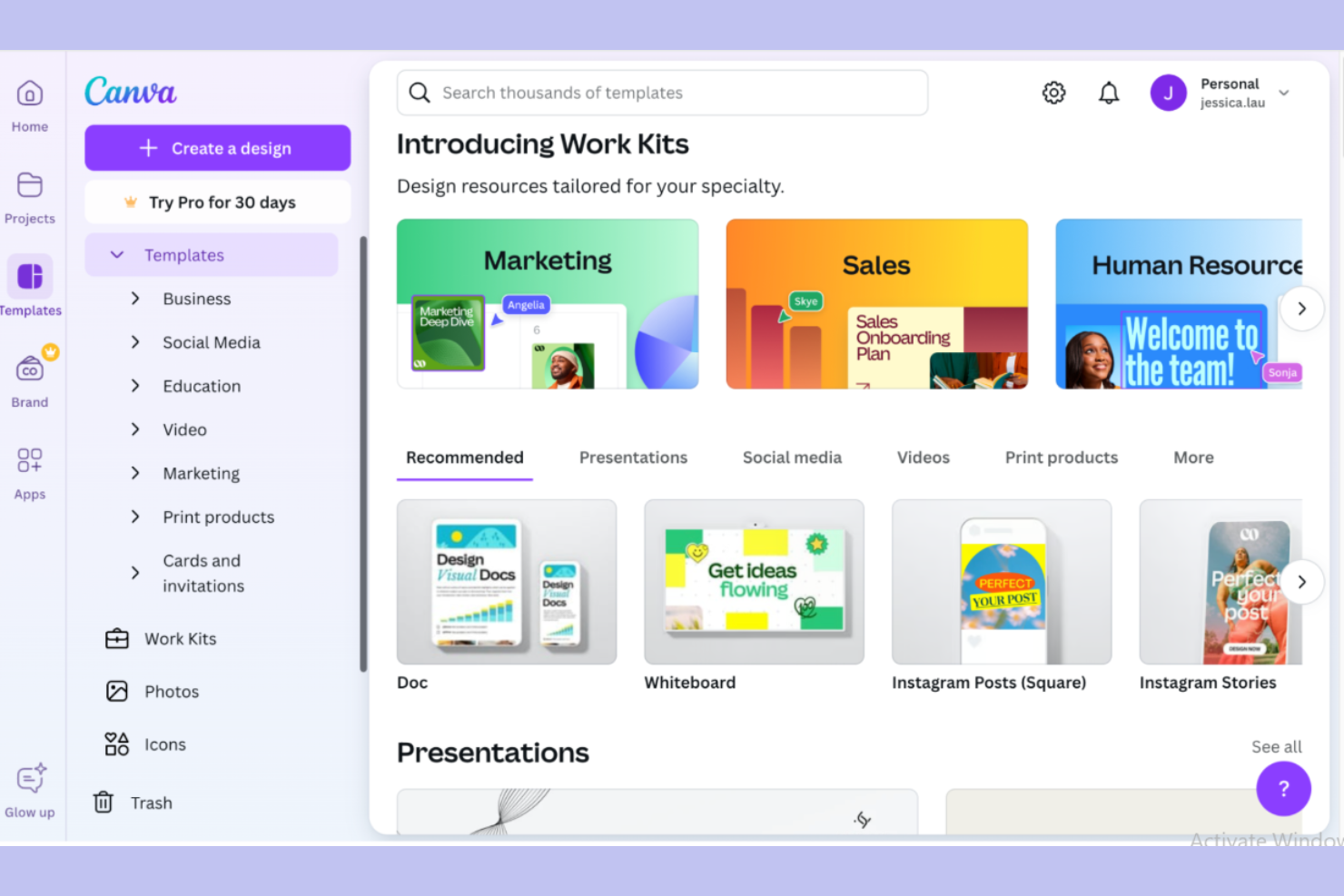
Si tu equipo necesita una herramienta de diseño gráfico que facilite la colaboración en imágenes, el generador de imágenes por IA de Canva merece tu atención. Está diseñado para equipos de marketing, educadores y pequeñas empresas que desean crear y editar gráficos juntos en tiempo real. Canva se diferencia de Adobe Firefly al ofrecer opciones sencillas para compartir, plantillas integradas y una interfaz fácil de usar para proyectos en grupo.
Por qué Canva es una buena alternativa a Adobe Firefly
Para equipos que necesitan colaborar en proyectos de diseño gráfico, Canva ofrece edición en tiempo real y espacios de trabajo compartidos que facilitan el trabajo en grupo. Elegí Canva porque su generador de imágenes con IA permite que varios usuarios den ideas, creen y perfeccionen gráficos juntos sin cambiar de herramienta. Las funciones de comentarios y retroalimentación de la plataforma ayudan a los equipos a mantenerse alineados en la dirección creativa. Estas herramientas de colaboración hacen que Canva se diferencie de Adobe Firefly, especialmente para grupos que trabajan en proyectos visuales de ritmo acelerado.
Funciones clave de Canva
Otras funciones de Canva la convierten en una opción versátil para equipos de diseño gráfico:
- Generador de imágenes con IA: Crea imágenes personalizadas a partir de textos directamente en tu espacio de trabajo de diseño.
- Gestión de kit de marca: Almacena y aplica colores, tipografías y logotipos de marca en todos los proyectos para mantener una identidad coherente.
- Herramienta de cambio de tamaño mágico: Ajusta instantáneamente los diseños a diferentes formatos y plataformas sin redimensionar manualmente.
- Amplia biblioteca de plantillas: Accede a miles de plantillas prediseñadas para presentaciones, redes sociales y materiales de marketing.
Integraciones de Canva
Las integraciones incluyen Slack, Asana, HubSpot, Mailchimp, Shopify, Vimeo, TikTok, Instagram, LinkedIn y Google Drive.
Pros and Cons
Pros:
- Colaboración en tiempo real en proyectos de diseño compartidos
- Amplia biblioteca de plantillas para creación rápida de contenido
- Kit de marca integrado para una identidad visual coherente
Cons:
- Controles limitados para la edición avanzada de imágenes
- Las imágenes generadas por IA pueden carecer de originalidad

Jasper
Ideal para la creación de contenido con IA integrada

Jasper reúne la creación de contenido e imágenes impulsada por IA en una sola plataforma, lo que lo convierte en una excelente opción para equipos de marketing y creadores de contenido que desean unificar sus flujos de trabajo. Si buscas una herramienta de diseño gráfico que te permita generar tanto el texto como los elementos visuales en el mismo lugar, Jasper se destaca frente a Adobe Firefly y otras herramientas de diseño. Su enfoque integrado ayuda a los equipos a mantener la coherencia de la marca y a que las campañas avancen rápidamente.
Por qué Jasper es una buena alternativa a Adobe Firefly
A diferencia de muchas herramientas de diseño gráfico, Jasper combina la generación de imágenes con IA y la creación de contenido mediante IA, todo en un único espacio de trabajo. Elegí Jasper porque puedes generar textos de marketing, publicaciones de blog y visuales dentro de la misma plataforma, lo que ayuda a mantener alineados y en marca los proyectos creativos. Sus flujos de trabajo te permiten pasar fácilmente de redactar un texto a producir imágenes, por lo que no tienes que alternar entre múltiples herramientas. Para los equipos que quieren centralizar tanto el diseño como la producción de contenido, Jasper ofrece una solución unificada que Adobe Firefly no iguala.
Funciones clave de Jasper
Otras características que llamaron mi atención incluyen:
- Controles de voz de marca: Establece y administra las pautas de voz de marca para todo el contenido e imágenes generadas.
- Biblioteca de plantillas: Accede a una amplia variedad de plantillas para diferentes tipos de contenido y necesidades de diseño.
- Herramientas de colaboración: Invita a miembros del equipo a colaborar en los proyectos y comparte comentarios en tiempo real.
- Historial de revisiones: Haz seguimiento de los cambios y vuelve a versiones anteriores de tu contenido o imágenes cuando sea necesario.
Integraciones de Jasper
Las integraciones incluyen Slack, Google BigQuery, Webflow, Microsoft Word, Google Sheets, Google Docs y Google Chrome.
Pros and Cons
Pros:
- Combina generación de imágenes y textos con IA en una sola plataforma
- Los controles de voz de marca respaldan la coherencia del mensaje
- Las herramientas de colaboración permiten la creación de contenido en equipo
Cons:
- Sin funciones avanzadas de ilustración o vectorización
- Ajustes limitados en las indicaciones de generación de imágenes

Visme
Ideal para gráficos de presentaciones de marca
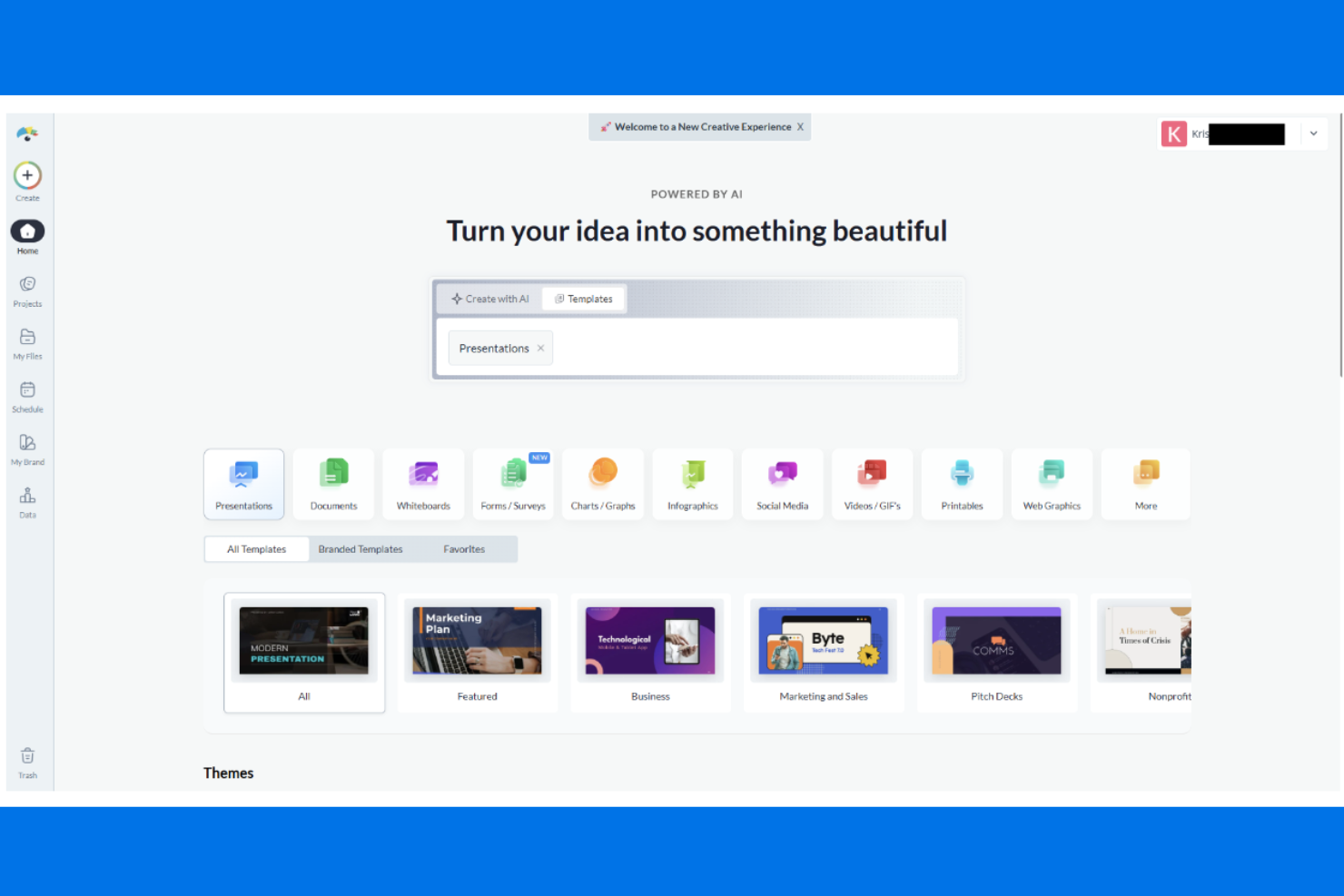
Si necesitas crear presentaciones de marca, Visme ofrece un conjunto enfocado de herramientas para construir gráficos y diapositivas pulidas y coherentes con tu identidad. Los equipos de marketing, educadores y profesionales de negocios pueden usar Visme para mantener la coherencia visual en todos sus materiales de presentación. A diferencia de Adobe Firefly, Visme enfatiza la gestión de activos de marca y la personalización de plantillas para presentaciones e infografías.
Por Qué Visme Es una Buena Alternativa a Adobe Firefly
Para equipos enfocados en gráficos de presentaciones de marca, Visme ofrece un conjunto de herramientas especializadas que van más allá de lo que proporciona Adobe Firefly. Elegí Visme porque te permite crear presentaciones con kits de marca personalizados, por lo que tus fuentes, colores y logotipos se mantienen coherentes en cada diapositiva. La biblioteca de plantillas de la plataforma está adaptada para los casos de uso en empresas, educación y marketing, lo que facilita comenzar con una apariencia profesional. Si necesitas gestionar y aplicar los activos de tu marca directamente dentro del flujo de trabajo de diseño, Visme es una alternativa sólida a Adobe Firefly.
Características Principales de Visme
Algunas otras características que vale la pena destacar incluyen:
- Editor de Arrastrar y Soltar: Crea y personaliza diapositivas o gráficos mediante una interfaz visual e intuitiva.
- Herramientas de Visualización de Datos: Crea gráficos, diagramas e infografías con widgets de datos incorporados.
- Animación e Interactividad: Agrega elementos animados y puntos interactivos a presentaciones y gráficos.
- Biblioteca de Recursos: Accede a una gran colección de fotos de stock, iconos e ilustraciones para usar en tus proyectos.
Integraciones de Visme
Las integraciones incluyen Mailchimp, HubSpot, YouTube, Vimeo, Wistia, Loom, Vidyard, Google Drive, Dropbox y OneDrive.
Pros and Cons
Pros:
- Gestión sólida de kits de marca para presentaciones consistentes
- Herramientas de visualización de datos integradas para uso empresarial
- Elementos interactivos que mejoran la participación en presentaciones
Cons:
- Sin capacidades nativas de generación de imágenes con IA
- Funcionalidad limitada de edición avanzada de fotos

Ideal para resultados artísticos muy detallados
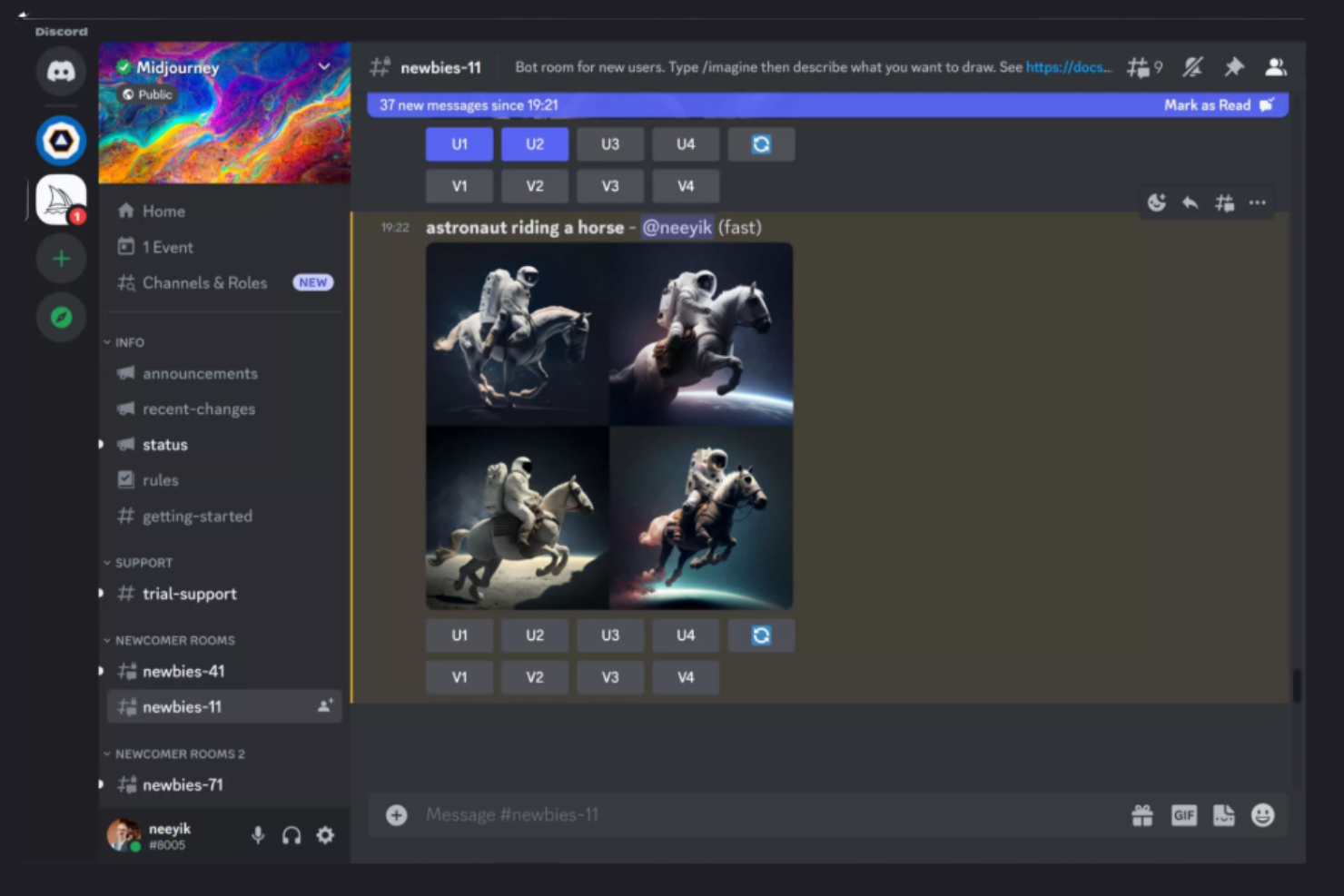
Los artistas y profesionales creativos que buscan imágenes intrincadas e impactantes visualmente suelen optar por Midjourney. Esta herramienta impulsada por IA se especializa en generar obras de arte altamente detalladas e imaginativas a partir de indicaciones de texto, lo que la convierte en una excelente opción para ilustradores, artistas conceptuales y estudios de diseño. A diferencia de Adobe Firefly, Midjourney es reconocida por su estilo artístico único y su capacidad para producir imágenes complejas y surrealistas que destacan en proyectos creativos.
Por Qué Midjourney Es una Buena Alternativa a Adobe Firefly
Si necesitas una herramienta de diseño gráfico que sobresalga en la producción de imágenes artísticas y muy detalladas, Midjourney es una elección acertada. Elegí Midjourney porque su motor de IA genera de forma constante imágenes complejas e imaginativas que van mucho más allá del arte de stock habitual. El sistema basado en prompts de la herramienta te permite guiar el proceso creativo y experimentar con diferentes estilos artísticos y niveles de detalle. Para equipos de diseño o artistas que quieren resultados visualmente ricos y únicos, Midjourney ofrece posibilidades creativas que la diferencian de Adobe Firefly.
Funciones Clave de Midjourney
Otras características hacen de Midjourney una opción flexible para profesionales creativos:
- Múltiples Opciones de Aumento de Escala: Elige entre varios métodos para mejorar la resolución y el detalle de las imágenes.
- Galería Comunitaria: Explora e inspírate en una galería pública de obras generadas por usuarios.
- Remix de Prompts: Modifica prompts existentes para iterar rápidamente sobre diferentes conceptos visuales.
- Modo Privado: Genera imágenes en un espacio de trabajo privado para mantener tus proyectos confidenciales.
Integraciones de Midjourney
Las integraciones incluyen Discord.
Pros and Cons
Pros:
- Produce resultados artísticos muy detallados y estilizados
- El remix de prompts permite una iteración creativa rápida
- Galería comunitaria activa para inspiración
Cons:
- Requiere Discord para todos los flujos de trabajo de generación de imágenes
- Control limitado sobre ajustes precisos de la imagen

Mejor para la colaboración creativa en tiempo real

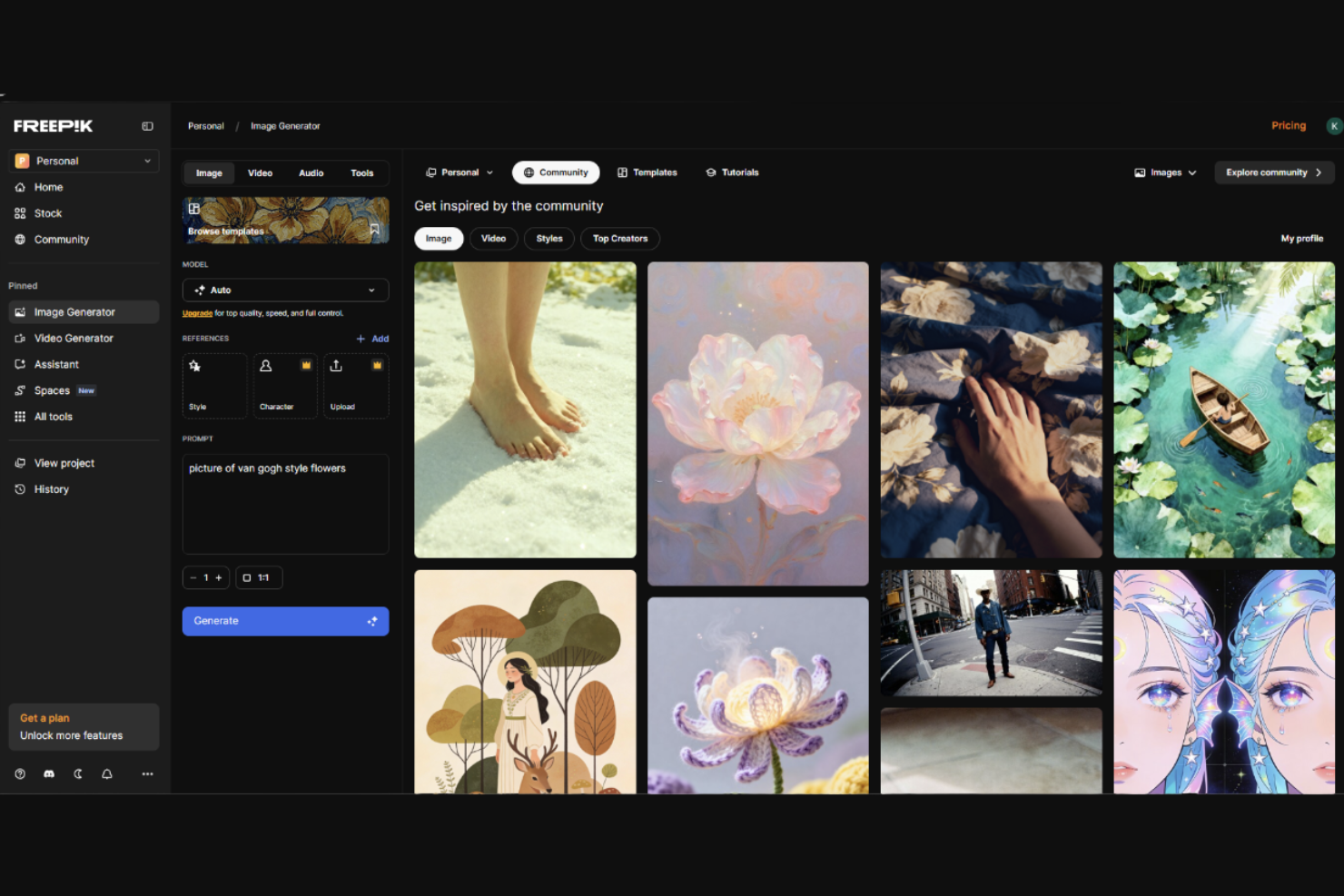
Si necesitas una herramienta de diseño gráfico que combine la generación de imágenes por IA con una gran biblioteca de recursos de stock, Freepik merece tu atención. Los profesionales creativos en marketing, publicación y diseño web pueden usar Freepik para obtener rápidamente o generar imágenes, vectores y plantillas para una amplia variedad de proyectos. A diferencia de Adobe Firefly, Freepik destaca por permitirte fusionar imágenes generadas por IA con recursos de stock ya preparados de su extensa colección.
Por qué Freepik es una buena alternativa a Adobe Firefly
Para equipos que necesitan tanto imágenes generadas por IA como acceso a una enorme biblioteca de recursos de stock, Freepik ofrece una ventaja única sobre Adobe Firefly. Elegí Freepik porque puedes generar imágenes personalizadas con su generador de imágenes por IA y complementarlas al instante con millones de fotos, vectores y plantillas de stock. Esta combinación te permite crear, editar y mezclar recursos para campañas de marketing, presentaciones o proyectos web sin cambiar de plataforma. Si buscas una herramienta de diseño gráfico que combine creatividad por IA con una biblioteca profunda de recursos listos para usar, Freepik es una elección sólida.
Características clave de Freepik
Además de su biblioteca de recursos y generación de imágenes por IA, también encontré estas características destacables:
- Plantillas editables: Accede a miles de plantillas personalizables para presentaciones, redes sociales y materiales impresos.
- Herramientas de edición de vectores: Modifica y personaliza gráficos vectoriales directamente en la plataforma.
- Eliminador de fondos: Elimina fondos de imágenes al instante para obtener recursos más limpios y versátiles.
- Organización de colecciones: Agrupa y gestiona tus recursos favoritos en colecciones para un acceso rápido y una mejor organización de proyectos.
Integraciones de Freepik
Las integraciones incluyen Adobe Illustrator, Adobe Photoshop, Figma, Canva, PowerPoint, Google Slides, Sketch, CorelDRAW, InDesign y Microsoft Word.
Pros and Cons
Pros:
- Gran biblioteca de activos combinada con generación por IA
- Las plantillas editables aceleran los flujos de trabajo de diseño
- Edición de vectores integrada para personalización de recursos
Cons:
- Control limitado sobre los resultados generados por IA
- Los términos de licencia de recursos pueden ser confusos

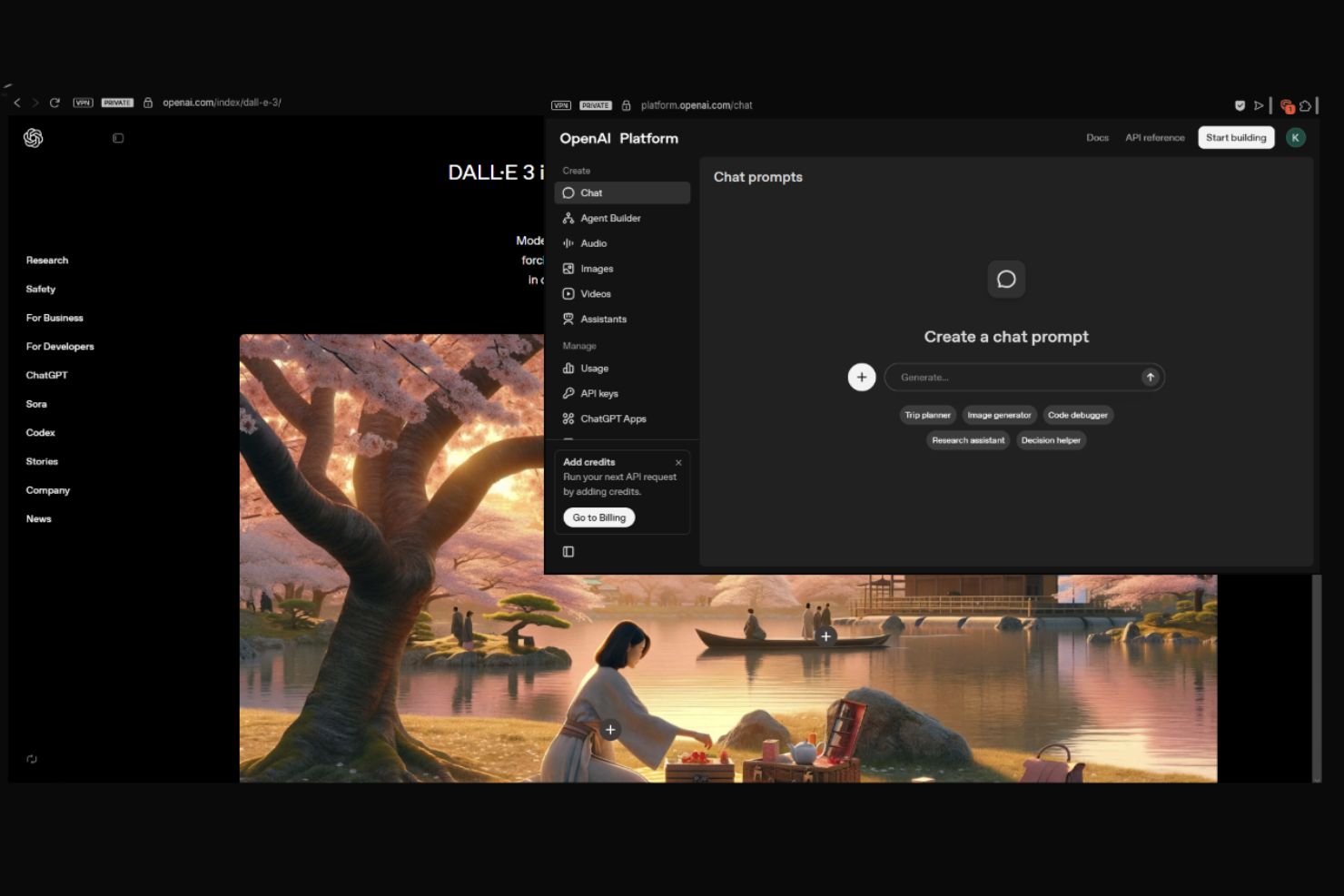
La información sobre precios y pruebas de Dall.E 3 no está disponible en las páginas de OpenAI proporcionadas. Para obtener los detalles más actuales, visite directamente el sitio web oficial de OpenAI.
Los diseñadores y especialistas en marketing que necesitan interpretaciones visuales precisas de sus ideas suelen elegir Dall.E 3. Este generador de imágenes por IA se destaca por su capacidad de traducir indicaciones textuales detalladas en imágenes altamente precisas y contextualmente relevantes. Si sus proyectos requieren representaciones fieles de conceptos escritos—como maquetas de productos, imágenes de campañas o gráficos editoriales—Dall.E 3 ofrece un nivel de fidelidad a las indicaciones difícil de igualar con Adobe Firefly u otras herramientas de diseño gráfico.
Por qué Dall.E 3 es una buena alternativa a Adobe Firefly
Cuando necesita imágenes que coincidan estrechamente con sus descripciones escritas, Dall.E 3 es una excelente alternativa a Adobe Firefly. Elegí Dall.E 3 porque su precisión de texto a imagen es de las mejores disponibles, capturando detalles y contexto sutiles incluso en indicaciones complejas. La avanzada comprensión del lenguaje de la herramienta le permite especificar elementos visuales, estilos y composiciones intrincadas con un alto grado de control. Para equipos de diseño gráfico que dependen de una narrativa visual precisa, la fidelidad de Dall.E 3 a las indicaciones lo convierte en una opción destacada.
Características principales de Dall.E 3
Otras características hacen que Dall.E 3 sea una opción versátil para proyectos de diseño gráfico:
- Generación de variaciones de imágenes: Cree múltiples variaciones de una sola indicación para explorar diferentes enfoques visuales.
- Herramientas de edición integradas: Utilice funciones de edición integradas para perfeccionar o ajustar las imágenes generadas directamente en la plataforma.
- Filtros de contenido seguro: Supervise automáticamente las imágenes generadas para filtrar contenido inapropiado o peligroso.
- Descargas en alta resolución: Exporte imágenes en alta resolución para su uso en proyectos impresos o digitales.
Integraciones de Dall.E 3
Las integraciones incluyen una API de OpenAI, que permite la integración personalizada con diversas aplicaciones.
Pros and Cons
Pros:
- Alta precisión en la traducción de indicaciones de texto a imágenes
- Gestiona bien indicaciones complejas y matizadas
- Herramientas de edición integradas para perfeccionar imágenes generadas
Cons:
- Control limitado sobre las proporciones y la composición
- Sin integraciones nativas con herramientas de diseño

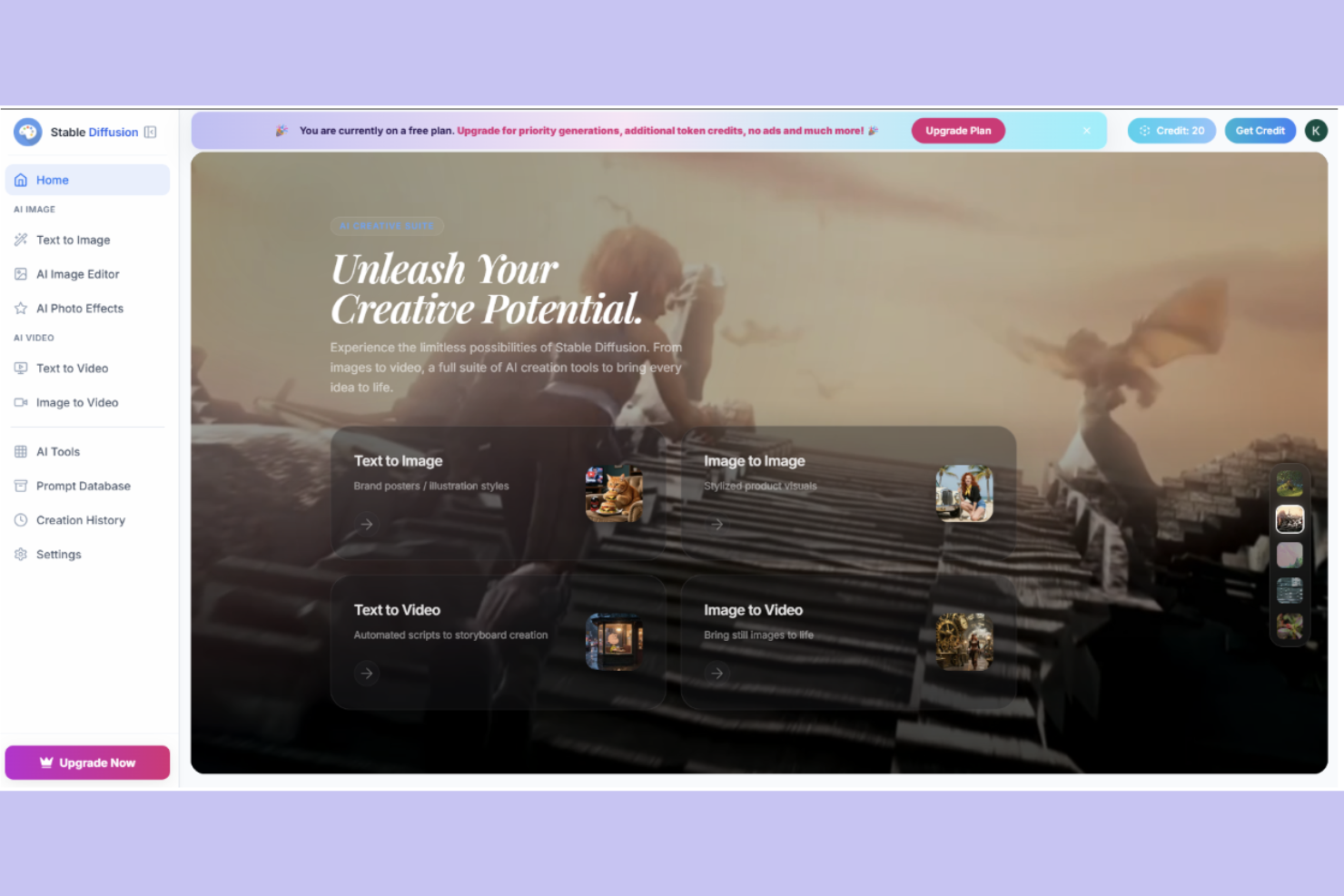
Los equipos creativos que buscan un control profundo sobre los recursos visuales generados por IA suelen recurrir a Stable Diffusion. Esta plataforma de código abierto atrae a diseñadores, desarrolladores y agencias que quieren personalizar modelos de generación de imágenes o flujos de trabajo para necesidades únicas de marca o proyectos. A diferencia de Adobe Firefly, Stable Diffusion te brinda la flexibilidad de ajustar los resultados, integrarlo con herramientas personalizadas e incluso ejecutar los modelos en tu propia infraestructura.
Por qué Stable Diffusion es una buena alternativa a Adobe Firefly
Si deseas tener control total sobre tu proceso de generación de imágenes con IA, Stable Diffusion es una sólida alternativa a Adobe Firefly. Elegí Stable Diffusion porque su marco de código abierto permite personalizar modelos, ajustar parámetros e incluso entrenar con tus propios conjuntos de datos. Esta flexibilidad es especialmente valiosa para equipos de diseño gráfico con necesidades únicas de marca o requisitos técnicos avanzados. También puedes implementar Stable Diffusion en tu propio hardware, lo que te da mayor control sobre la privacidad y el rendimiento que la mayoría de herramientas basadas en la nube.
Características clave de Stable Diffusion
Otras características hacen que Stable Diffusion sea atractivo para equipos de diseño gráfico:
- Herramientas de Inpainting y Outpainting: Edita o amplía imágenes existentes rellenando áreas faltantes o expandiendo más allá de los bordes originales.
- Generación de imágenes basada en indicaciones: Genera imágenes directamente a partir de indicaciones de texto detalladas para una amplia gama de necesidades creativas.
- Compartición de modelos en la comunidad: Accede y utiliza modelos compartidos por la comunidad de código abierto para diferentes estilos y efectos artísticos.
- Generación de imágenes por lotes: Crea múltiples imágenes a la vez desde una sola indicación o un conjunto de indicaciones.
Integraciones de Stable Diffusion
Las integraciones incluyen GitHub, Google Colab, Hugging Face, Docker y TensorFlow.
Pros and Cons
Pros:
- El modelo open-source permite una personalización y control profundos
- Permite entrenar con conjuntos de datos propios para resultados únicos
- Fuerte apoyo comunitario con modelos y recursos compartidos
Cons:
- Requiere conocimientos técnicos para la configuración y optimización
- Sin integraciones nativas con plataformas de diseño estándar

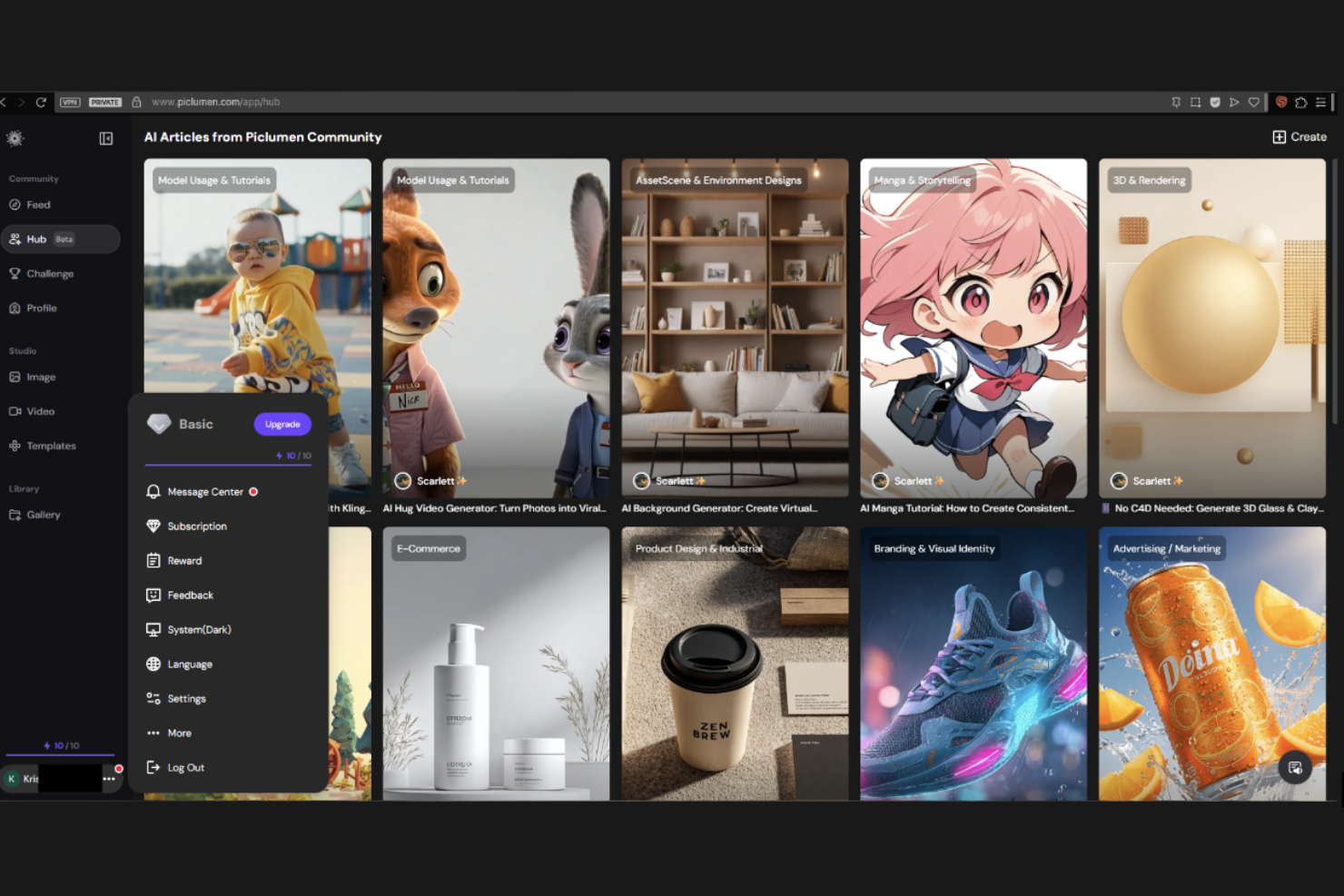
Para equipos de diseño y profesionales de marketing que necesitan imágenes realistas, PicLumen se especializa en la generación de imágenes fotorrealistas a partir de indicaciones de texto. Esta herramienta es especialmente útil para profesionales en publicidad, comercio electrónico y diseño de productos que desean crear imágenes de alta calidad y realismo sin depender de fotografías de stock o fotografía tradicional. PicLumen se diferencia de Adobe Firefly al enfocarse en resultados hiperrealistas que imitan de cerca la iluminación, texturas y detalles del mundo real.
Por qué PicLumen es una buena alternativa a Adobe Firefly
PicLumen destaca entre los equipos que necesitan generación de imágenes fotorrealistas, lo que lo convierte en una sólida alternativa a Adobe Firefly. Elegí PicLumen porque sus modelos de IA están entrenados específicamente para producir imágenes con iluminación, texturas y detalles finos realistas. Puedes generar maquetas de productos, escenas de estilo de vida o imágenes de marketing que parecen convincentemente reales, algo especialmente valioso para proyectos de comercio electrónico y publicidad. Este enfoque en resultados realistas te brinda opciones creativas que van más allá de los resultados más estilizados de muchas otras herramientas de diseño gráfico.
Funciones Clave de PicLumen
Otras funciones hacen que PicLumen resulte útil para proyectos de diseño gráfico:
- Generación de imágenes a partir de texto: Crea imágenes directamente a partir de descripciones escritas detalladas para una amplia variedad de necesidades creativas.
- Selección de relación de aspecto: Elige entre varias relaciones de aspecto para adaptarse a diferentes requisitos de diseño y plataformas.
- Generación por lotes: Genera varias imágenes a la vez a partir de una sola indicación o conjunto de indicaciones.
- Descarga en alta resolución: Exporta las imágenes generadas en formatos de alta resolución aptos para impresión o uso digital.
Integraciones de PicLumen
Las integraciones incluyen Discord.
Pros and Cons
Pros:
- Genera imágenes altamente fotorrealistas con gran nivel de detalle
- Permite generación por lotes de imágenes para agilizar los flujos de trabajo
- Resultados en alta resolución aptos para uso comercial
Cons:
- Capacidades de edición avanzada limitadas dentro de la plataforma
- Menos opciones de estilos creativos en comparación con competidores

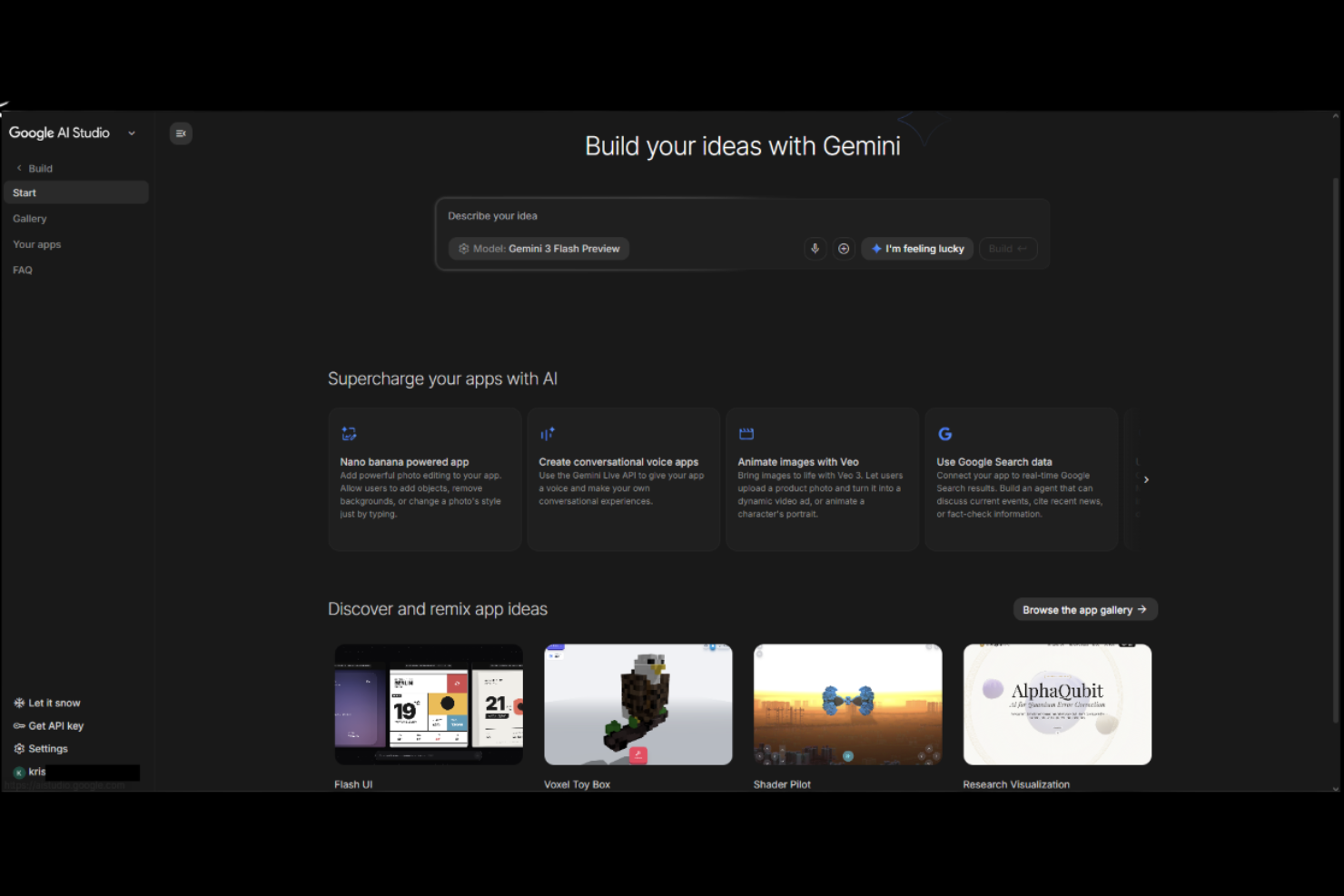
Si deseas experimentar con modelos generativos de vanguardia para proyectos creativos, Google AI Studio ofrece un espacio único para ello. Esta herramienta está diseñada para diseñadores, desarrolladores y equipos creativos que quieren crear prototipos, probar y perfeccionar imágenes y recursos generados por IA. A diferencia de Adobe Firefly, Google AI Studio te brinda acceso directo a los últimos modelos generativos de Google, facilitando la exploración de nuevas posibilidades creativas y flujos de trabajo.
Por qué Google AI Studio es una buena alternativa a Adobe Firefly
Para quienes estén interesados en experimentar de forma práctica con IA generativa, Google AI Studio ofrece un entorno flexible que destaca frente a Adobe Firefly. Elegí Google AI Studio porque permite interactuar directamente con los últimos modelos generativos de Google, dándote más control sobre los prompts y los resultados. La plataforma permite la creación rápida de prototipos, así puedes probar varias ideas creativas e iterar sobre los resultados rápidamente. Si quieres llevar al límite lo que la IA generativa puede hacer en diseño gráfico, Google AI Studio es una alternativa sólida.
Características clave de Google AI Studio
Otras funciones que vale la pena resaltar incluyen:
- Herramientas para personalización de prompts: Ajusta y perfecciona los prompts para guiar los resultados del modelo y obtener resultados más personalizados.
- Selección de versión del modelo: Elige entre diferentes versiones de los modelos generativos de Google para distintas aproximaciones creativas.
- Opciones de descarga de resultados: Exporta imágenes y recursos generados en múltiples formatos para su uso en otras herramientas de diseño.
- Seguimiento del historial de sesiones: Revisa y vuelve a sesiones de prompts anteriores para comparar resultados e iterar en tus ideas.
Integraciones de Google AI Studio
Las integraciones incluyen Google Cloud, BigQuery, TensorFlow, AutoML, Vertex AI, Google Sheets, Google Drive, Looker, Google Analytics y Data Studio.
Pros and Cons
Pros:
- Acceso directo a los últimos modelos generativos de IA
- Permite personalizar prompts para experimentar
- El historial de sesiones ayuda a rastrear y perfeccionar los resultados
Cons:
- Sin funciones integradas de colaboración para equipos
- Herramientas limitadas para flujos de trabajo de diseño profesional
Otras alternativas a Adobe Firefly
Estas son algunas opciones adicionales de alternativas a Adobe Firefly que no llegaron a mi lista de preseleccionadas, pero que merece la pena conocer:
- ChatGPT
La mejor para ideación conversacional de imágenes y refinamiento de instrucciones
- ElevenLabs
Mejor con herramientas integradas de síntesis de voz
- Runway
Mejor para flujos de trabajo avanzados de edición de video
- Kling AI
Ideal para colaboración creativa en tiempo real
- DeepAI
Ideal para generación de imágenes mediante API
- Leonardo
Ideal para preajustes de estilo personalizables
- ImagineArt
Ideal para inspiración impulsada por la comunidad
- Rendair
Mejor para opciones de salida de alta resolución
- NightCafe
Ideal para desafíos creativos diarios
- WaveSpeedAI
Ideal para procesar imágenes en lotes rápidamente


Cómo evalúo las alternativas a Adobe Firefly
Divido mi evaluación en requisitos básicos—como licencias comerciales y calidad de texto a imagen—y en diferenciadores como controles de marca e integraciones con Figma, que son esenciales para los equipos de producto.
Funcionalidad principal (requisitos básicos para esta lista)
Cuando selecciono herramientas para mi lista, califico cada una en una escala del 0 (no ofrece la funcionalidad) al 5 (sobresale en este área) por cada función principal indicada a continuación. Luego, calculo la puntuación total de la herramienta en porcentaje. Cada herramienta debe lograr una puntuación mínima total del 65% para ser considerada.
- Generación de texto a imagen: Evalúo la fidelidad al prompt, la calidad del resultado y las opciones de resolución para ver si una herramienta puede producir recursos como imágenes principales y conceptos visuales a partir de un solo prompt.
- Licencia de uso comercial: Los términos de licencia claros son claves cuando los equipos de producto publican imágenes generadas en materiales de lanzamiento, por lo que reviso los derechos comerciales y las disposiciones de propiedad intelectual de cada proveedor.
- Controles de estilo y marca: Busco preajustes de estilo, cargas de imágenes de referencia o configuraciones de kit de marca que ayuden a los equipos a mantener visuales consistentes en presentaciones, blogs y listados de tiendas de aplicaciones.
- Capacidades de edición de imágenes: Las herramientas que ofrecen inpainting, eliminación de fondos o reemplazo de objetos permiten a los gestores de producto iterar sobre maquetas sin cambiar a otra aplicación de diseño.
- Opciones de colaboración y exportación: Evalúo si una herramienta permite espacios de trabajo compartidos, bibliotecas de recursos y exportaciones en formatos como PNG, SVG y PDF para facilitar la entrega a diseñadores y partes interesadas.
- Integraciones con herramientas de producto: Los equipos de producto trabajan en Figma, Notion, Slack y Google Workspace, así que reviso si cada herramienta se conecta nativamente o a través de una API a las plataformas que el equipo ya utiliza.
Una vez tengo una lista de herramientas que cumplen con estos criterios, considero qué hace especial a cada plataforma.
Factores diferenciadores (lo que distingue a los proveedores)
Así es como comparo y contrasto los distintos proveedores:
Funciones destacadas
La generación consistente de personajes y productos es un gran diferenciador. Busco herramientas que permitan reutilizar la misma mascota o renderizado de producto en presentaciones de lanzamiento, publicaciones de blogs y recursos para redes sociales sin tener que empezar de cero cada vez. Las bibliotecas de plantillas también ahorran tiempo real a los equipos de producto cuando necesitan capturas de pantalla para la tienda de aplicaciones o cabeceras de blog con una fecha límite ajustada. La asistencia en los prompts también es importante, ya que la mayoría de managers de producto no son ingenieros en prompts y se benefician de sugerencias integradas e historial de generación consultable para iterar con mayor rapidez.
Más allá de las funciones
La indemnización por propiedad intelectual merece ser analizada cuidadosamente. Si tu equipo publica imágenes generadas en páginas de producto orientadas al cliente, necesitas un proveedor que respalde legalmente sus resultados. Los modelos de precios varían mucho también, desde sistemas por crédito hasta generación ilimitada en planes de equipo, así que evalúo qué estructura se adapta mejor al ritmo de lanzamientos y sprints de un equipo de producto. Para compradores empresariales, también tomo en cuenta si el proveedor ofrece SSO, registros de auditoría y la opción de manejo de datos privativos, para mantener privados los prompts y recursos generados.
¿Por qué buscar una alternativa a Adobe Firefly?
Aunque Adobe Firefly es una buena opción como herramienta de diseño gráfico, hay varios motivos por los que algunos usuarios buscan soluciones alternativas. Puede que estés buscando una alternativa a Adobe Firefly porque…
- Necesitas controles de IA generativa más avanzados
- Tu equipo necesita funciones de colaboración en tiempo real
- Quieres compatibilidad con resultados de mayor resolución
- Necesitas una herramienta disponible fuera del ecosistema de Adobe
- Buscas opciones de precios más flexibles
Si alguna de estas situaciones te resulta familiar, has llegado al lugar adecuado. Mi lista incluye varias opciones de herramientas de diseño gráfico más adecuadas para equipos que afrontan estos desafíos con Adobe Firefly y buscan soluciones alternativas.
Funciones principales de Adobe Firefly
Estas son algunas de las funciones principales de Adobe Firefly, que te ayudarán a contrastar y comparar lo que ofrecen las soluciones alternativas:
- Generación de texto a imagen: Utiliza IA avanzada para convertir descripciones de texto en imágenes detalladas para casos de uso creativos y de marketing
- Herramientas de relleno generativo: Edita y amplía imágenes añadiendo o eliminando elementos con sugerencias basadas en IA
- Efectos fotográficos con IA: Aplica ediciones y mejoras estilizadas a las imágenes para diferentes enfoques creativos
- Automatización de la plataforma de IA: Ayuda a acelerar las tareas de diseño repetitivas generando múltiples variaciones a partir de una sola indicación
- Opciones de exportación multiformato: Admite distintos tipos de archivo y resoluciones para salidas digitales y de impresión
- Compatibilidad con Creative Cloud: Funciona con Adobe Express y otras herramientas de Adobe para ampliar los flujos de trabajo de diseño